

Contents
On this page
Webhooks - Plugixa PDF Vouchers for WooCommerce
Pro adds six voucher topics to WooCommerce webhooks. Your accounting tool, CRM or till then hears about every voucher event as it happens, instead of asking.
Because they are ordinary WooCommerce webhooks, they are set up, signed, retried and logged exactly like order webhooks.
The topics
| Topic | Name in WooCommerce | Fires when |
|---|---|---|
voucher.created |
Voucher created | A voucher is issued: sold, created by hand, generated in bulk or imported. |
voucher.redeemed |
Voucher redeemed | Money is taken from it: an order is paid, or a counter, scan or till redemption. |
voucher.refunded |
Voucher refunded | Money goes back to it, for example from a cancelled order. |
voucher.updated |
Voucher balance adjusted | Its balance is adjusted: by an admin, or when a cancelled top-up or group gift share is taken back off it. |
voucher.voided |
Voucher voided | It is cancelled, by hand or with the order that bought it. |
voucher.expired |
Voucher expired | It reaches its expiry date. |
A checkout hold is not an event: voucher.redeemed fires when the payment makes it final. Value
added by a top-up does not fire a webhook in version 1.0.0.
The topics follow the voucher’s history: an event fires when a line of that kind is written. A
voucher voided after it was used up has no balance left to write off, so voiding it sends no
voucher.voided.
Add a webhook
- Go to WooCommerce > Settings > Advanced > Webhooks and click Add webhook.
- Give it a Name, set Status to Active.
- Choose a Topic, for example Voucher redeemed.
- Enter the Delivery URL of the system that receives it, and a Secret.
- Click Save webhook.
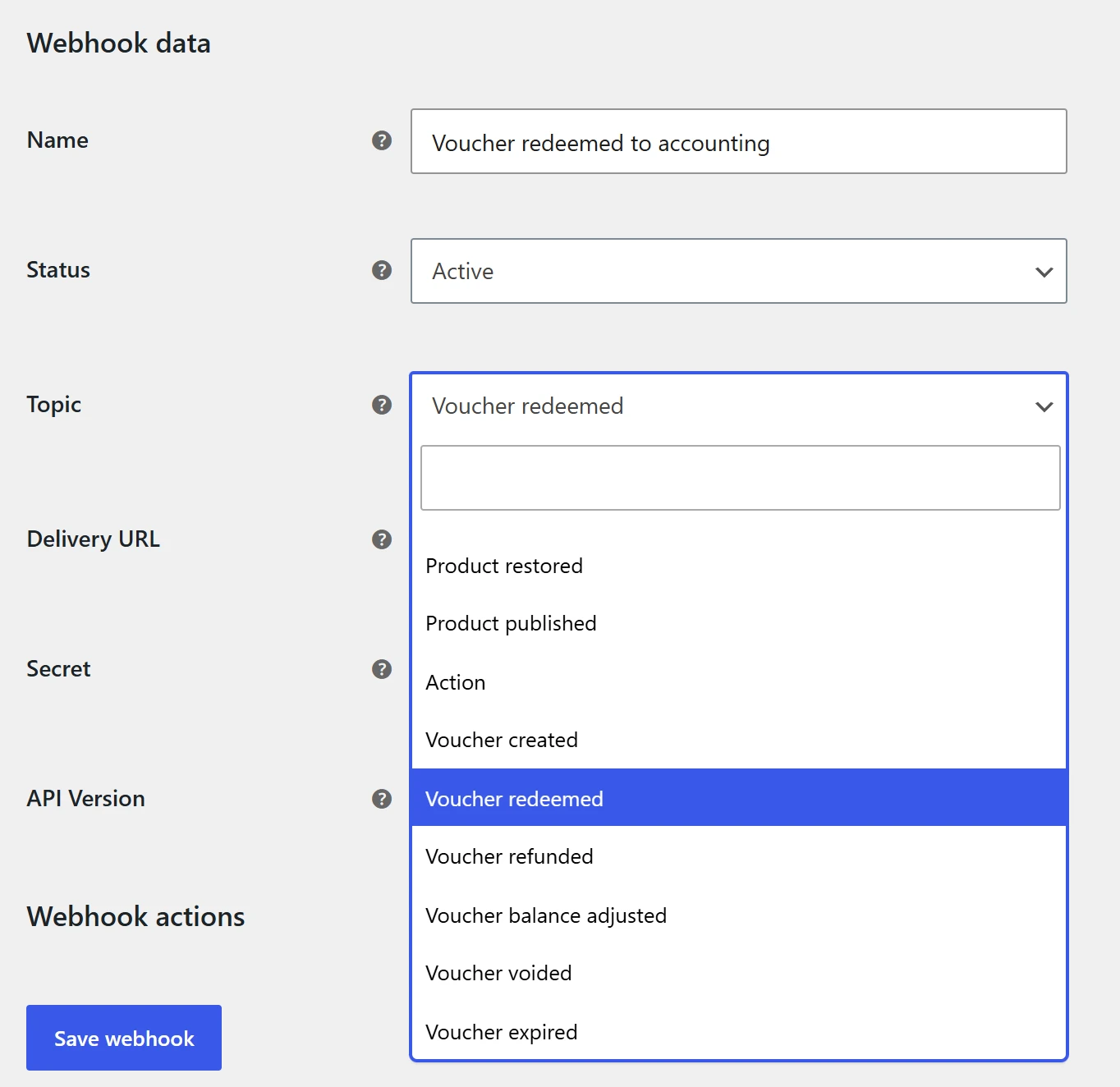
Add one webhook per topic you need. WooCommerce sends each event as a POST request with a JSON
body, signs it with your secret in the X-WC-Webhook-Signature header, retries failures, and
shows every delivery in its log (WooCommerce > Status > Logs).
The payload
The body is the voucher, the event, and the ledger line that caused it:
{
  "id": 412,
  "code": "PX-M9P2-FU55",
  "kind": "mpv",
  "status": "active",
  "currency": "EUR",
  "initial_amount": 50,
  "balance": 30,
  "order_id": 4318,
  "product_id": 530,
  "buyer_email": "sophie@example.com",
  "recipient_name": "Claire Morel",
  "recipient_email": "claire@example.com",
  "source": "order",
  "batch": "",
  "locale": "fr_FR",
  "expires_at": "2027-11-20T22:59:59Z",
  "created_at": "2026-11-20T09:12:44Z",
  "event": "redeemed",
  "transaction": {
    "id": 1877,
    "type": "redeem",
    "amount": -20,
    "balance_after": 30,
    "order_id": 4402,
    "source": "order",
    "location": "",
    "created_at": "2026-11-21T15:03:10Z"
  }
}
| Field | Meaning |
|---|---|
kind |
mpv for a gift card, spv for a product voucher. |
status |
active, redeemed (used up), expired, void or pending. |
initial_amount, balance |
In the voucher’s own currency. |
source |
Where the voucher came from: order, manual, import, and so on. |
event |
The topic’s event: created, redeemed, refunded, updated, voided or expired. |
transaction |
The voucher’s latest ledger line of that kind. amount is negative for money taken off. |
Dates are UTC, in ISO 8601. The payload never includes the buyer’s user ID or internal fields.
WooCommerce usually delivers webhooks a moment later, in the background, so transaction is the
latest line of that type when the delivery runs.
Hooks are not webhooks
Webhooks send HTTP requests to other systems. To run your own PHP code inside WordPress when something happens to a voucher, use the plugin’s actions and filters. See Hooks.
Quick Links
Share