

Contents
On this page
Plugixa PDF Vouchers
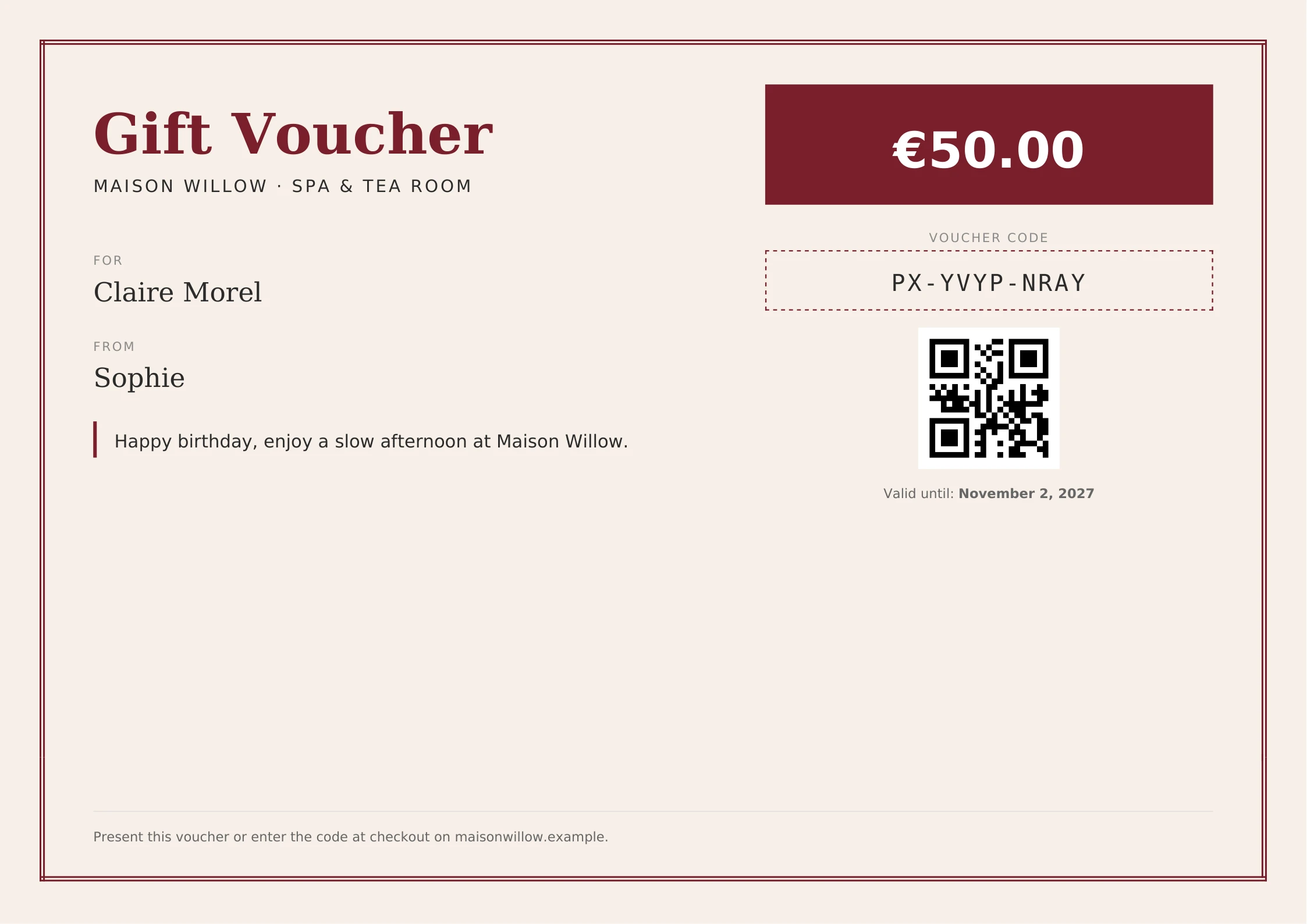
Welcome to the documentation for Plugixa PDF Vouchers, a WooCommerce plugin that sells, delivers and redeems gift vouchers. You turn any product into a voucher, and each unit a customer buys becomes a voucher with its own code, a balance and a PDF with a QR code. The PDF is emailed to the buyer or straight to the person it is for, and that person spends it in the cart or at checkout, in one order or over several.
Who it is for
- WooCommerce shops that want to sell gift cards for any amount spent in the shop.
- Spas, restaurants and studios that sell vouchers for one product or service, such as a massage or an afternoon tea.
- Shops that also take vouchers at the counter and need one balance for both.
How it works
You tick Sell as a voucher on a product. A customer buys it and fills in who the voucher is
for. When the order is paid, the plugin creates one voucher per unit bought, with a unique code
like PX-M9P2-FU55, and emails it with the PDF attached. The recipient types the code in the
coupon field of the cart or checkout, the Classic one or the Block Cart and Checkout. The voucher
pays for as much of the order as its balance covers, and a gift card keeps what is left for the
next order. Every amount issued, held, spent, refunded or expired is written to the voucher’s
history, so its balance can always be explained.
The plugin ships in two editions:
- Free - gift cards and product vouchers, fixed amounts and variations, expiry, single-use vouchers, three PDF designs with your logo and colours, right-to-left and Arabic text, the gift form on the product page, email delivery, partial redemption in the Classic and Block checkout, My Account vouchers, a balance check, redeeming and resending from the admin, and refunds that put the money back on the voucher.
- Pro PRO - everything in Free, plus amounts the buyer chooses, bonus value, top-ups, several recipients, scheduled delivery, group gifts, a drag-and-drop designer, more designs, scan to redeem at the counter, reports, Plugixa POS and marketplace integrations, and more.
See the complete Free vs Pro comparison.
Start in 3 steps
- Install and activate WooCommerce, then Plugixa PDF Vouchers. The setup wizard opens. See Getting started.
- Create a voucher product in the wizard, or tick Sell as a voucher on the PDF Voucher tab of any product. See Voucher products.
- Buy one yourself with a test payment to see the email and the PDF.
Key concepts
| Term | What it is |
|---|---|
| Gift card | A voucher with a balance for anything in the shop, spent over as many orders as the balance allows. |
| Product voucher | A voucher that pays only for the products or categories you choose. |
| Code | The unique code printed on the voucher and typed in the coupon field, for example PX-M9P2-FU55. |
| Balance | What is left to spend on a voucher. |
| Hold | An amount reserved on a voucher while an order waits for its payment. |
| PDF design | The layout, colours, logo and texts a voucher PDF is printed with. |
Selling and spending
| Section | Description |
|---|---|
| Getting started | Requirements, the setup wizard, the first voucher product and a test purchase |
| Voucher products | The PDF Voucher tab: type, amounts, expiry, uses and design |
| The gift form | The “Who is this voucher for?” fields on the product page |
| Checkout and redemption | Spending a voucher in the Classic and Block checkout |
| Emails and delivery | The voucher email, the buyer’s copy and the PDF link |
| My Account vouchers | The customer’s own list of vouchers |
| Balance check | The balance block and shortcode |
| PDF designs | Classic, Modern and Minimal, colours, logo, paper and live preview |
Back office
| Section | Description |
|---|---|
| Dashboard | Outstanding balance, value sold, redeemed and expired |
| Vouchers | Find, create, redeem, adjust, void and resend vouchers |
| Voucher history | Every movement of a voucher’s balance |
| Refunds and cancellations | What happens to vouchers when an order is refunded or cancelled |
| Settings | Codes, expiry, holds, emails and data |
| Staff access | Who may view, redeem and manage vouchers |
| Privacy and uninstall | Personal data and what deleting the plugin removes |
| Troubleshooting | Fixes for common problems |
| Free vs Pro | What each edition contains |
Pro buying
| Section | Description |
|---|---|
| Custom amounts PRO | The buyer types the voucher value |
| Bonus and campaigns PRO | Pay 100, get 110, and dated campaigns |
| Top-ups PRO | Reload a gift card the customer already has |
| Multiple recipients PRO | One purchase, one voucher per person |
| Scheduled delivery PRO | Send the gift on a chosen day |
| Group gifts PRO | Friends pay shares of one voucher |
| Design choice PRO | The buyer picks the design and previews the PDF |
| Voucher form PRO | Sell vouchers on any page |
| Service vouchers PRO | Vouchers for sessions, such as 5 yoga classes |
| Physical cards PRO | Printed cards shipped with the order |
| SMS and WhatsApp PRO | Send the gift by text message too |
| Wallet passes PRO | Apple Wallet and Google Wallet passes |
Pro designs and back office
| Section | Description |
|---|---|
| Designer PRO | Drag-and-drop PDF designs |
| Extra designs PRO | Elegant, Festive and Ticket |
| Custom fonts PRO | Your brand fonts in every design |
| Bulk codes PRO | Generate, import and export vouchers in batches |
| Reports PRO | Sold, redeemed, expired and outstanding over a period |
| Activity log PRO | Who changed what in the admin |
| Expiry rules PRO | Expiry at the end of a calendar year |
| Tax mode PRO | VAT at sale, product by product |
| Verification PRO | Confirm before a large voucher is spent online |
| Reminders PRO | “Your voucher expires soon” emails |
Pro counter and integrations
| Section | Description |
|---|---|
| Scan to redeem PRO | Redeem at the counter from a phone |
| Store credit PRO | Refund an order onto a voucher |
| Plugixa POS PRO | Take vouchers as a payment at the register |
| Multi-currency PRO | Spend a voucher in another currency |
| Marketplaces PRO | Dokan and WCFM vendors |
| Multilingual PRO | Vouchers in the recipient’s language |
| Webhooks PRO | Voucher events as WooCommerce webhooks |
Developers
| Section | Description |
|---|---|
| REST API | The plugin’s endpoints |
| Hooks | WordPress actions and filters |
| Webhooks PRO | Outgoing HTTP calls on voucher events |
Quick Links
Share