

Contents
Several recipients - Plugixa PDF Vouchers for WooCommerce
A buyer can send the same voucher to several people at once, for example the whole team. Each person gets their own voucher, with their own code, PDF and email.
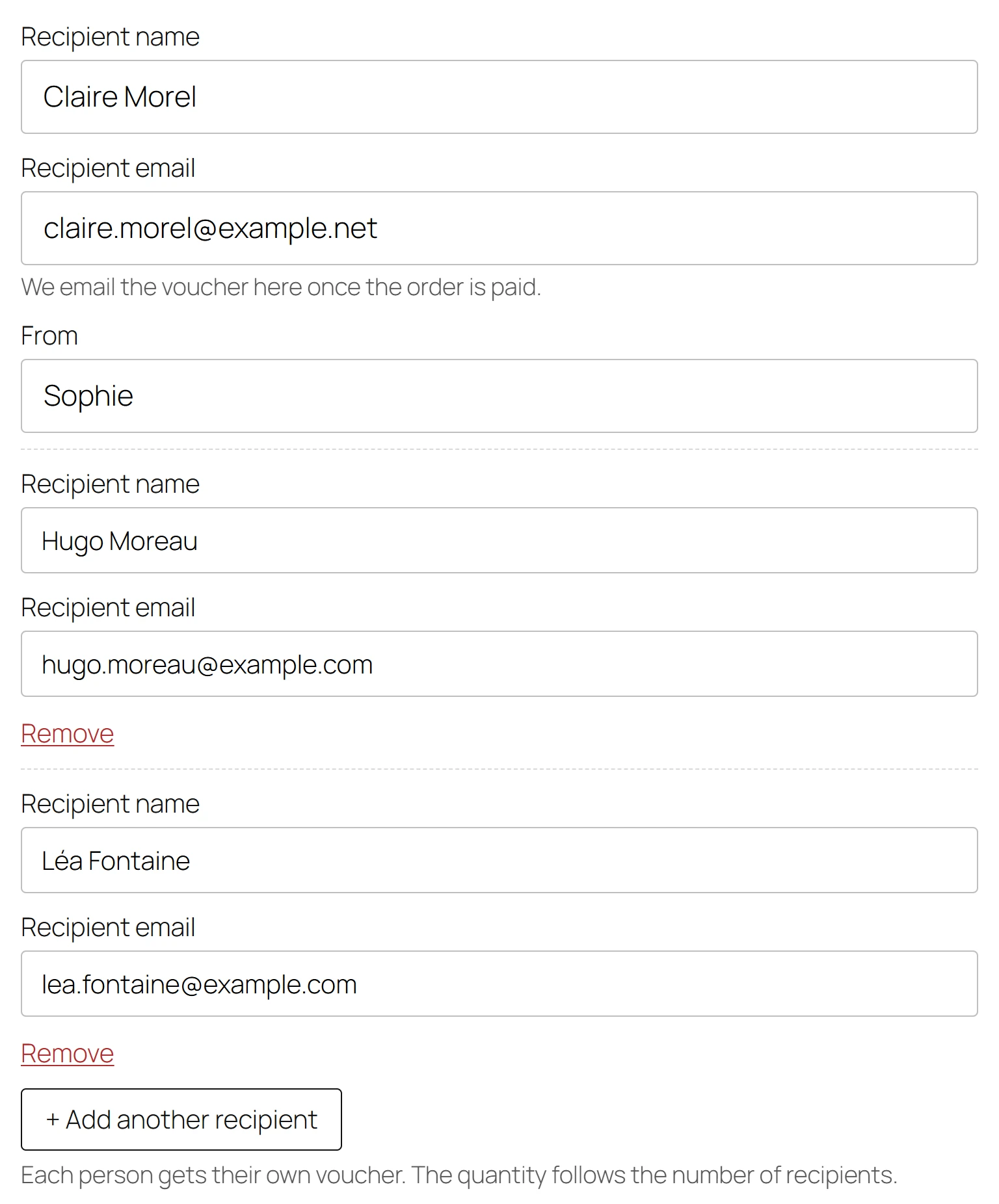
How the buyer adds recipients
There is nothing to switch on: with Pro, every voucher product’s gift form offers it.
- On the product page, the buyer chooses A gift for someone and fills in the first recipient.
- They click + Add another recipient and fill in the Recipient name and Recipient email of each extra person. Remove deletes a row.
- They click Add to cart.
Each person gets their own voucher. The quantity follows the number of recipients. Up to 20 people can be named in one purchase: the first recipient and 19 more.
Every extra row needs both fields. If one is missing or the email is not valid, the product page says, for example, Recipient 2 needs a name and a valid email address. More than 20 people gives You can send vouchers to at most 20 people in one purchase.
In the cart
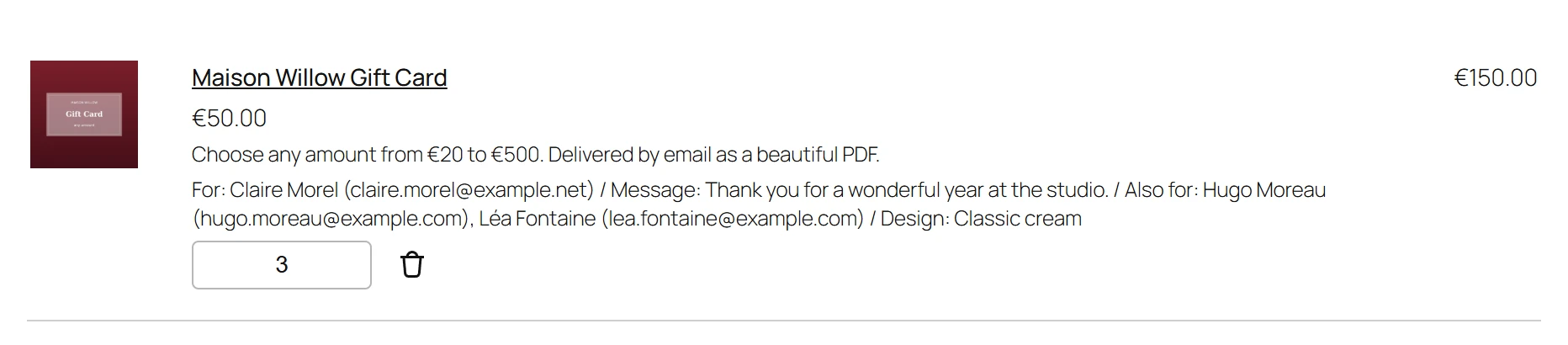
The line’s quantity is the number of people, and cannot be changed in the cart (Classic or Block): to add or remove someone, the buyer removes the line and adds it again. The line shows For with the first recipient and Also for with the others.
When the order is paid
One voucher is created per person: the first unit for the first recipient, the second for the second, and so on. Each one is emailed to its own recipient with its own PDF, and the buyer gets a copy of each when Send the buyer a copy of gift vouchers is on. The sender’s name and personal message are the same on all of them.
The order shows the extra people as Also for.
Several recipients combine with Custom amounts (everyone gets the same amount) and Scheduled delivery.
Quick Links
Share