

Contents
Custom amounts - Plugixa PDF Vouchers for WooCommerce
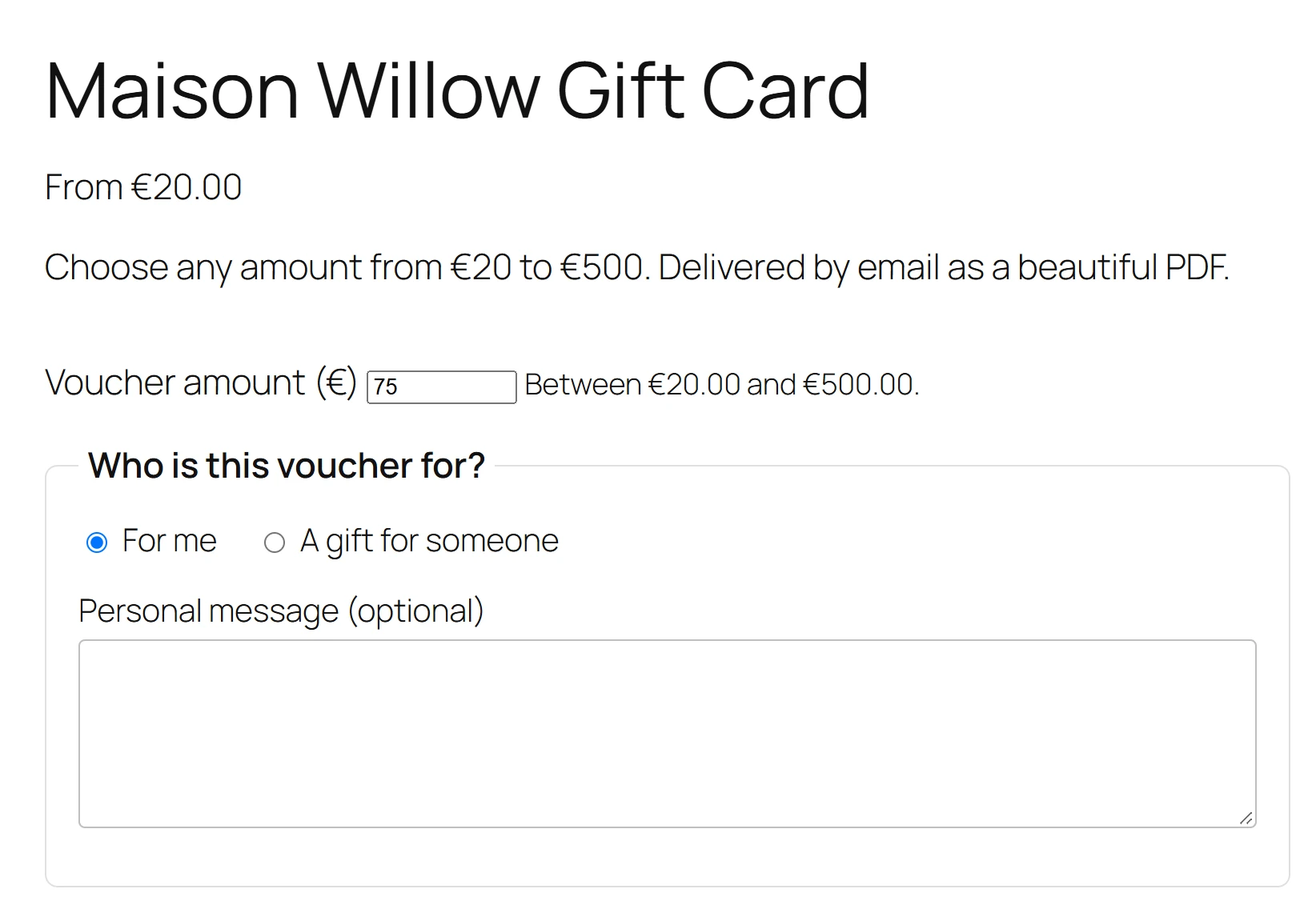
With custom amounts, the buyer types what the voucher should be worth, for example any amount from 20 to 500. The voucher is issued for the amount they paid.
Turn it on for a product
- Edit a voucher product and open its PDF Voucher tab.
- Tick Buyer chooses the amount: Show an amount field on the product page. The regular price is used as the suggested amount.
- Fill in Minimum amount and, if you want a limit, Maximum amount (empty means No limit).
- Set the product’s Regular price to the amount you want to suggest.
- Click Update.
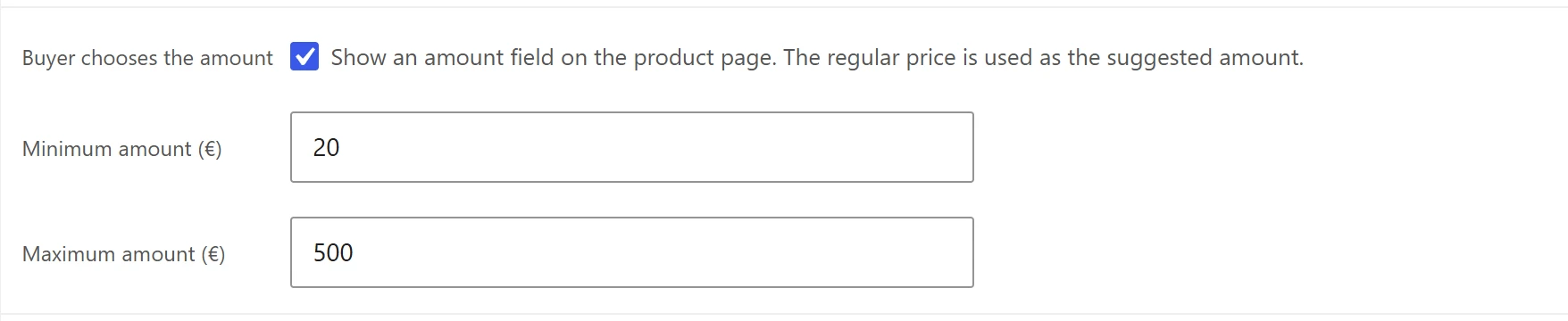
If the product has no regular price, the minimum (at least 1) is used as its price when you save it, because WooCommerce does not sell a product without one. A simple product is the natural choice: there is no need for one variation per amount.
What the buyer sees
- The price on the product page and in shop lists reads From followed by the minimum.
- Above the gift form, a Voucher amount field, filled in with the regular price, and a hint: Between (minimum) and (maximum), or From (minimum) when there is no maximum.
- In shop lists, the add to cart button opens the product page, so the buyer can type the amount.
If the amount is outside the range, the product page says Please choose an amount between (minimum) and (maximum), or Please choose an amount of at least (minimum).
In the cart and on the voucher
The typed amount becomes the price of the cart line, in the Classic and the Block Cart and Checkout. Two vouchers with different amounts stay two separate lines. The voucher is then issued for the price paid per unit, like any voucher, so a 75 voucher is worth 75.
Custom amounts combine with the other Pro options, for example Bonus value and campaigns (pay 100, get 110) and Several recipients.
Quick Links
Share