

Contents
On this page
Confirm large vouchers - Plugixa PDF Vouchers for WooCommerce
A voucher code is like cash: whoever has it can spend it. For high-value vouchers, Pro can ask the voucher’s owner to confirm by email before the voucher is spent online. A code read off a stolen card or a forwarded email is then not enough on its own.
Turn it on
- Go to Plugixa PDF Vouchers > Settings, box Large vouchers.
- Set Ask the owner to confirm from: 0 turns it off. A voucher with at least this balance needs a confirmation link sent to its owner before it is used online.
- Click Save.

What the customer sees
- They apply a voucher whose available balance is at or above the amount, in the cart or the checkout.
- The voucher is not applied yet. The message says For your security, we emailed a confirmation link to (the owner’s address, partly hidden). Open it, then apply the voucher again.
- The owner (the recipient, or the buyer when the voucher has no recipient email) receives Confirm the use of your gift voucher at (your store): Someone wants to pay with your gift voucher (code) at (store). If this is you, confirm it with the link below. It works for 30 minutes.
- They click Yes, this is me, on any device. The page says Voucher confirmed: Thank you, the voucher is confirmed. Go back to the checkout and apply it again.
- Back in the same browser session, they apply the code again. It now works for two hours.
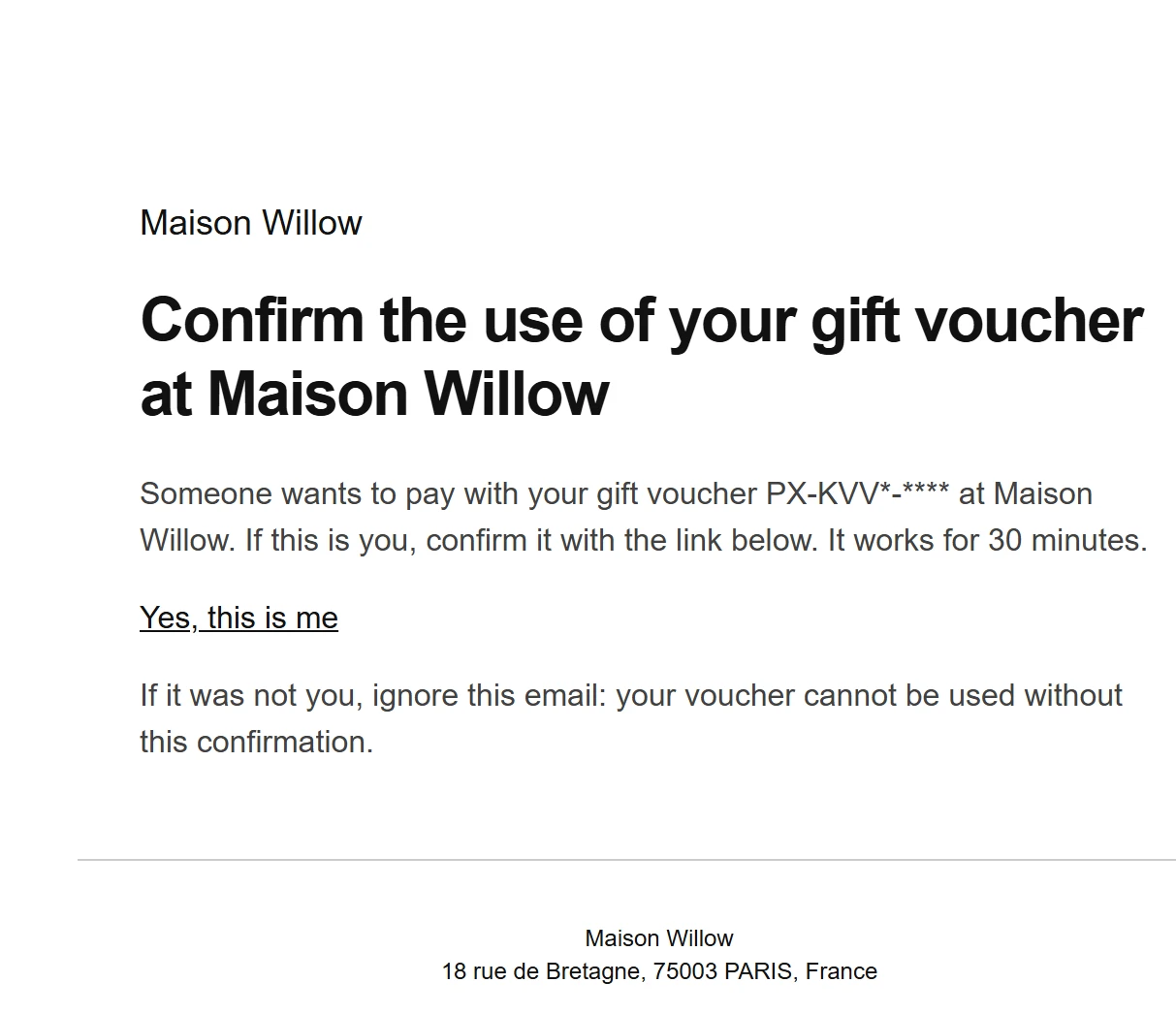
If it was not them, the email says to ignore it: the voucher cannot be used without the confirmation.
An expired or used link shows Link expired: This confirmation link has expired or was already used. Apply the voucher again at checkout to get a new one. A new link can be requested at most every 10 minutes.
Good to know
- A voucher with no email address on it, such as a code from Bulk codes, has nobody to ask, so it is never checked.
- Only online spending is checked. Staff who redeem in your shop, or with Scan to redeem, see the voucher in front of them.
- The check uses the balance available now, so a large voucher that has been mostly spent stops asking once it falls below the amount.
- The approval belongs to the shopping session that asked for it, not to the code: someone else with the same code still needs their own confirmation.
- Why a link and not a code to type: the coupon field of the Classic and Block checkouts is a single field, with nowhere to type a second code.
Quick Links
Share