

Contents
Elegant, Festive and Ticket designs - Plugixa PDF Vouchers for WooCommerce
The free plugin comes with three ready-made PDF designs: Classic, Modern and Minimal. Pro adds three more: Elegant, Festive and Ticket. They work exactly like the free ones: you pick one, change its colours and texts in the design editor, and use it on any voucher product.
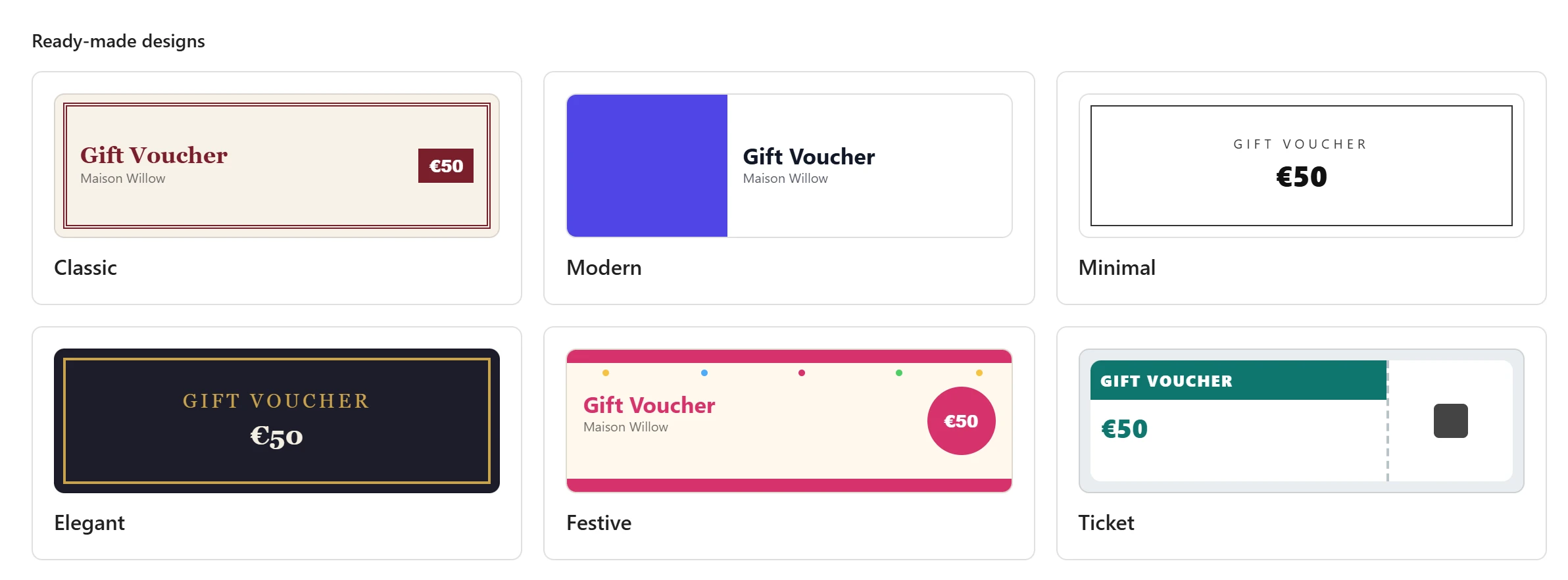
The three designs
| Design | Look | Starting colours (accent, background, text) | Made for |
|---|---|---|---|
| Elegant | Dark page, gold double frame, serif type, everything centred. | Gold #c9a24a, dark navy #1d1d2b, cream #f4efe2 |
Restaurants, spas, jewellers, hotels. |
| Festive | Ribbon bands at the top and bottom, confetti dots, the value in a round badge. | Pink #d6336c, warm white #fff8ee, dark grey #2d2d2d |
Birthdays, Christmas, Mother’s Day, Eid. |
| Ticket | A card with a perforated stub that holds the code, the QR code and the expiry date. | Teal #0f766e, light grey #e9eef0, slate #1f2933 |
Experiences, classes, tastings, events. |
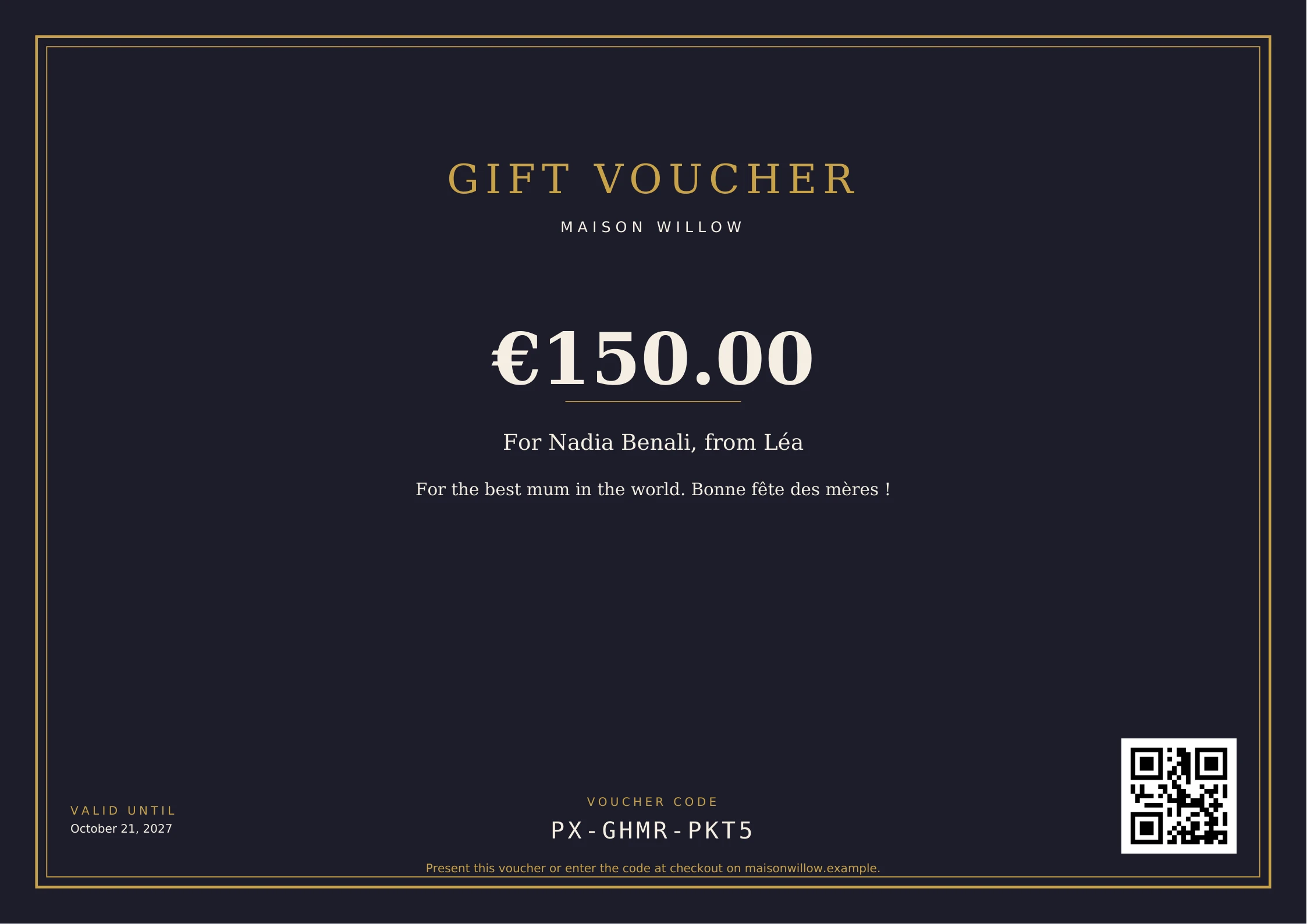
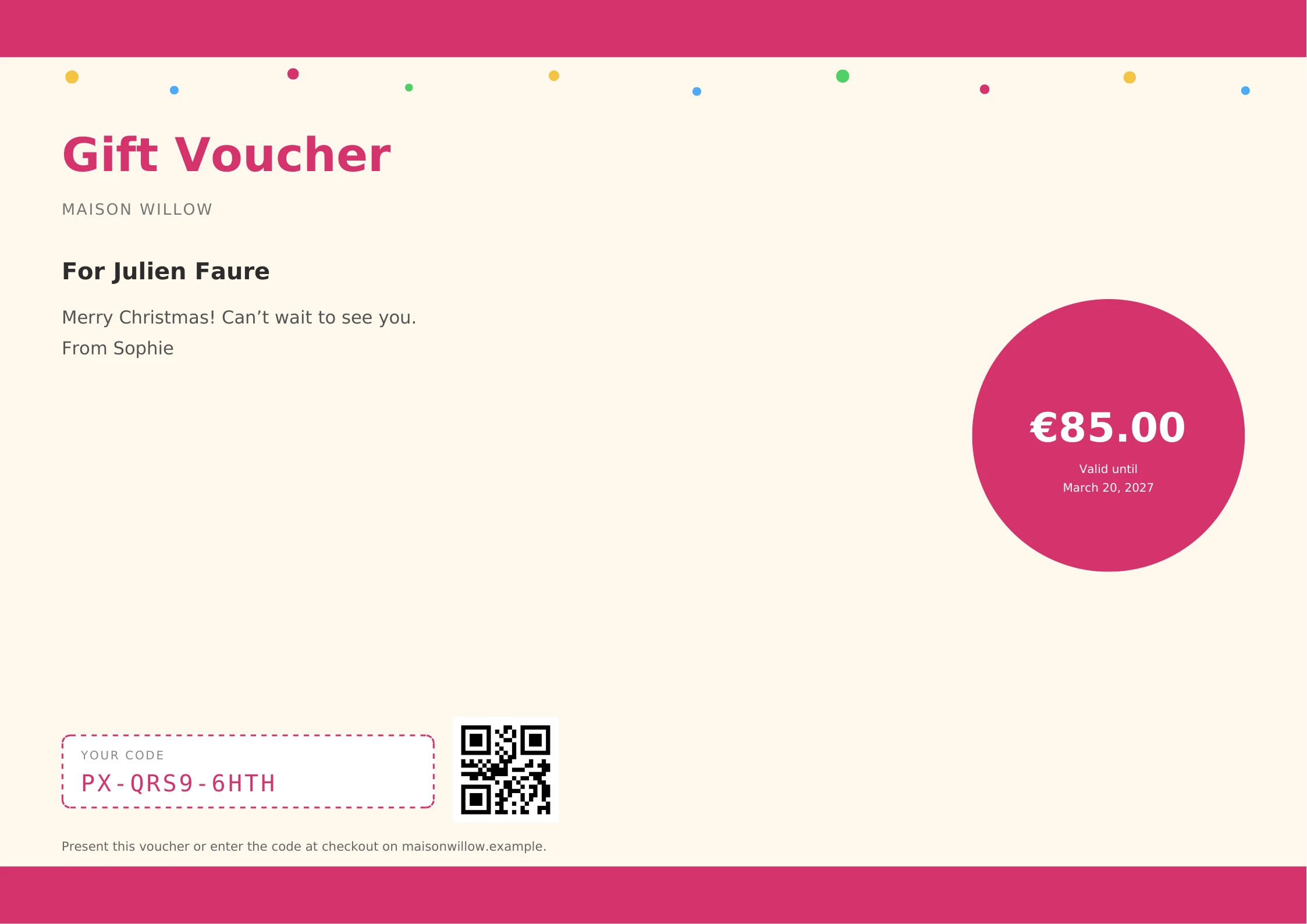
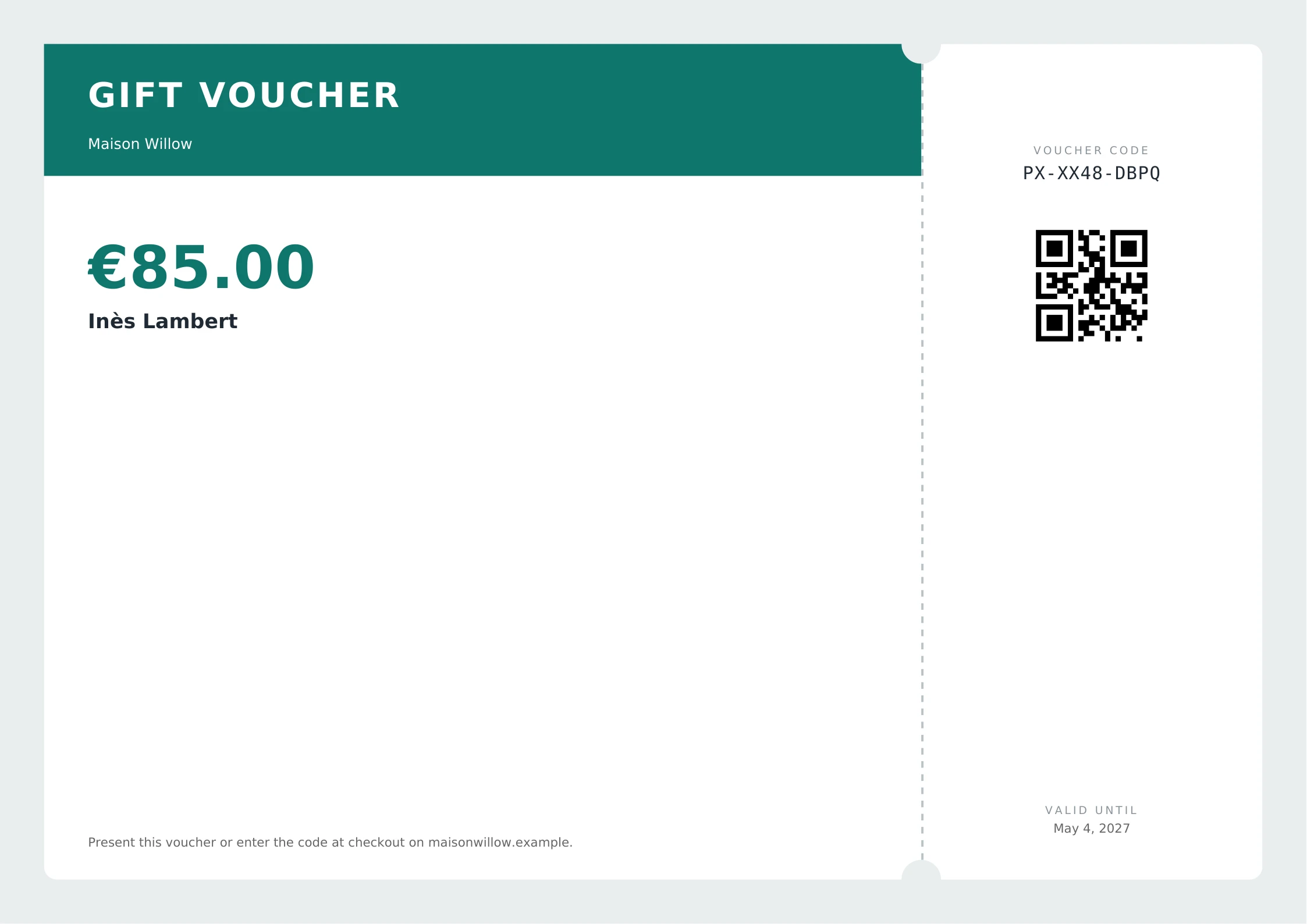
Create a design from one of them
- Open PDF designs and click Add design.
- In the Ready-made designs group, click Elegant, Festive or Ticket.
- The design is created in its starting colours and opens in the design editor.
- Change what you need, then click Save.
You can also switch an existing design to one of them: open the design and choose it in the Layout list.
What you can change
The three designs use the same fields as Classic, Modern and Minimal:
| Field | What it does |
|---|---|
| Name | The design’s name in the list and on the product. |
| Layout | The design itself: Classic, Modern, Minimal, Elegant, Festive or Ticket. |
| Paper and Orientation | A4, A5 or Letter, landscape or portrait. |
| Title and Subtitle | The heading texts. |
| Accent, Background and Text | The three colours. |
| Font | The body font, including fonts you upload under Custom fonts. |
| Logo and Background image | Pictures from the media library. |
| Footer text and Terms and conditions | Texts printed at the bottom of the voucher. |
| QR code, Expiry date, Personal message | Show or hide each block. |
| Right-to-left | Mirrors the design for right-to-left languages such as Arabic. |
| Store default | Uses this design when a product has none of its own. |
The live preview next to the fields updates as you type. The full list of fields and placeholders is on PDF designs.
Things to know
- Every block of these designs is placed at a fixed position on the page and cuts off its own overflow, so a long name or message never pushes the voucher onto a second page, on any paper size.
- With Right-to-left on, Festive puts the badge on the other side and Ticket moves its stub to the left. Elegant is centred, so it needs no mirroring.
- If the Pro part of the plugin is no longer active, a design based on Elegant, Festive or Ticket prints with the Classic layout, in its own colours.
- For a layout you build element by element, use the Drag-and-drop designer.
Quick Links
Share