

Contents
Balance check - Plugixa PDF Vouchers for WooCommerce
Recipients of a gift often have no account in your shop. The balance check lets anyone type a code and see what is left on it, without logging in.
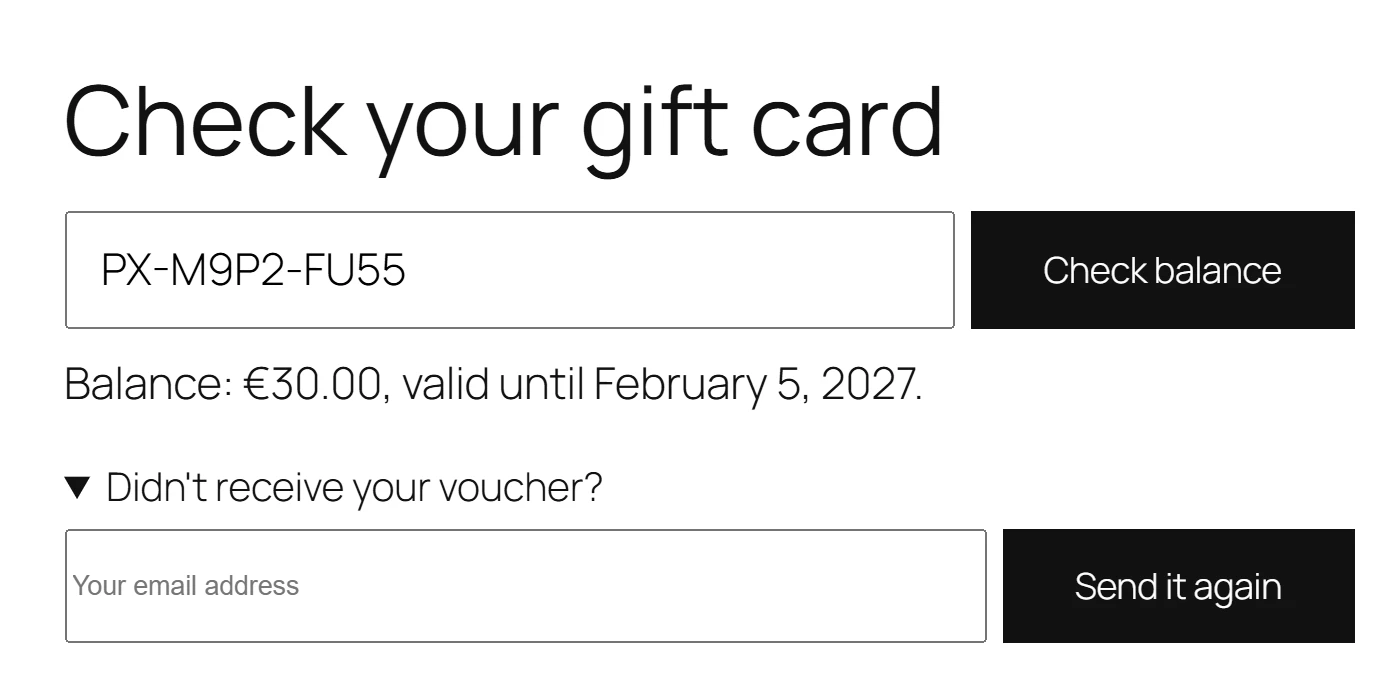
Add it to a page
Use either of these on any page, for example a “Gift cards” page:
- The Voucher Balance block, in the WooCommerce block category of the editor.
- The shortcode:
[plugixa_voucher_balance]
Both show the same form. The shortcode works in classic pages, widgets and page builders.
What the visitor sees
The visitor types a code and clicks Check balance. The answer is one line:
| Voucher | Answer |
|---|---|
| Active, with an expiry date | The balance and the date it is valid until |
| Active, no expiry | Balance: followed by the amount |
| Used up | This voucher has already been used. |
| Expired | This voucher has expired. |
| Pending | This voucher is not active yet. |
| Unknown or voided | This voucher code is not valid. |
Didn’t receive your voucher?
Under the form, Didn’t receive your voucher? opens a second field. The visitor types their email address and clicks Send it again. The plugin sends, to that address only:
- the vouchers already delivered to it as a recipient, and
- the buyer’s copy of gifts bought with it.
A gift scheduled for a later day PRO is never sent early this way, so nobody can spoil a surprise by typing the recipient’s address. The answer is the same sentence whether or not the address has vouchers, so the form reveals nothing.
Protection
A balance check is a way to test codes, so it is limited:
- Balance checks per minute per visitor in Settings, 10 by default (1 to 100). A visitor over the limit sees Too many requests. Please wait a little while and try again.
- The same code-guessing lock as the checkout: a visitor who tried too many wrong codes learns nothing here either. See Checkout and redemption.
- The resend form has its own limits per visitor and per email address.
The answer never shows the recipient, the buyer or the history of a voucher, only its balance and expiry date.
Quick Links
Share