

Contents
Reports and exports - Plugixa PDF Vouchers for WooCommerce
Plugixa PDF Vouchers > Reports: What was sold, spent and left unspent over a period.
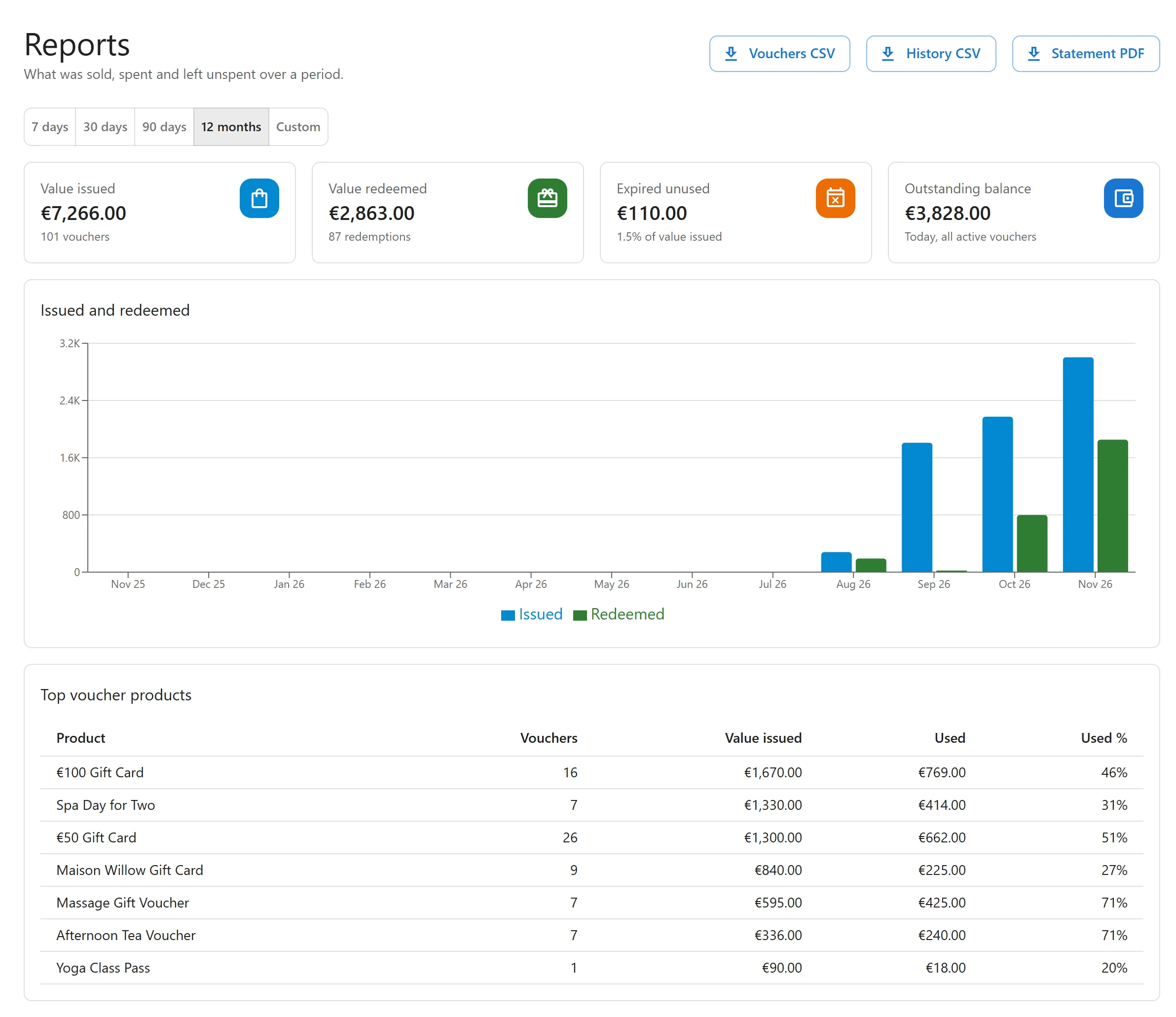
Pick a period
Click 7 days, 30 days, 90 days or 12 months, or Custom with a From and To date. Dates are your store’s calendar days.
The figures
| Figure | What it shows |
|---|---|
| Value issued | The value issued in the period, including value added by top-ups, with the number of vouchers created. |
| Value redeemed | What was spent from vouchers in the period, with the number of redemptions, and the share of value issued. |
| Expired unused | The value left on vouchers that expired in the period. |
| Outstanding balance | Today, all active vouchers: what you owe right now, whatever the period. |
Issued and redeemed charts both, day by day.
Top voucher products lists your ten best-selling voucher products with, for each one, the Vouchers sold, the value Issued, how much was Used and the Used %. A period with no sales says No voucher sales in this period.
Exports
Three buttons export the chosen period:
| Export | Content |
|---|---|
| Vouchers CSV | One row per voucher: id, code, type, status, currency, value, balance, recipient_name, recipient_email, buyer_email, order_id, product_id, expires_utc, created_utc. |
| History CSV | One row per ledger movement: id, date_utc, voucher_code, type, amount, balance_after, order_id, source, location, note. |
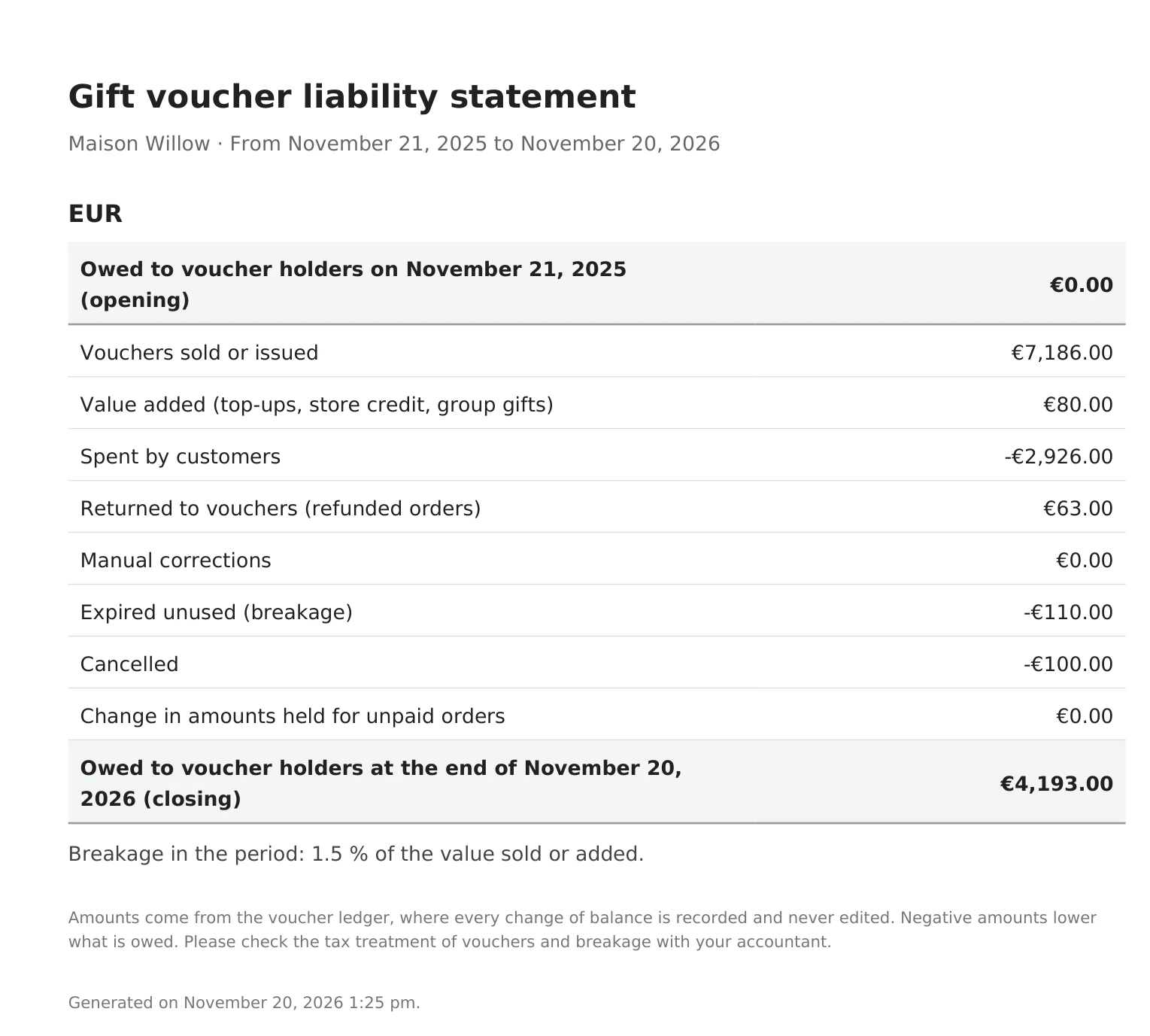
| Statement PDF | The liability statement, below. |
In the vouchers export, type is mpv for a gift card and spv for a product voucher. Each
CSV holds up to 50,000 rows: for a longer history, export shorter periods.
The CSV files open in any spreadsheet. Cells that start like a formula (=, +, -, @) are
neutralised, so a voucher message can never run as a formula in Excel.
The liability statement
The Statement PDF is made for your accountant. For each currency, it shows:
- what you owed voucher holders at the start of the period,
- every kind of movement during the period (issued, value added, redeemed, refunded, adjusted, expired, voided),
- money held for orders not paid yet, as its own line,
- what you owe at the end.
Opening plus movements equals closing, to the cent: the history is append-only, and every balance is the sum of its lines.
Who can see reports
Reports and exports need the export permission. See Staff access.
Quick Links
Share