

Contents
On this page
Settings - Plugixa PDF Vouchers for WooCommerce
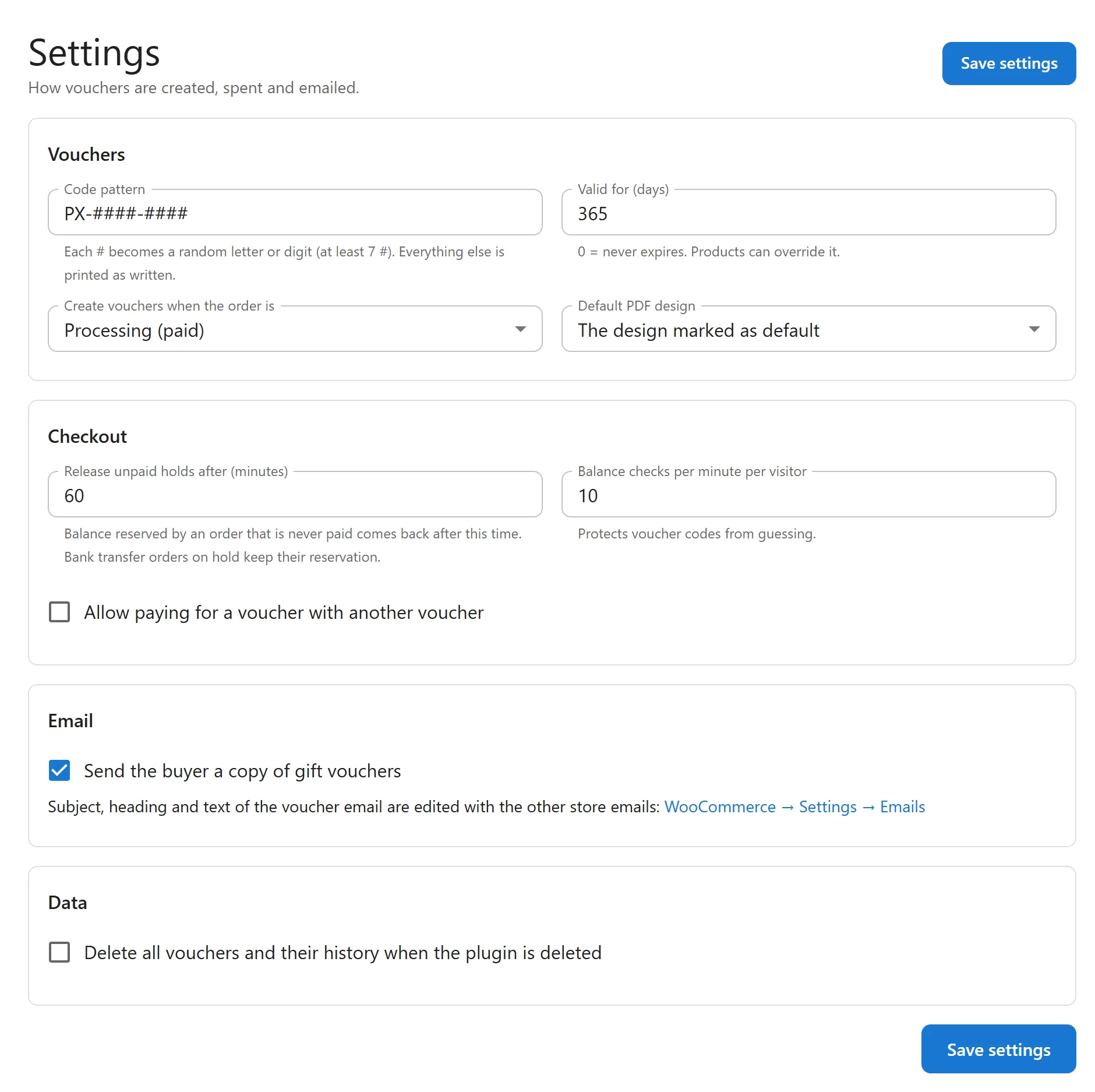
Go to Plugixa PDF Vouchers > Settings: How vouchers are created, spent and emailed. Change what you need and click Save settings.
Vouchers
| Setting | Default | What it does |
|---|---|---|
| Code pattern | PX-####-#### |
Each # becomes a random letter or digit (at least 7 #). Everything else is printed as written. Use capital letters, digits and dashes, 4 to 40 characters. |
| Valid for (days) | 365 | How long a new voucher is valid. 0 = never expires. Products can override it. Up to 3650. |
| Create vouchers when the order is | Processing (paid) | Or Completed: wait until you complete the order, for example after checking a payment. |
| Default PDF design | The design marked as default | The design used when the product does not choose one. See PDF designs. |
The random part of a code never uses characters that are easy to misread on paper, such as 0
and O, or 1, I and L. Letters you type are turned into capitals. A pattern that breaks
the rules (fewer than 7 #, other characters, or the wrong length) is not kept: the default
PX-####-#### is saved instead, so check the field after saving. The 7 # minimum keeps codes
hard to guess. Changing the pattern affects new vouchers only.
Numbers outside their range are brought back to the nearest limit when you save, for example 5000 days becomes 3650.
Checkout
| Setting | Default | What it does |
|---|---|---|
| Release unpaid holds after (minutes) | 60 | Balance reserved by an order that is never paid comes back after this time. Bank transfer orders on hold keep their reservation. 10 to 1440. |
| Balance checks per minute per visitor | 10 | Protects voucher codes from guessing. Applies to the Balance check. 1 to 100. |
| Allow paying for a voucher with another voucher | Off | When on, a voucher can pay for a voucher product. |
See Checkout and redemption for how holds work.
| Setting | Default | What it does |
|---|---|---|
| Send the buyer a copy of gift vouchers | On | When a voucher is a gift, the buyer also gets the email with the PDF. |
Subject, heading and text of the voucher email are edited with the other store emails: the link opens WooCommerce > Settings > Emails on the Gift voucher email. See Emails and delivery.
Data
| Setting | Default | What it does |
|---|---|---|
| Delete all vouchers and their history when the plugin is deleted | Off | When on, deleting the plugin also deletes its tables and settings. |
When you tick it, a warning appears: Outstanding vouchers are money you owe customers. Export them before deleting the plugin. See Privacy and uninstall.
Pro settings
With Pro, more boxes appear on the same screen, between Email and Data, each described on its own page:
- campaigns PRO: Bonus value and campaigns
- fonts: Custom fonts
- reminders: Expiry reminders
- languages: Languages, WPML and Polylang
- verification of large vouchers: Confirm large vouchers
- SMS: SMS and WhatsApp
- marketplaces: Dokan and WCFM marketplaces
- wallet passes: Apple Wallet and Google Wallet
Who can change settings
Only users with the Manage settings capability see this screen. Out of the box only administrators have it. See Staff access.
Quick Links
Share