

Contents
On this page
Dokan and WCFM marketplaces - Plugixa PDF Vouchers for WooCommerce
On a marketplace built with Dokan or WCFM, vendors can sell their own vouchers and take vouchers at their counter. Pro records which vendor sold each voucher and where it was spent, and the Vendor settlement report adds it up.
The integration switches on by itself when Dokan or WCFM is active.
Vendors sell vouchers
A voucher sold by a vendor records that vendor.
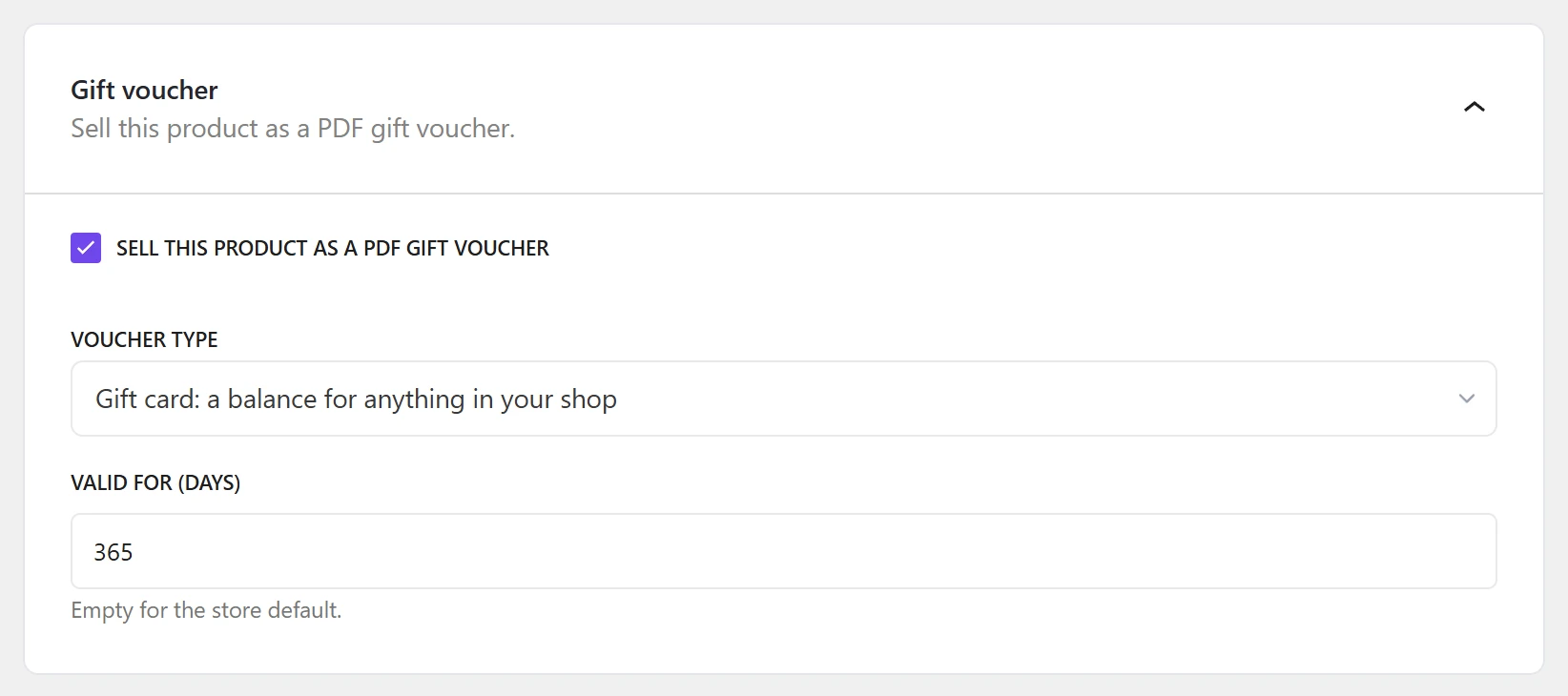
With Dokan, the vendor’s product editor gets a Gift voucher section:
- Sell this product as a PDF gift voucher,
- Voucher type: Gift card: a balance for anything in your shop, or a product voucher for the vendor’s own chosen products,
- Valid for (days, empty for the store default).
With WCFM, the marketplace admin sets up voucher products in the usual WooCommerce product editor. See Voucher products.
Vendors redeem vouchers
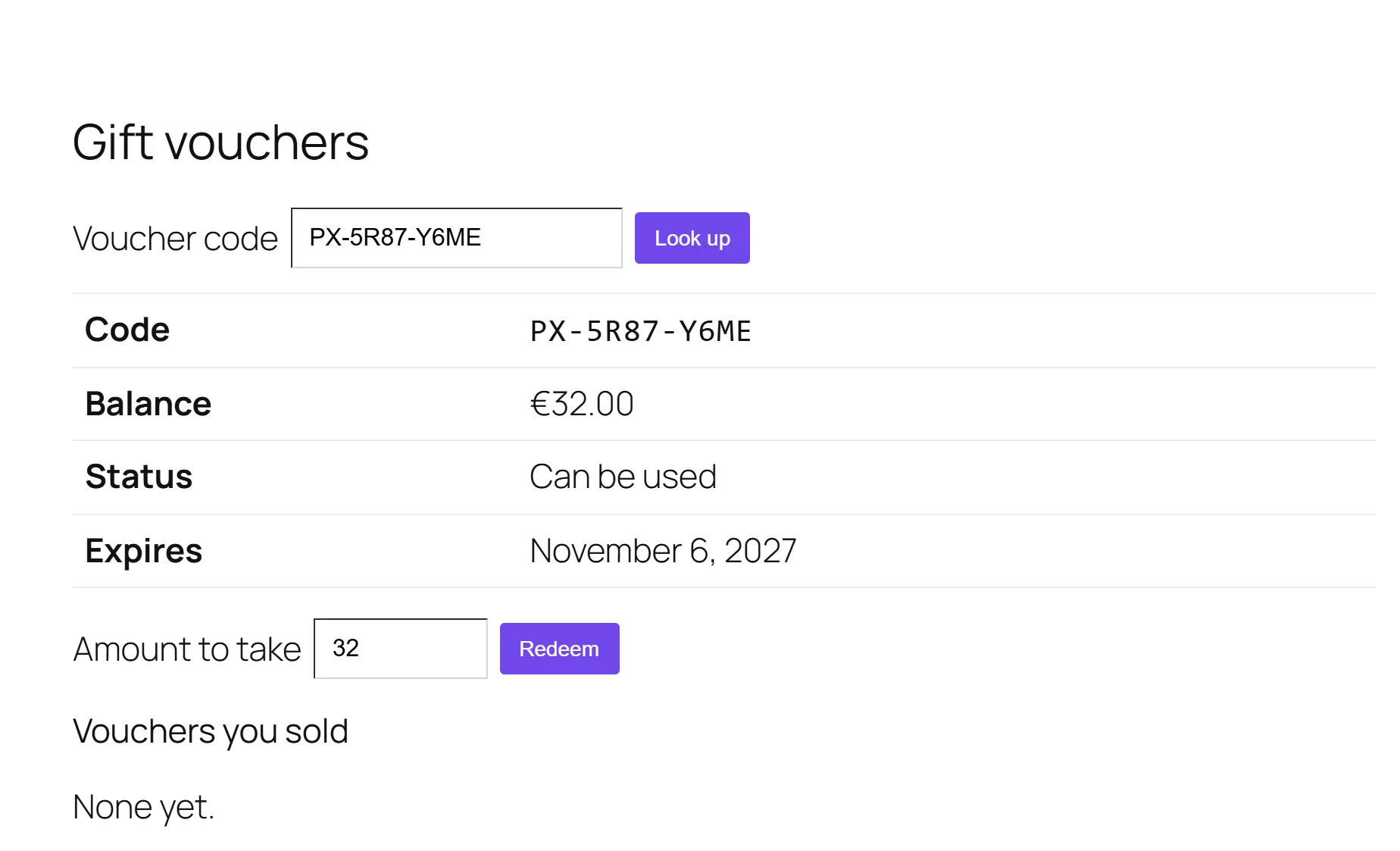
- Dokan: a Gift vouchers page in the vendor dashboard.
- Dokan or WCFM: any page with the shortcode below, for example a private “Counter” page.
[plugixa_vendor_vouchers]
The vendor types the Voucher code, clicks Look up, sees the balance and redeems an amount. Each counter redemption records the vendor in the voucher’s history. The page is only for vendors: others see This page is for the shop’s vendors.
Who can take which voucher
Go to Plugixa PDF Vouchers > Settings, box Marketplace vendors:
| Vendors can redeem vouchers sold by other vendors | Effect |
|---|---|
| Off (default) | A vendor only takes its own vouchers. Another vendor’s code gives No voucher with this code can be used in your shop. |
| On | Any vendor takes any voucher, and the settlement report shows who owes whom. |
The vendor settlement report
Plugixa PDF Vouchers > Vendor settlement (in the Reports group): Vouchers each vendor sold, and where they were spent. A row “sold by A, spent at B” is money A collected for goods B delivered.
Pick a period with From and To. The report shows, per vendor, the vouchers Sold and Spent, and the rows to settle between vendors: Sold by, Spent at, Uses and Amount.
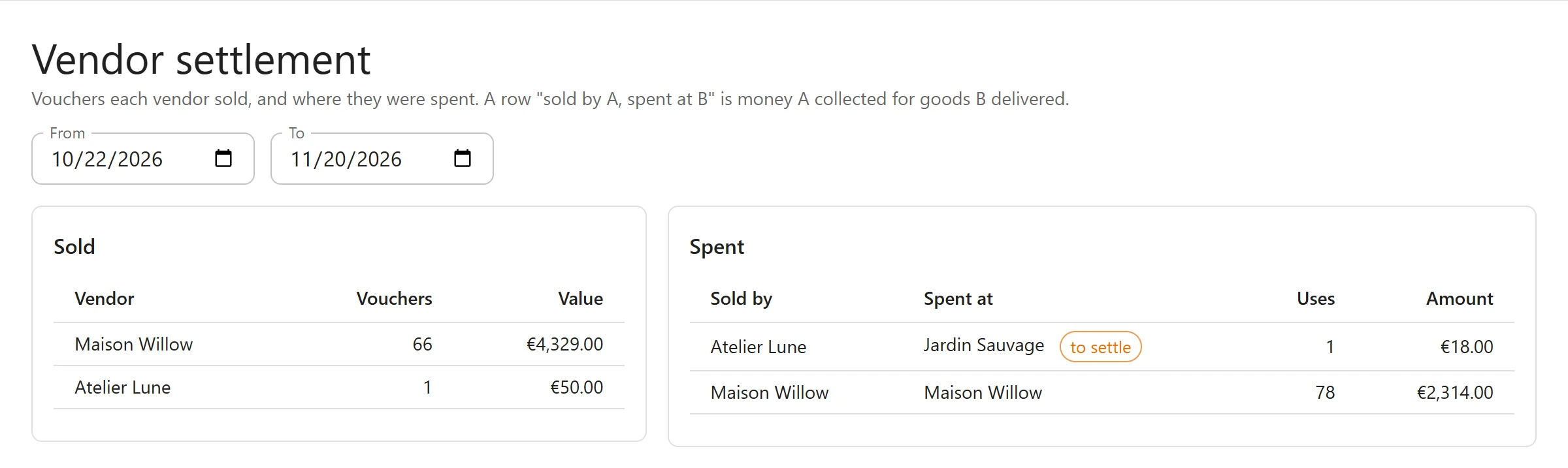
Online redemptions count for the vendor of the order, when the order is from a single vendor (a Dokan sub-order, for example). Vouchers sold by the marketplace itself are listed under your store name. So are vouchers you or your shop managers redeem at the counter: shop staff never count as a vendor.
The report needs the export permission. See Staff access.
Quick Links
Share