

Contents
On this page
Voucher products - Plugixa PDF Vouchers for WooCommerce
Any simple or variable WooCommerce product can be sold as a voucher. Each unit bought becomes a voucher with its own code, balance and PDF.
Make a product a voucher
- Go to Products and edit a product, or add a new one.
- In the Product data box, open the PDF Voucher tab.
- Tick Sell as a voucher.
- Choose the options below and click Update.
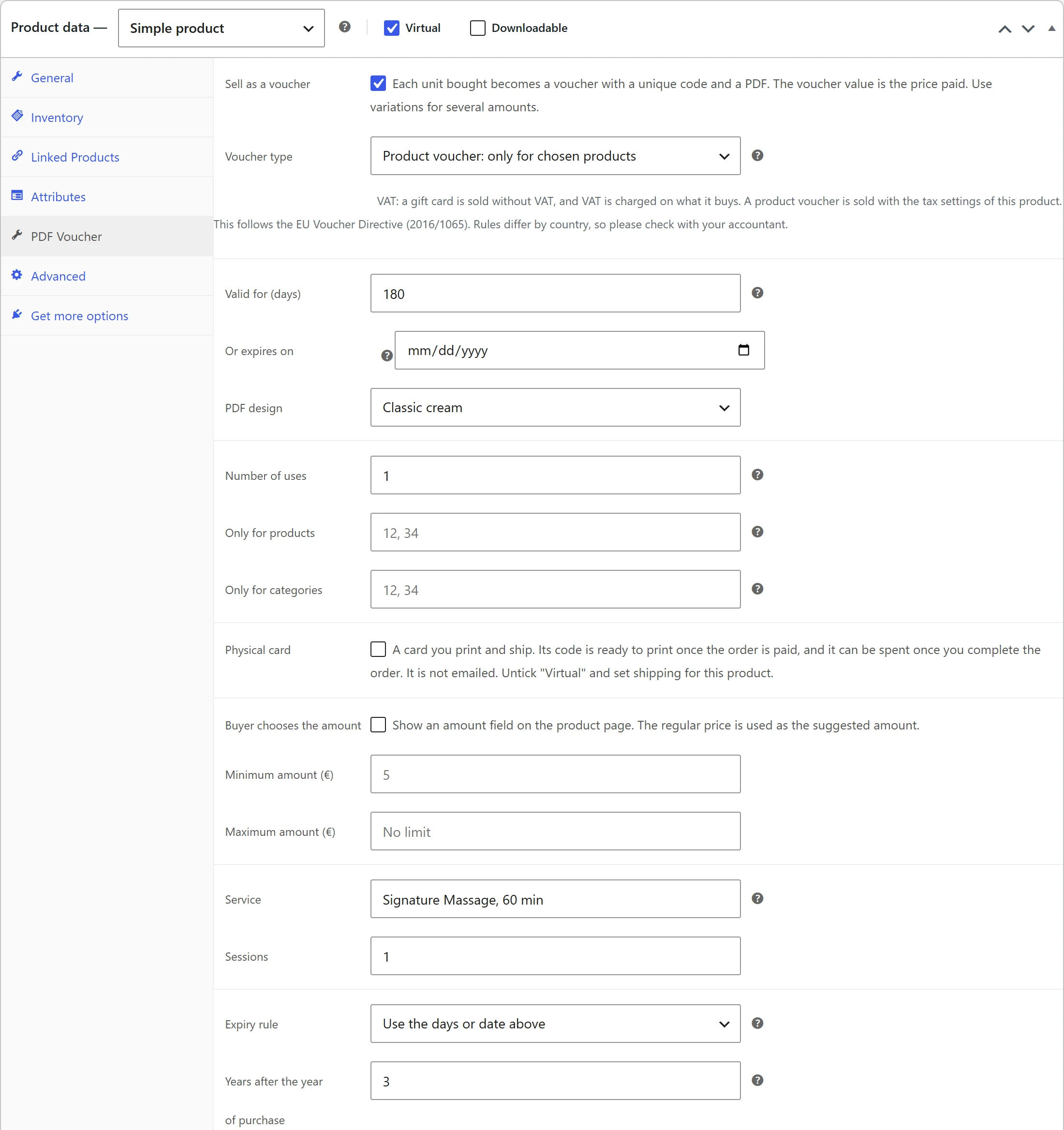
A simple product sold as a voucher is set to Virtual when you save it, because a voucher is not shipped. Voucher products show a ticket icon in the Voucher column of the products list.
Options on the PDF Voucher tab
| Option | What it does |
|---|---|
| Sell as a voucher | Each unit bought becomes a voucher with a unique code and a PDF. |
| Voucher type | Gift card: a balance for anything in the store, spent over several orders. Product voucher: works only on the products or categories you list below. |
| Valid for (days) | Days after purchase. 0 means the voucher never expires. Empty uses the store default from Settings (365 days out of the box). |
| Or expires on | A fixed last day, for seasonal offers. It takes priority over the number of days. The voucher is valid until the end of that day. |
| PDF design | The design of this product’s PDFs, or Store default. |
| Number of uses | 0 means unlimited until the balance is spent. 1 makes a single-use voucher. |
| Only for products | Product IDs separated by commas. Used by product vouchers. |
| Only for categories | Product category IDs separated by commas. Used by product vouchers. |
Variations inherit the voucher settings of their parent product.
Gift card or product voucher
A gift card pays for anything in the store, except other vouchers. Its balance lasts over as many orders as it takes to spend it.
A product voucher pays only for the products in Only for products or the products in a category of Only for categories. In the cart it discounts only those lines. For example, the Massage Gift Voucher can be limited to the Signature Massage product, so it cannot be spent on candles. A product voucher with no products and no categories listed works like a gift card on the products it can pay for.
The tab also states how VAT is handled by default: a gift card is sold without VAT and VAT is charged on what it buys, while a product voucher is sold with the tax settings of its product. The plugin applies this through the product’s tax status when the voucher is sold. Rules differ by country, so check with your accountant. Pro can change the rule product by product: see VAT per product PRO.
Amounts and variations
The voucher value is the price paid for one unit, before coupons. A gift card bought with a 10% coupon is still worth its full price.
To offer several amounts, make the product a variable product with one variation per amount, for example 25, 50 and 100. The setup wizard creates such a product for you, see Getting started.
To let the buyer type any amount between a minimum and a maximum, use Custom amounts PRO.
Expiry
The expiry date of a voucher is set when it is created, from the first of these that applies:
- Or expires on: the fixed date, until 23:59:59 that day.
- Valid for (days): that many days after the voucher is created.
0means never. - The store default Valid for (days) in Settings.
Once a day, the plugin closes every active voucher whose expiry date has passed. What was left on it is written to its history as expired. Pro adds expiry at the end of a calendar year: see Expiry rules PRO.
Single-use vouchers
Set Number of uses to 1. After the first order or counter redemption, any amount left on
the voucher is closed. Use a higher number to allow that many uses, or 0 for no limit.
When vouchers are created
Vouchers are created when the order reaches Processing or Completed, depending on the Create vouchers when the order is setting. One voucher is created per unit, and never twice for the same unit, even when an order passes both statuses. Refunded units do not get a voucher.
The order notes list the new codes, masked, and each voucher is emailed. See Emails and delivery.
If the order that bought a voucher is cancelled or refunded in full, its vouchers are voided. See Refunds and cancellations.
Paying for a voucher with a voucher
By default a voucher cannot buy another voucher, so a gift card cannot be swapped for a fresh one with a later expiry date. To allow it, tick Allow paying for a voucher with another voucher in Settings.
Quick Links
Share