

Contents
On this page
Custom fonts - Plugixa PDF Vouchers for WooCommerce
Upload your brand fonts once and use them in every voucher design: the ready-made layouts and the Drag-and-drop designer.
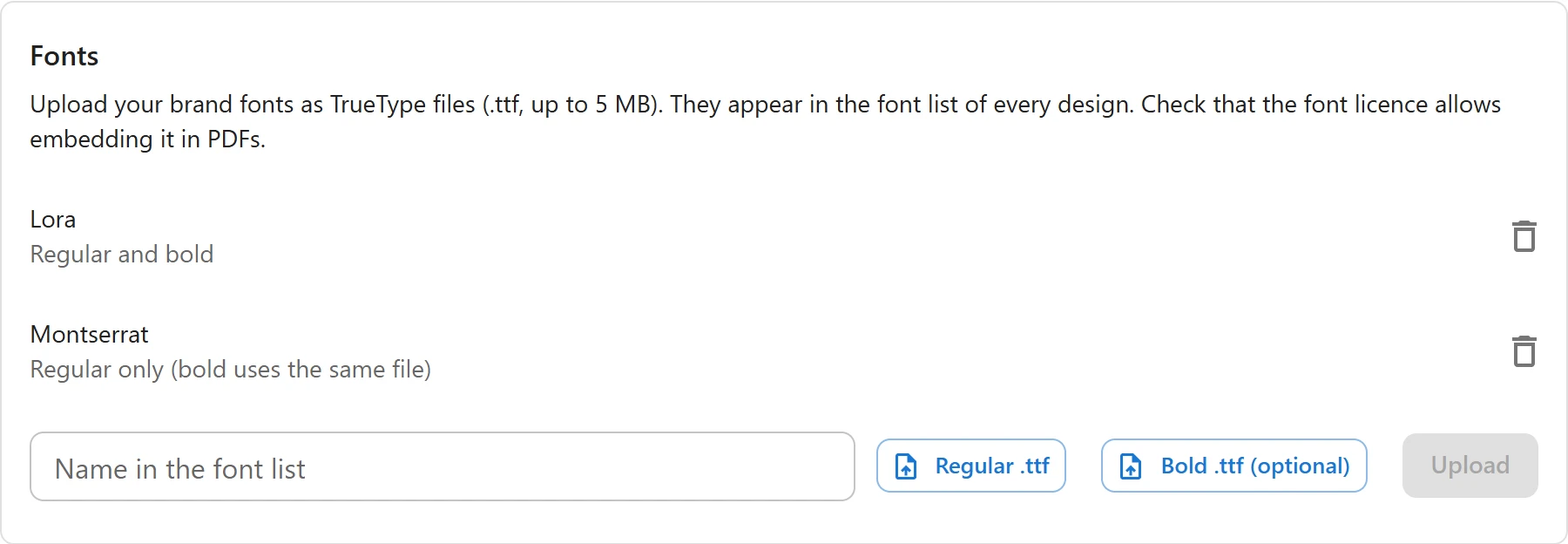
Upload a font
Upload your brand fonts as TrueType files (.ttf, up to 5 MB). They appear in the font list of every design. Check that the font licence allows embedding it in PDFs.
- Go to Plugixa PDF Vouchers > Settings, box Fonts.
- Choose Regular .ttf, and optionally Bold .ttf (optional).
- Optionally type the Name in the font list: Taken from the file if empty.
- Click Upload. The page says Font added. Reload the designer to use it there.
Each font shows as Regular and bold, or Regular only (bold uses the same file).
Use it
Open a design and pick the font in its Font list (see PDF designs), or choose it for a text element in the designer. The designer measures text with the same file as the PDF, so a line wraps on screen where it wraps on paper.
What files work
| Rule | Message when it fails |
|---|---|
A TrueType font (.ttf). OpenType fonts with CFF outlines (.otf) cannot be embedded in the PDF. |
This is not a TrueType font (.ttf) that vouchers can use. |
| Up to 5 MB per file. | A font file can be at most 5 MB. |
| Up to 12 fonts. | You can upload at most 12 fonts. Delete one first. |
| The same file only once. | This font is already uploaded. |
| The uploads folder must be writable. | The font could not be saved. Check that the uploads folder is writable. |
The file is checked before it is stored: it must really be a TrueType file the PDF engine can read, whatever its name says.
Fonts are stored in wp-content/uploads/plugixa-pdfv-fonts/. This folder is public on purpose:
the designer in the browser loads the same file, and a font embedded in every PDF is not a
secret.
Remove a font
Click Remove next to it. Font deleted. Designs that used it now use DejaVu Sans.
To replace a font, remove it and upload the new file: a new file is a new font, so PDFs never mix the old and the new one.
Quick Links
Share