

Plugixa Extra Product Options: Priced Custom Fields for WooCommerce
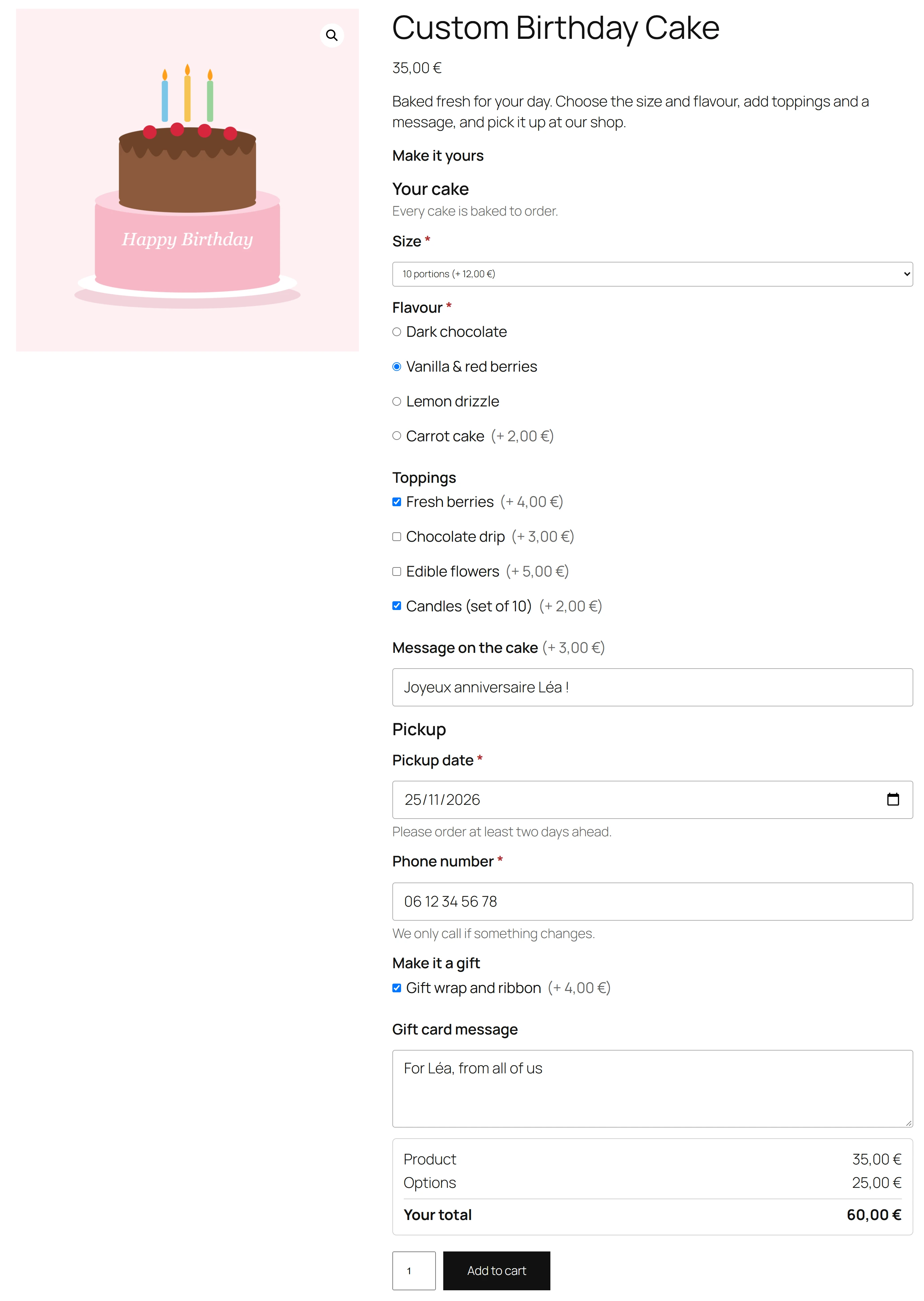
Meet Plugixa Extra Product Options. It adds extra fields to your WooCommerce product pages and charges for them. A customer picks a cake size, ticks gift wrapping, types a message or chooses a pickup date, and the price updates as they go. Every answer follows the item into the cart, the order and the emails, so your team knows exactly what to make.
Build a form in minutes
Options live in groups. Open the group editor, pick a field type from the list on the left, drag your fields into order and set each one on the right: its label, help text, whether it is required, and its price. The free edition has eleven field types: text, text area, number, dropdown, radio buttons, checkboxes, date, email, phone, web address and heading.
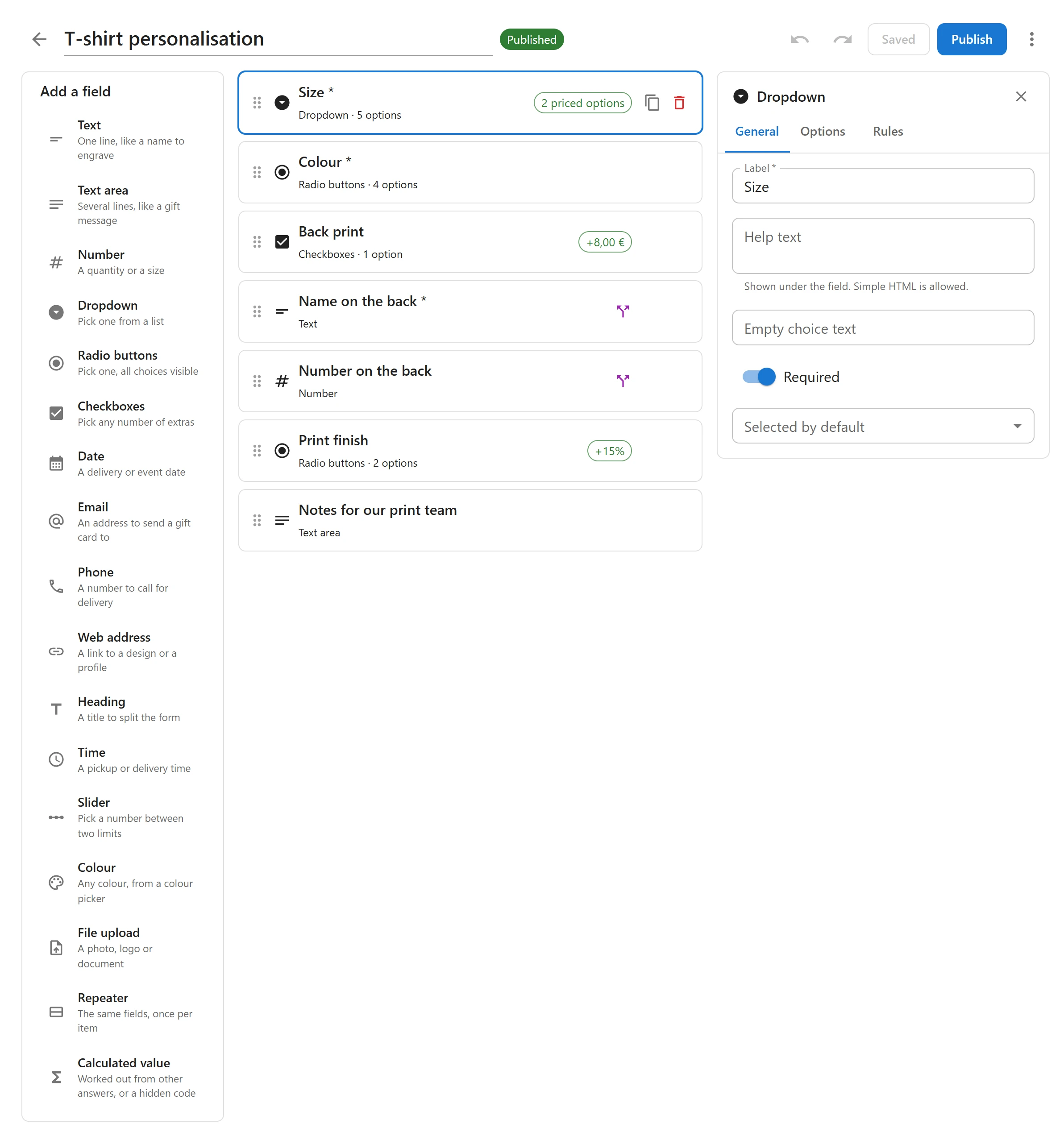
A group is a draft until you publish it, so you can work on changes while the live version keeps selling. The editor has undo and redo, and a group can be duplicated to start the next one.
Every option can have a price
A field, or each choice of a field, can add a fixed amount or a percentage of the product price. Checkboxes add up every ticked choice, and a negative price works as a discount. Under the options, a live total shows the product price, the options and the total, and follows the chosen variation and quantity.
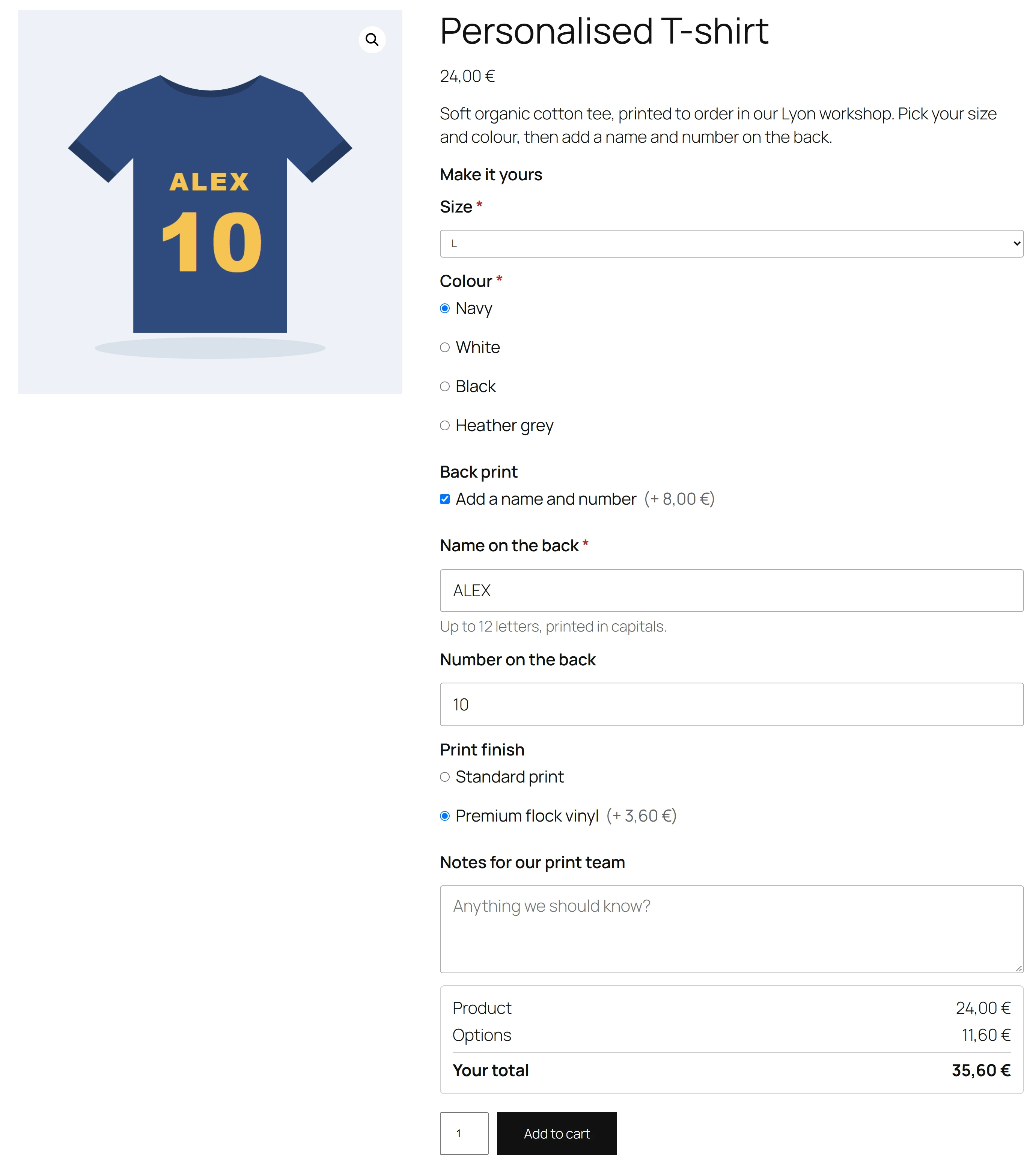
The total on the page is only a guide for the customer: when the item goes into the cart, the plugin works the price out again on the server.
Show only what applies
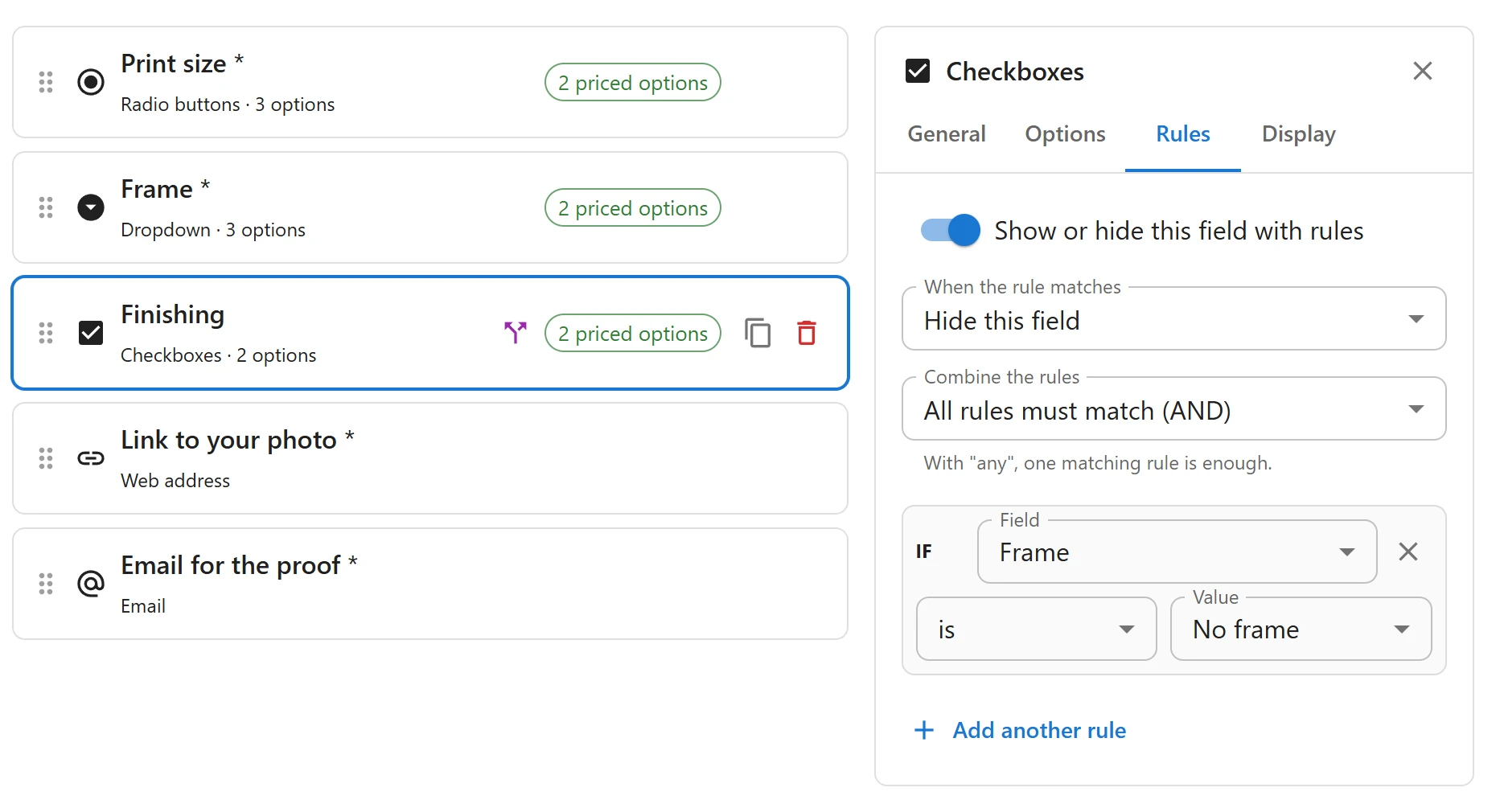
A field can show or hide itself from the answer to another field. The card message only appears once gift wrapping is ticked, and the finishing choices disappear when the customer picks no frame. Rules compare answers with is, is not, contains, is empty, is filled in, is more than and is less than.
Each group shows on all products, on chosen products or on categories, sub-categories included. When several groups show on one product, their order decides which comes first, and the product edit screen lists the groups that apply in its own Product options tab.
Options that follow the order
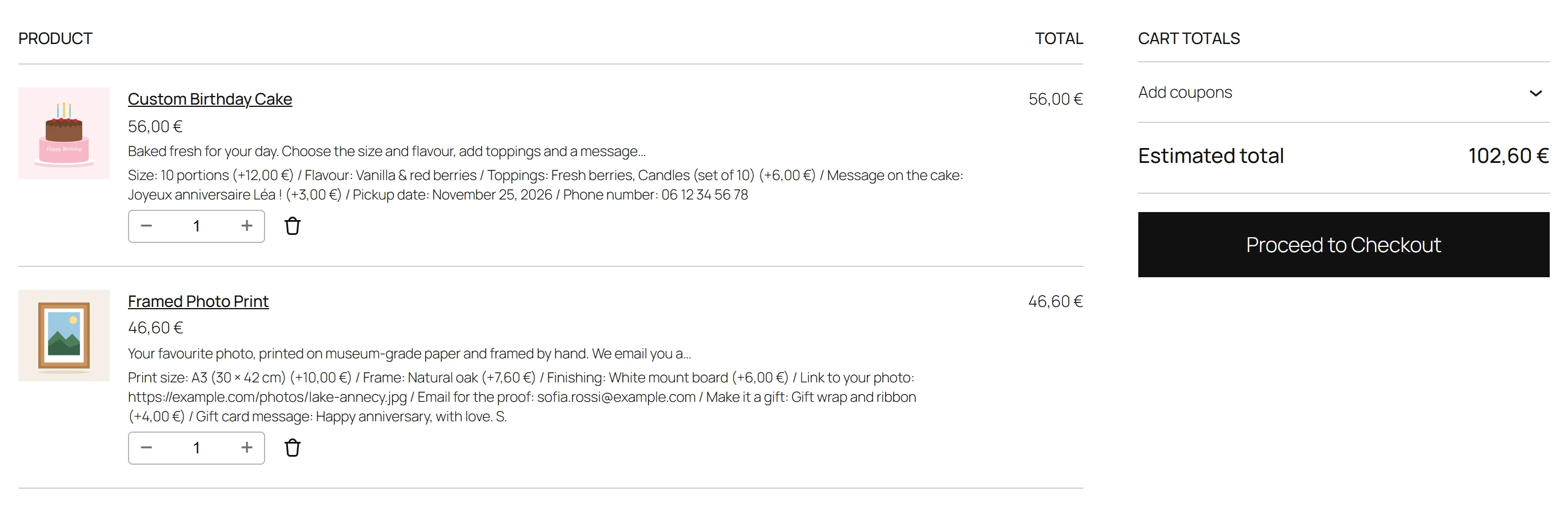
The options show in the classic cart and checkout, in the Block Cart and Block Checkout, and in the mini-cart. On the order screen, every answer is listed under its line with its price, and the order emails carry them too. The plugin supports High-Performance Order Storage (HPOS), and Order again brings the options back.
What Pro adds
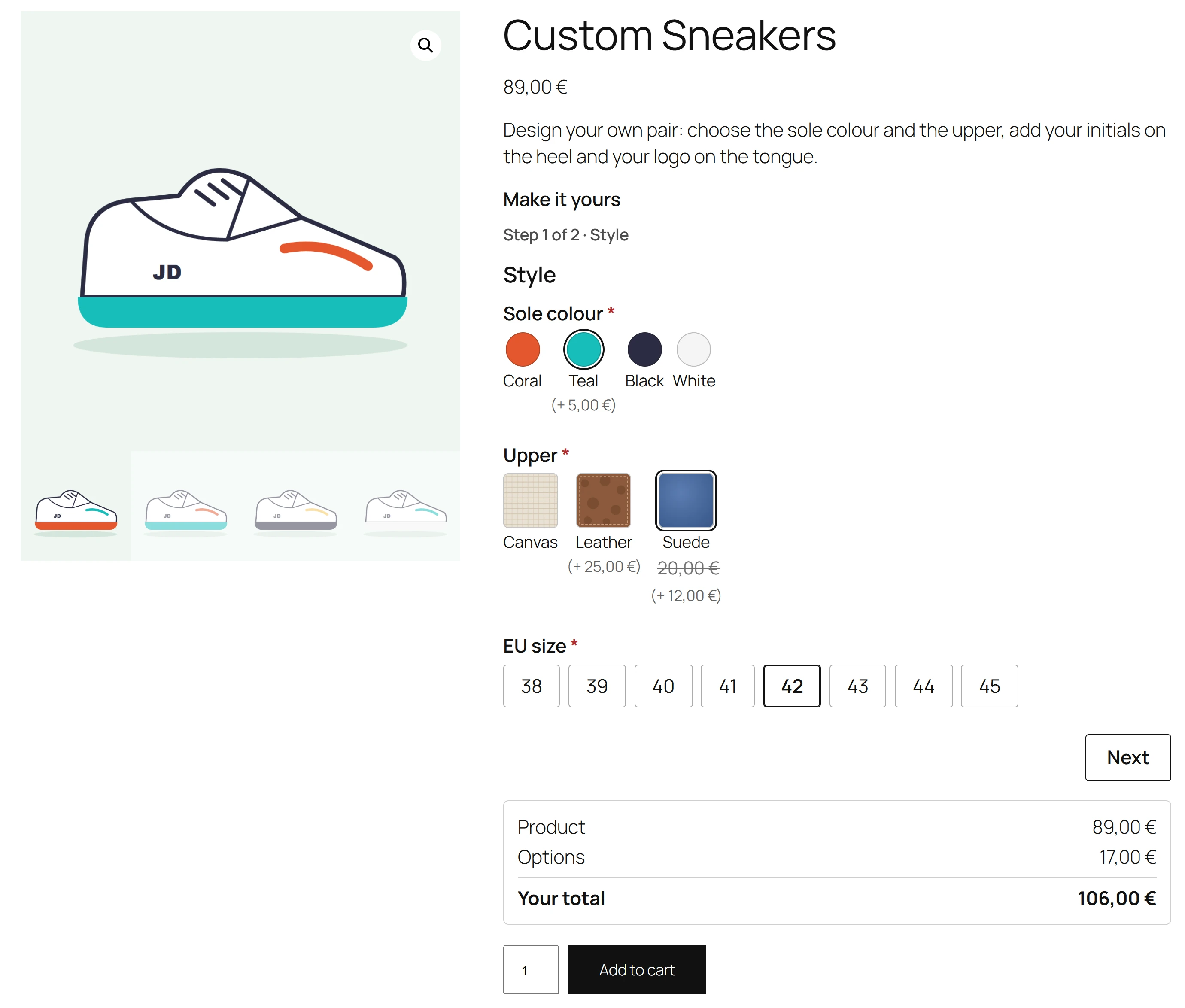
Pro turns the form into a product configurator. Choices can show as colour swatches, pictures or buttons, and an option can swap the product picture, so picking a teal sole shows the teal sneaker. Sale prices with dates mark the regular price struck through.
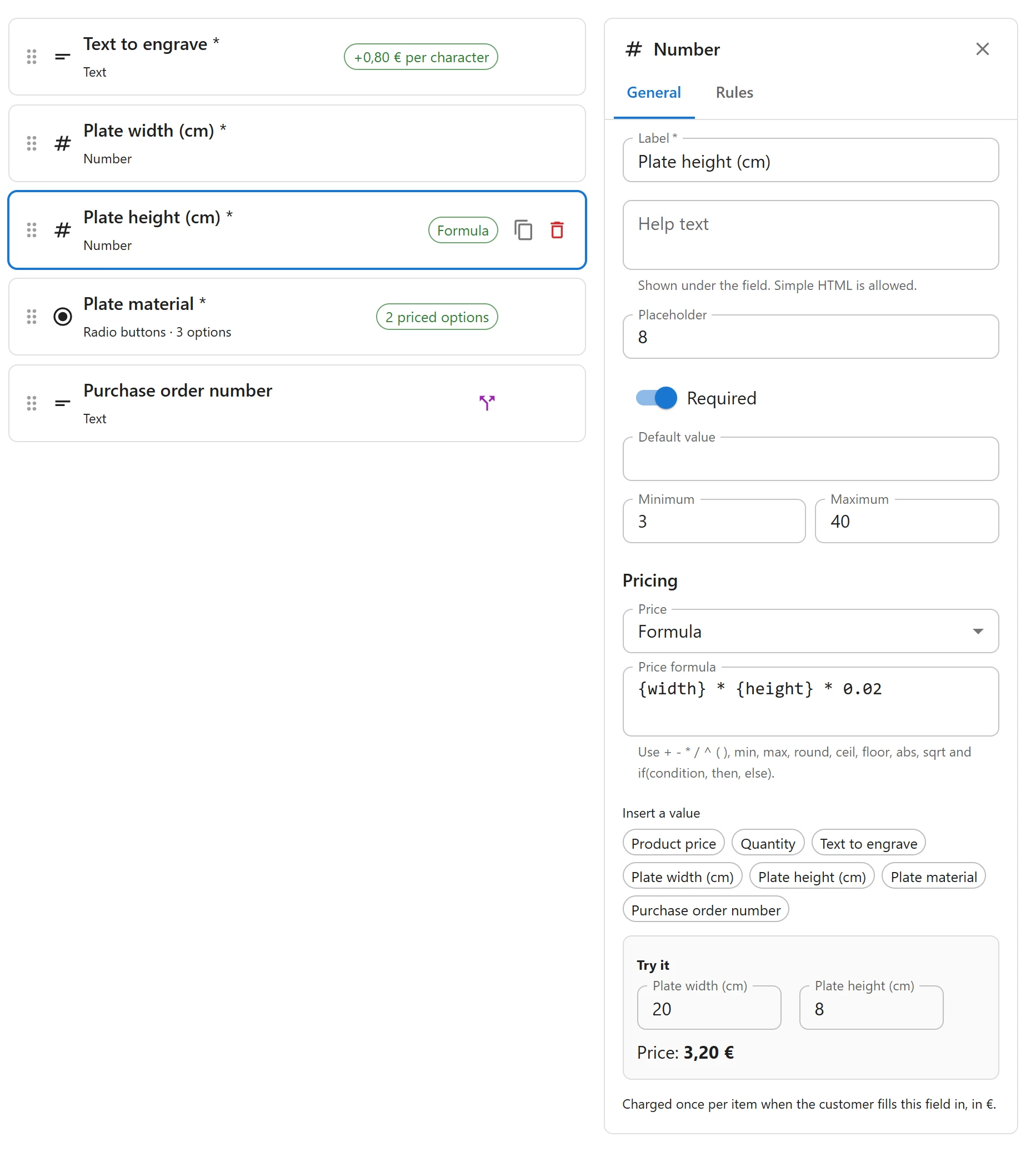
Prices can come from a formula of the other answers, the product price and the quantity, from a table pasted from a spreadsheet, or per character and per unit. A one-time fee is charged once per cart line, whatever the quantity, and wholesale customers can get a percentage off every option.
Pro adds file uploads kept in a private folder and linked on the order, time, colour, slider, calculated and repeater fields, and forms split into steps or tabs. A repeater asks for the same fields once per item: a name, a number and a size for every player in a team order.
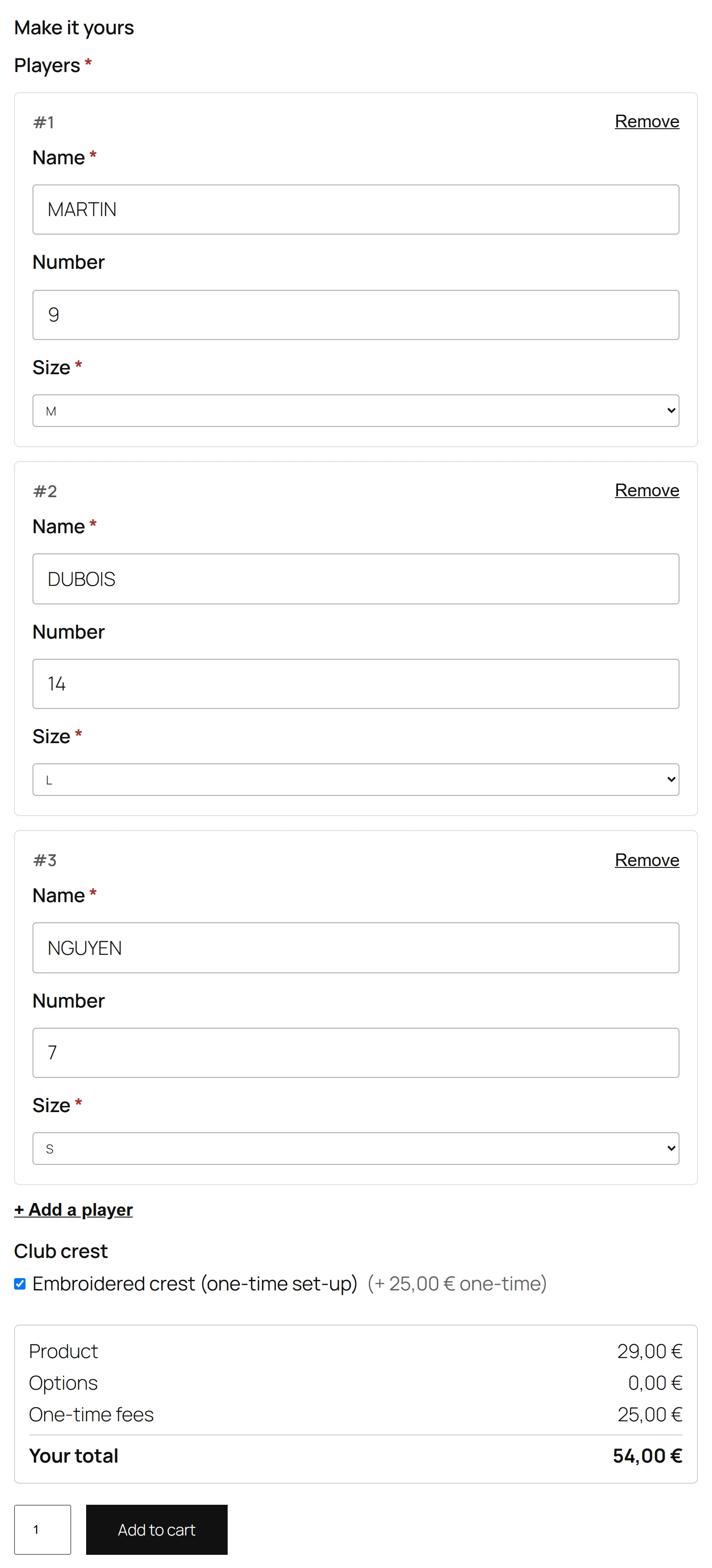
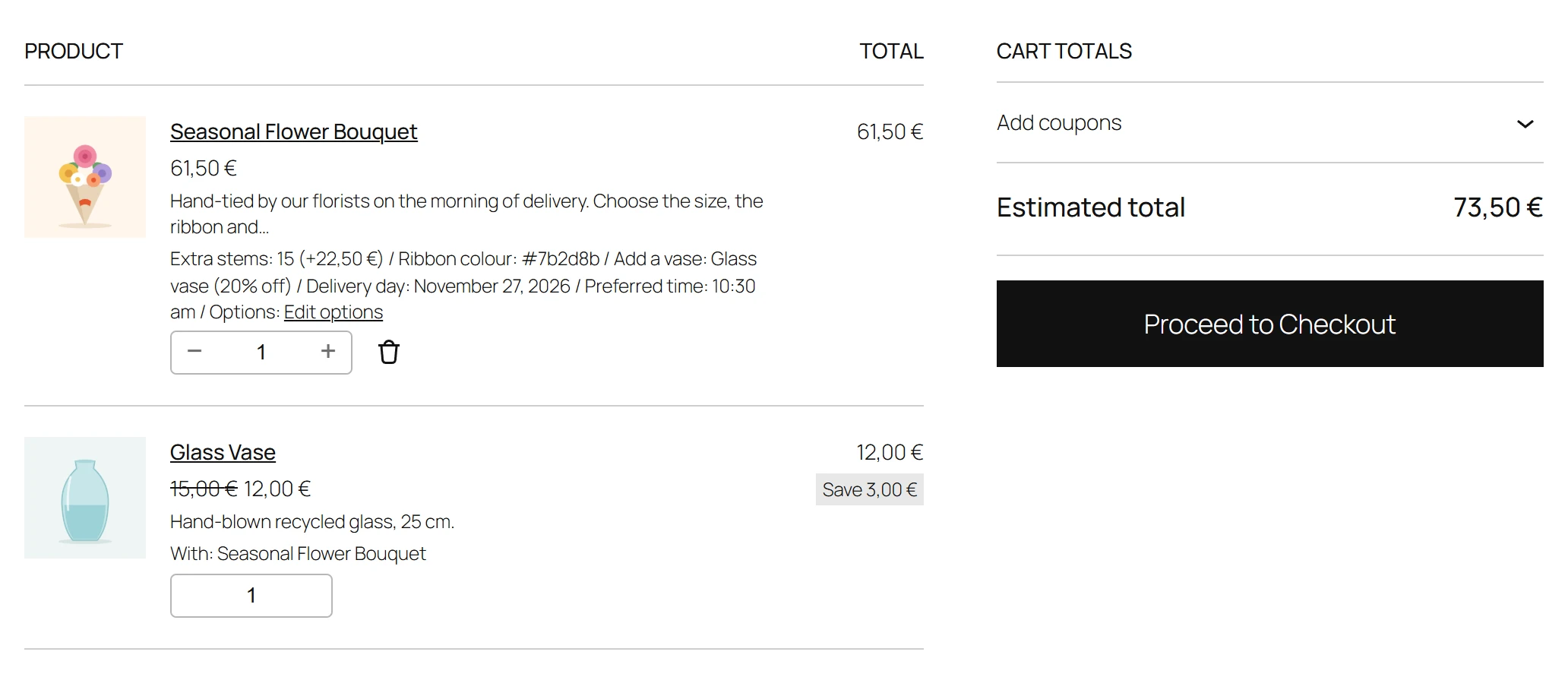
An option can also add a real product to the cart, with its own stock and a discount, and every choice can have its own stock. Customers can change their options from the cart, and your staff can edit them on a placed order. Rules can combine with AND or OR and look at the customer’s role or the chosen variation, and groups can target tags, attribute values and roles.
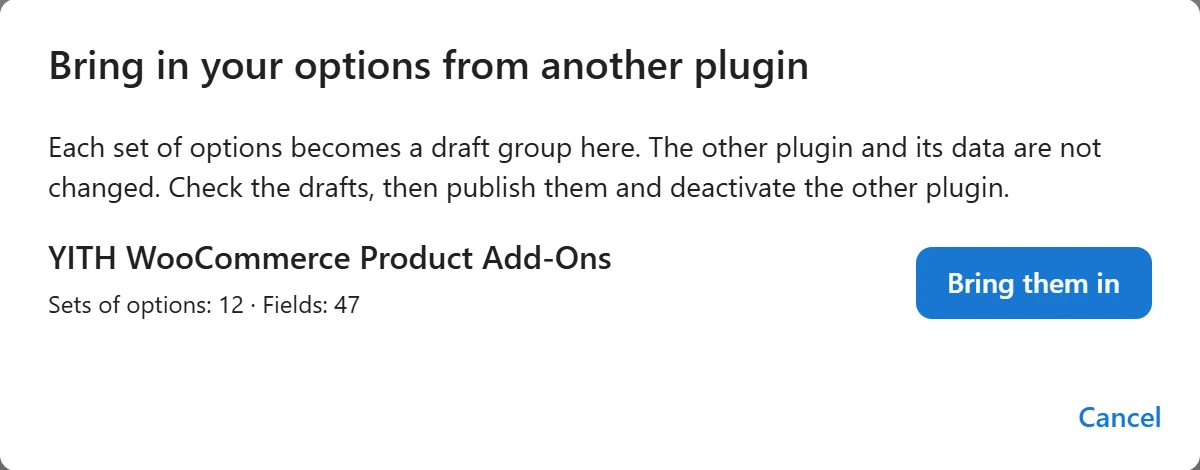
Moving from another plugin takes one click: Pro brings in your options from WooCommerce Product Add-Ons, YITH WooCommerce Product Add-Ons or PPOM for WooCommerce as drafts. It also adds templates, import and export of groups, a CSV export of order options, quick view on shop pages, and WPML and Polylang translation.
Pro costs 39 EUR a year for one site or 99 EUR a year for unlimited sites. See Free vs Pro for the full comparison.
Get started
Install the plugin, open Plugixa Product Options and create your first group. The Getting started guide walks you through it step by step, and the documentation covers every feature.