

Contents
On this page
Plugixa Extra Product Options
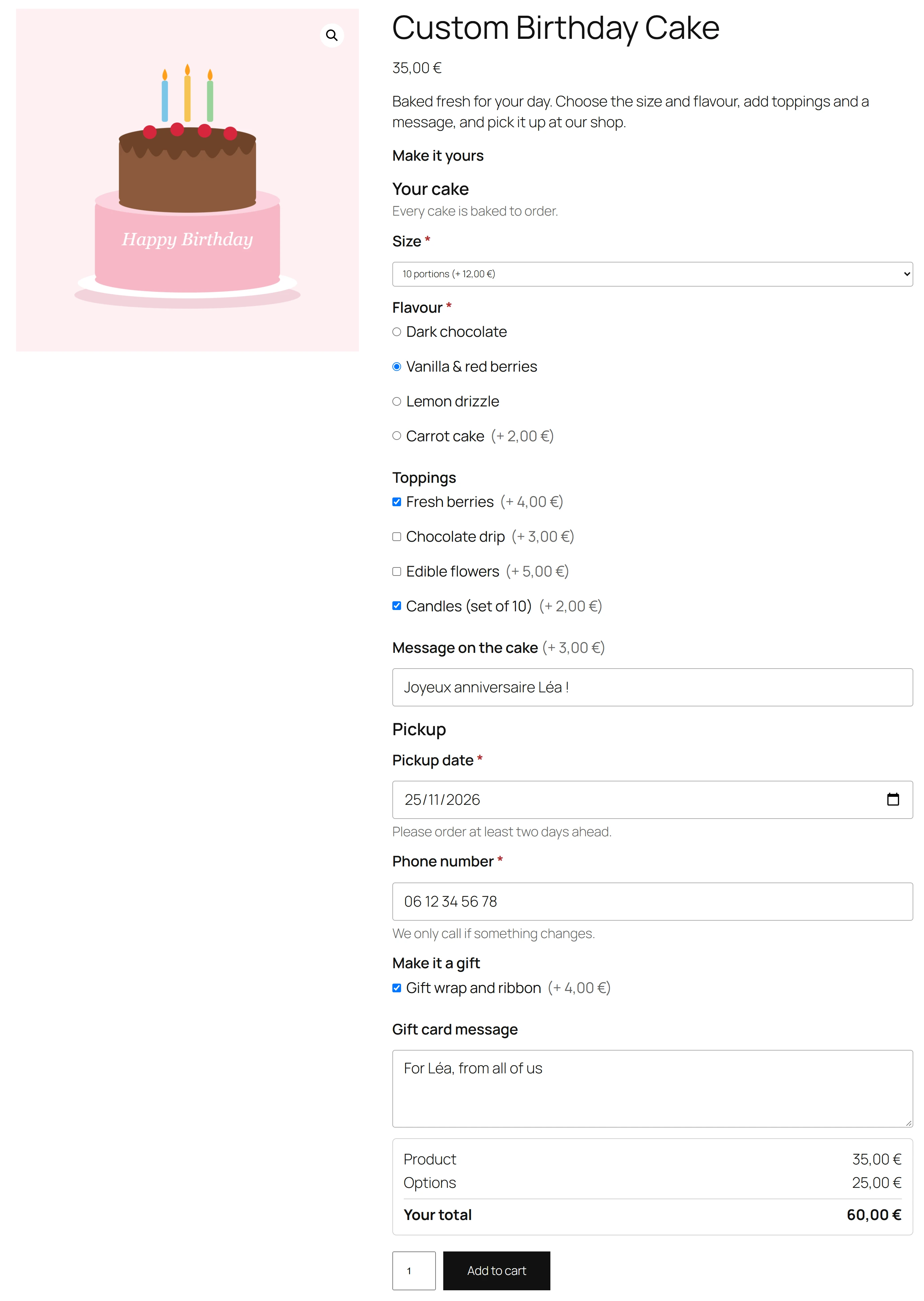
Welcome to the documentation for Plugixa Extra Product Options, a WooCommerce plugin that adds extra fields to your product pages and charges for them. A customer picks gift wrapping, types a name to engrave or chooses a delivery date, and a live total under the options shows what they will pay.
Who it is for
- Shops that sell personalised or made-to-order products: engraving, printing, embroidery, furniture, cakes and flowers.
- Shops that sell add-ons with a product: gift wrap, a longer warranty, assembly, express preparation.
- Shops that need information from the customer before they can make the order: a name, a size, a date, a note for the kitchen.
How it works
You build option groups in the plugin’s editor. A group is a set of fields, such as a dropdown of sizes, a text box for a message or checkboxes for extras. You give a field, or each choice of a field, a price: a fixed amount or a percentage of the product price. Then you pick where the group shows: on every product, on chosen products, or in chosen categories.
Groups are saved as drafts while you work. Customers only see a group once you publish it, and an edit to a published group stays invisible until you publish again.
On the product page the customer fills in the options and sees the price update as they go. When they add the product to the cart, the server checks every answer and works the price out again from the published group. The options then follow the item through the cart, the checkout, the order and the order emails.
Start here
| Guide | What it covers |
|---|---|
| Getting started | Install the plugin and publish a first group in about ten minutes |
| Option groups | The list of groups, statuses, draft and publish, duplicate and delete |
| The group editor | Adding, reordering and setting up fields, undo and redo |
| Field types | The eleven free field types and what each one is for |
| Pricing | Fixed and percentage prices, discounts, tax and the live total |
| Show/hide rules | Showing a field only when another answer calls for it |
| Where groups show | All products, chosen products, categories, and the order of groups |
| The product page | What customers see, and the shop page button |
| Cart, checkout and orders | Block Checkout, HPOS, order emails and “Order again” |
| Settings | The live total, the title above the options and the price hints |
| Privacy and uninstall | Personal data export and erasure, and what uninstalling removes |
| Free vs Pro | What the free plugin does and what Pro adds |
| Troubleshooting | Fixes for the questions we hear most |
Pro guides
Pro is a separate download that adds to the free plugin. Its guides are marked Pro.
- Prices: Price formulas, Price tables, Per character, per unit and one-time fees, Sale prices, Discounts by role.
- Fields: File uploads, Swatches and buttons, Option images, Time, colour and slider fields, Calculated values, Repeater fields, Steps and tabs.
- Rules and targeting: AND/OR, role and variation rules, Tags, attributes, roles and exclusions.
- Cart and orders: Linked products, Stock per option, Edit options in the cart, Edit options on orders, Order options export.
- Shop: Form placement, Quick view, Multilingual stores.
- Groups: Templates, import and export, Switch from another plugin.
For developers
The REST API manages groups and settings from outside WordPress, and the hooks reference lists the actions and filters for themes and other plugins.
Requirements
| Requirement | Version |
|---|---|
| WordPress | 6.6 or later |
| PHP | 8.2 or later |
| WooCommerce | 9.0 or later |
Quick Links
Share