

Contents
On this page
Sale prices - Plugixa Extra Product Options
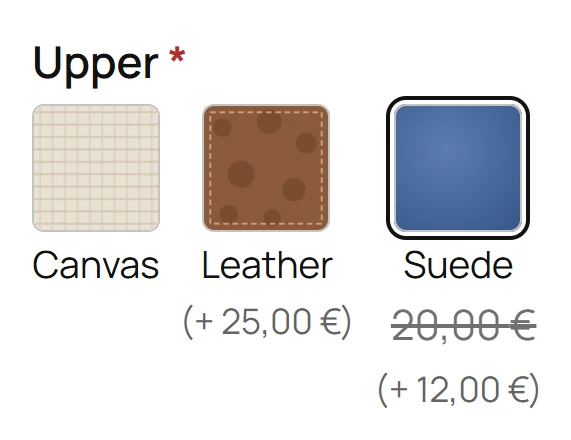
A sale price lowers the price of a field or a choice for a while: Gift wrap 3.00, now 2.00 until Sunday. While the sale runs, the product page shows the regular price struck through, and the cart and the order use the sale price.
Setting a sale
On a choice (dropdown, radio buttons, checkboxes): in the Options tab, switch on the choice’s Sale price and fill it in.
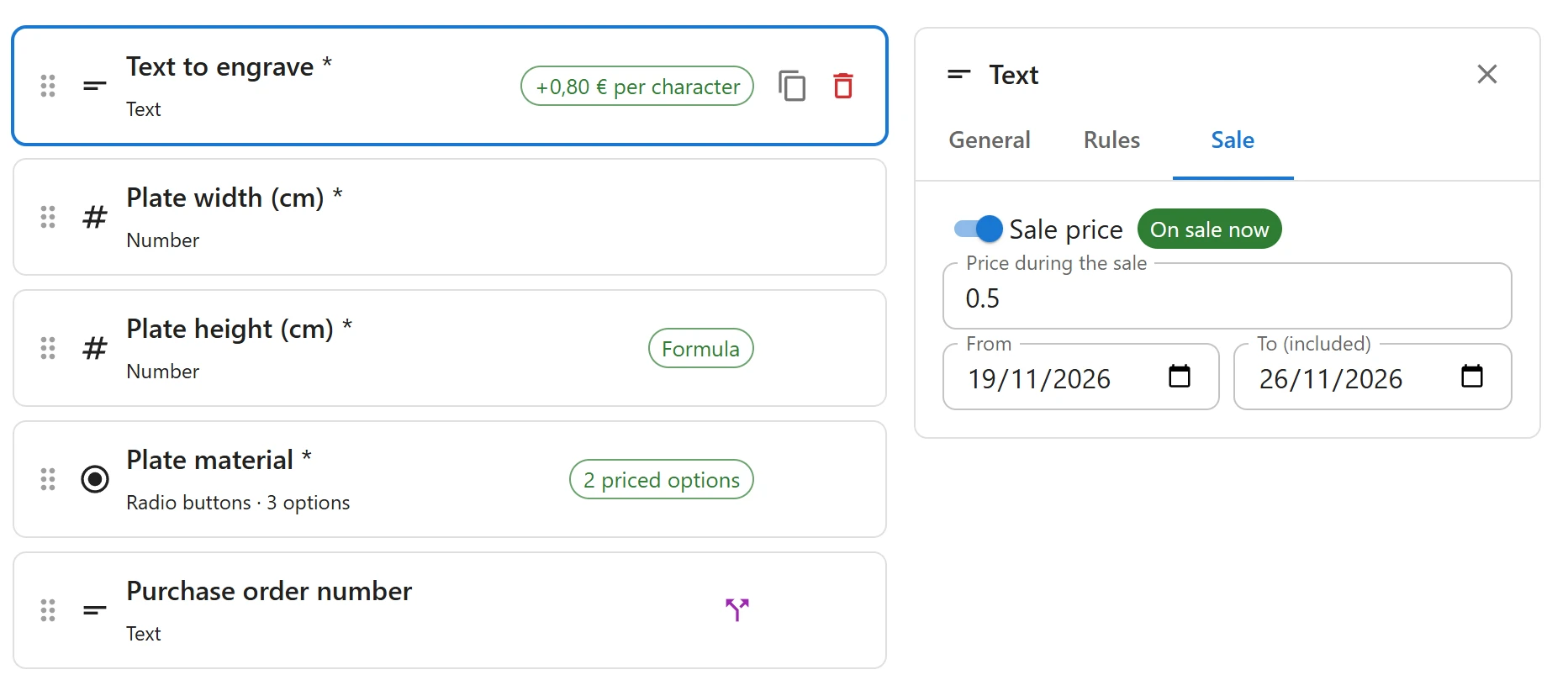
On a field without choices: open the field’s Sale tab and switch on Sale price.
| Setting | What it does |
|---|---|
| Price during the sale | The price while the sale runs, in the same unit as the regular price: an amount, or a percentage for % of product |
| From | The first day of the sale. Empty: the sale has already started. |
| To (included) | The last day of the sale. Empty: no end. |
The editor shows where the sale stands: On sale now, Scheduled or Ended.
Dates follow your site’s time zone, from Settings > General. A sale to Sunday ends at midnight between Sunday and Monday.
Which prices can go on sale
| Price type | Can go on sale |
|---|---|
| Fixed amount, % of product | Yes |
| Per character, per unit typed, one-time fee | Yes |
| Formula, price table, linked product | No |
A formula or a table is its own price rule: change the formula or the table instead.
What the customer sees
- Product page: the regular price struck through, then the sale price, beside the choice or the field. The live total uses the sale price.
- Cart, checkout and order: the sale price only, as the price charged.
Like every option price, the sale price is checked on the server at add to cart and at each cart update. A customer who adds gift wrap on Sunday and pays on Monday pays the regular price again, because the sale has ended.
With discounts by role
A role discount is taken after the sale price. With gift wrap on sale at 2.00 and a 20% discount for wholesale customers, a wholesale customer pays 1.60. See Discounts by role.
Quick Links
Share