

Contents
On this page
Calculated values - Plugixa Extra Product Options
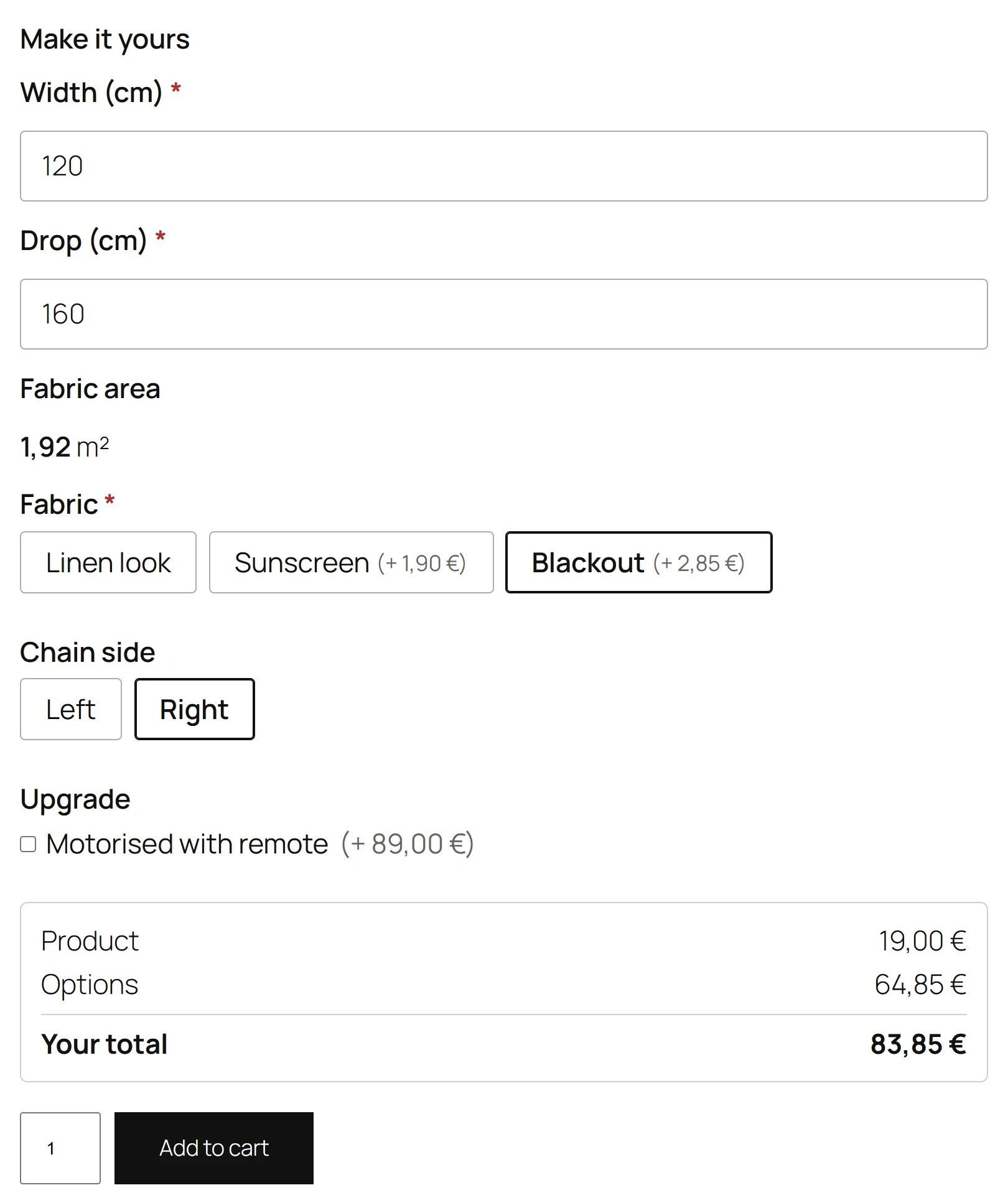
A Calculated value is a field the customer does not fill in. Its value is worked out from the other answers, such as Area = width × height, or it is a fixed text such as a production code. It is saved on the order like any answer.
Adding one
- Click Calculated value under Add a field, and name it, for example Area.
- Open its Calculation tab.
- Fill in either Calculation or Fixed value.
| Setting | What it does |
|---|---|
| Calculation | A formula, with other fields by their id in braces and {qty} for the quantity. Leave it empty to save a fixed value instead. |
| Fixed value | A text saved on every order line, such as a production code. Used when there is no calculation. |
| Who sees it | The customer and staff (shown, read-only), or Staff only (on the order, not shown to the customer). |
| Decimals | 0 to 6. Default 2. |
| Unit after it | A unit shown after the number, such as m² or kg. |
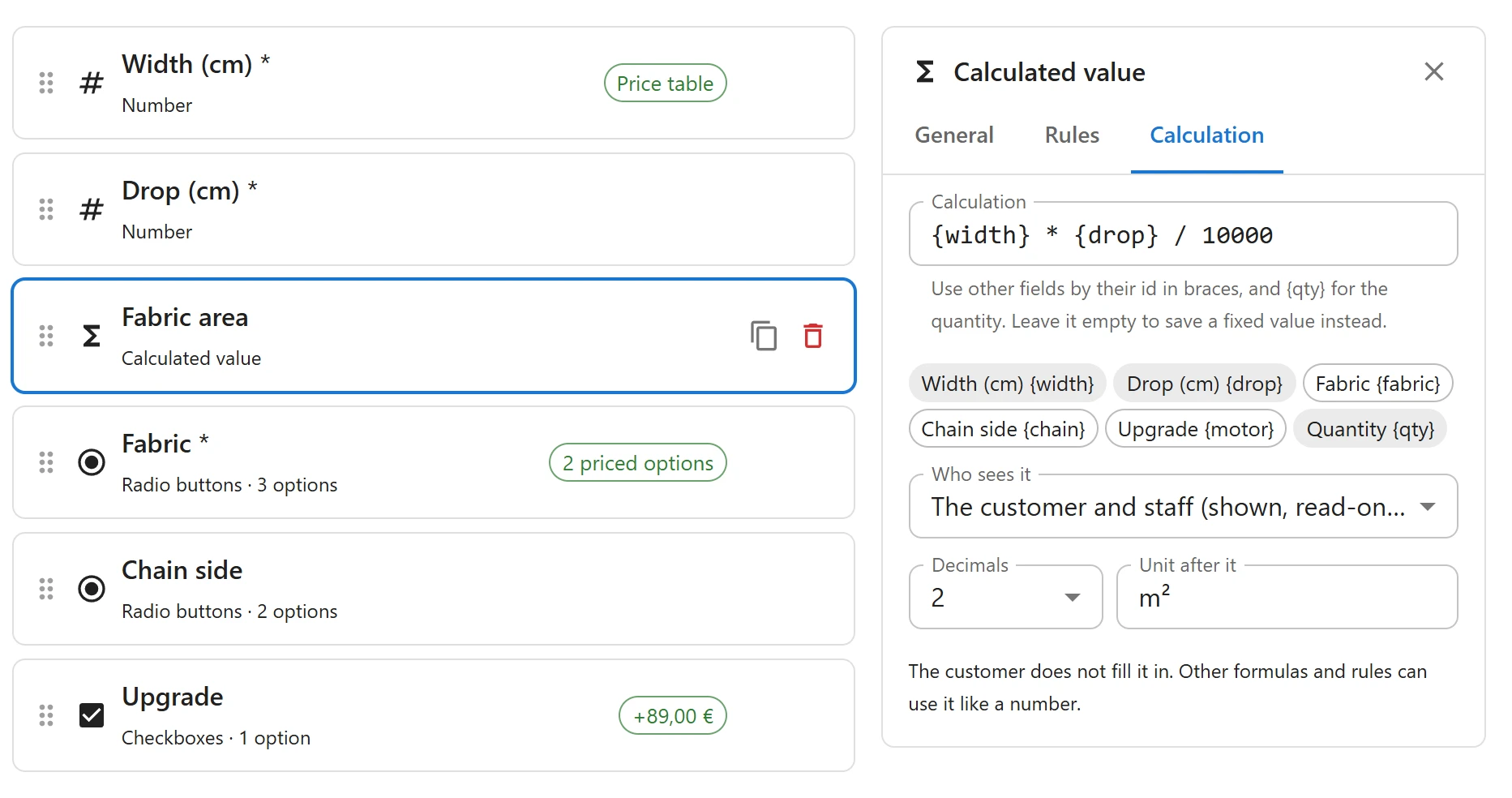
The calculation uses the same language as price formulas, with the same functions: see Price formulas. It cannot read the product price: a calculated value is worked out before there is one.
Who sees it
- Shown: the value appears on the product page, read-only, and updates as the customer types. It is shown in the cart, on the order and in emails.
- Staff only: nothing on the product page, in the cart, in the customer’s emails or in their account. Your staff see it on the order screen and in the order options export. Use it for production codes, machine settings or a material reference.
Using it elsewhere
Other formulas and rules can use a calculated value like a number field:
- Price a banner from its area: on the last size field, the formula
{area} * 18. - Show a Pallet delivery option when the Weight calculated value is more than 30.
Trustworthy
Whatever the page sends for a calculated value is ignored. The server works the value out itself from the other answers when the product is added to the cart, so the order always holds the right number.
Quick Links
Share