

Contents
Linked products - Plugixa Extra Product Options
A choice can add a real product to the cart: Add a gift box adds your Gift box product, Add a stand adds the Display stand. The added product gets its own cart line, with its own price, stock, tax class and SKU, so your stock and your reports stay right.
Setting it up
- Create the product to add, as a simple product, if you do not have it yet.
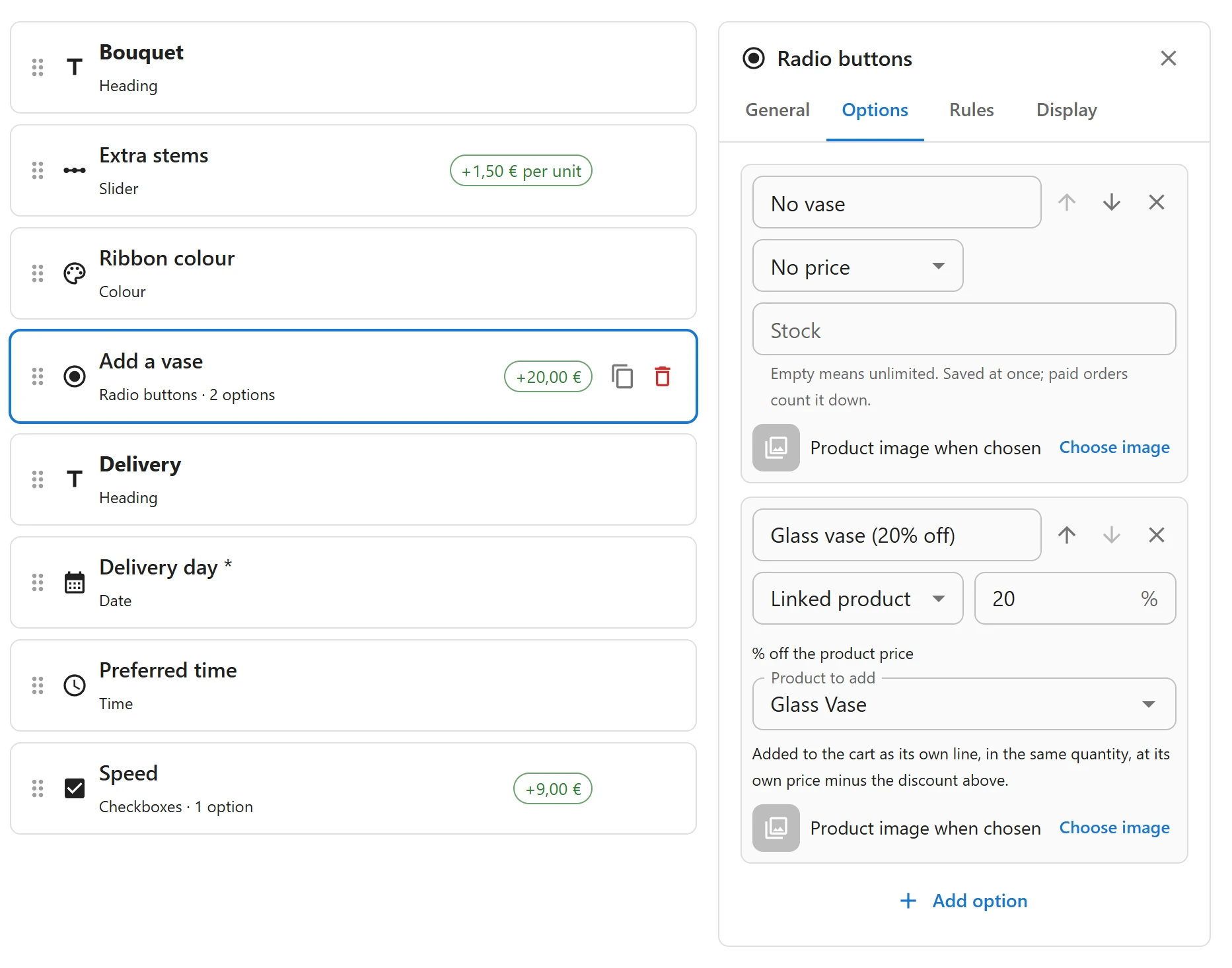
- In the group, select a dropdown, radio buttons or checkboxes field, and open its Options tab.
- On the choice, set Price to Linked product.
- Under Product to add, pick the product.
- In the amount box, type a discount in percent off that product’s price:
0for its full price,20for 20% off.
Only simple products can be added. A group cannot be published while a linked choice has no product, or a product that is not simple.
On the product page
The choice shows the added product’s price after the discount. The live total shows the added products on their own Added products line, times the quantity.
In the cart
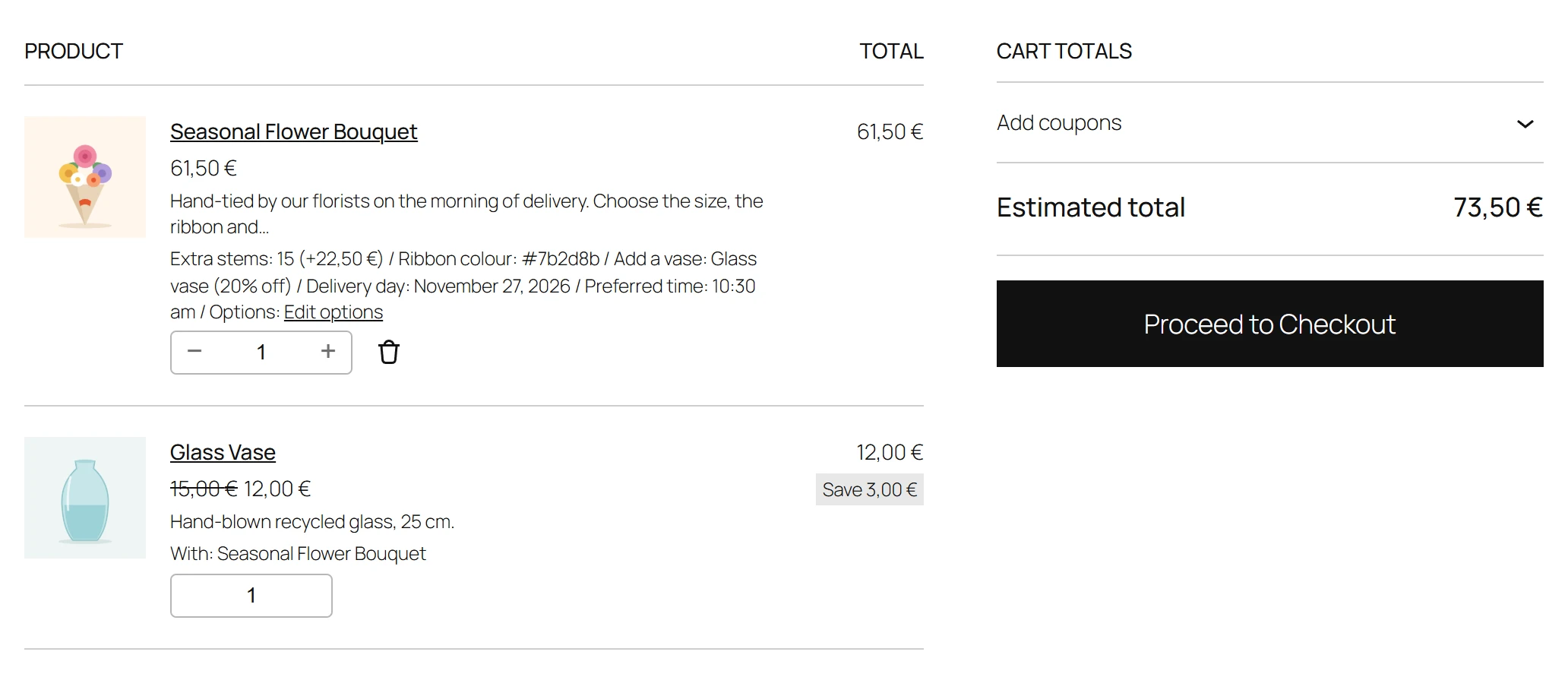
When the customer adds the main product to the cart, each linked choice adds its product:
- Right after the main line, in the same quantity.
- At the product’s own price minus the discount.
- Marked With: and the main product’s name.
- Tied to the main line. It has no quantity box or remove link of its own. Changing the main line’s quantity changes it too, and removing the main line removes it.
If the added product cannot be bought in that quantity, for example it is out of stock, the main product is not added either, and the customer sees Sorry, Gift box is not available in that quantity right now.
On the order
The added product is an order line like any other: it reduces its stock, appears in your reports and in exports under its own name and SKU, and is taxed with its own tax class. It keeps the With: note, so your staff know which item it goes with.
Order again brings both lines back, still tied together.
Not affected by
A linked product’s price is its own product’s price. Sale prices and discounts by role on options do not apply to it: put the product itself on sale in WooCommerce instead.
Quick Links
Share