

Contents
Repeater fields - Plugixa Extra Product Options
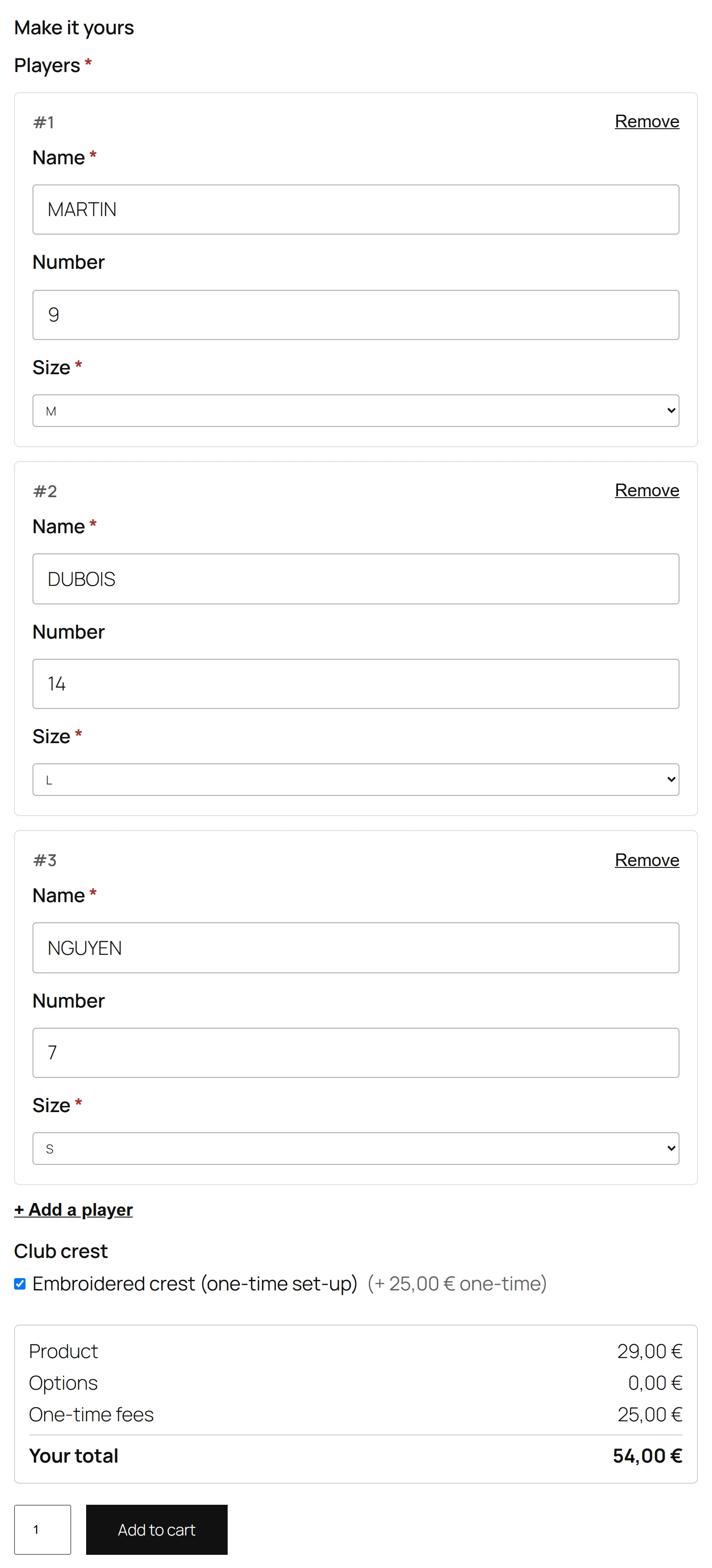
A Repeater is a set of fields the customer fills in once per entry, adding entries as needed: a name and a size for each team shirt, a guest name and a meal for each seat, a line of text for each label.
Adding a repeater
- Click Repeater under Add a field. A new repeater is called Names and holds one Name field.
- Open its Rows tab.
- Under Fields in each entry, add the fields to repeat with Add a field.
- Set the limits and the button text.
| Setting | What it does |
|---|---|
| Fields in each entry | The fields filled in once per entry: text, text area, number, dropdown, radio buttons, checkboxes or date |
| Min. entries | How many entries the customer must fill in |
| Max. entries | The most entries allowed, up to 50 |
| Add button text | The label of the button that adds an entry. Default Add another. |
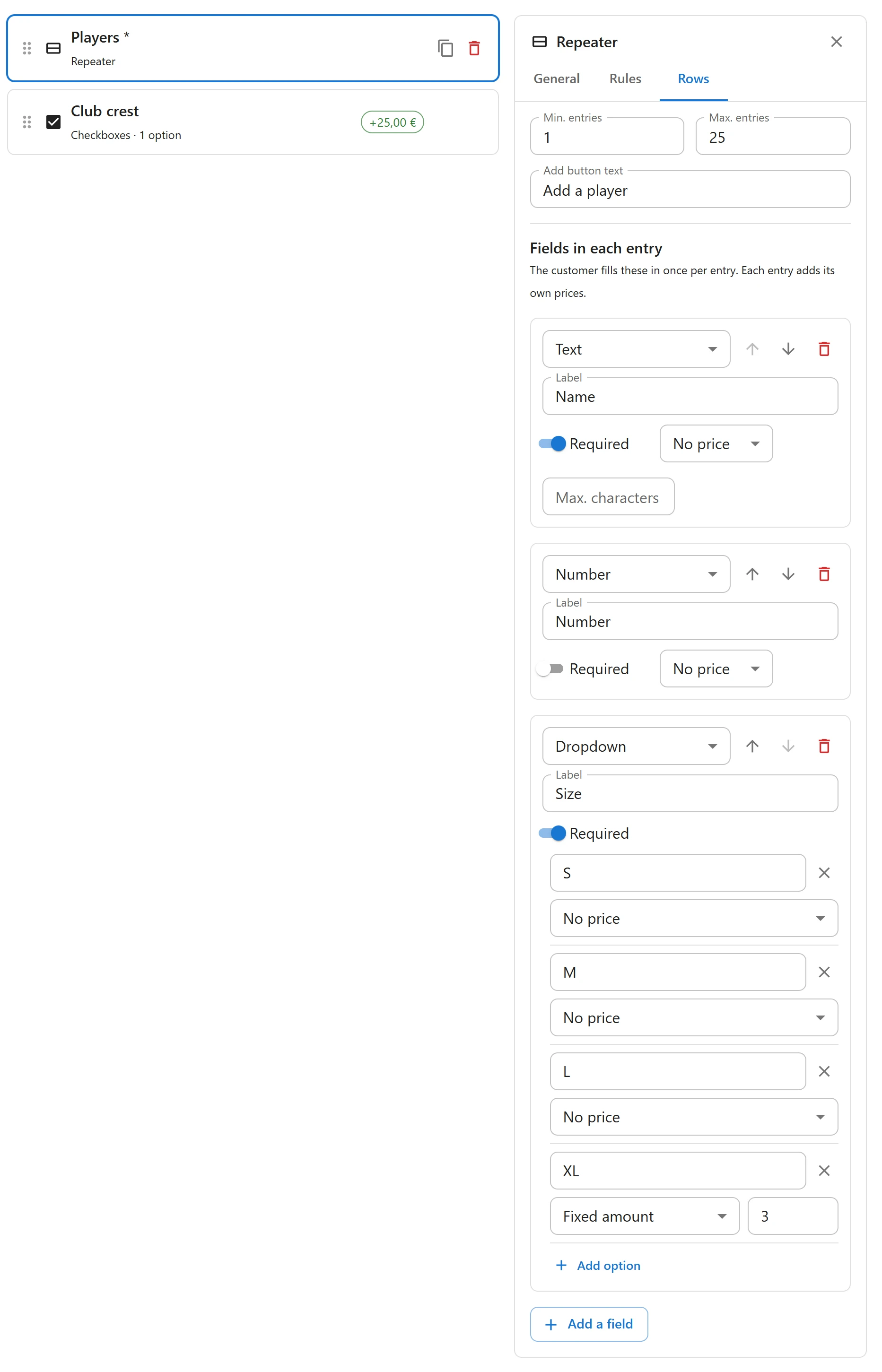
Each field in an entry has its own settings: label, required, limits, choices and prices.
Prices
Each entry adds its own prices. With a Name at 3.00 for printing and a Size XXL choice at 2.00, three entries with one XXL cost 11.00 per item. The live total follows each entry added or removed.
What the customer sees
The repeater starts with its minimum number of entries, or one. Add another adds an entry, Remove deletes one. When the maximum is reached, the page says You have reached the maximum number of entries.
Errors name the entry: Team names, entry 2: Name is required.
In the cart and on the order
Entries are shown one after the other, separated by a slash:
Team names: Name: Tom, Size: M / Name: Ana, Size: S / Name: Leo, Size: XXL
Quick Links
Share