

Contents
On this page
Show/hide rules - Plugixa Extra Product Options
A rule shows or hides a field depending on the answer to another field of the same group. The Card message box only appears when the customer picks Gift wrap, and the Text to engrave box only when they ask for engraving. The form stays short, and customers are never asked for something that does not apply.
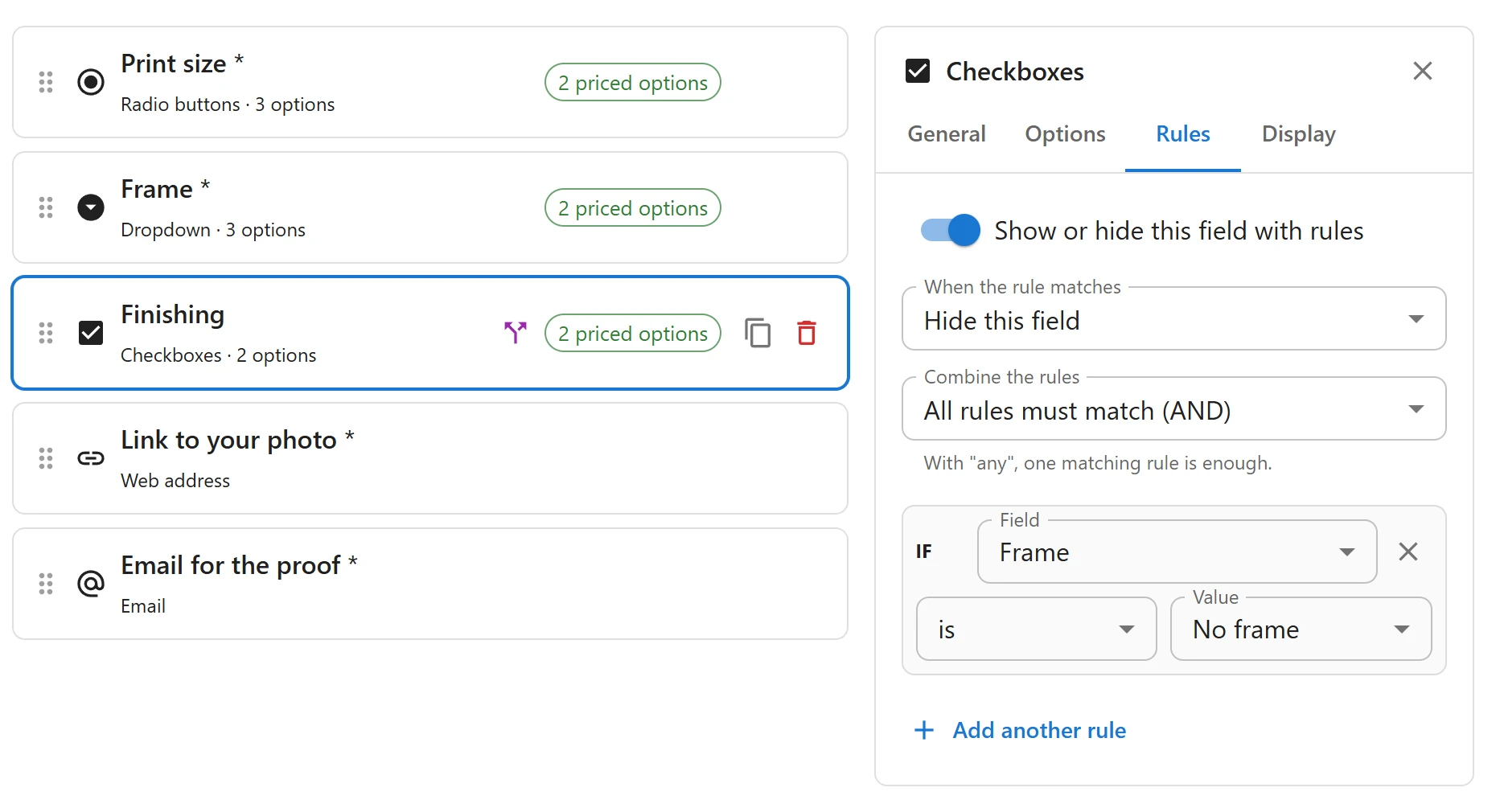
Adding a rule
- In the editor, select the field to show or hide.
- Open its Rules tab and switch on Show or hide this field with rules.
- Choose Show this field or Hide this field under When the rule matches.
- Build the rule: IF a Field, an operator, and a Value.
The Field list holds the group’s other fields, except headings. If the group has no other field yet, the tab says Add another field first: rules look at the answers to other fields.
In the free plugin a field has one rule. Pro adds more rules per field, combined with AND or OR, and rules on the customer’s role and the chosen variation: see AND/OR, role and variation rules.
Operators
Which operators you can pick depends on the field the rule looks at.
| Operator | Meaning | For |
|---|---|---|
| is | The answer is this value (or this choice) | All fields |
| is not | The answer is anything but this value | All fields |
| is empty | The field was left empty | All fields |
| is filled in | The field has an answer | All fields |
| contains | The answer contains this text, any case | Text fields |
| is more than | The number is larger than this value | Number fields |
| is less than | The number is smaller than this value | Number fields |
For a dropdown, radio buttons or checkboxes, the Value is one of its choices, picked from a list. With checkboxes, is means “this choice is ticked”, whatever else is ticked too.
Examples
| Field to show | Rule |
|---|---|
| Card message | Show when Gift wrap is Gift wrap |
| Text to engrave | Show when Engraving is Yes |
| Delivery note | Hide when Delivery date is empty |
| Pallet delivery | Show when Number of boxes is more than 20 |
How hidden fields behave
- A hidden field is not required, is not charged and is not saved on the order, even if the customer filled it in before hiding it.
- Rules chain. If B shows when A is “Yes”, and C shows when B is filled in, hiding A hides B, which hides C: a field that is hidden counts as empty.
- Two fields whose rules depend on each other are both hidden. Avoid such loops.
The same answer on the page and in the cart
The product page applies the rules as the customer types, without reloading. When the product is added to the cart, the server applies the same rules again to the submitted answers, and drops any field the rules hide. A field shown by tampering with the page is never charged or saved.
In the editor, a field with rules is marked Shown or hidden by rules in the list.
Quick Links
Share