

Contents
On this page
Settings - Plugixa Extra Product Options
Open Plugixa Product Options > Settings. The settings apply to every group and every product. Click Save settings at the bottom to keep your changes.
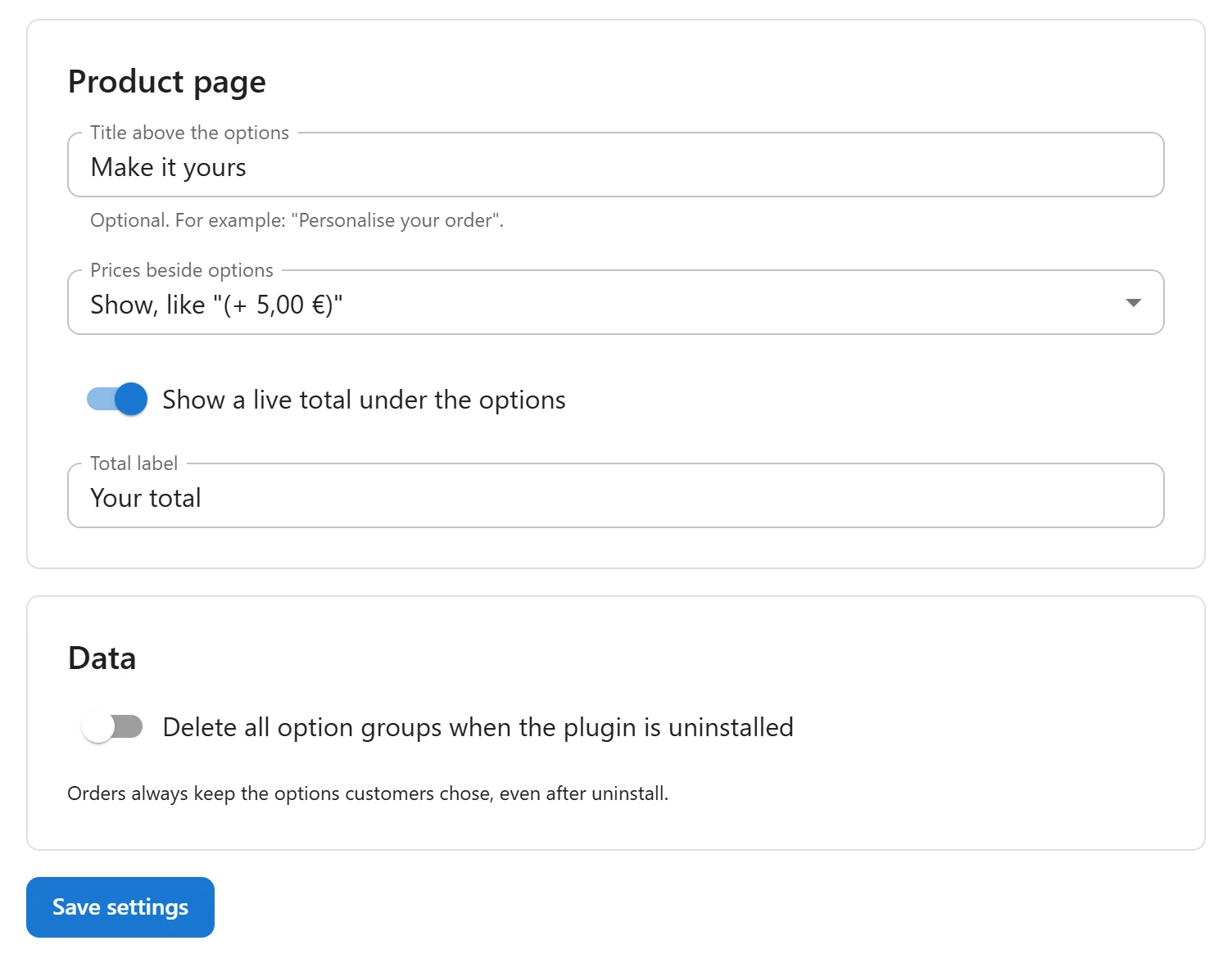
Product page
| Setting | What it does | Default |
|---|---|---|
| Title above the options | A heading printed above the options form, for example “Personalise your order”. Leave it empty for no title. | Empty |
| Prices beside options | Show, like “(+ $5.00)” prints each priced choice’s price after its label. Hide leaves only the live total. | Show |
| Show a live total under the options | The Product, Options and Total lines under the form. Switch it off to show no total. | On |
| Total label | The name of the last line of the total, instead of Total. Shown when the live total is on. | Total |
Prices in the cart, on the order and in emails are always shown, whatever Prices beside options says: the customer must see what they pay for.
Data
| Setting | What it does | Default |
|---|---|---|
| Delete all option groups when the plugin is uninstalled | When on, deleting the plugin from Plugins also deletes every group, the settings and the plugin’s tables. When off, they are kept for a later reinstall. | Off |
Orders always keep the options customers chose, even after uninstall. See Privacy and uninstall.
Pro settings
Pro adds sections to the same page:
- Where the form shows and Quick view on shop pages: see Form placement and Quick view.
- Option discounts by customer role: see Discounts by role.
Translating the texts
The settings’ texts, such as the title above the options and the total label, are typed in one language. On a multilingual store, Pro offers them for translation with WPML or Polylang: see Multilingual stores.
Quick Links
Share