

Plugixa Multi Currency: Sell in Every Currency with WooCommerce
Meet Plugixa Multi Currency for WooCommerce. It shows your prices, and takes payment, in your customer’s currency. You keep pricing your products in your store currency, and every price, shipping cost, coupon and cart fee is converted for the shopper, with the rate, margin and rounding you set for each currency. Each order keeps the exchange rate it was placed at, so refunds and reports stay right months later.
Your currencies, your rules
Add the currencies you sell in from a short setup wizard, then fine-tune each one. A currency has its own rate, an optional margin as a percentage and a fixed amount, its symbol and where it sits, its decimals and separators, and a rounding rule for prices, shipping and fees. A preview on the edit screen shows what your real prices become before you save.
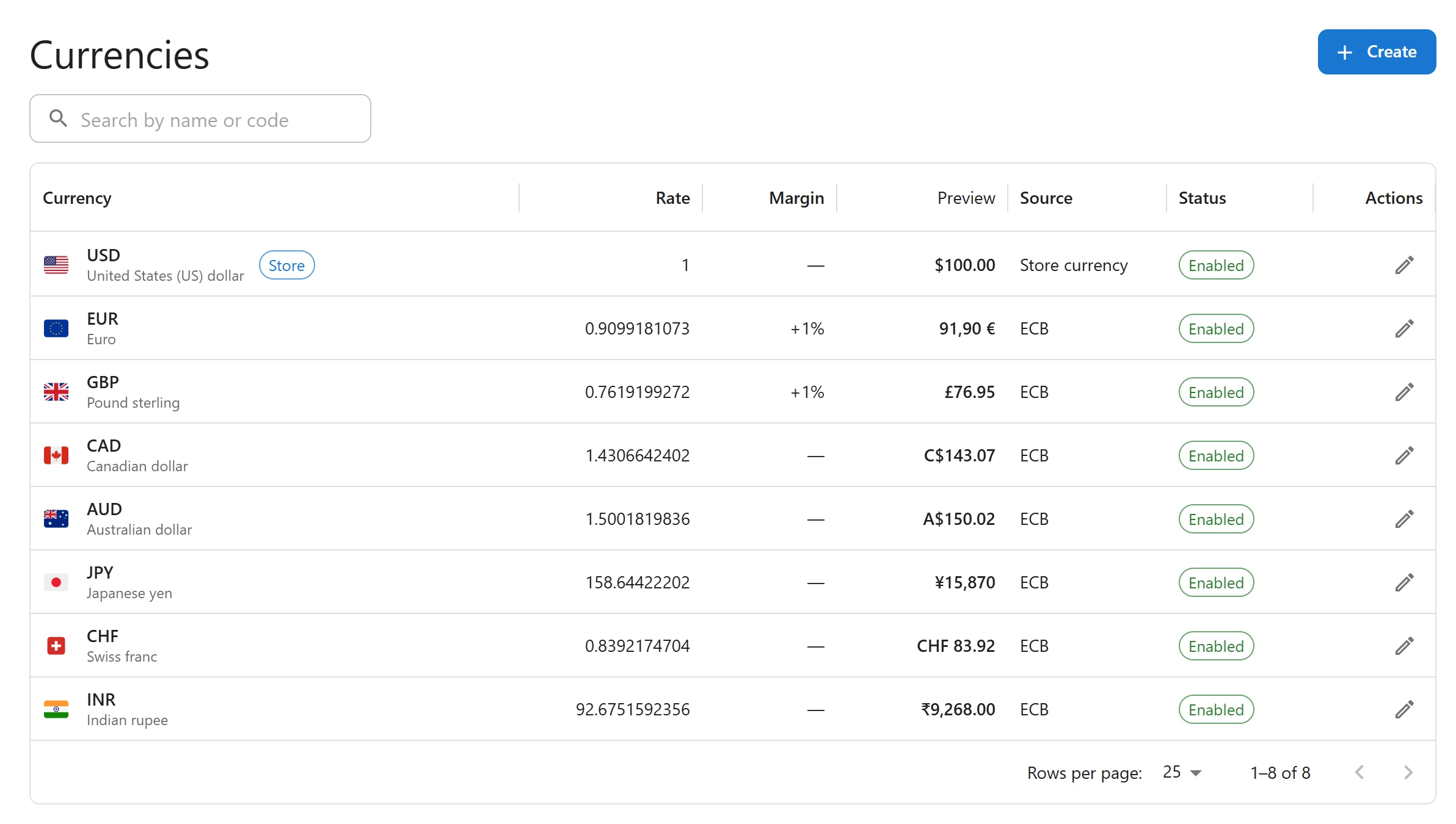
Rates can be typed by hand or updated every day from the European Central Bank, with Frankfurter as a backup. A safety check refuses a sudden jump of more than 50%, so one bad reading never reaches your shop.
A switcher wherever you need it
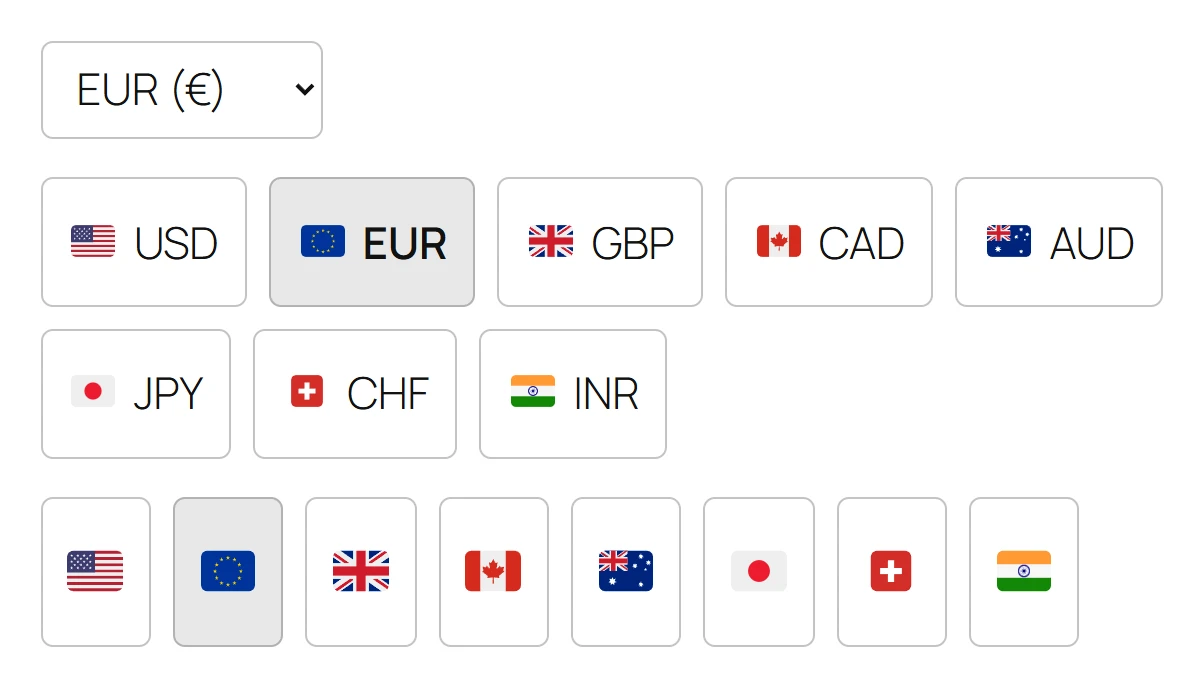
Shoppers change currency with the Currency Switcher block, a shortcode, a widget or a floating button, in three styles: a dropdown, buttons with flags, or flags only. The block also works inside the Navigation block, and the switcher keeps working without JavaScript and with screen readers.
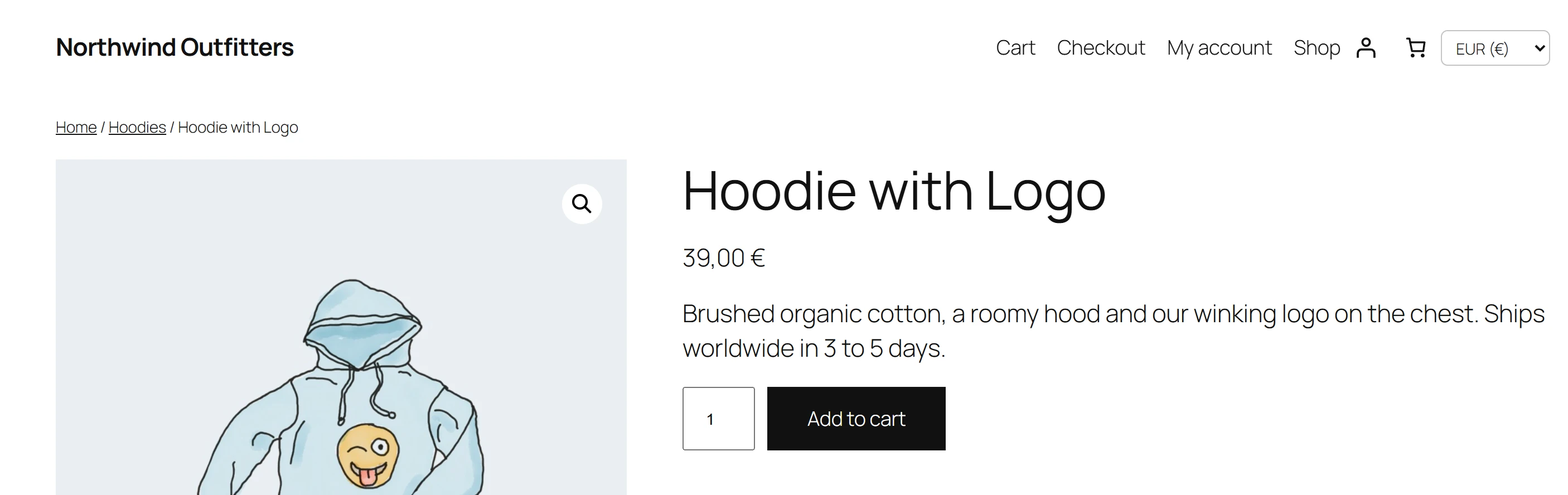
Checkout in the shopper’s currency
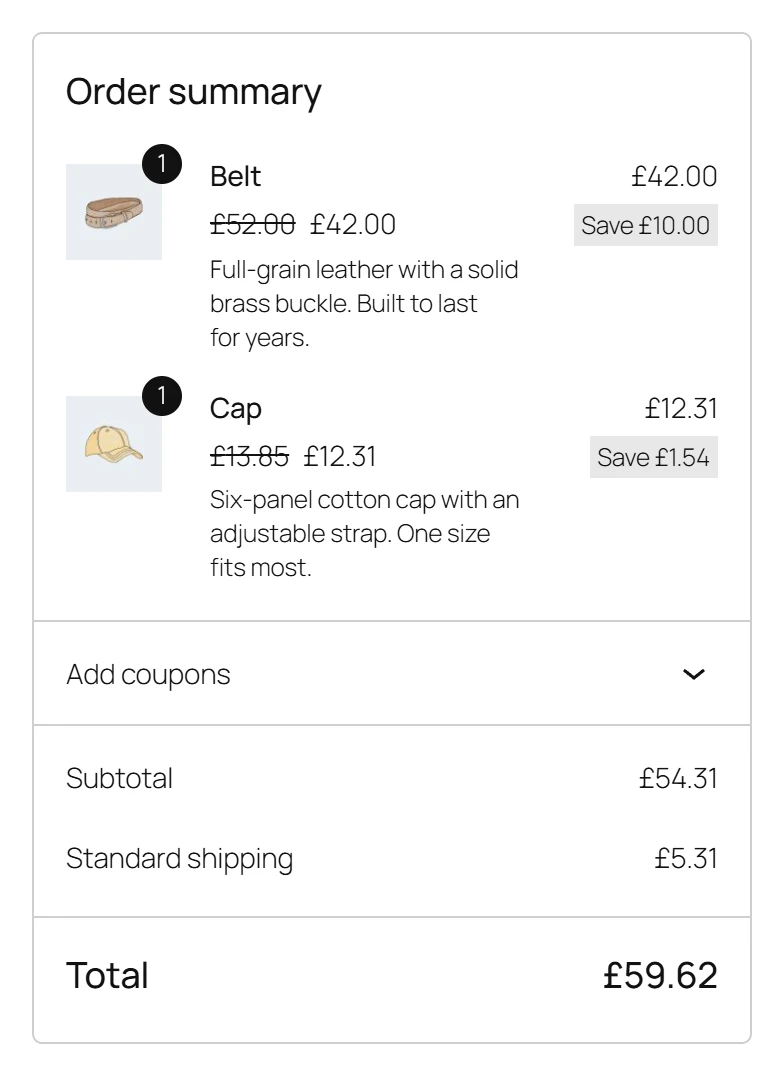
For each currency you choose how checkout works. Charge in that currency when your payment methods accept it, or show prices in it as a guide and charge in your store currency: then the shopper sees the amount in both currencies before paying. It works in the classic cart and checkout and in the Block Cart and Checkout.
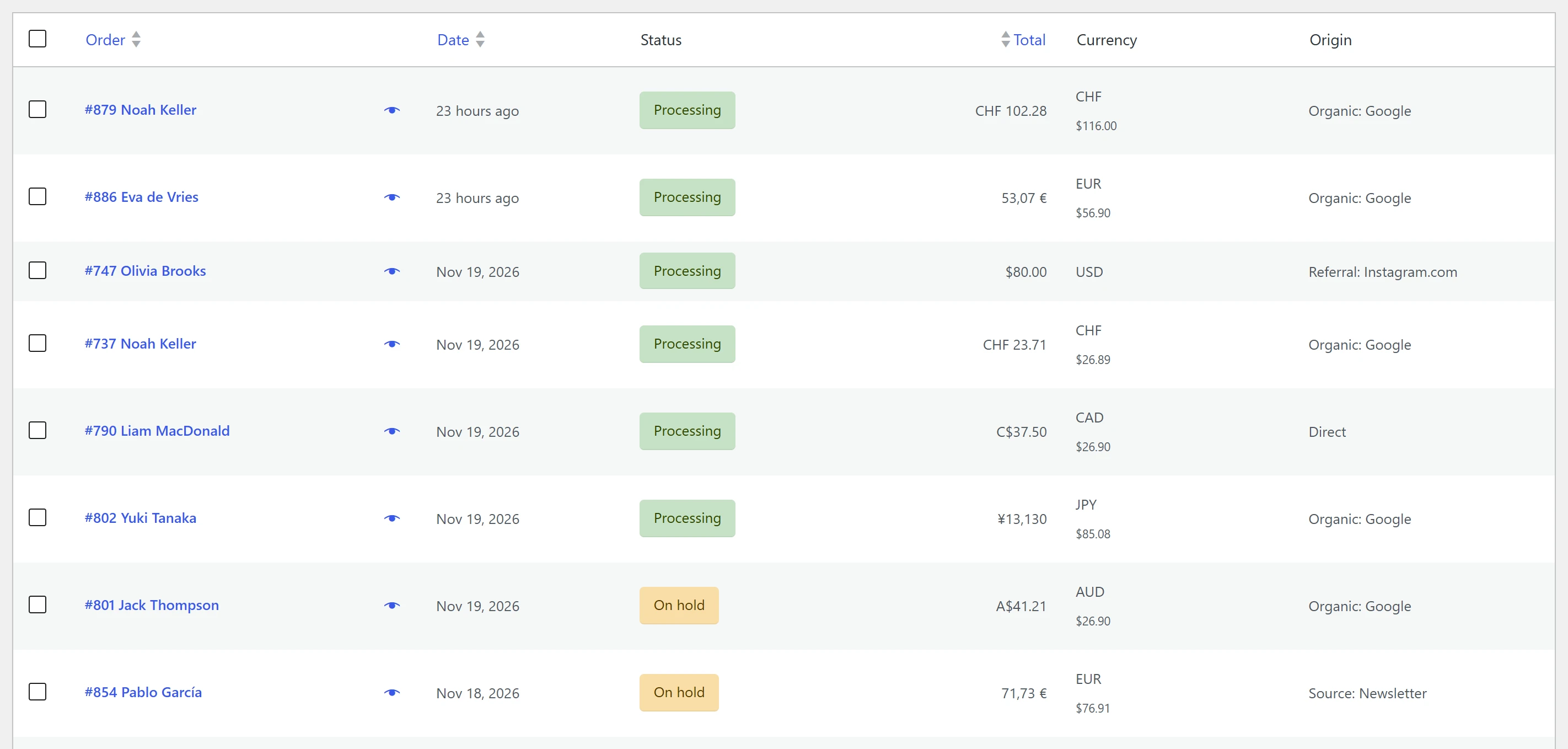
On the orders list, a currency column shows what each customer paid in, with the total in your store currency underneath.
Highlights of the free edition
- Unlimited currencies, each with its own symbol, position, decimals and separators.
- Daily rates from the European Central Bank, with a backup source and a safety check.
- Margins and rounding per currency, for prices, shipping and fees.
- Shipping costs, free-shipping minimums, coupons and cart fees converted too.
- Classic and Block Cart and Checkout, and WooCommerce High-Performance Order Storage (HPOS).
- The exchange rate saved on every order, and a currency column on the orders list.
- Automatic page cache setup for WP Rocket, LiteSpeed Cache and WP Super Cache.
- Search engines always see your store currency, so your listings stay consistent.
There is no limit on currencies or orders in the free plugin.
What Pro adds
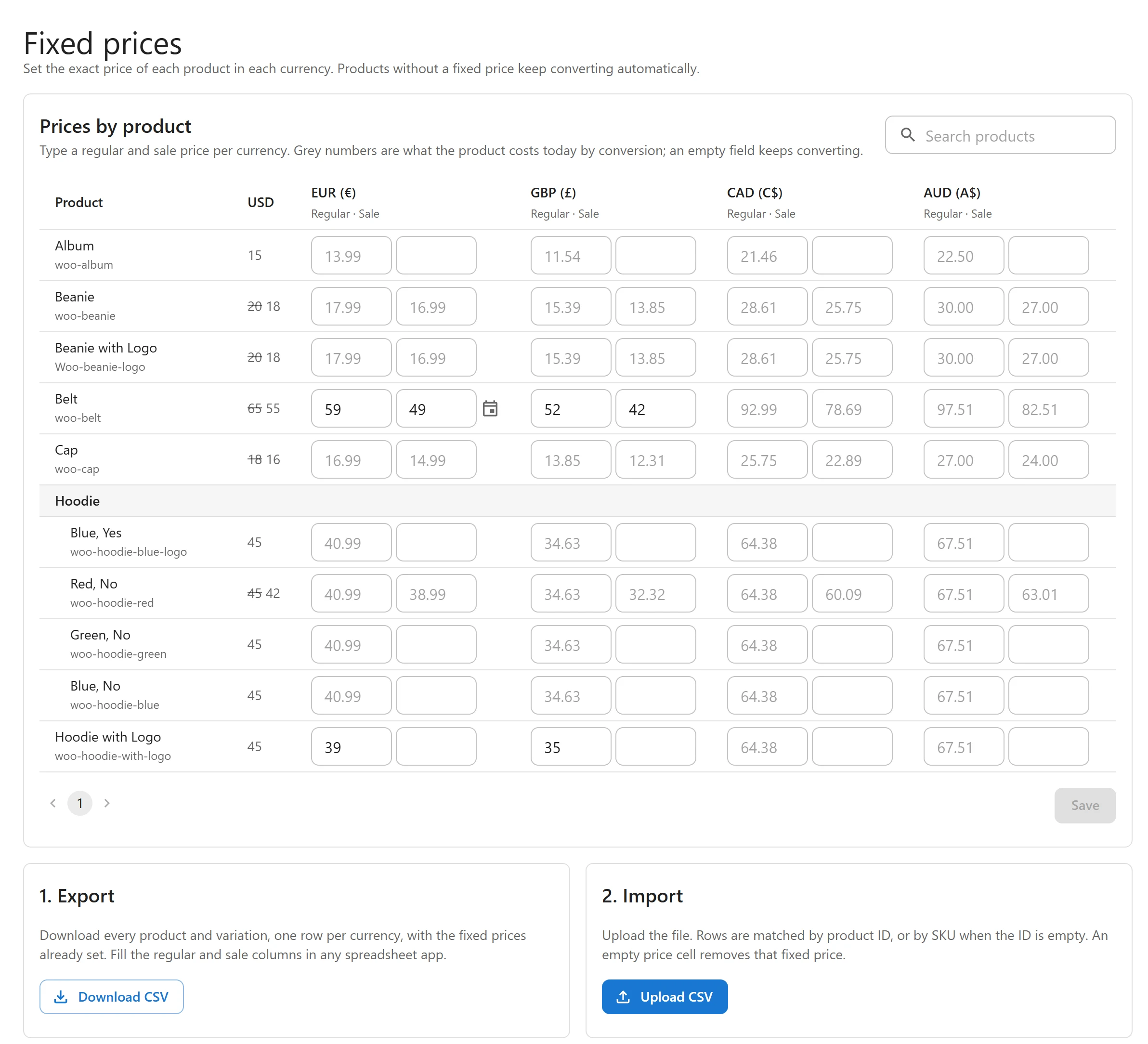
For prices, Pro adds fixed prices per currency on products and variations, with a product by currency grid and CSV import. It also adds fixed shipping costs and coupon amounts per currency, prices by user role for B2B and wholesale, charm endings such as .99, and payment methods and order limits per currency.
For shoppers, Pro picks the currency from the visitor’s country or language (WPML, Polylang, TranslatePress). It adds pill and inline switchers under the price and in the mini-cart, an Elementor widget, the price in other currencies on product pages, and currency URLs such as /eur/ with hreflang and sitemaps.
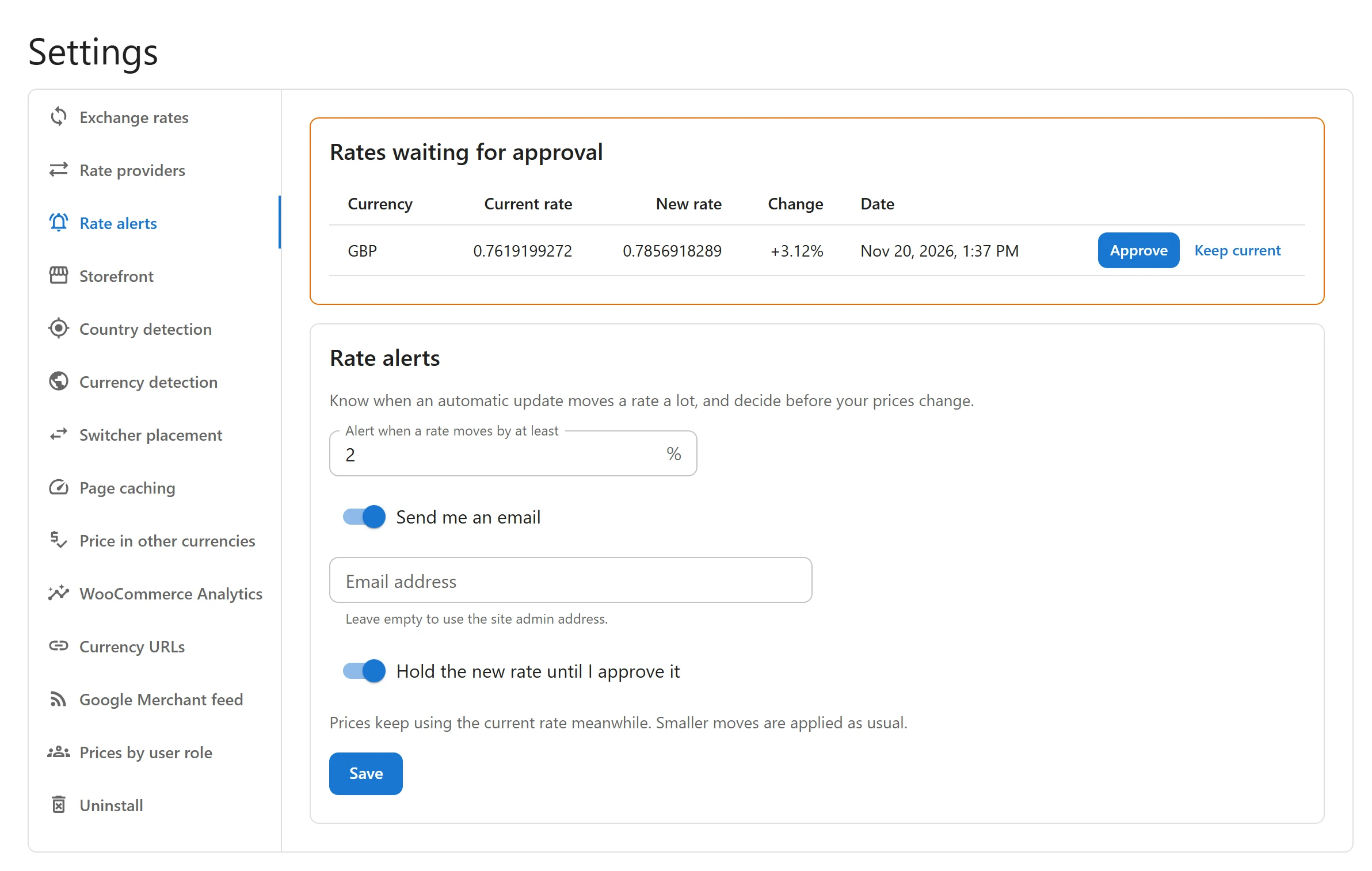
For speed and rates, Pro adds cache-first mode for any page cache or CDN with a live setup check, more rate providers with failover and updates as often as every 30 minutes, and rate alerts that can hold a new rate until you approve it.
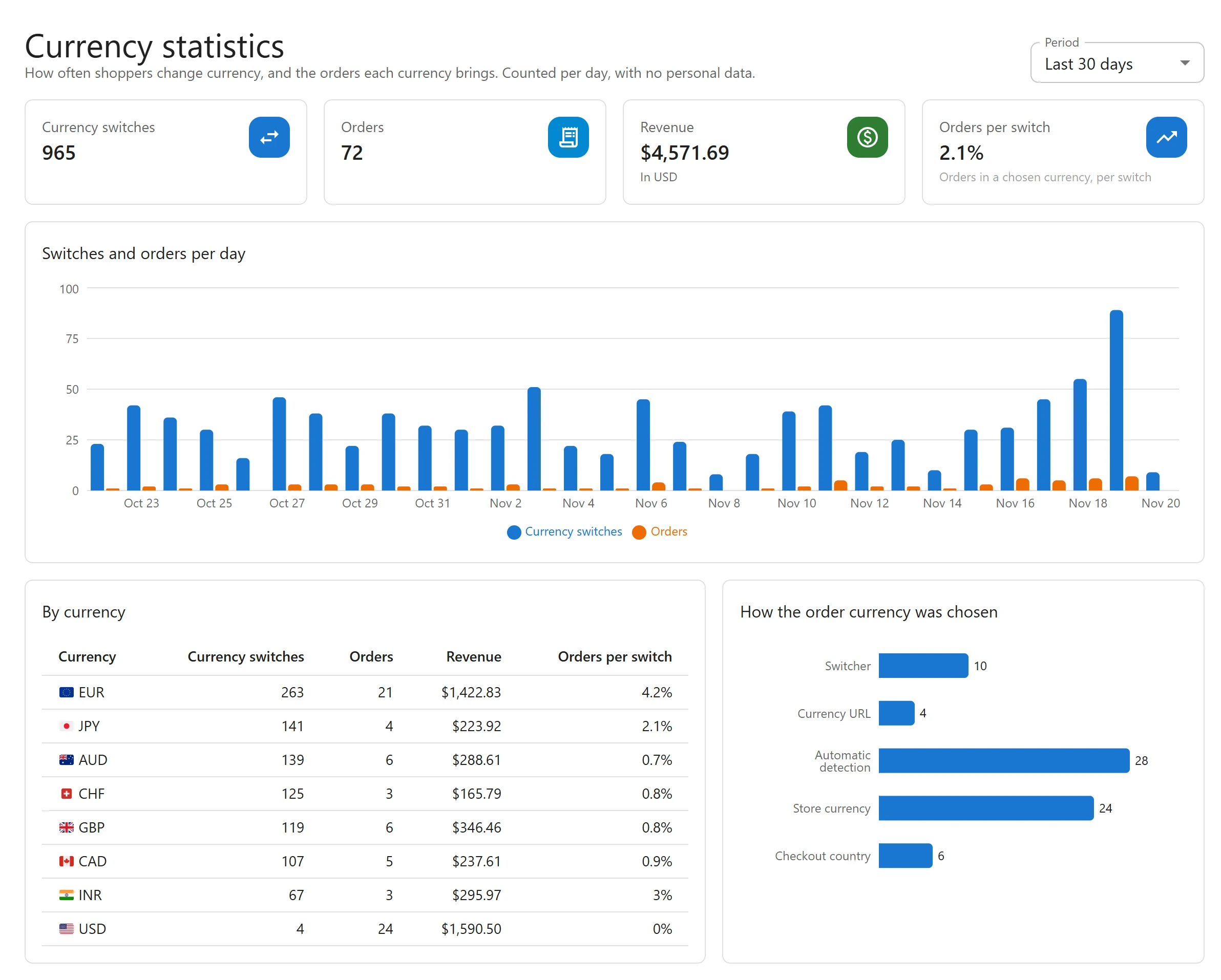
In the back office, Pro adds revenue per currency and currency statistics, a currency filter on the orders list, manual orders in any currency, an order export for your accountant, WooCommerce Analytics in your store currency, Google Merchant Center feeds per currency, settings backup and WP-CLI commands.
Pro costs 39 EUR a year for one site or 99 EUR a year for unlimited sites. See Free vs Pro for the full comparison.
Get started
Activate the plugin and the setup wizard walks you through your currencies, the rates and the switcher. The Getting started guide takes you through it step by step, and the documentation covers every feature.