

Plugixa POS for WooCommerce: A Point of Sale in the Browser

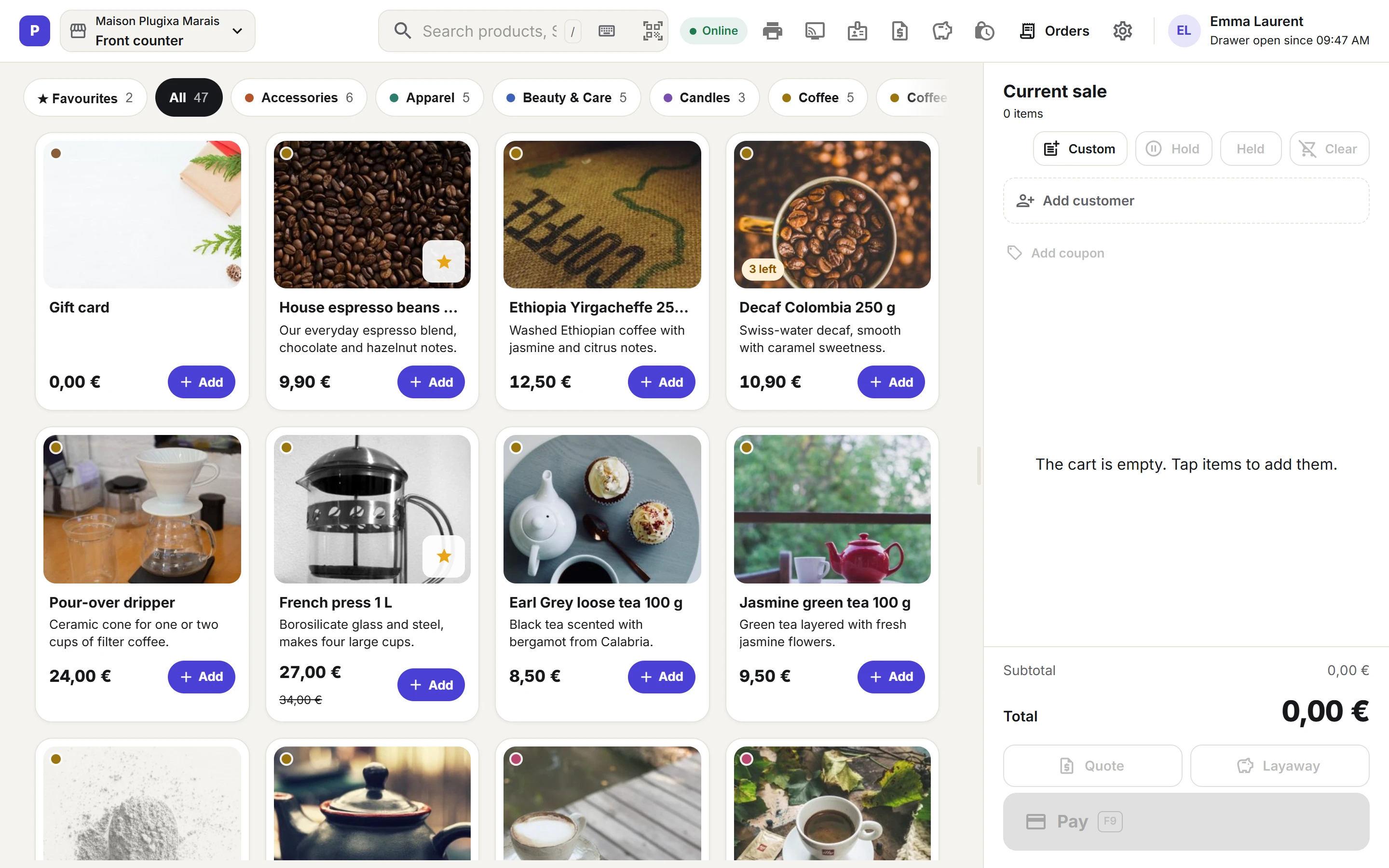
Meet Plugixa POS for WooCommerce. It turns your WooCommerce store into a point of sale that runs in the browser. Open the register at /pos on a computer, a tablet or a phone and start selling. There is no app to install and no cloud account to create, and every sale is a real WooCommerce order.
One stock for the shop and the counter
Because each sale is a WooCommerce order, your stock, taxes, coupons, customers and reports stay in one place. The online shop and the counter always see the same stock, and registers pick up stock and price changes from each other and from the shop within seconds, without reloading. Plugixa POS is compatible with WooCommerce High-Performance Order Storage (HPOS).
Fast at the counter
Search or scan a product, pick a variation, add a customer or a WooCommerce coupon, and give a discount on a line or on the whole sale. USB and Bluetooth barcode scanners work out of the box. Each register keeps its own favourites, a sale can be put on hold and picked up later, and keyboard shortcuts cover every step.
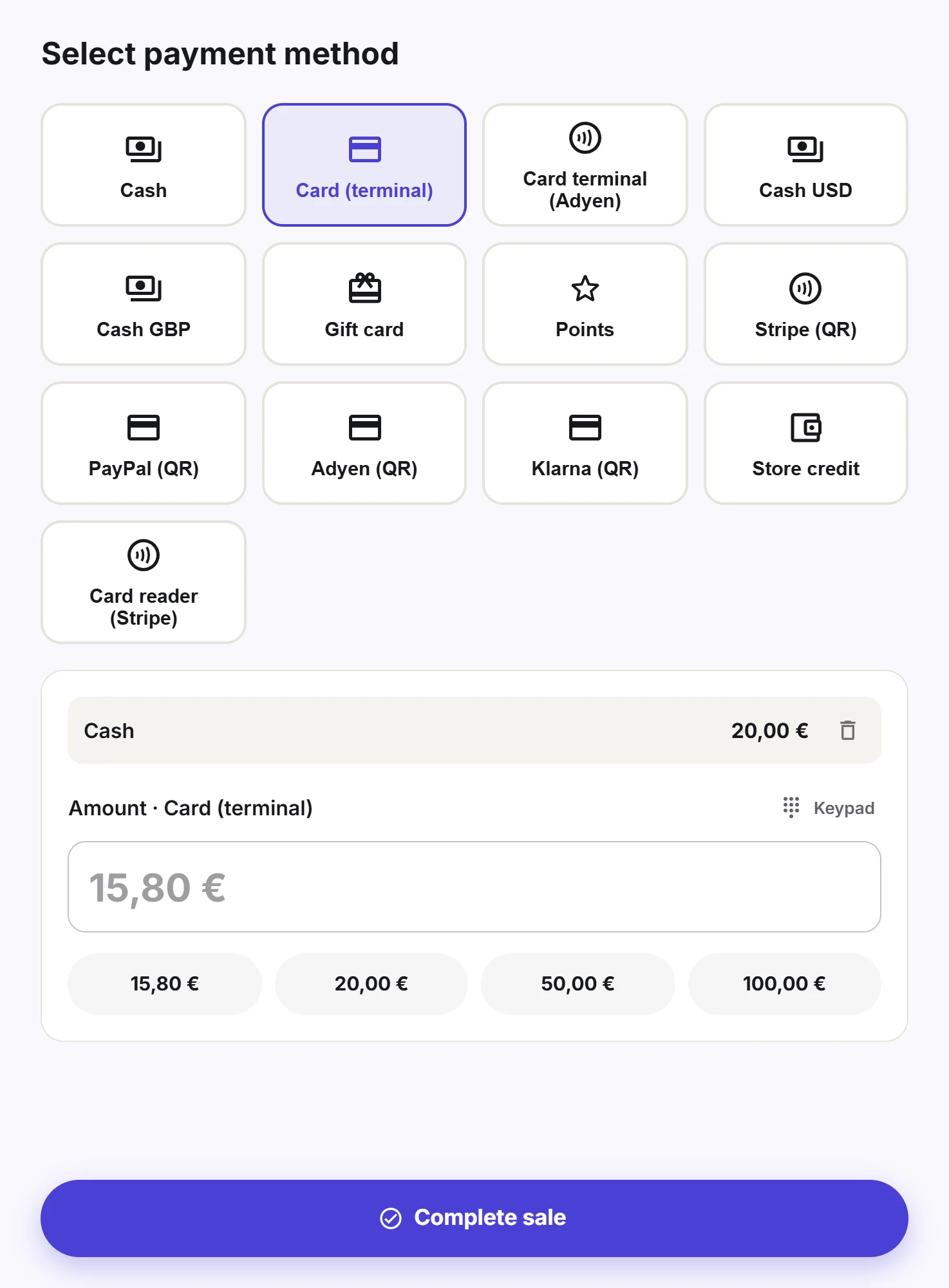
Take cash with change, card on an external terminal, or split the payment between several methods. The receipt prints from the browser, or goes out by email or WhatsApp.
Cash sessions and Z reports
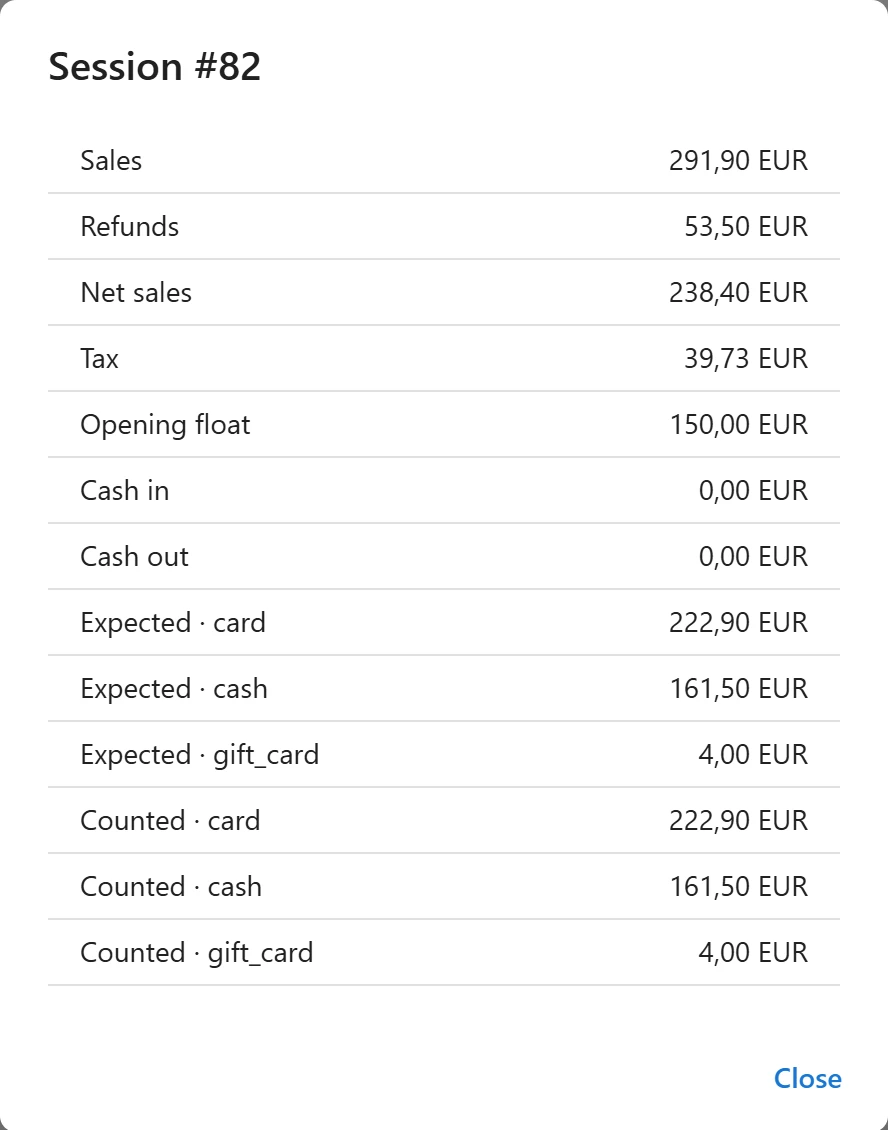
A cashier opens the till by counting the opening float. Cash in and cash out are recorded during the day, an X report shows where the drawer stands at any time, and the Z report closes the session by comparing the cash counted with the cash expected.
Records you can trust
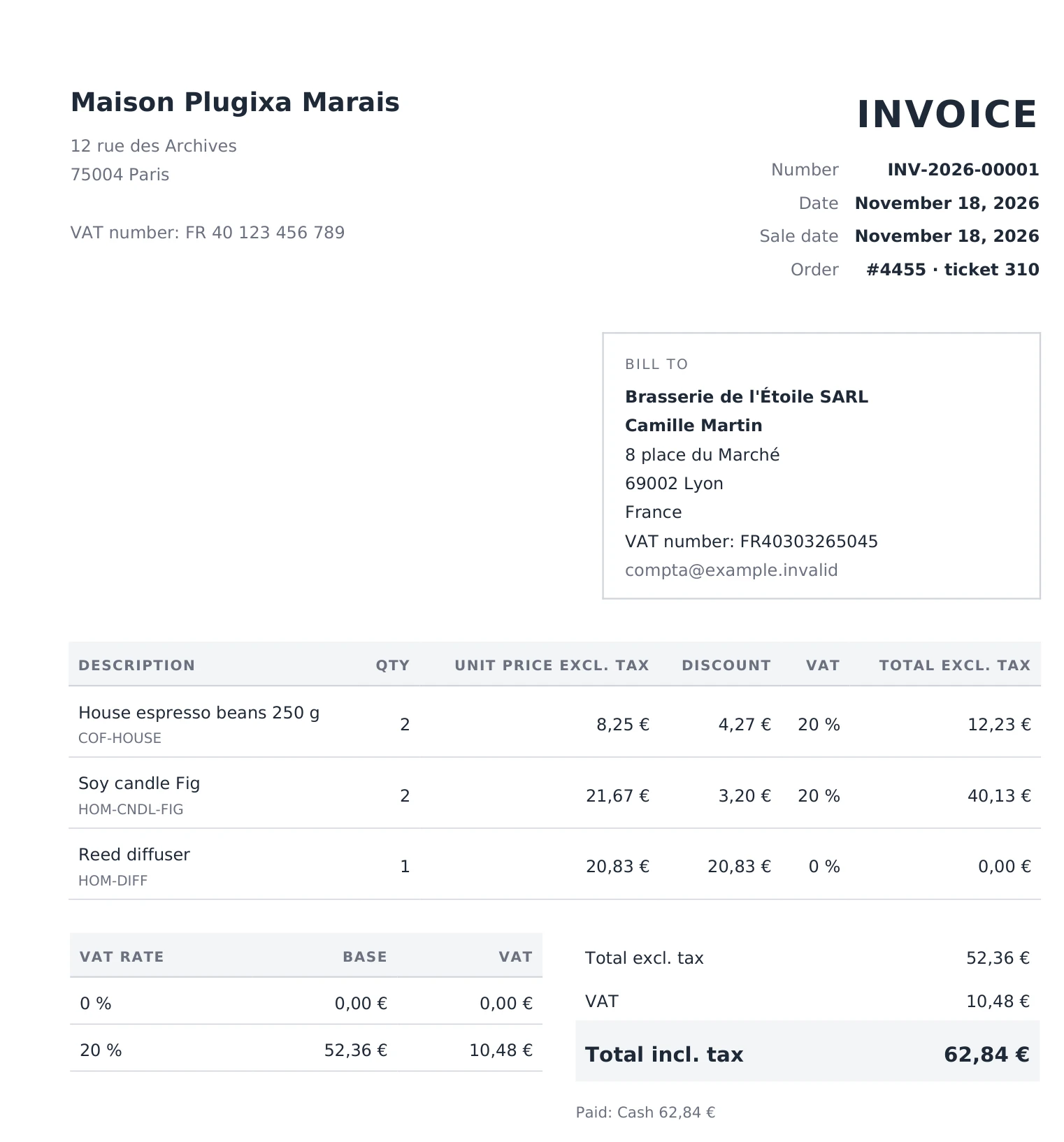
Each register keeps a tamper-evident fiscal journal: continuous ticket numbers, a SHA-256 chain, chained day and month closings and numbered duplicates when a receipt is reprinted. A verification tool checks the whole journal in one click. With Pro, A4 invoices and credit notes are issued as PDF on request, with the VAT per rate and a yearly sequence per document type, so the numbers never skip.
Highlights of the free edition
- A full-screen register for any device, with product photos, search, categories, variations and favourites per register.
- One store and its register, set up for you on activation.
- Customers, coupons and discounts, line notes and custom items.
- Full refunds from the register.
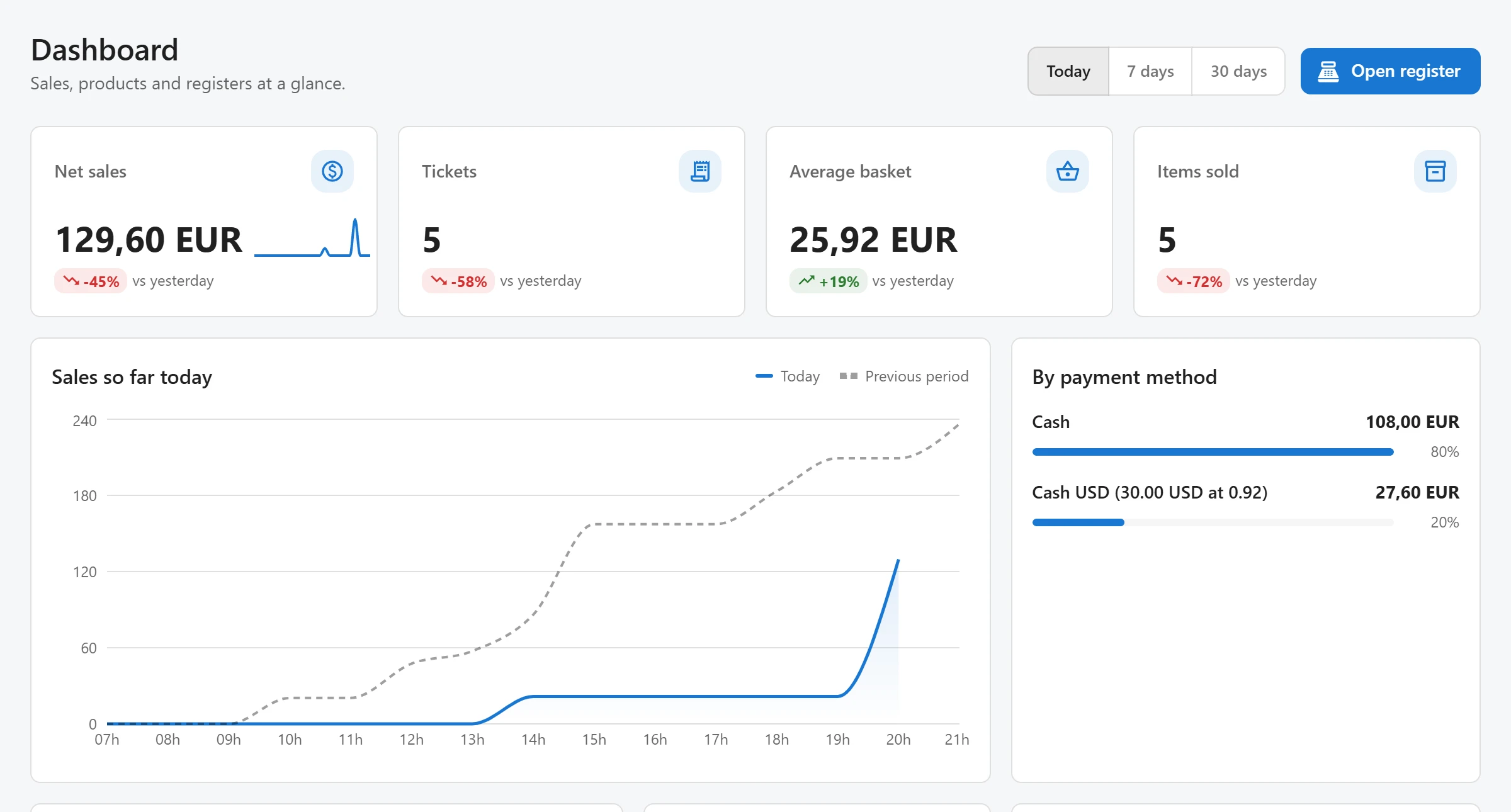
- A dashboard with the period’s figures, top products, busiest hours, open registers and low stock.
- Access through WordPress capabilities, so you decide who can sell and who can manage.
What Pro adds
Pro is for shops that sell more than one way. It adds more registers and A4 invoices with credit notes, refunds some lines or quantities and handles exchanges, and adds product options with prices, bundles sold from component stock, automatic promotions, customer-group prices, layaways with deposits, quotes as A4 PDFs, scale labels, serial numbers and lots with expiry dates.
On the payment side, Pro takes cards on Stripe Terminal readers and Adyen terminals, offers pay by QR code or link with Stripe, PayPal, Mollie, Adyen or Klarna, and adds gift cards, store credit, loyalty points and cash in other currencies.
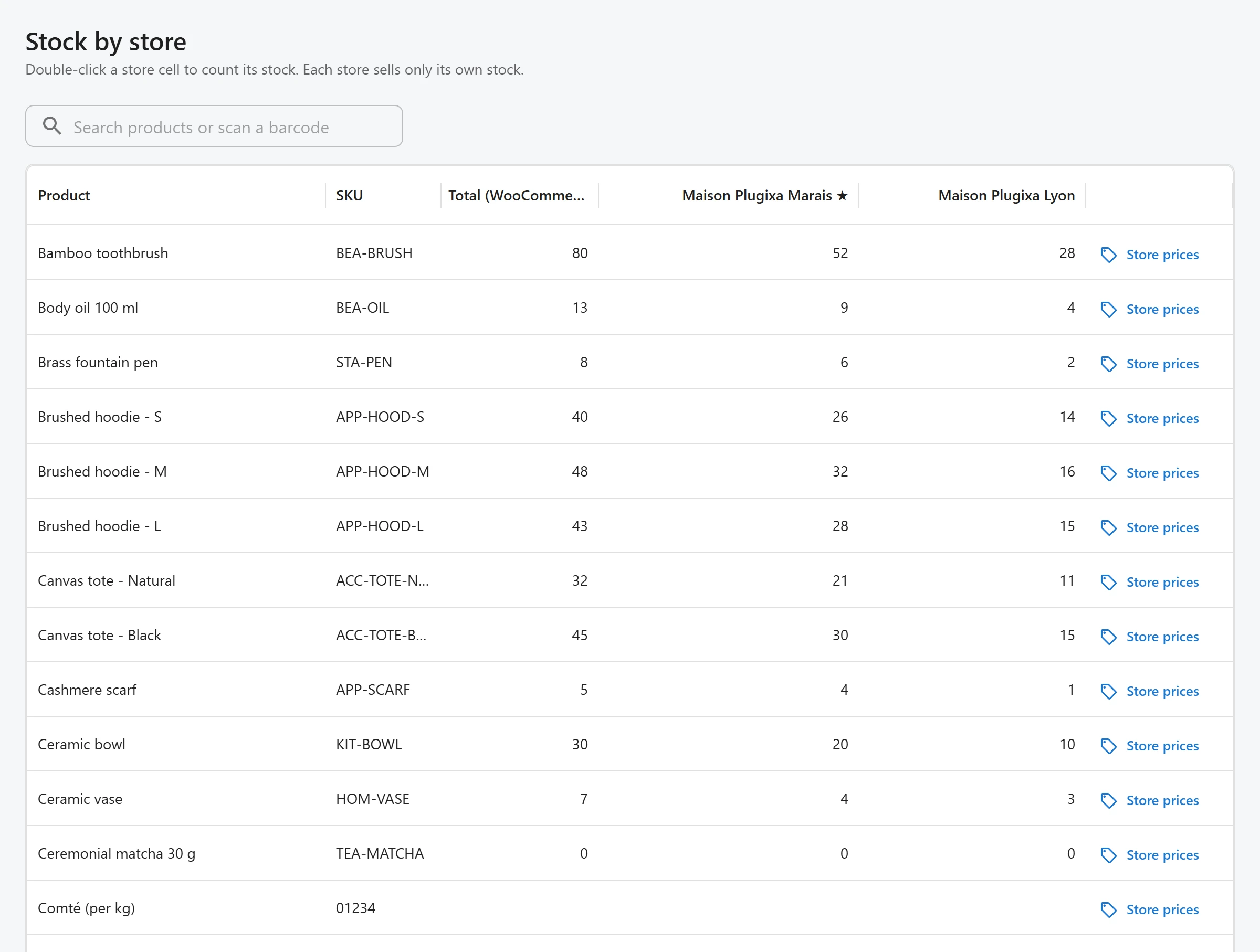
For the shop floor, Pro drives ESC/POS receipt printers and the cash drawer, shows the cart on a customer display, keeps selling when the connection drops and installs the register like an app. Behind the counter it adds several stores with stock and prices per store, transfers, stock adjustments, suppliers and purchase orders, labels, cashier PINs with manager approval, reports by store, register and cashier, and webhooks to your other tools.
Pro costs 49 EUR a year for one site or 147 EUR a year for unlimited sites. See Free vs Pro for the full comparison.
Get started
Activation creates your store and a first register. Open /pos, count the opening float and make your first sale. The Getting started guide walks you through it step by step, and the documentation covers every feature.