

Contents
On this page
Bonus value and campaigns - Plugixa PDF Vouchers for WooCommerce
A bonus makes a voucher worth more than the buyer paid: pay 100, get 110. Campaigns do the same, or lower the price, on every voucher for a few days.
The voucher is always issued for what the customer can really spend, so the outstanding balance, the history and the reports are right.
Bonus on a product
- Edit a voucher product and open its PDF Voucher tab.
- Under Bonus value, choose Fixed amount added or Percentage of the price added.
- Enter the Bonus: for example 10 with “Percentage” makes a €100 voucher worth €110. A percentage is capped at 100.
- Click Update.

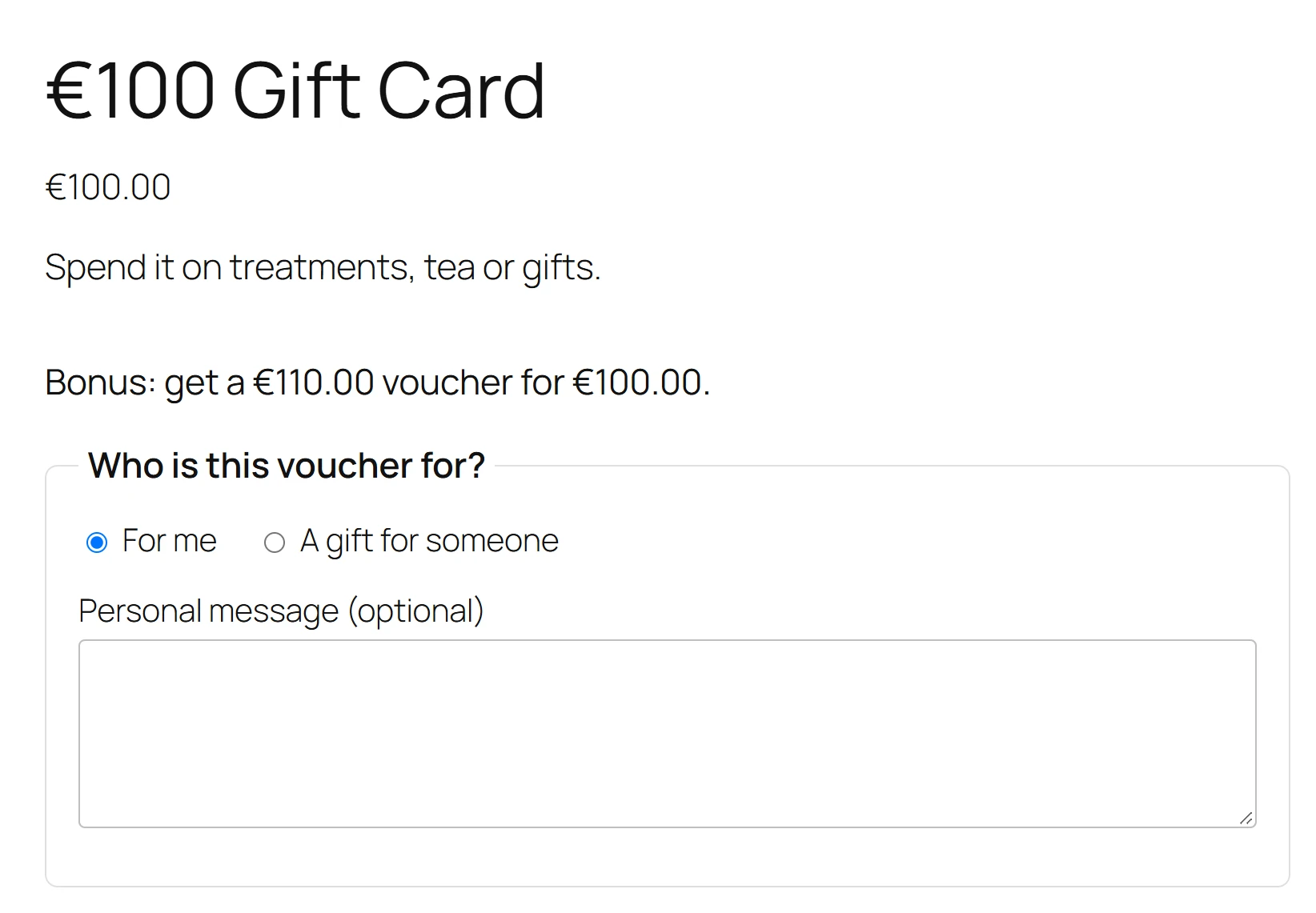
The product page then shows the offer above the gift form, for example Bonus: get a €110.00 voucher for €100.00.
Campaigns
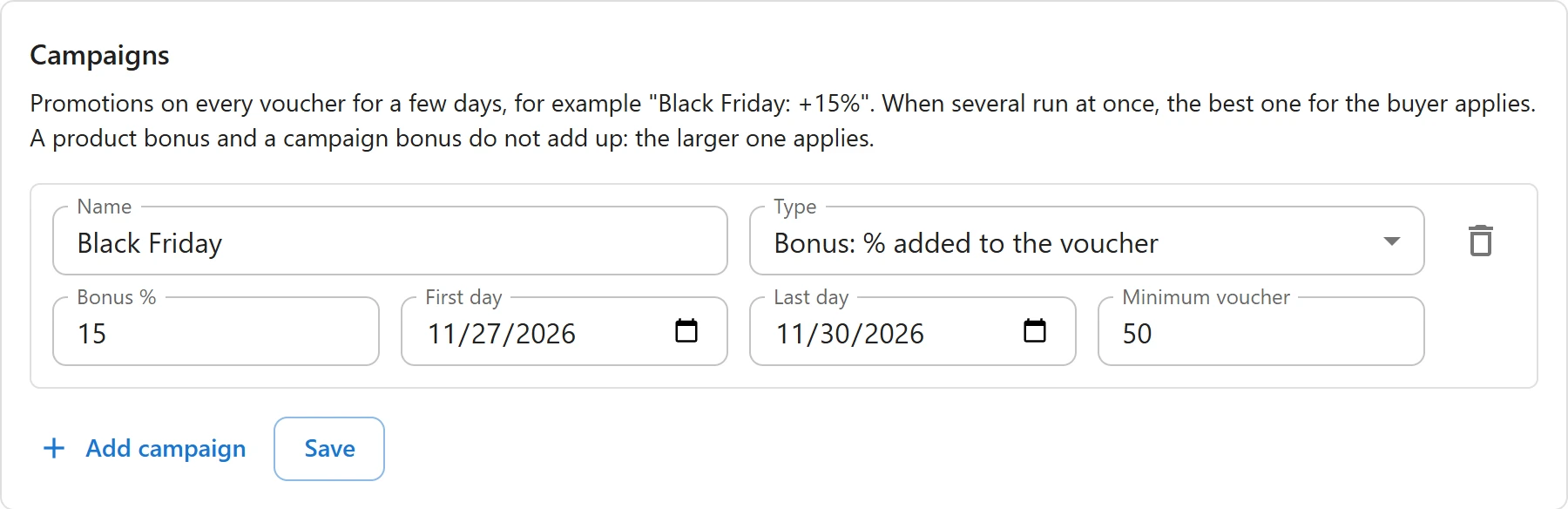
Campaigns run on every voucher product for a period. Set them in Settings > Campaigns: Promotions on every voucher for a few days, for example “Black Friday: +15%”.
- Click Add campaign.
- Fill in the row:
| Field | What it sets |
|---|---|
| Name | Shown to buyers, for example Black Friday. |
| Type | See the table below. |
| Bonus %, Bonus amount or Discount % | The value, depending on the type. |
| First day and Last day | Both included, in your store’s time zone. |
| Minimum voucher | The campaign only applies to vouchers of at least this value. Any when empty. |
- Click Save. Rows with no value, or with the last day before the first, are dropped: Saved. Campaigns without a value or with the end before the start were removed.
| Type | Effect | Example |
|---|---|---|
| Bonus: % added to the voucher | The voucher is worth more than the price, by a percentage (up to 100). | Black Friday +15%: pay 100, get 115. |
| Bonus: amount added to the voucher | A fixed amount is added to each voucher. | +10 on every voucher. |
| Discount: lower price, same voucher value | The price drops, the voucher keeps its full value (up to 90% off). | Buy a 100 voucher for 90. |
You can keep up to 30 campaigns. During a campaign the product page shows it, for example Black Friday: get a €115.00 voucher for €100.00, until followed by the last day. A discount campaign uses the same sentence with the lower price.
When several apply
- When several campaigns run at once, the best one for the buyer applies. They never add up.
- A product bonus and a campaign bonus do not add up: the larger one applies.
- A discount campaign gives no bonus on top: its gift is the lower price.
Which campaign counts for an order
The campaign in force when the order is placed is saved on the order line. A bank transfer paid after Black Friday still gets the Black Friday bonus. An order you create by hand in wp-admin uses the campaigns running on the day the voucher is created.
On the voucher
The voucher’s Issued line shows the full value, with a note: Includes a bonus of (amount), with the campaign name when a campaign gave it, or Sold at a discount with the campaign name. See Voucher details and history.
Bonuses and campaigns also apply to Top-ups and to Custom amounts.
Quick Links
Share