

Contents
On this page
My Account vouchers - Plugixa PDF Vouchers for WooCommerce
Signed-in customers find their vouchers under My Account > Vouchers. Nothing needs to be set up: the tab appears once the plugin is active.
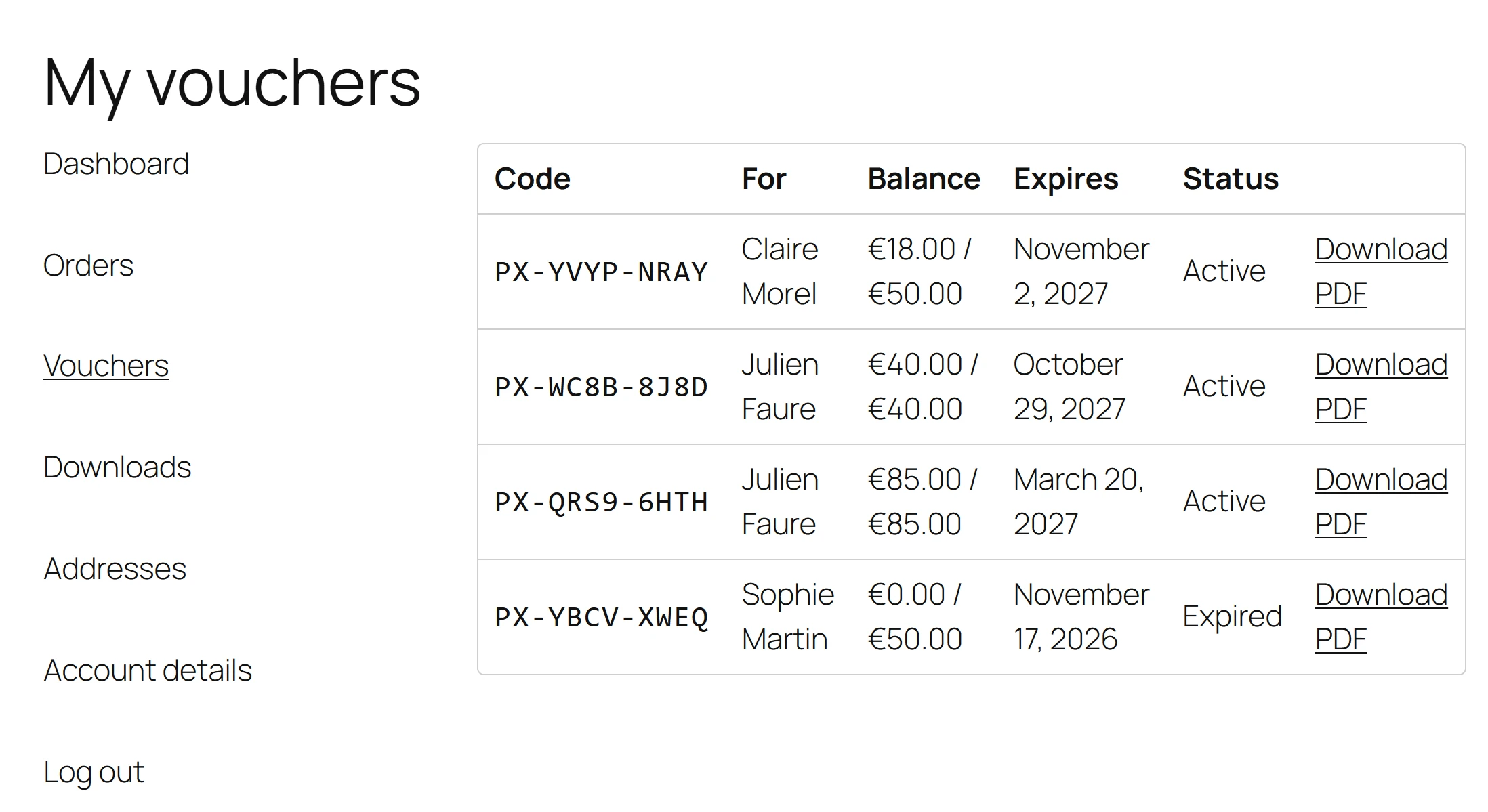
What the customer sees
The page is titled My vouchers and lists the vouchers the customer bought, and the vouchers sent to their account email.
| Column | Shows |
|---|---|
| Code | The voucher code. |
| For | The recipient’s name. |
| Balance | What is left, out of the original value, for example 30.00 / 50.00. |
| Expires | The expiry date, or Never. |
| Status | Active, Used, Expired, Cancelled or Pending. |
| (button) | Download PDF: the voucher’s PDF, through a signed link made fresh each time. |
A customer with no vouchers sees You have no vouchers yet.
Where the tab sits
The Vouchers item is added to the My Account menu. Its address is
/my-account/vouchers/. If the page shows a 404 just after you install the plugin, go to
Settings > Permalinks and click Save Changes once.
With Pro
The store-credit wallet PRO adds the total a customer holds across their vouchers, and lets them spend it at checkout in one click. See Store credit and wallet. Wallet passes add Add to wallet buttons to this page: see Apple Wallet and Google Wallet.
For developers
The list can be changed with the plugixa_pdfv_account_vouchers filter, and content can be added
above it with the plugixa_pdfv_account_vouchers_before action. See
Hooks.
Quick Links
Share