

Contents
On this page
Voucher form block - Plugixa PDF Vouchers for WooCommerce
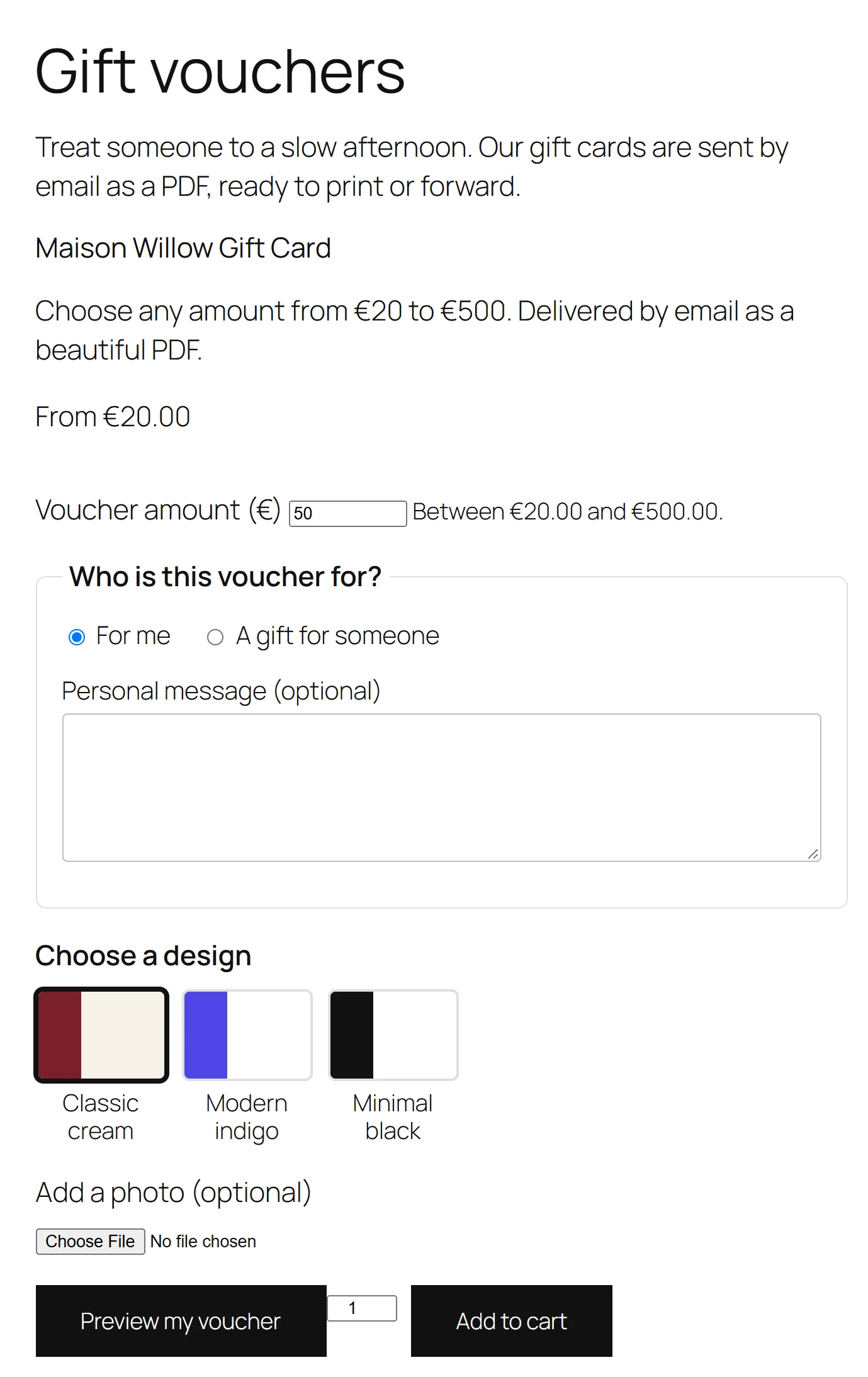
The voucher form puts a voucher product’s purchase form on any page: the amounts, the gift form and the Add to cart button. A home page or a “Gift cards” landing page then sells vouchers exactly like the product page does.
Add the block
- Edit a page in the block editor.
- Add the Buy a Gift Voucher block, from the WooCommerce category: Sell a gift voucher on any page: amounts, recipient and message, straight to the cart.
- In the block settings, choose the voucher product to sell. The list shows your published voucher products.
- Save the page.
Without a chosen product, the block sells your newest published voucher product.
Or use the shortcode
[plugixa_voucher_form product="530"]
product is the ID of a published voucher product. Leave it out to use the newest one:
[plugixa_voucher_form]
The shortcode works in classic pages, widgets and page builders.
What it shows
- the product name, its short description and its price,
- the product’s own add to cart form: the amount (variations or a custom amount) and the quantity,
- the gift form, with every Pro field the product uses: several recipients, the delivery date, design choice, top-ups and group gifts.
Validation, cart and checkout are the same as on the product page: nothing is duplicated.
If the chosen product is not a published voucher product, visitors see nothing and editors see Choose a published voucher product for this block.
Quick Links
Share