

Plugixa Boat Rental 7.0.0: Boat Page Layouts, Booking Windows and an Availability Calendar
Plugixa Boat Rental 7.0.0 is out, and this release is about the pages your customers see. Every boat now gets a proper page of its own: big photos, its details in clear sections, a calendar of the days it is free, and a booking box that starts with just a date and a button. You choose how those pages and your boat lists look, and you can try every layout on your own boats before you pick one.
A boat page that sells the trip
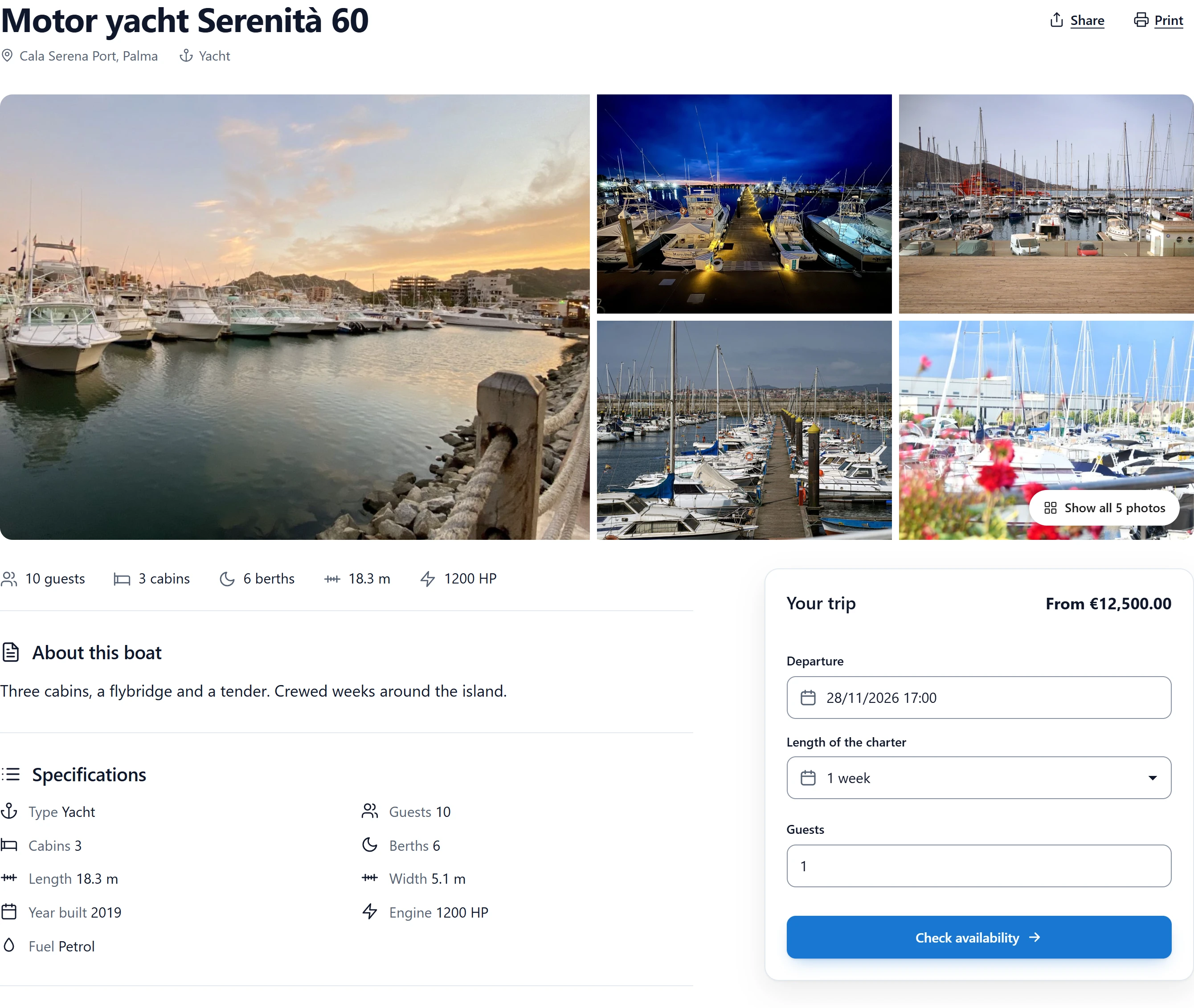
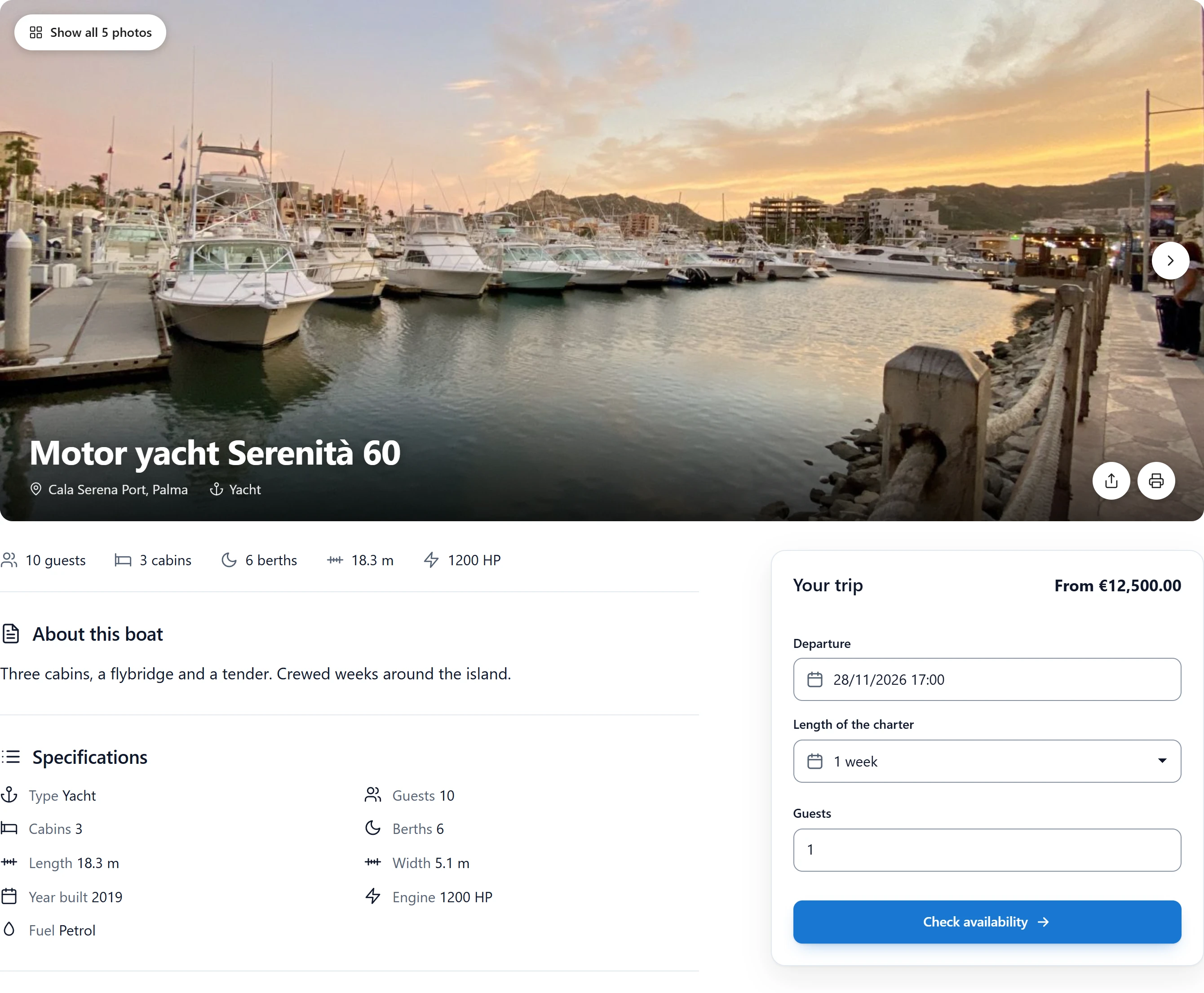
The new boat page opens with the boat’s name, its marina and type, and Share and Print buttons. Under it, the photos: in the free plugin, a photo mosaic with one large picture and two or four smaller ones, and a Show all photos viewer. A single line of facts follows (guests, cabins, berths, length, engine), with the booking box beside it.
Below, the page is laid out in sections, each under an icon: About this boat, Specifications, On board, Where you board with the marina’s map, meeting point and phone, Availability, Good to know and Similar boats. With Pro, the guest reviews and the boat’s cancellation policy, written in plain words, join them.
The booking box is calmer too. On the first step it asks only for the date, the guests and Check availability, and it offers only the marinas the boat sails from. The steps and the running order come back once the customer moves on.
An Availability calendar on every boat
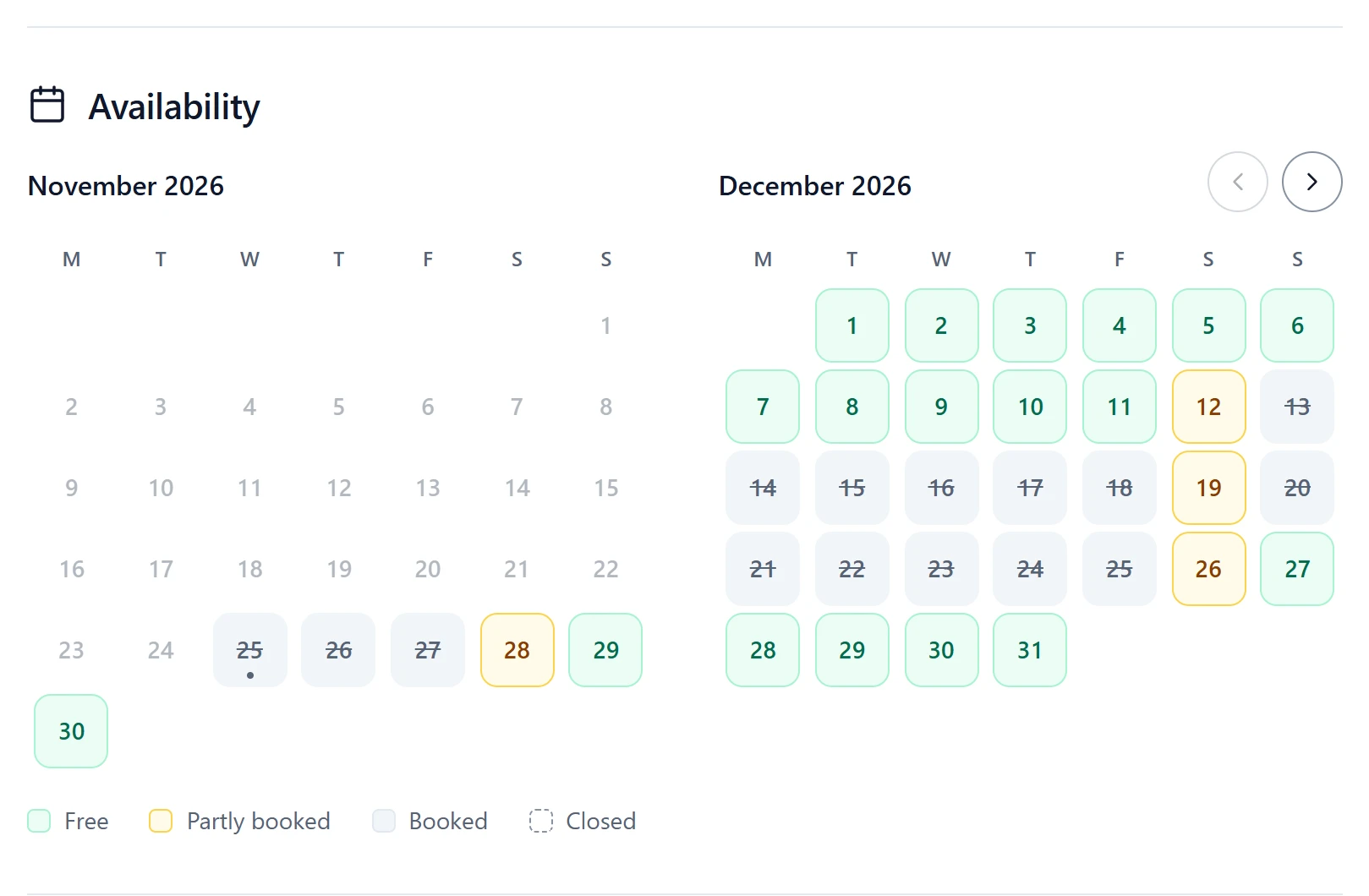
The Availability section shows this month and the next, with each day marked free, partly booked, booked or closed. It uses exactly the checks a real booking uses: opening hours and closures, the boat’s booking mode and buffers, and the bookings already made. A customer who clicks a free day finds that date already in the booking form.
Nine boat page layouts and ten list layouts
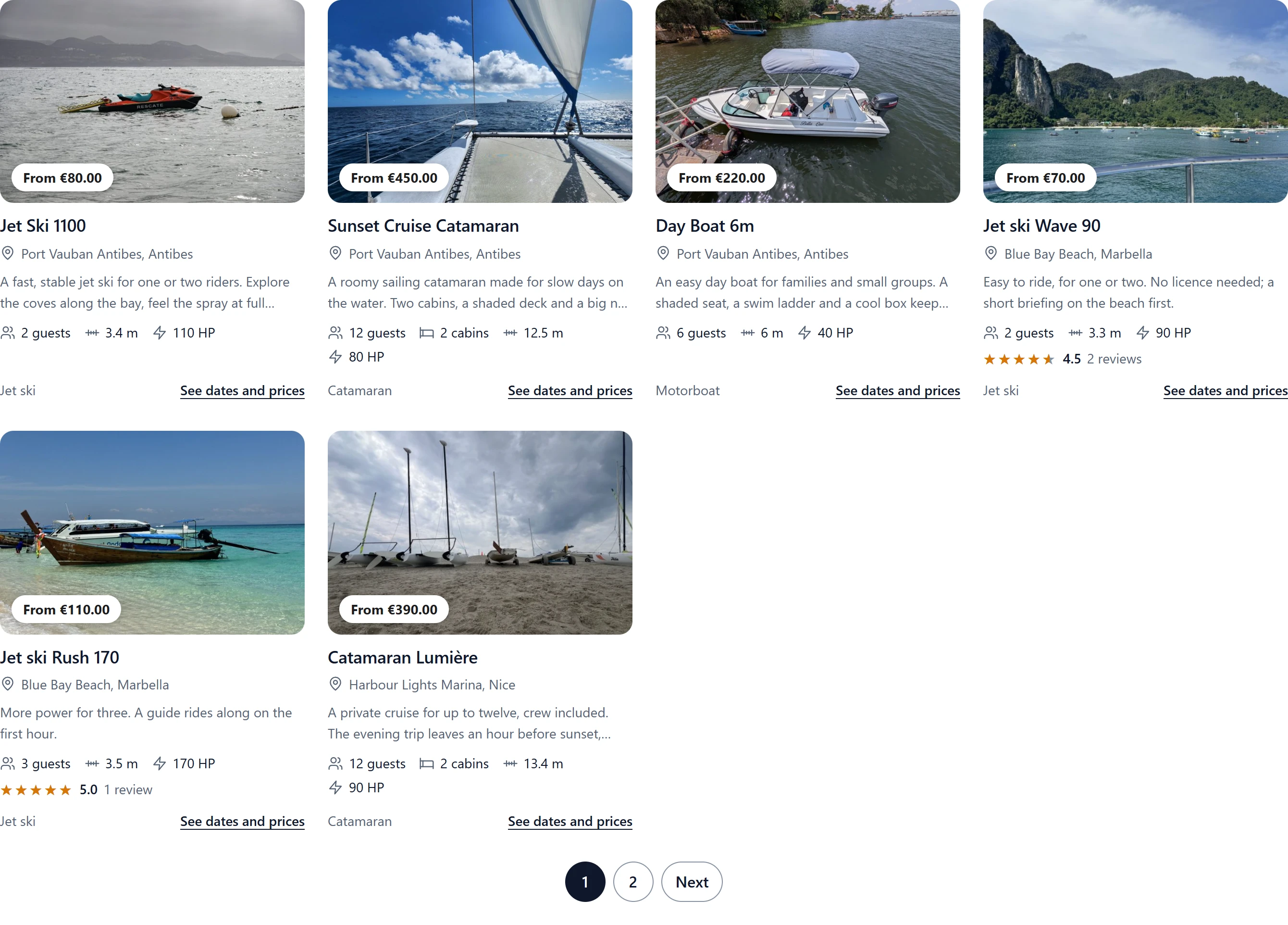
Open Settings -> General and you will find a new Boat page and list layout card, where each layout is a small drawing you click. The free plugin has the Photo mosaic page and the Grid list. Pro adds eight more page layouts (Classic, Hero photo, Split, Compact, Showcase, Magazine, Photo row and Side column) and nine more list layouts (Photo cards, Text on photo, List, Minimal, Table, Alternating rows, Large panels, Tall photos and Photo tiles).
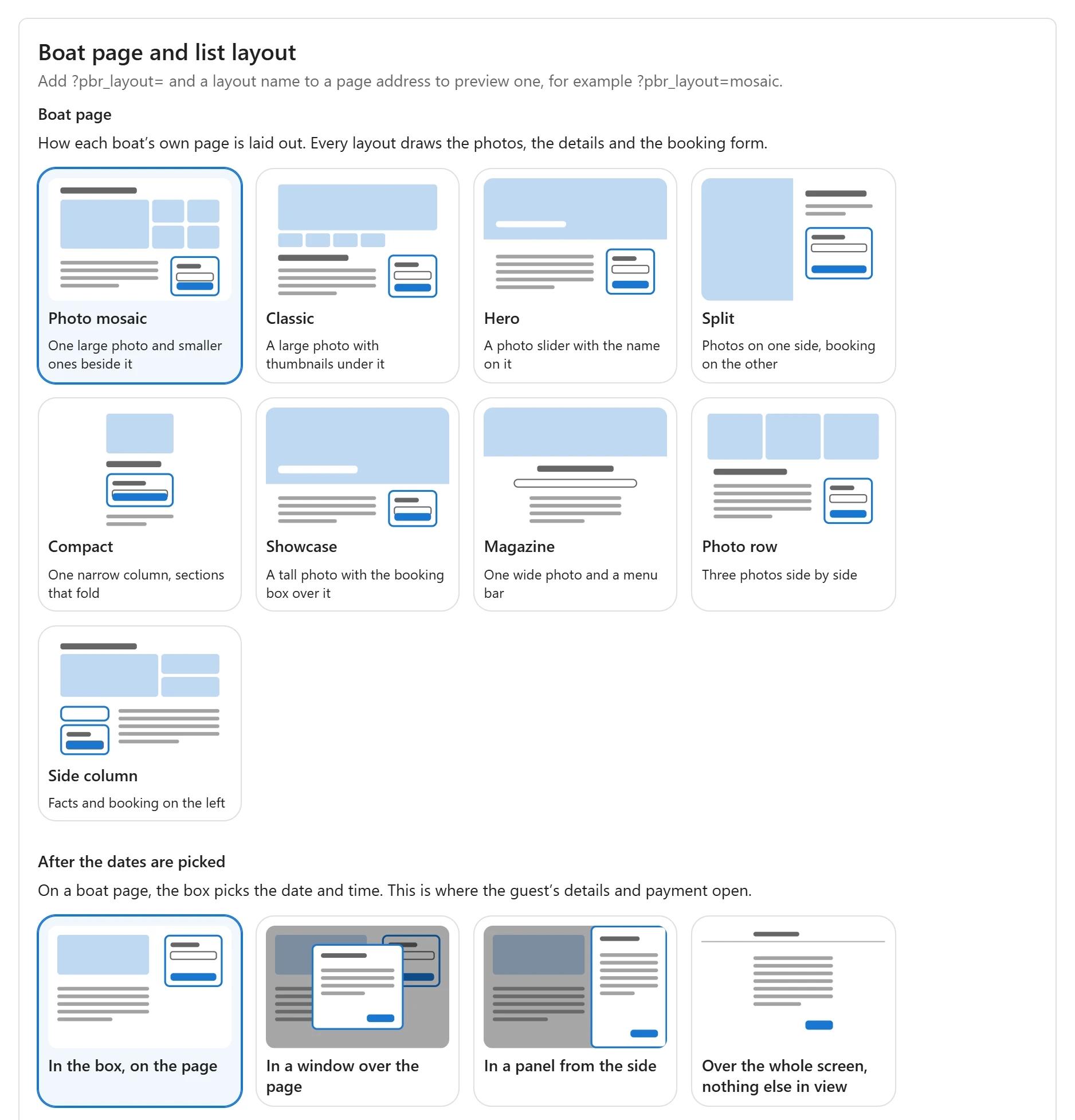
A layout only arranges the page. The photos, the sections and the booking form are the same in all of them, so you can change your mind at any time. A block, a shortcode or an Elementor widget can also ask for its own layout, for one page only.
Booking windows
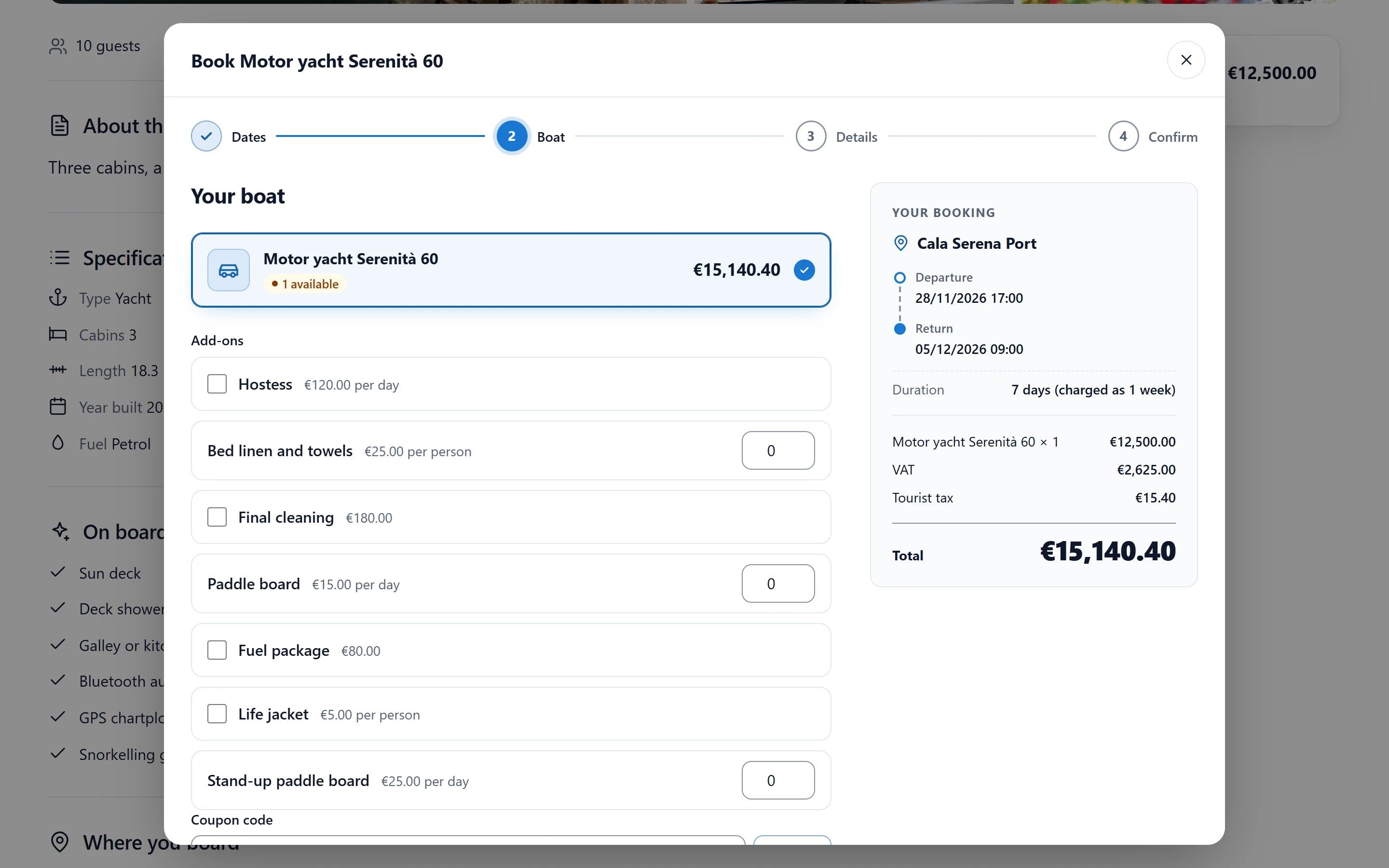
With Pro, the booking box can hand over to a window once the date is picked. The rest of the booking (the boat, the add-ons, the customer’s details and the payment) opens in a window over the page, in a panel from the side, or over the whole screen with a Back to the boat link. Close it and the form goes back to the box with the dates still chosen.
Try every layout on your own boats
Add ?pbr_layout=hero (or any layout’s name) to a boat page’s address and you see that layout, with nothing saved. With Pro, a Layouts button at the foot of boat pages and lists puts every layout and booking window one click away. Only your staff see it, unless you switch it on for everyone on a demo site.
Lists that page, sort and search side by side
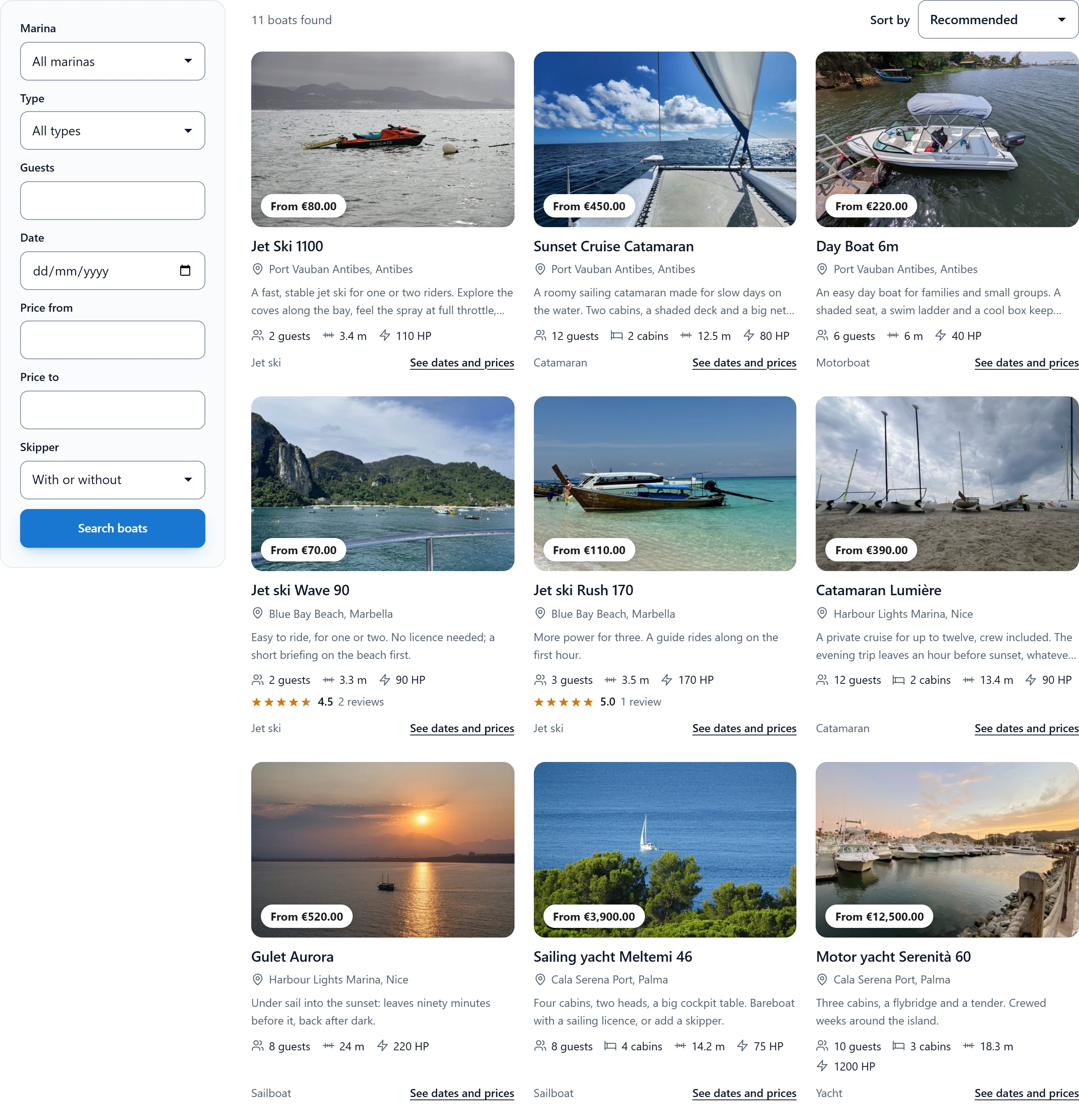
Boat lists can now sort by recommended, price or most guests, and show numbered pages, a Show more boats button or more boats as the visitor scrolls. The search page can put its filters in a column beside the results, with a count of the boats found. All of this is in the free plugin.
Also in 7.0.0
- Starter boats with photos. A new install’s three demo boats now come with two photos each, a description and their figures, so your pages look finished from the first minute.
- The plugin’s own boat page template. Your theme’s post title, featured image and author line no longer sit above the boat.
- Faster search. A search over a fleet of 50 boats runs about 280 database queries instead of about 850, and the admin app loads each screen only when it is first opened.
- Fixes. Add-ons tied to some boats are now offered only for those boats, boat pages work on a new install without saving the permalinks, the Pages picker in Settings lists your pages again, and the Download PDF link on the booking summary works.
The full list is in the changelog. Read Boat page and list layouts to choose yours, or see what each edition includes in Free vs Pro.