

Contents
On this page
Multilingual - Plugixa Multi Currency for WooCommerce
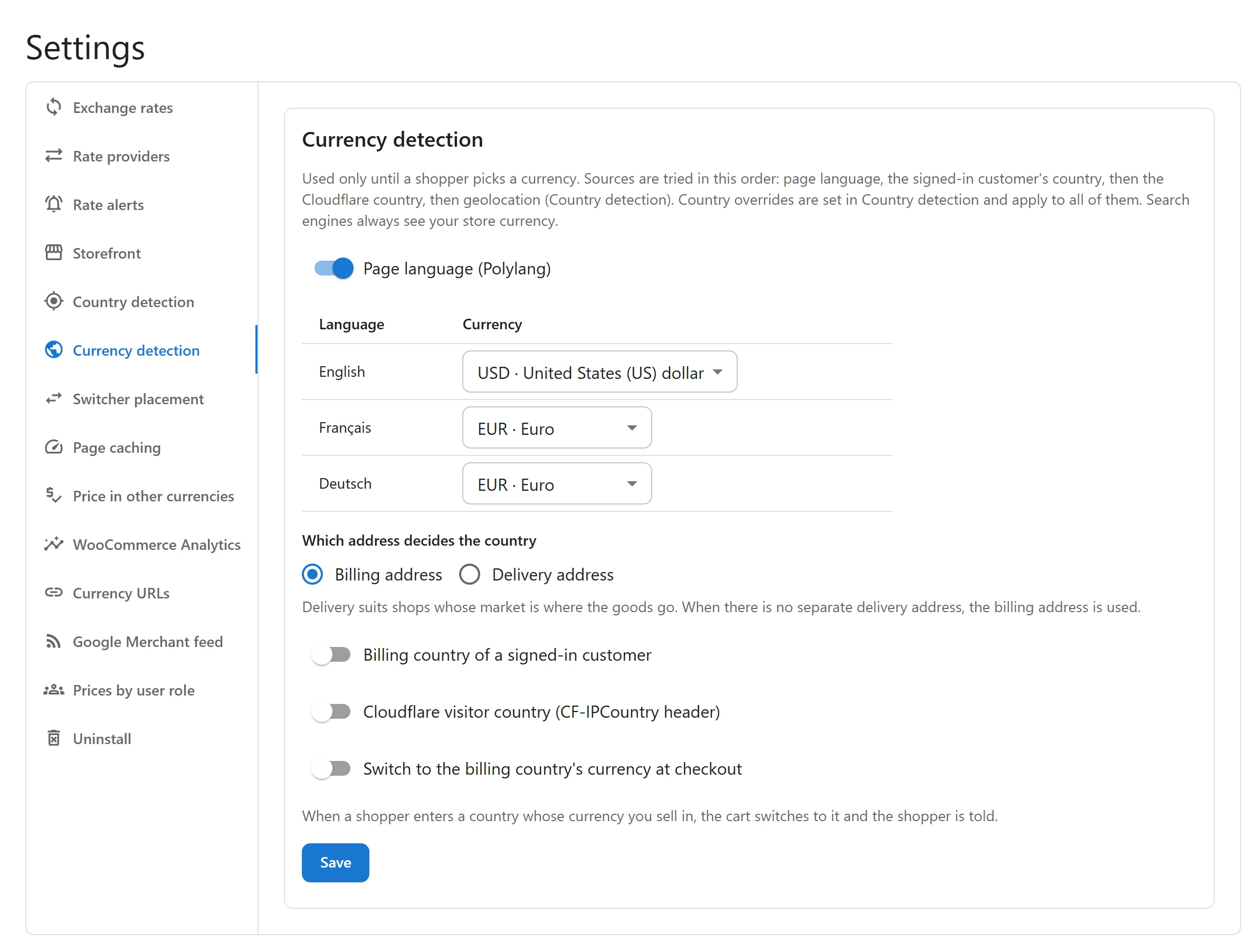
On a multilingual shop, the language a visitor reads is often the best hint of the currency they pay in: French pages in euros, English pages for the UK in pounds. Pro can pick the currency from the page language, with WPML, Polylang or TranslatePress.
Supported plugins
| Plugin | How the language is read |
|---|---|
| WPML | WPML’s current language |
| Polylang | Polylang’s current language |
| TranslatePress | TranslatePress’s current language |
The plugin finds the active one by itself. Without any of them, the option reads Page language (needs WPML, Polylang or TranslatePress).
Set it up
- Open Settings and the Currency detection tab.
- Tick Page language, followed by the name of your multilingual plugin, for example Page language (Polylang).
- In the table, choose a Currency for each Language. Leave a language on Not set to let the next detection source decide for it.
- Click Save.
Only enabled currencies count: a language mapped to a currency you switched off gets no currency from this source.
How it fits with the other sources
The page language is the first detection source, before the customer’s saved country, the Cloudflare country and geolocation. Like every detection source, it is used only until a shopper picks a currency themselves: after that, their choice wins on every page, in every language. Search engines always see your store currency.
See Country detection for the full order and the country sources.
Tips
- Map only the languages that clearly belong to one market. An English site read worldwide is better left to country detection.
Quick Links
Share