

PHP2Shell and WordPress: How to Check and Patch Your PHP Version
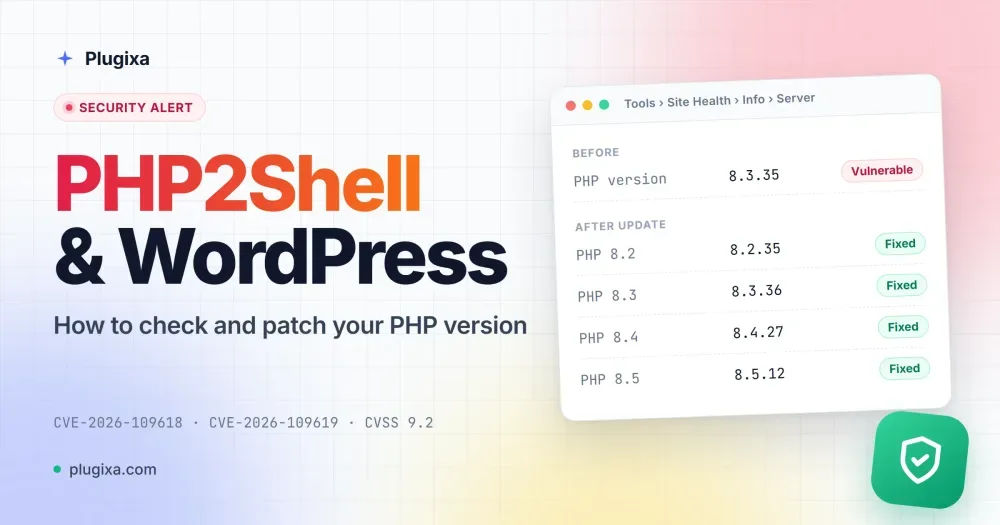
On 21 October 2026 the PHP project shipped emergency releases for two critical flaws, nicknamed PHP2Shell. They let an attacker run their own code on a web server with a single crafted request: no login, no vulnerable plugin, no mistake on your part. Researchers showed it working against a default WordPress install.
WordPress itself is not broken here, and neither are your plugins. The bug is in PHP, the language WordPress runs on. That changes what you need to do: updating WordPress or your plugins will not fix it. Updating PHP will.
This guide explains, in plain words, how to check your site in 30 seconds and what to do next.
What happened
PHP2Shell is two vulnerabilities in PHP itself, both rated critical (CVSS 9.2 out of 10):
| CVE | What goes wrong |
|---|---|
| CVE-2026-109618 | When PHP runs out of memory early in a request, it can leave half-built data behind and then trust it. |
| CVE-2026-109619 | Data from one request can survive after it is freed and be reused by the next request on the same PHP worker. |
Both can be triggered by an ordinary-looking web request, before WordPress has even loaded. One of the paths goes through PHP’s session upload progress feature, which is on by default and works even on sites that never use PHP sessions. The researchers who found the bugs, at Wiz, say every PHP version released in the last decade is affected by at least one of them.
The flaws were found in August, reported to the PHP security team, and fixed in a coordinated release on 21 October. Security firms have since reported exploit attempts against PHP sites. At the time of writing we have not seen a confirmed break-in, but with a public write-up out, it is a matter of when, not if.
Is my WordPress site affected?
It depends on one thing: your PHP version.
Check your PHP version in 30 seconds
- In your WordPress admin, go to Tools → Site Health.
- Open the Info tab.
- Expand Server and read the PHP version line.
Then compare it with this table:
| Your PHP version | Status |
|---|---|
| 8.5.12 or newer | Fixed |
| 8.4.27 or newer | Fixed |
| 8.3.36 or newer | Fixed |
| 8.2.35 or newer | Fixed |
| Older 8.2, 8.3, 8.4 or 8.5 | Vulnerable: update now |
| 8.1, 8.0 or 7.4 | Vulnerable: no official release. Only a patched build from your host protects you |
| 7.3 or older | Vulnerable: no fix exists. Move to a supported version |
A note on the older versions: PHP 8.1 and earlier no longer get releases from the PHP project. The security team did publish fixes for 7.4, 8.0 and 8.1 as source code, and some hosts have built them into their own packages. Those builds can keep the same version number as before, so “PHP 8.1” in Site Health tells you nothing on its own. If you are on one of these versions, ask your host directly whether your PHP build includes the PHP2Shell fix.
Why updating WordPress or plugins does not help
Most WordPress security news is about a plugin or theme, and the fix is to click Update. PHP2Shell is different. The attack happens in the layer below WordPress, before your login screen, your security plugin or your firewall plugin get a chance to run.
A security plugin cannot block it, because the damage is done before any plugin code loads. The only complete fix is a patched PHP. Every PHP advisory for these flaws says the same thing: updating is the only reliable fix.
What hosting providers have done
Because the PHP security team gave Linux distributions and large vendors early notice, many hosts were ready on the day. At the time of writing (22 October 2026), the big managed WordPress hosts, including Kinsta, WP Engine, Pantheon and Automattic’s platforms (WordPress.com, WordPress VIP, Pressable), have announced patches or interim protections for their customers.
If you are on shared hosting, the host updates PHP for you, but timing varies. Check your host’s status page or news feed, or open a ticket and ask: “Is my PHP build patched for CVE-2026-109618 and CVE-2026-109619?”
If you run your own server or VPS, it is your job. Read on.
How to update PHP
The safest change is usually to stay on your current branch and take its fixed release (for example 8.3.x to 8.3.36). Jumping from 7.4 to 8.4 in the middle of an emergency is a bigger change. Do it, but test first.
On a managed WordPress host
Most managed hosts have a PHP version setting in their dashboard, per site. If your host has already patched, there is nothing to do. If it lets you switch, choose 8.3 or newer.
On Plesk
Plesk ships its own PHP builds. Update them from Tools & Settings → Updates (or plesk installer on the command line), then check the version under the domain’s PHP settings. Restart PHP-FPM afterwards.
On cPanel / WHM
cPanel’s EasyApache PHP packages (ea-php) carry the fix. Run the system update in WHM (or yum update / dnf update), then check each site’s version in MultiPHP Manager. On CloudLinux, update the alt-php packages too.
On your own Linux server
Update PHP from your distribution or the repository you installed it from (for example apt update && apt upgrade), then restart PHP-FPM or Apache. A restart matters: an old PHP worker that is still running is still vulnerable.
Cannot update yet? Temporary protection
If you truly cannot update today, these settings from the PHP advisories close the known attack paths. They reduce the risk. They do not remove it, so treat them as a bridge to the real update, not a substitute.
Set them at server level, in php.ini or your PHP-FPM pool, not with ini_set() from WordPress:
; Turn off upload progress tracking (blocks the session path)
session.upload_progress.enabled = 0

; PHP 8.5 only: turn off error backtraces
fatal_error_backtraces = 0

; Keep request bodies small (raise to 32M if you need file uploads)
post_max_size = 8M
Then restart PHP, or the settings will not take effect.
A few more things help:
- Put a web application firewall in front of the site. Cloudflare and other large providers prepared mitigations with the researchers ahead of disclosure. Check your firewall provider’s notes to confirm which plans are covered.
- Remove
php_valueandphp_flaglines from.htaccess, so a site cannot quietly undo the server settings. - Do not use
RLIMIT_ASorRLIMIT_DATAto cap memory. The PHP advisory warns that they can trigger the very bug you are trying to avoid. - As a last resort, take the site offline until PHP is patched, for example behind a maintenance page served by the web server, not by WordPress.
After patching: a quick WordPress health check
If your site ran vulnerable PHP for a while, spend ten minutes checking it once PHP is fixed:
- Users: in Users → All Users, filter by Administrator and look for anyone you do not recognise.
- Uploads folder:
wp-content/uploadsshould hold images and documents, never.phpfiles. Any PHP file in there is a red flag. - Core files: look for recent changes to
wp-config.php,.htaccessand files in the site root you did not make. - Secrets: one of the flaws can leak server memory, which may contain passwords and keys. If you have any doubt, change your database password, generate new security keys and salts in
wp-config.php(this logs everyone out), and revoke any application passwords and API keys you do not need. - Updates: while you are there, apply any pending WordPress, theme and plugin updates.
If something looks wrong, restore a clean backup from before the date you suspect, then patch PHP before putting the site back online.
Do not download “PHP2Shell checker” tools
Every big vulnerability brings a wave of “exploit” and “scanner” downloads on GitHub and in forums, and many of them are malware aimed at the people who run them. You do not need one. The Site Health check above tells you everything: if your PHP version is in the “Fixed” rows of the table, or your host confirms a patched build, you are covered.
What this means for Plugixa plugins
Nothing in your Plugixa plugins needs to change, and there is no plugin update to wait for. Our plugins run on top of your PHP like everything else on your site, so the fix is the same for everyone: patched PHP.
Every Plugixa plugin works on PHP 8.2 or newer, so moving to 8.2.35, 8.3.36, 8.4.27 or 8.5.12 keeps them running as before. Plugixa FAQ and Plugixa Team still also run on PHP 8.0 and 8.1, but those versions get no official fix, so this is a good moment to move up.
If you are unsure what your Site Health screen is telling you, get in touch and we will help you read it.
Sources and further reading
- PHP downloads and release notes
- PHP advisory GHSA-w8hw-w9fx-j79w: RCE via OOM corruption (CVE-2026-109618)
- PHP advisory GHSA-6wmf-4rv5-p3rp: RCE via stale global state (CVE-2026-109619)
- PHP manual: session upload progress
- Wiz Research: PHP2Shell
- Sansec: PHP2Shell
- The Hacker News: PHP issues emergency patches for two critical PHP2Shell RCE flaws