

Plugixa Car Parking 1.1.0: Monthly Payments, Three Form Designs and Stricter Booking Forms

Plugixa Car Parking 1.1.0 is out. Season parking and commuters can now pay by the month, the booking form comes in three designs, and what a form allows is checked by the server, not only by the page. Here is what changed.
Pay a long stay by the month
A three-month stay is a large amount to pay at once. With Monthly payments PRO, a car park can let customers pay any stay of two months or more month by month, by card through Stripe. The first month, and any one-off fee, is paid when booking. Stripe then takes the same amount on the same day of each following month, and the plan stops by itself once the stay is paid for.
The customer chooses on the last step of the booking form, once the card is the way to pay:
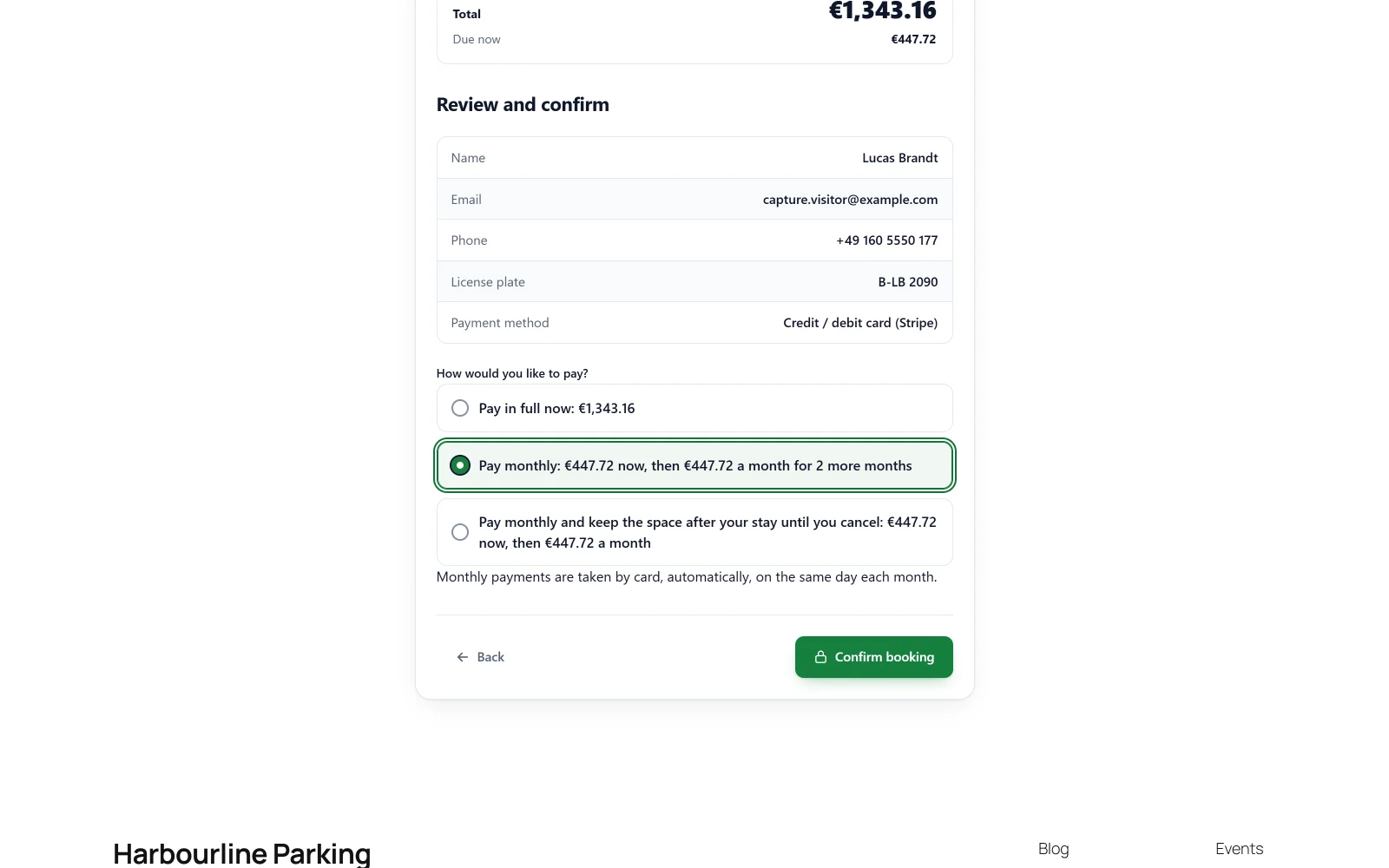
The plan never changes the price. It is the booking’s total, with its pricing rules, coupons, extras and taxes, cut into equal months. Months are counted on the calendar, so 1 January to 1 April is three payments.
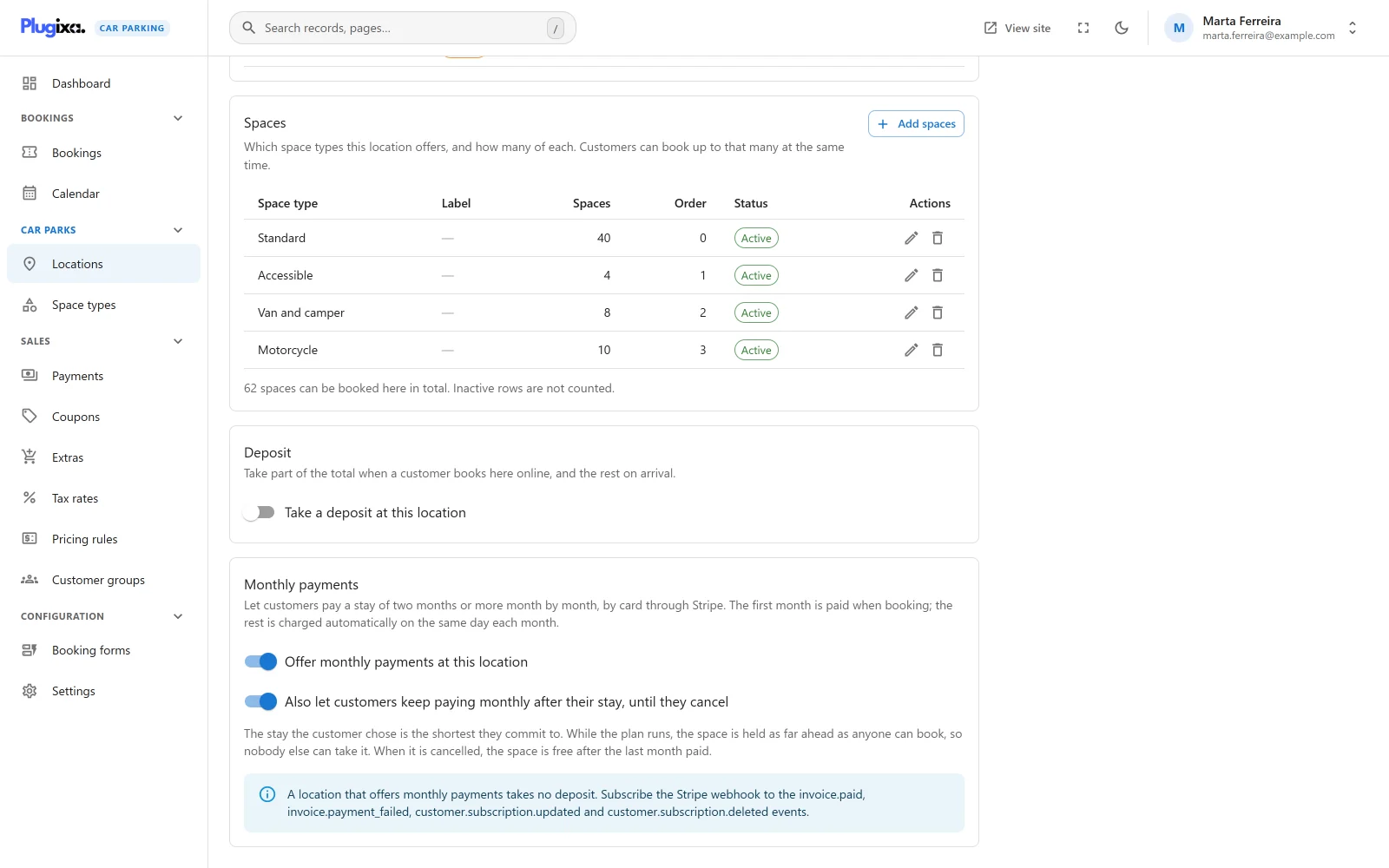
It is switched on for each car park on its own, from the location’s new Monthly payments panel. A location that offers it takes no deposit: the first month is what is due now.
Rolling plans, until the customer cancels
For residents and season ticket holders, a location can also offer a plan that carries on after the stay. The stay the customer chose is the shortest they commit to. While the plan runs, the space is held for them as far ahead as anyone can book, so nobody else can take it. When they cancel, the space is theirs until the end of the last month paid, then free again.
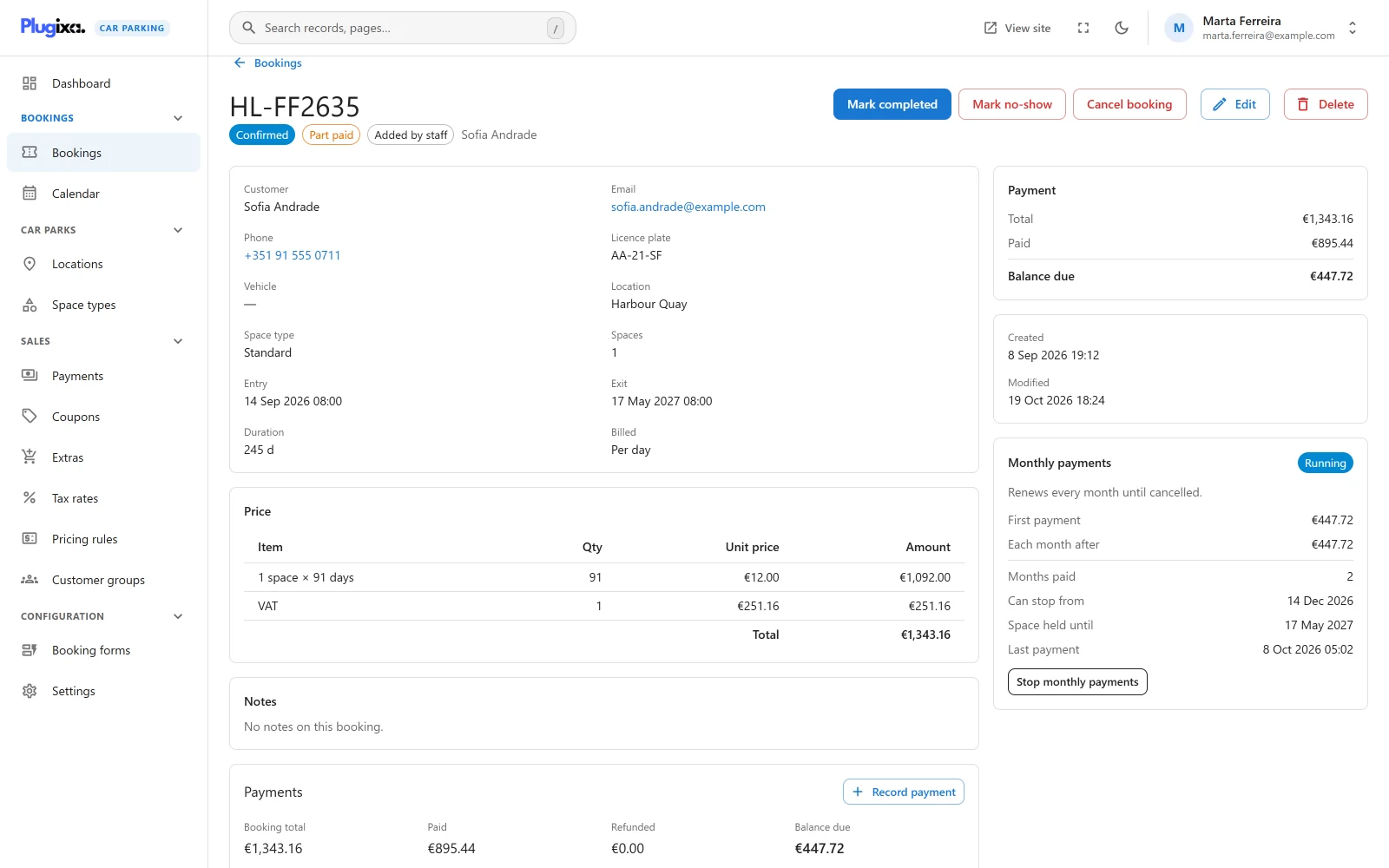
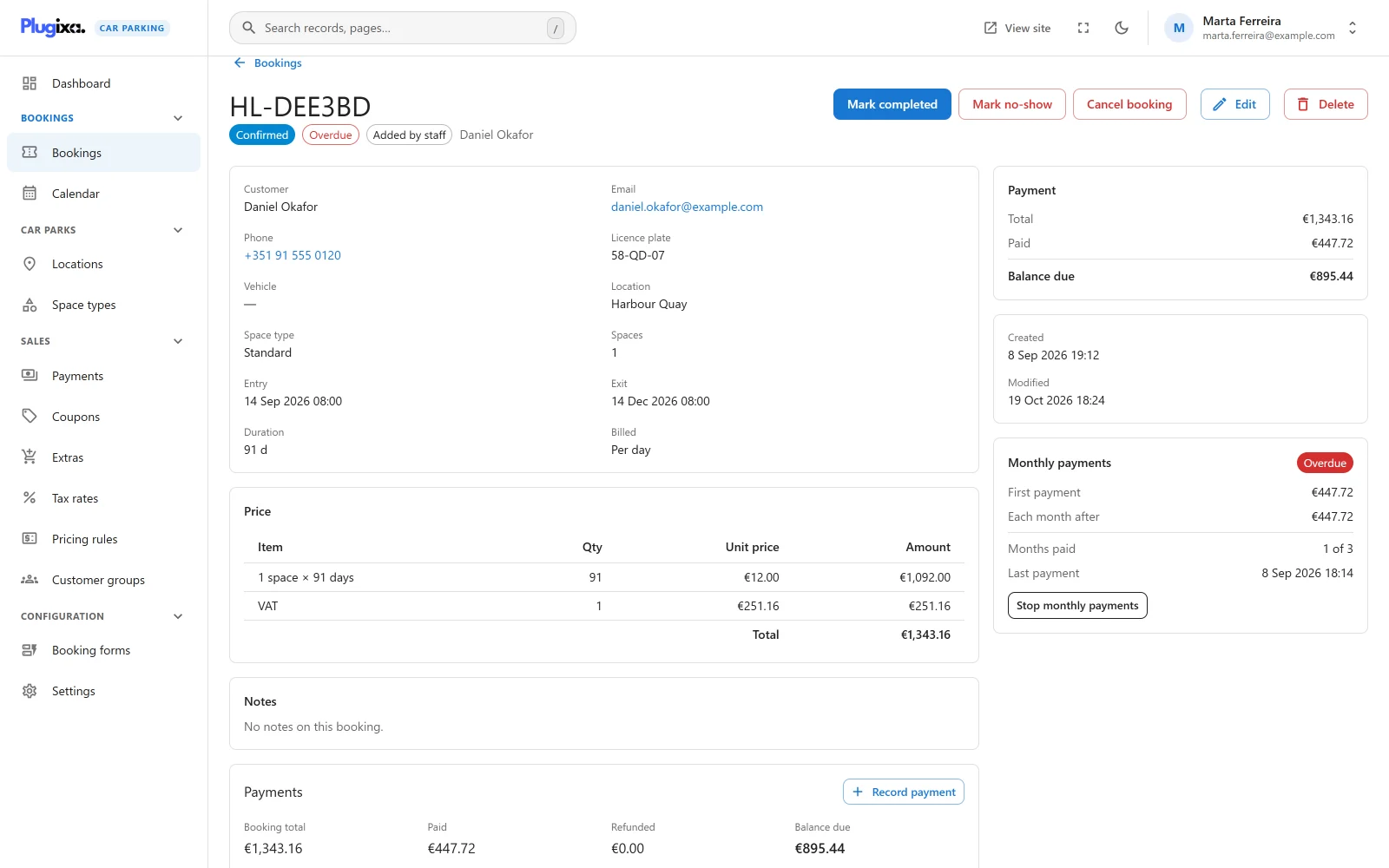
Every plan has its own panel on the booking: whether it is running, what each month costs, how many months are paid, from when it can stop and how long the space is held.
When a card is declined
Stripe tries the card again over the next days. On your site, the booking is marked Overdue at once, the customer is emailed a link to change their card, and you are told too. The badge clears when the month comes in.
Customers manage their plan from their booking summary, on Stripe’s own billing page: change the card, or cancel a rolling plan once its first stay is paid. The Monthly payments guide covers the set-up, including the four Stripe webhook events to add.
Three designs for the booking form
The public booking form has been redesigned, and now comes in three layouts. Pick one on the form, or on a single page with the design attribute or the block’s new Design setting.
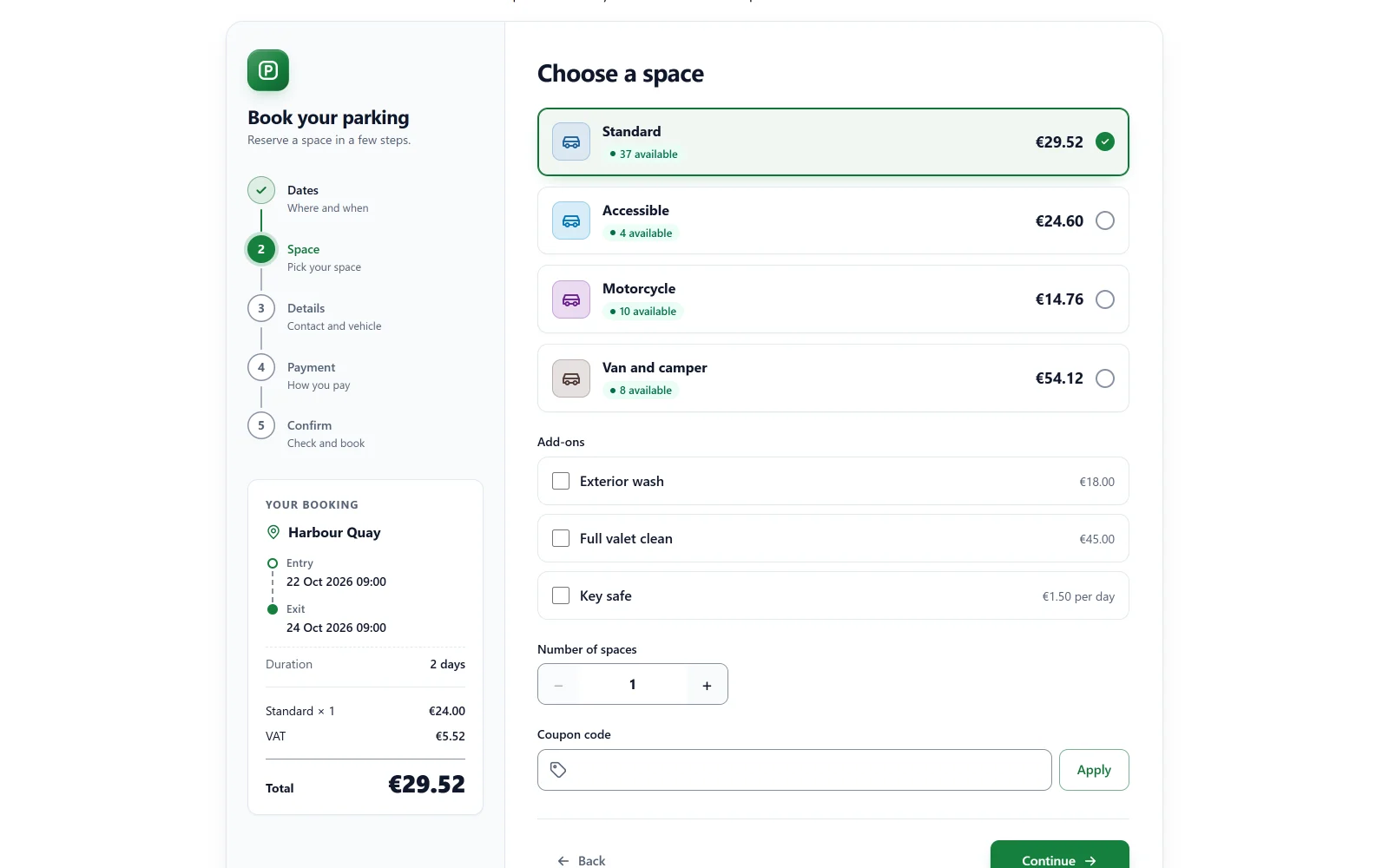
Classic keeps numbered steps across the top. Split puts the steps and the order in a column at the side, for wide pages:
Minimal is one quiet column with a progress bar, and the order folded into a bar at the bottom:
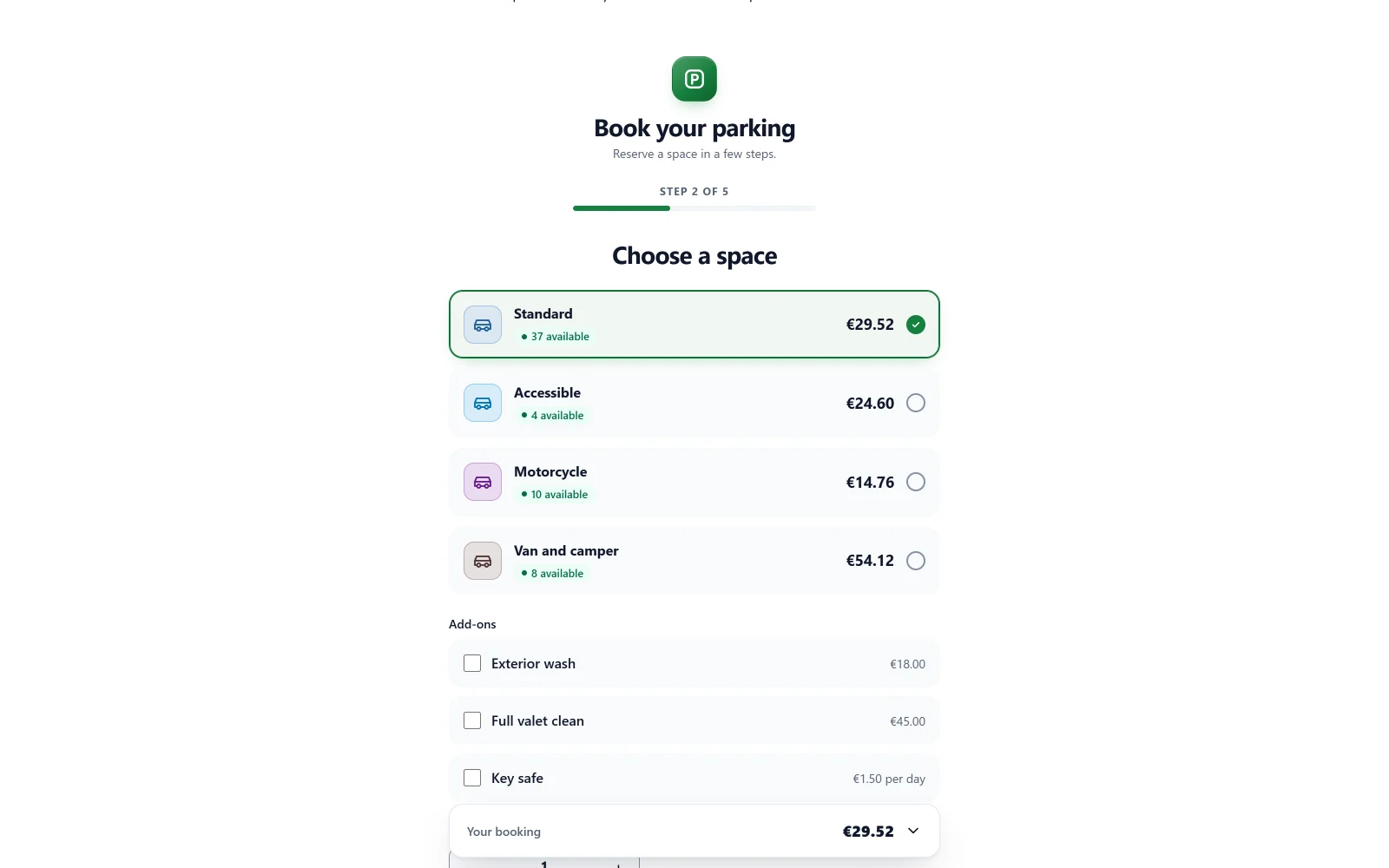
All three get the same refinements: quick stay lengths that set the exit in one tap, the length of the stay under the dates, a counter for the number of spaces, an amber badge when few spaces are left, and a copy button for the booking reference. The block takes wide and full widths, and printing a booking summary prints only the invoice. See Booking forms.
Booking forms the server enforces
A booking form used to limit only what its page showed. In 1.1.0 the server holds every request to its form: a location or a kind of space the form does not offer is refused, its custom fields are checked, and a coupon only applies where the form offers the coupon field. A form can now be limited to some space types as well as some locations.
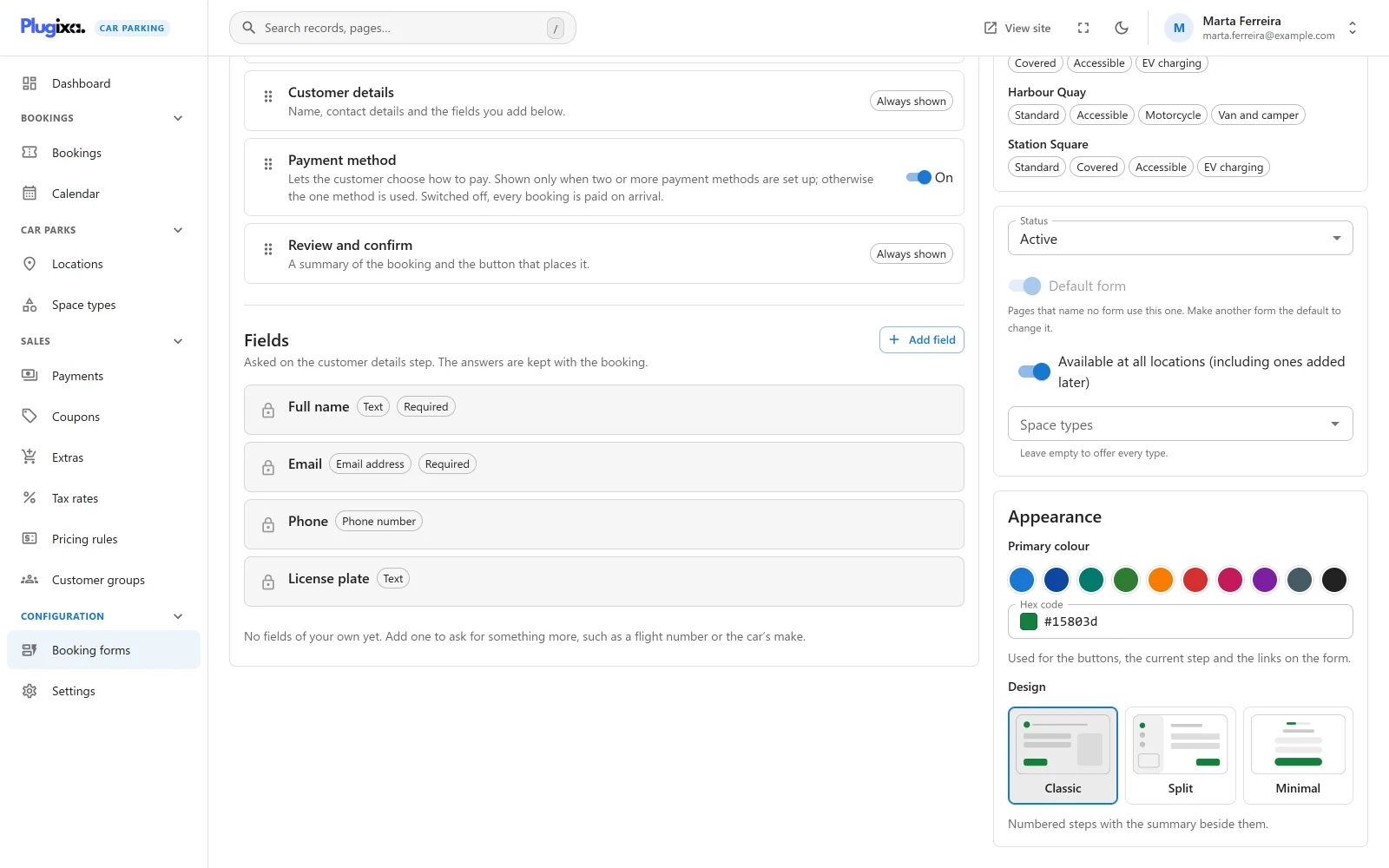
One form is now the default form, shown on any page that names no form, and it cannot be switched off by mistake. And a space type with no price for a location’s billing unit is no longer offered there: it used to be booked for nothing.
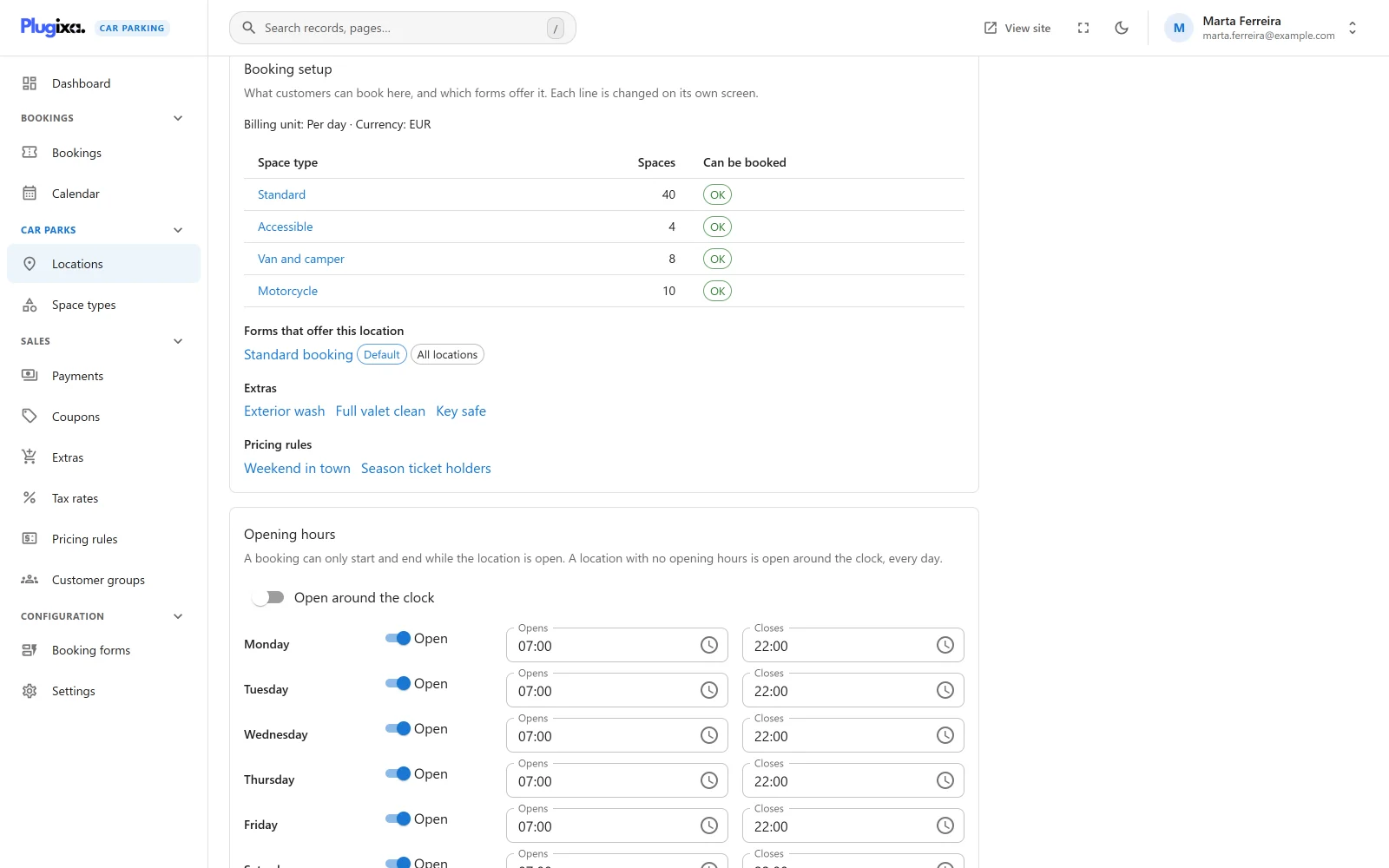
To see all of this at a glance, each location has a new Booking setup panel: what can be booked there, which forms offer it, and what is missing.
And more
- Numbered spaces in a run PRO: add A1 to A20 in one go from the location’s Spaces panel. A booking now always holds a real, free space, the one the customer picked or one given to them. See Assigned spaces.
- Safer payment links: a booking reference alone no longer starts a payment or shows a payment result, and booking summary and payment pages are kept out of search engines.
- Calendar months: a stay billed by the month is counted on the calendar, so 1 January to 1 January is twelve months, not thirteen.
- Protected records: a location, space type or space with upcoming bookings can no longer be trashed.
- The admin menu is now called Plugixa Car Parking, and two settings that did nothing, the form layout and the default billing unit, are gone.
1.1.0 also fixes two bugs: paying the rest of a part-paid booking charged the whole total again, and a page whose location was not one of its form’s locations could not be used. Every change is listed in the 1.1.0 changelog.
Plugixa Car Parking 1.1.0 is available now. If you use Stripe, add the four new webhook events before you switch monthly payments on.