

Plugixa Recipe 1.2.0: A New Recipe Editor, Reader Tools and Free Recipe Schema

Plugixa Recipe 1.2.0 is out, and it is the largest release since launch. Writing a recipe is faster, reading one at the stove is easier, and recipes reach search results without a Pro license. Here is what changed.
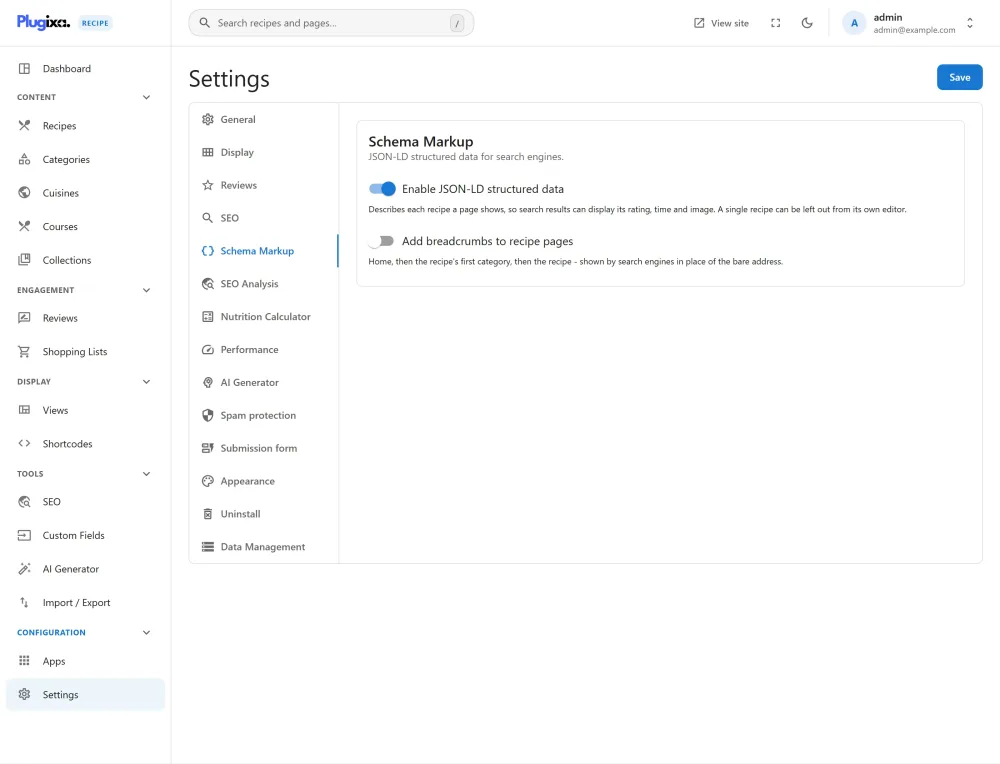
Recipe structured data, now free
Recipe JSON-LD is what puts a recipe’s photo, rating and cooking time in a Google result. It used to be a Pro feature. From 1.2.0 it is part of the free plugin, and it says more than before: steps are grouped in sections the way your page shows them, with the equipment, diet labels, nutrition and an optional breadcrumb. Listings and archives describe the recipes they show as a list, and the old microdata, which could disagree with the JSON-LD, is gone. The Schema / JSON-LD guide shows exactly what is emitted.
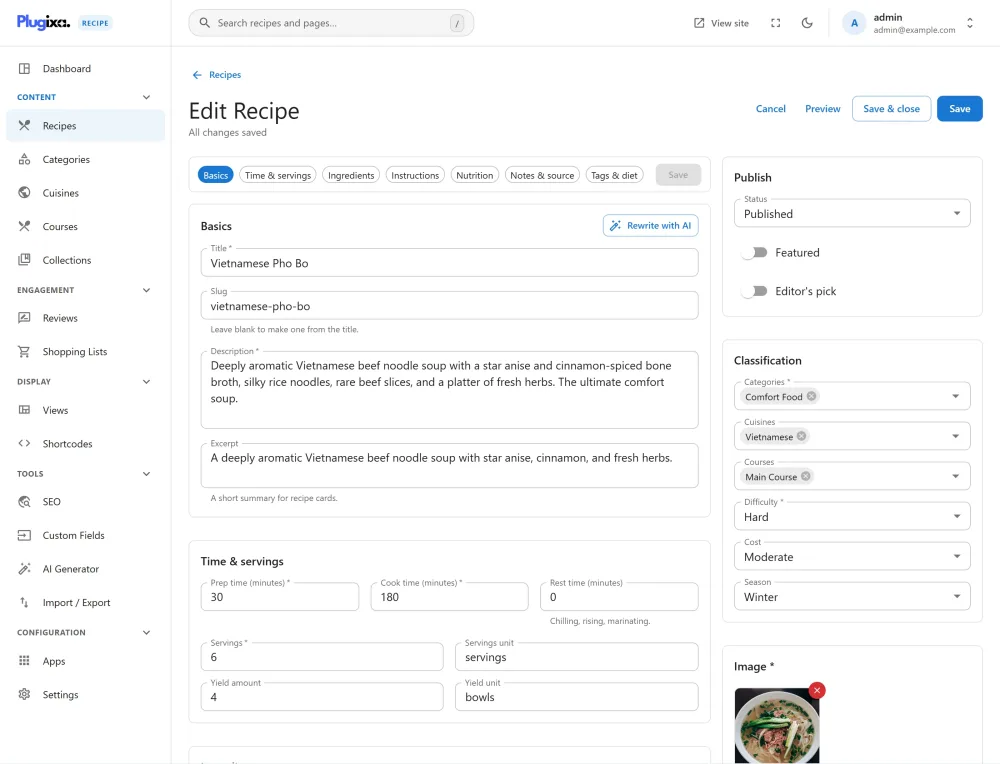
A recipe editor on one page
The editor’s eight tabs are gone. A recipe is now written on one page, with a section bar that stays in view, takes you to any part of the recipe, and counts the problems in each section, so a required field you missed is never hidden behind a tab.
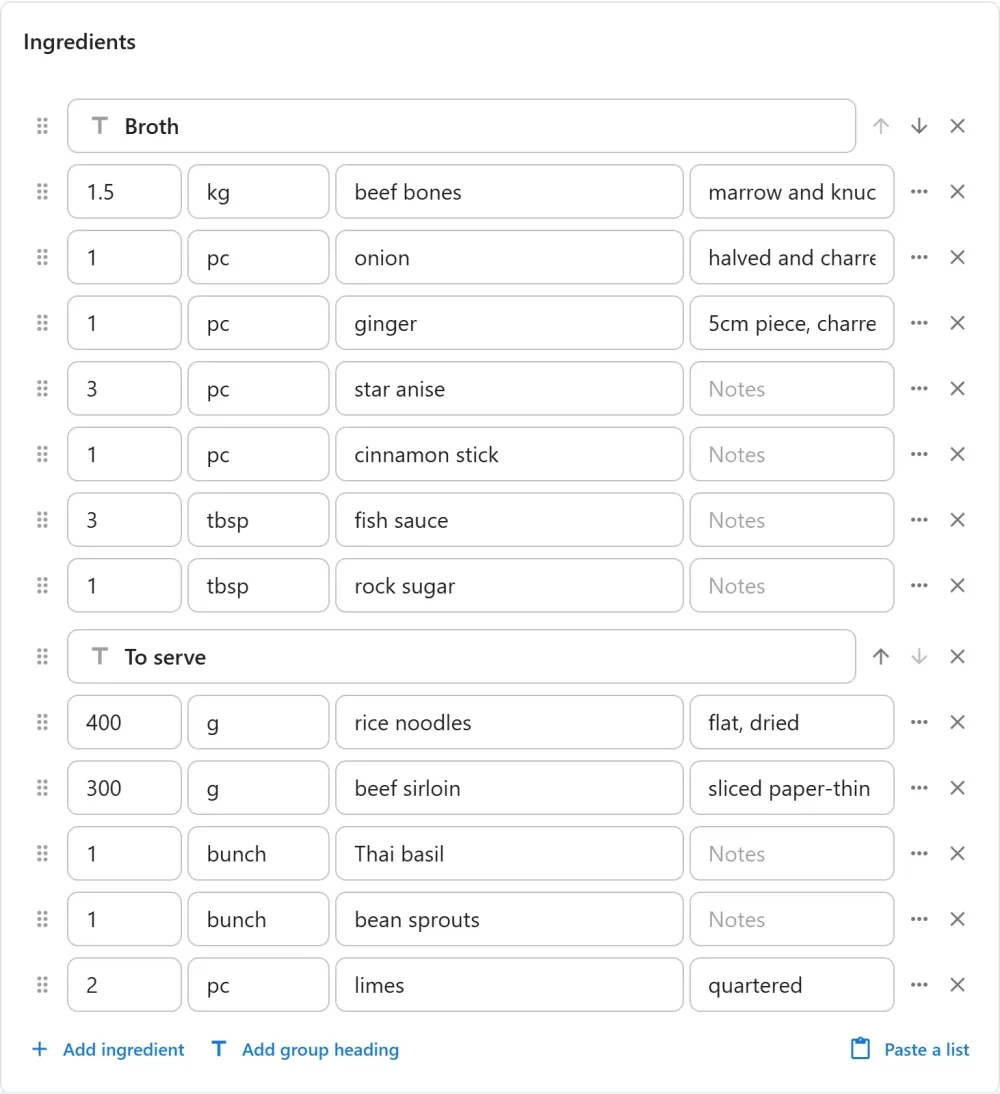
Ingredients and steps are dragged into place, grouped under headings such as “For the sauce”, and filled in with unit and ingredient suggestions. Each step can now have a title, a timer, a tip and its own photo.
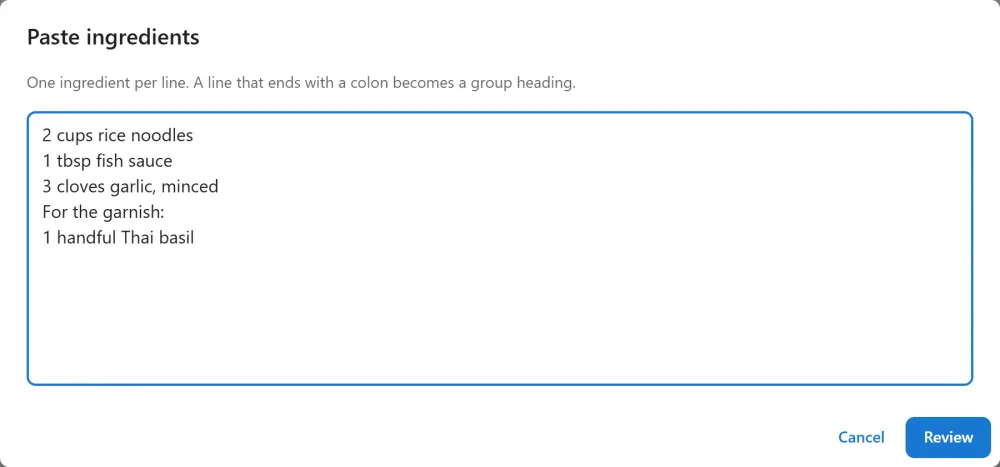
Already have the recipe in a document? Paste a list takes the whole ingredient list or method at once. A line that ends with a colon becomes a group heading.
The editor also keeps a draft in your browser, warns you before you leave with unsaved changes, saves with Ctrl+S (Cmd+S on a Mac), and shows a preview of the recipe while you write it. Categories, cuisines and courses are searched and created from the editor itself, and courses finally have their own screen. The full tour is in the Recipe Editor guide.
Reader Tools on every recipe page
The people who read your recipes are cooking from them. Every recipe page now lets them scale the amounts (half, double or triple), switch between the units you wrote, metric and US, copy the ingredient list, and tick off what they already have.
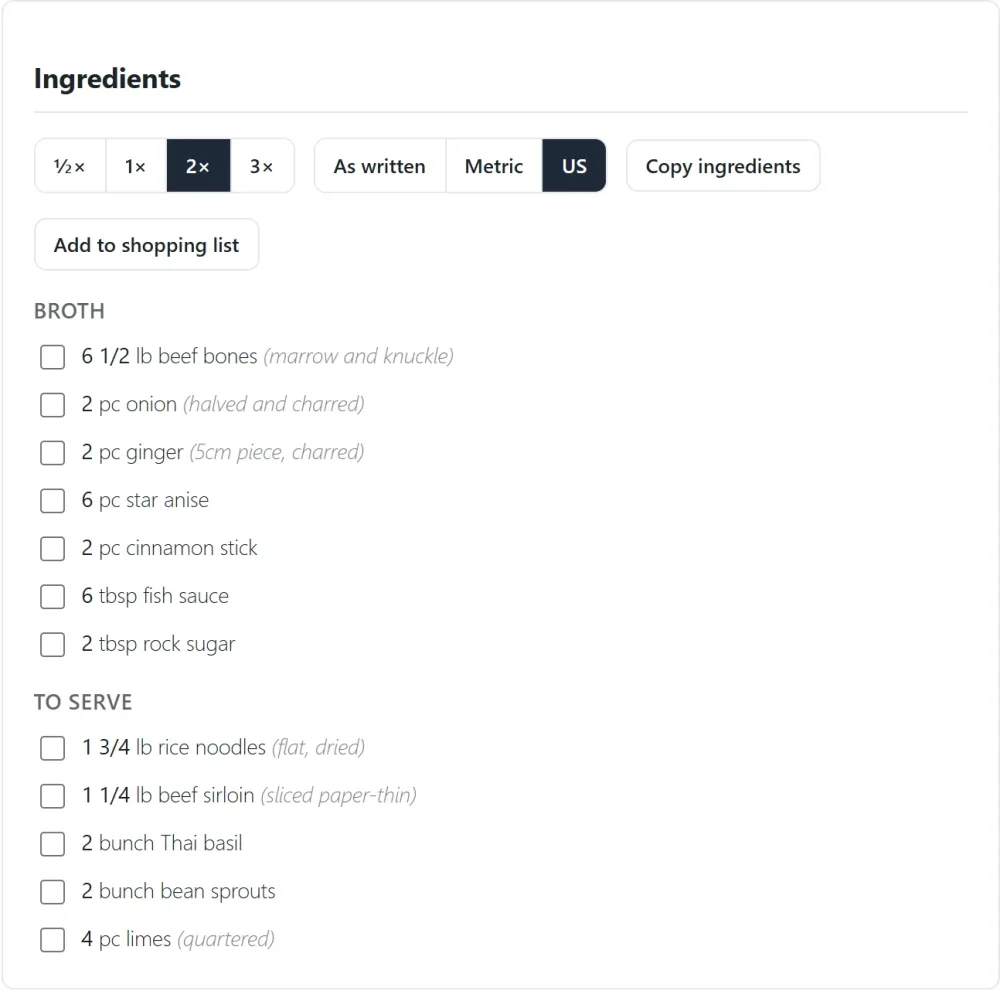
A step with a time becomes a button that starts a countdown, and Cook mode shows the method one step at a time, in large type, with the screen kept on.
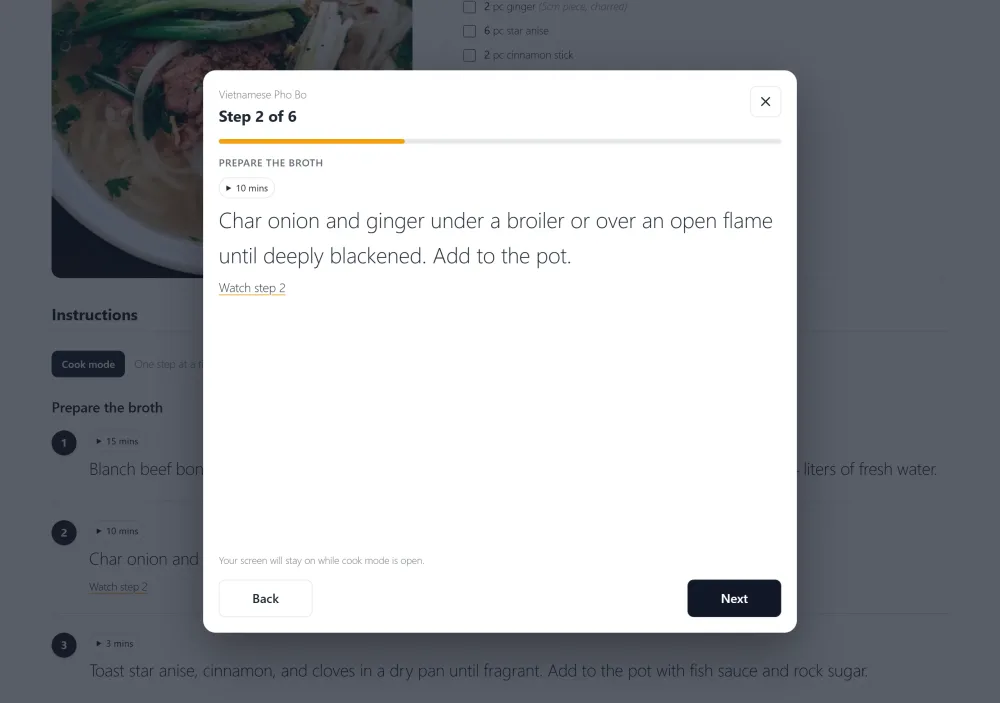
Everything runs in the visitor’s browser, so it keeps working on cached pages. The print page now prints the scale and units the reader chose. See the Reader Tools guide.
A whole recipe inside a post
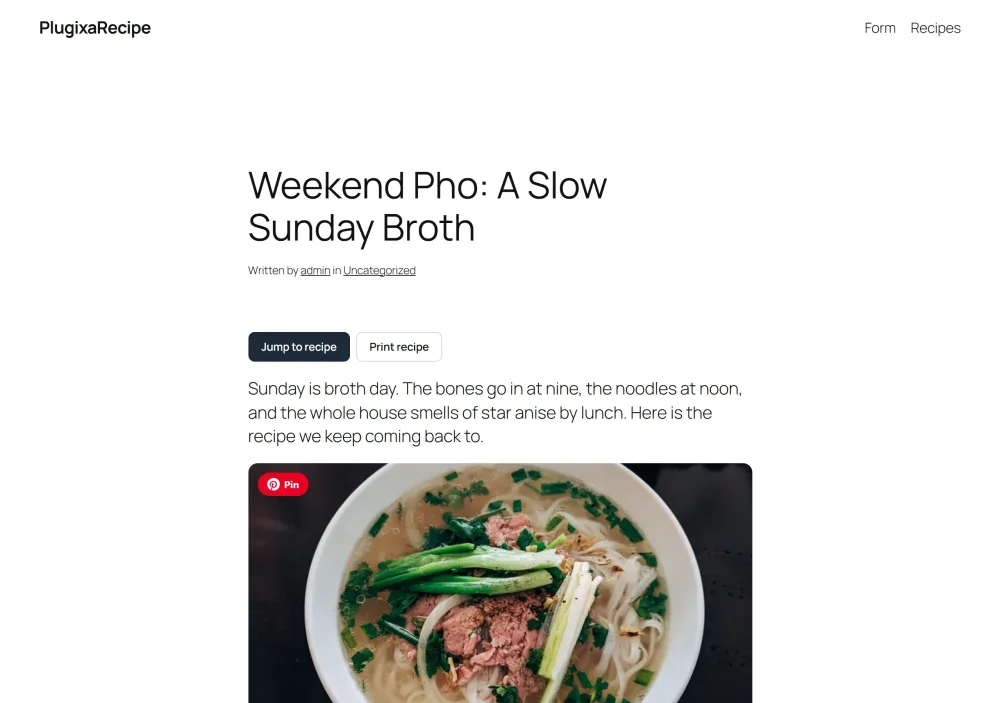
Food bloggers tell the story first. Now the recipe can live inside the post: add the new Recipe block, the [plugixa_single_recipe id="12"] shortcode or the Elementor widget. “Jump to recipe” and “Print recipe” buttons are added above the post, and the recipe’s own address names the post as its canonical, so search engines rank one page, not two.
For “best of” posts, [plugixa_recipe_roundup ids="3,8,12"] lists several recipes as a numbered round-up. More in Add a Recipe Inside a Post or Page.
Pages for your visitors
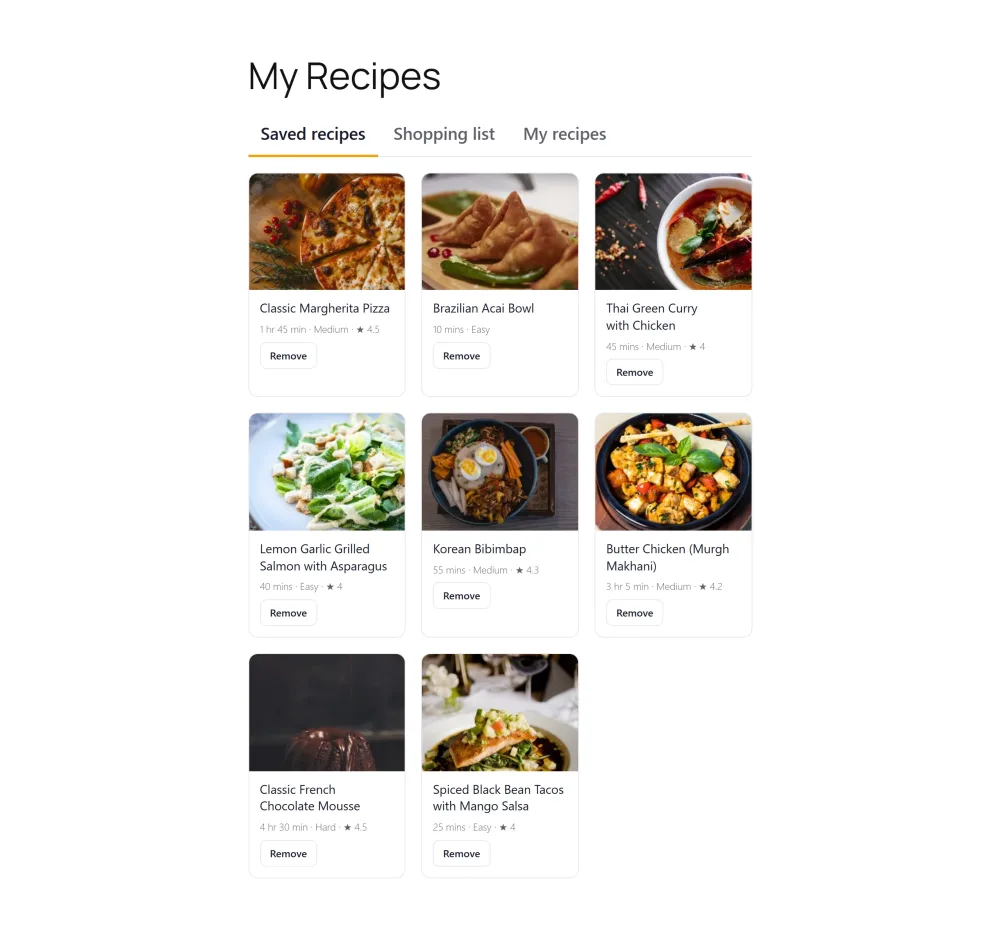
[plugixa_recipe_account] gives your readers a page of their own, with their saved recipes, their shopping list and the recipes they sent you, as tabs. Each part is also a shortcode of its own. The shopping list works without logging in, and Add to shopping list on a recipe adds the ingredients at the reader’s scale, minus the ones they ticked.
A nutrition calculator
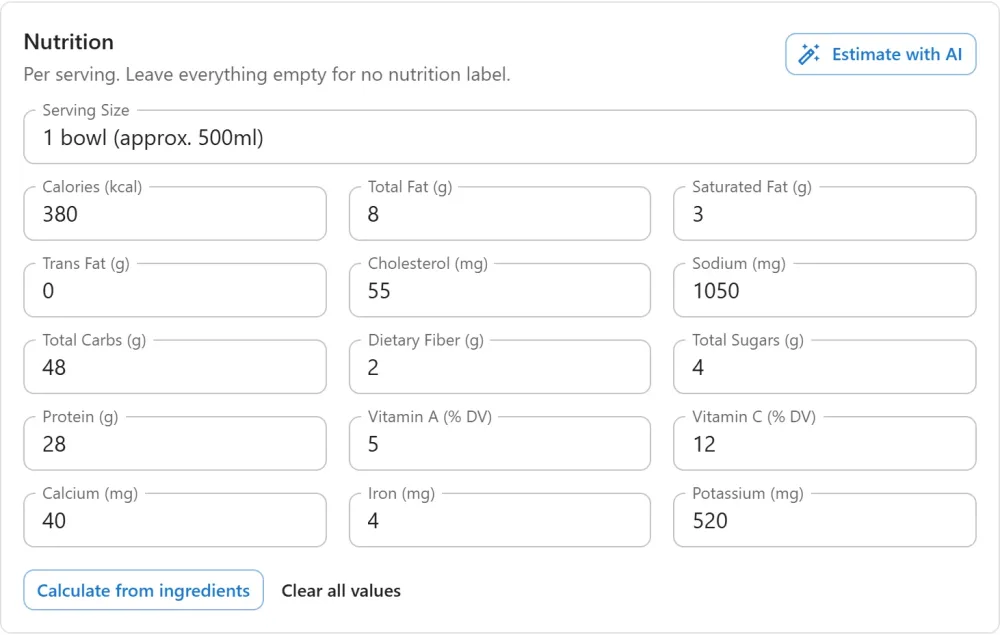
The new Nutrition Calculator app works out a recipe’s nutrition facts from its ingredients with USDA FoodData Central and your own free API key. You confirm every match and every weight before a figure reaches the recipe, and the label says the values were calculated. It is off by default; read the Nutrition Calculator guide to switch it on.
And more
- The expanded search form,
[plugixa_recipe_search style="expanded"], filters by course, difficulty, total time and diet. [plugixa_surprise_recipe]opens a recipe picked at random.- A Pin button on the recipe photo, and private “My notes” for every reader.
- Recipes, categories and cuisines are listed in WordPress’s own sitemap.
- The submission form gets the editor’s lists: reorder, group, paste, a timer and a photo per step, and a draft kept in the visitor’s browser.
- In Pro, importers for seven recipe plugins: WP Recipe Maker, Tasty Recipes, Create by Mediavine, WP Delicious, Cooked, Zip Recipes and Recipe Card Blocks. See Import / Export.
1.2.0 also fixes fourteen issues, among them a recipe page that named the newest blog post as its canonical, total times that left out the rest time, and a favourite button that only worked for administrators. Every change is listed in the 1.2.0 changelog.
Plugixa Recipe 1.2.0 is available now from WordPress.org and your Plugixa account. Recommended for every site.