

Contents
Nutrition Calculator (USDA FoodData Central) - Plugixa Recipe
The Nutrition Calculator works out a recipe’s nutrition label from its ingredient list, using the USDA FoodData Central database. It is part of the free plugin. You check every match and every weight before a single figure reaches the recipe, and the result is labelled as calculated on the recipe page.
Set it up
- Go to Apps and switch on Nutrition Calculator. It is off by default, because it is the one free feature that calls an outside service.
- Get a free API key from USDA FoodData Central (api.data.gov). The Get a key link in the settings opens the sign-up page.
- Go to Settings > Nutrition Calculator, paste the key into USDA FoodData Central API key and save.
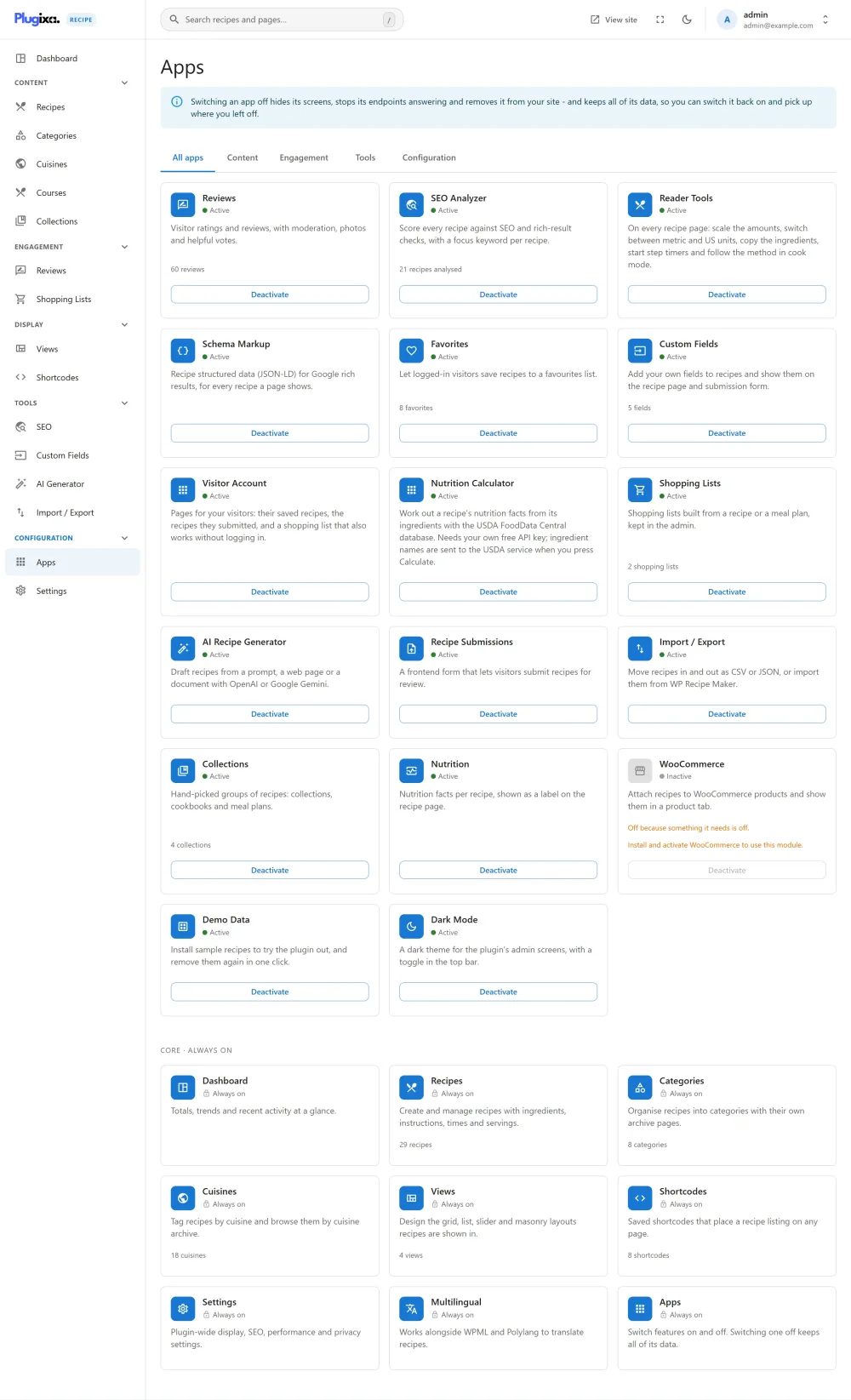
Calculate a recipe’s nutrition
- Open the recipe in the recipe editor and add its ingredients. The calculation is made from them.
- In the Nutrition section, press Calculate from ingredients.
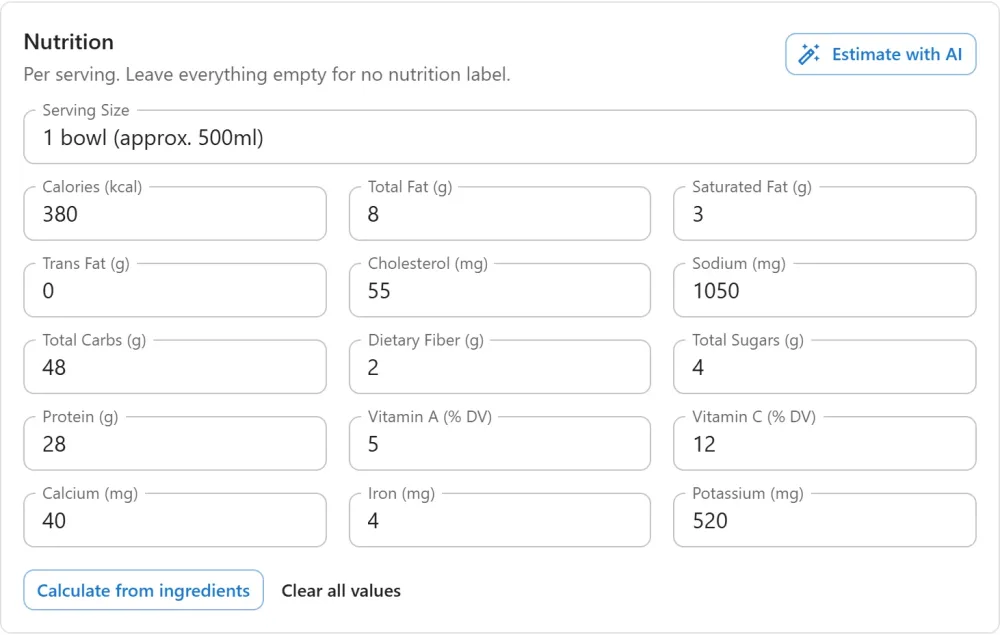
- The dialog lists each ingredient beside the food it matched in the database, its weight in grams and its calories. Check each row:
- Open the food list to pick a better match when the first one is wrong.
- Fill in the grams when they are missing. A weight is filled in for you when the unit is already a weight, or when you gave one for this food before.
- Choose Leave out in the food list for anything that should not count (water, a pinch of salt).
- A row without a weight, or with no match, is not counted, and the dialog says so.
- Check the number of servings. The totals are divided by it to give the per serving values.
- Press Use these values. The nutrition fields are filled in, and you can still edit them before saving the recipe.
On the recipe page and the print page, a calculated label carries the note “Calculated from the ingredients with USDA FoodData Central data. An approximation, not a laboratory analysis.” Check the values before publishing.
What is sent, and when
- Each time you press Calculate from ingredients, your server sends the names of that recipe’s ingredients (for example “flour”), with your API key, to
api.nal.usda.gov. - Nothing is sent at any other time. Nothing about your visitors, your site or the rest of the recipe is sent.
- Answers are kept on your site for a week, and the foods you confirm are remembered, so the same ingredient is not looked up again.
The service is provided by the U.S. Department of Agriculture, Agricultural Research Service. See the FoodData Central API guide and terms.
Troubleshooting
| Message | What to do |
|---|---|
| “Add your USDA FoodData Central API key in Settings first.” | Enter the key under Settings > Nutrition Calculator |
| “Add the ingredients first: the calculation is made from them.” | Add at least one ingredient, then press Calculate again |
| “The food database could not be asked. Try again in a moment.” | The USDA service did not answer, or the key was refused. Wait a moment, and check the key |
Related pages
- Nutrition: the label and how it is displayed
- Recipe Editor: where the calculator is opened
- AI Generator PRO: estimate nutrition with AI instead