

Contents
Nutrition - Plugixa Recipe
Each recipe can store a full FDA-style nutrition label with 17 fields. The data can be entered manually, generated via AI (Pro), or imported from another plugin.
Nutrition fields
Stored in wp_plugixa_recipe_nutrition (1:1 with recipes):
| Field | Unit | Description |
|---|---|---|
| serving_size | string | e.g., “1 cup (240g)” |
| calories | kcal | Per serving |
| total_fat | grams | |
| saturated_fat | grams | Sub-field of total_fat |
| trans_fat | grams | Sub-field of total_fat |
| cholesterol | milligrams | |
| sodium | milligrams | |
| total_carbohydrate | grams | |
| dietary_fiber | grams | Sub-field of carbs |
| total_sugars | grams | Sub-field of carbs |
| protein | grams | |
| vitamin_a | % DV | % daily value |
| vitamin_c | % DV | |
| calcium | % DV | |
| iron | % DV | |
| potassium | milligrams | |
| source | enum | manual · ai · imported |
Entering nutrition data
Per recipe
Open a recipe and switch to the Nutrition tab. Fill in any of the 17 fields. Leave fields blank for “not tracked” - they are omitted from the label and from schema output.
Bulk management
Use the Nutrition tab on each recipe to spot gaps, update the source field, or remove stale AI values before regenerating.
Rendering on the frontend
The single recipe page renders a nutrition label with the US FDA styling:
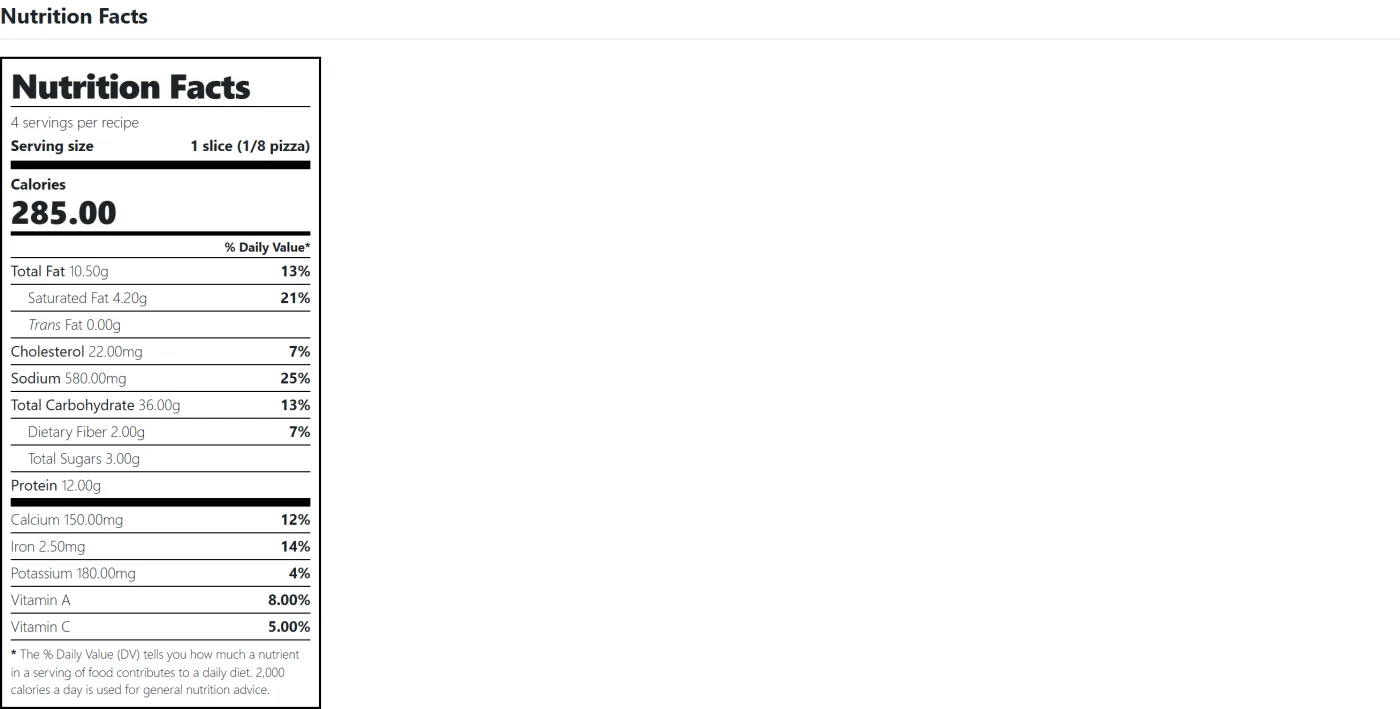
The label template lives in templates/nutrition-label.php and can be overridden by copying it to your theme’s plugixa-recipe/ folder.
AI-generated nutrition (Pro)
When you use the AI Generator, the LLM estimates the nutrition row along with the rest of the recipe. The source field is set to ai so you can filter for AI-estimated rows and verify them.
Important: AI estimates are approximations. For medical / regulatory use, verify against a nutrition database or lab analysis.
Hiding nutrition
If you don’t want nutrition shown:
- Settings → Display: uncheck “Show nutrition label”.
- Or leave the nutrition fields empty - the label is hidden if no field is populated.
Schema output (Pro)
If JSON-LD is enabled, populated nutrition fields are output as the nutrition property on the Recipe schema (NutritionInformation type), which Google uses in the rich result:
"nutrition": {
  "@type": "NutritionInformation",
  "calories": "240 kcal",
  "fatContent": "10 g",
  "saturatedFatContent": "3 g",
  "carbohydrateContent": "30 g",
  "proteinContent": "8 g",
  "servingSize": "1 cup (240g)"
}