

Contents
Reviews - Plugixa Recipe
Visitors can leave 5-star reviews with text, photos, and “helpful” votes. Administrators moderate reviews and can post admin replies.
Data model
Stored in wp_plugixa_recipe_reviews:
| Field | Description |
|---|---|
| recipe_id | FK → recipes |
| user_id | WP user (NULL for guests) |
| author_name / author_email / author_ip | Guest or authenticated author info |
rating * |
1–5 |
| review_text | Body |
| images | JSON array of WP attachment IDs |
| status | pending, approved, rejected |
| is_verified | Flag you can toggle to mark verified reviewers |
| helpful_count | Cached thumbs-up count |
| admin_reply | Optional reply by an admin |
A companion table wp_plugixa_recipe_review_helpful_votes stores individual “was this helpful?” votes, deduped by user_id or ip_address.
Leaving a review (frontend)
The review form is rendered at the bottom of every single recipe page:
The form supports:
- Star selector (1–5)
- Name, email (for guests)
- Review text
- Photo uploads (multiple; pushed to the media library, attached to the review via the
imagesJSON array)
Honey-pot and optional reCAPTCHA guards are configured in Settings → Captcha.
Moderating reviews
Navigate to Recipes → Reviews.
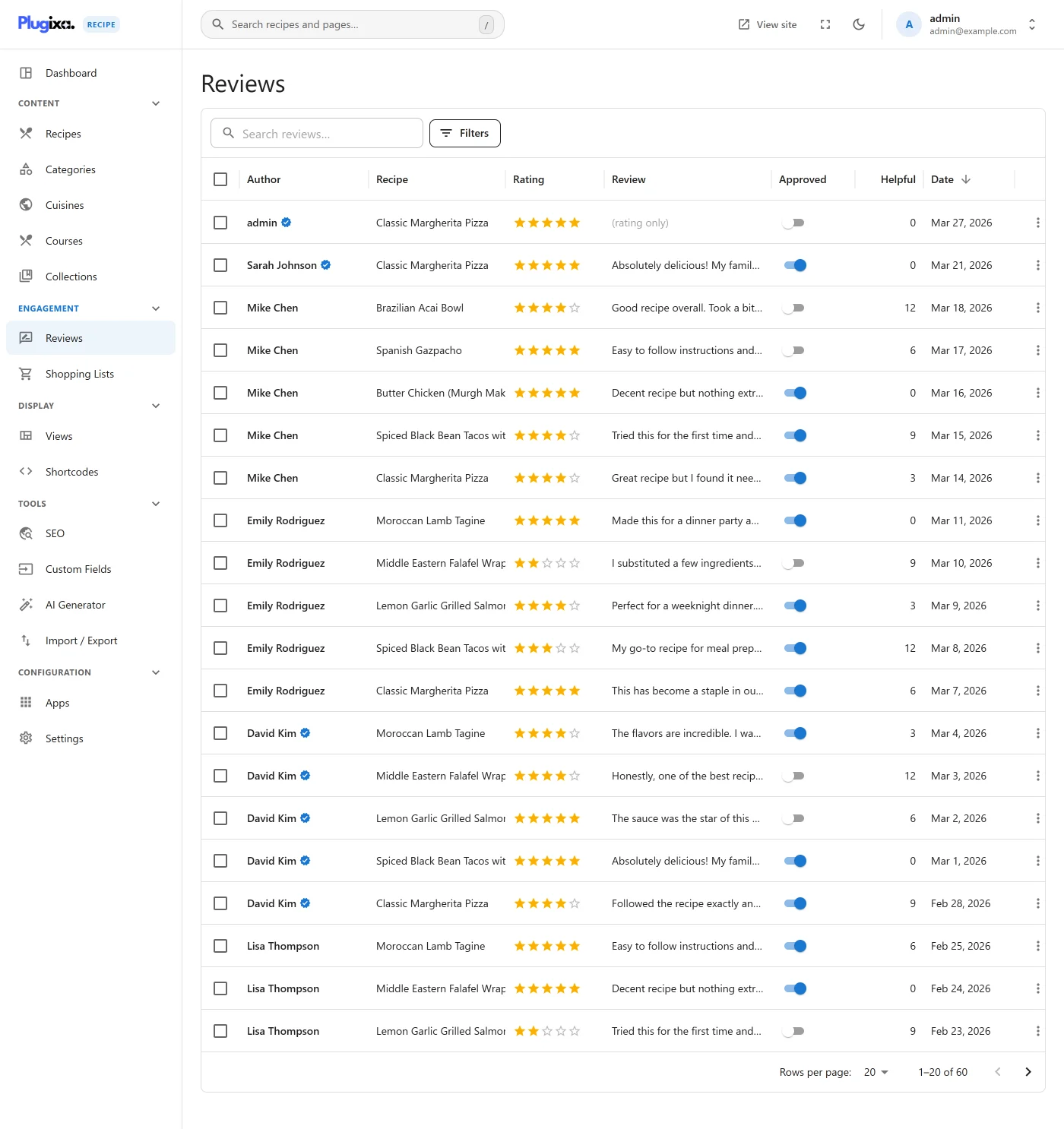
The list shows stars, recipe, author, excerpt, status, and moderation actions. Filters let you narrow by status, rating, or recipe.
Bulk actions
- Approve
- Reject
- Delete
- Mark verified / unverified
Reply to a review
Click Edit on any review - the editor adds an Admin reply field. When you save the reply, the admin_reply and admin_reply_at columns are populated and the reply appears indented under the review on the frontend.
“Was this helpful?” voting
Each review has a thumbs-up button. Clicks update helpful_count (cached on the review row) and insert a vote row in review_helpful_votes. Guests are deduped by IP; logged-in users by user_id.
Cached rating on the recipe
Whenever a review is created, updated, or deleted, the parent recipe’s rating_average and rating_count columns are recalculated. This keeps the Recipes list sort-by-rating fast (no JOIN + AVG at query time).
Email notifications
On review submission the plugin can send notifications - configure recipients and template in General settings → Email Notifications, and the Email Notifier class (includes/email/class-email-notifier.php) sends:
- Admin notice of a new review awaiting moderation.
- Optional reply-receipt email when an admin posts a reply.
See Reviews settings for moderation controls.
Review schema (Pro)
Approved reviews (rating + text + author) are emitted into the Recipe JSON-LD as an AggregateRating plus a Review[] array, giving Google all the data needed to show star ratings in the recipe rich result.