

Contents
Form settings - Plugixa Recipe
The Form tab controls the public recipe-submission form rendered by
[plugixa_recipe_form].
Go to Recipes → Settings → Form.
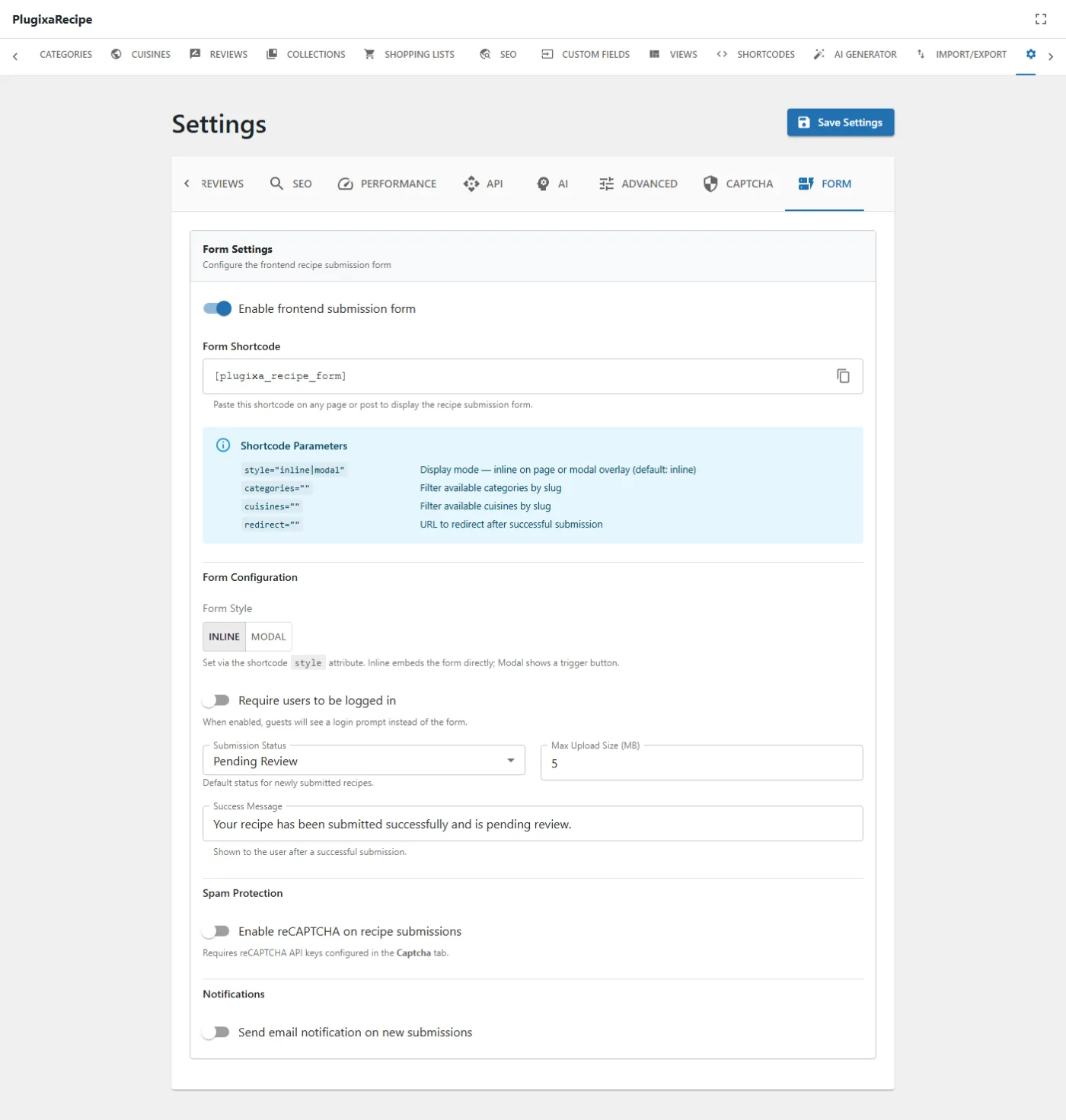
Options
| Key | Default | Notes |
|---|---|---|
enable_submissions |
false |
Master switch. With it off, [plugixa_recipe_form] renders a “submissions are disabled” message instead of the form. |
submission_require_login |
- | Require a logged-in user to submit. |
submission_status |
pending |
Status new submissions are saved with: pending or published. |
max_upload_size |
- | Maximum upload size in MB for images attached to a submission. |
success_message |
- | Shown after a successful submission. Currently inert: it is stored but no PHP reads it back, so the built-in message is used. |
turnstile_form_enabled |
false |
Require a Turnstile challenge on submission. |
notification_enabled |
- | Email on a new submission. |
notification_recipients |
(empty) | Comma-separated addresses. Empty falls back to the site admin email. |
Leave submission_status on pending unless you have another moderation step.
Publishing straight from a public form means anything submitted is live before
anybody reads it.
Rate limiting applies here as well: submissions are capped per IP per hour, at
min(api_rate_limit, 10). See API settings
and Frontend Submission.