

Contents
Permalinks & URLs - Plugixa Recipe
Plugixa Recipe registers four custom URL patterns via WordPress rewrite rules. They’re flushed automatically on plugin activation - no manual Settings → Permalinks visit required.
The URLs
| Pattern | Handler | Template |
|---|---|---|
/recipe/{id}/{slug}/ |
class-recipe-single.php |
templates/single-recipe.php wrapped by templates/single-recipe-wrapper.php |
/recipe-category/{slug}/ |
class-recipe-archive.php |
templates/archive.php wrapped by templates/archive-wrapper.php |
/recipe-cuisine/{slug}/ |
class-recipe-archive.php |
templates/archive.php |
/recipe-print/{id}/ |
class-recipe-print.php |
templates/print.php (no theme wrapper) |
Changing the base slugs
By default the bases are recipe, recipe-category, recipe-cuisine, recipe-print. Change them in Settings → Advanced → Permalink bases. Your new bases apply after clicking Save & flush rewrites. The plugin calls flush_rewrite_rules() under the hood - you don’t have to visit Settings → Permalinks manually.
The single recipe template
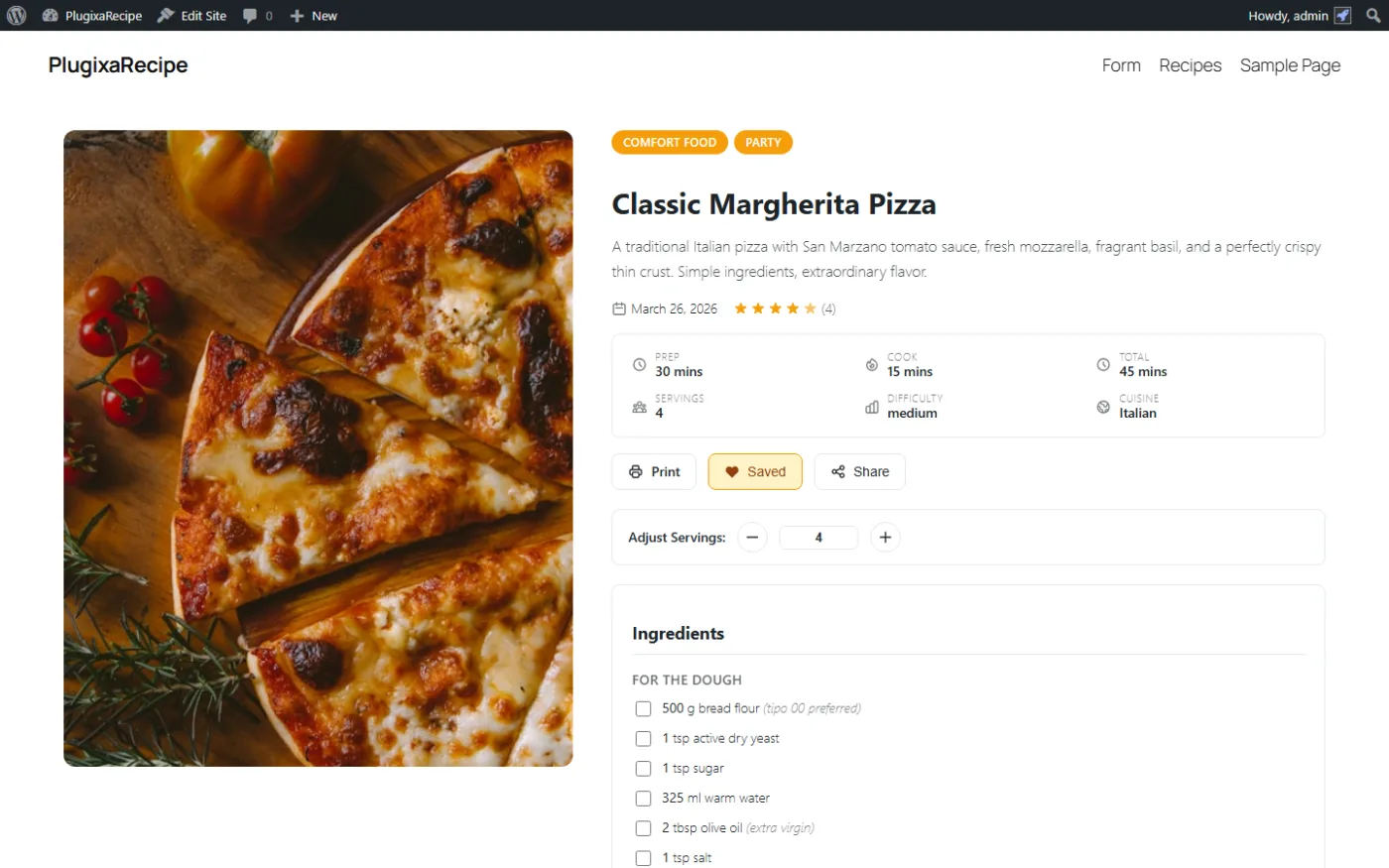
templates/single-recipe.php renders:
- Hero (image, title, meta, author, rating).
- Description.
- Ingredients (with servings adjuster).
- Instructions (grouped, checkable).
- Nutrition label.
- Reviews + review form.
- Share & print buttons.
- Related recipes.
Theme wrapper
single-recipe-wrapper.php wraps the main template in the current theme’s header + footer. If your theme uses a non-standard layout, override the wrapper by copying it to wp-content/themes/{your-theme}/plugixa-recipe/single-recipe-wrapper.php.
Overriding any template
The plugin template loader checks the theme first:
wp-content/themes/{your-theme}/plugixa-recipe/{template}.php
Fallback is the plugin’s templates/ folder. This is the classic “plugin templates override” pattern - clean updates never clobber your changes.
The print page
/recipe-print/{id}/ renders a clean, ad-free, print-friendly page (a single column, no nav, no sidebar). Users click the Print button on the single recipe page to open it.
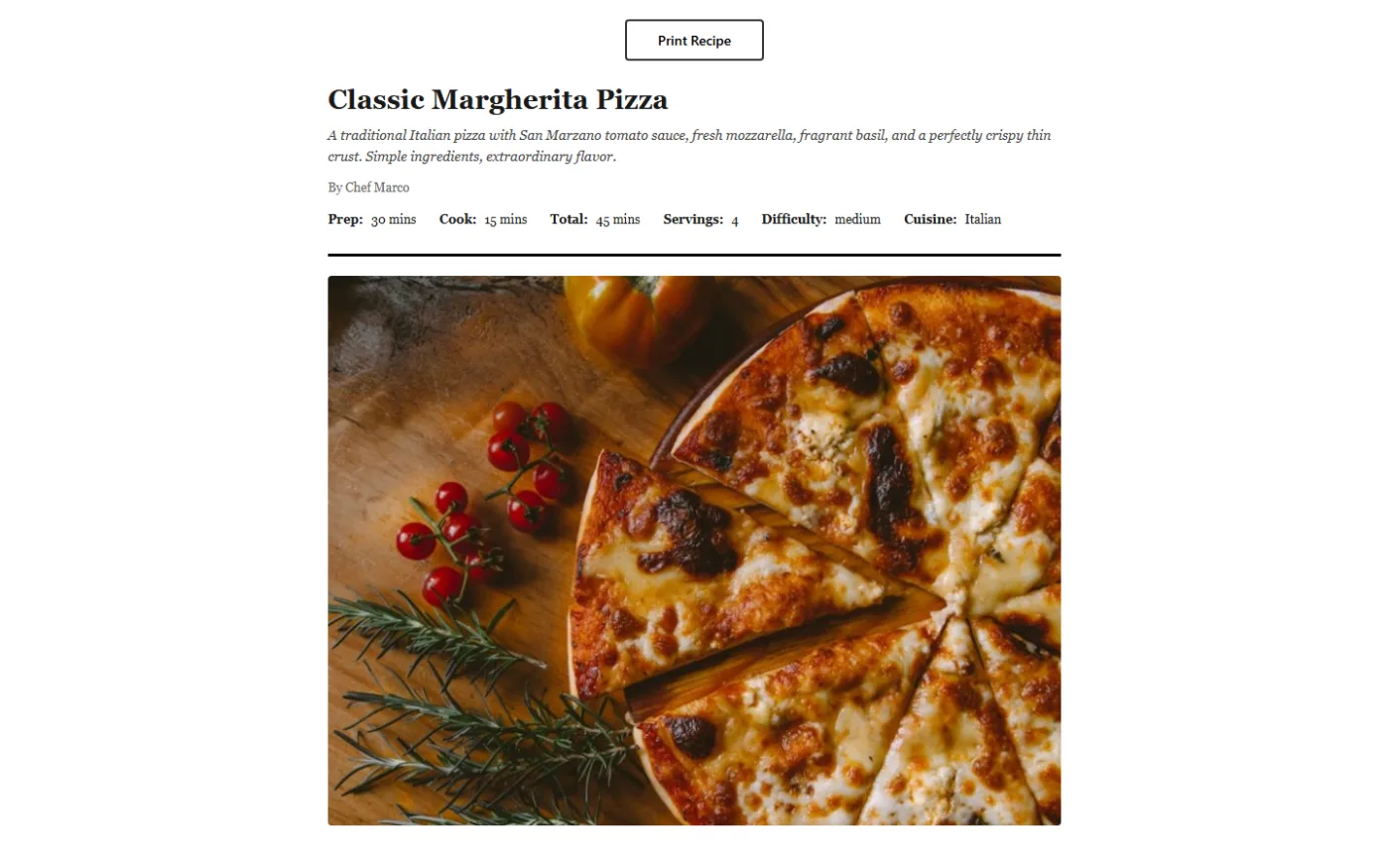
The template templates/print.php uses a dedicated CSS file (assets/frontend/build/css/frontend.css with print media queries) so paper output looks good without your theme’s hover states, animations, or dark modes.
Category / cuisine archives
/recipe-category/desserts/ loads the archive template with:
- Category / cuisine header (name, description, image).
- Filter bar (sort, per-page, search).
- Recipe grid using the default view.
The archive respects the active language (via WPML / Polylang) and filters automatically.
SEO consequences
- The canonical URL for a recipe is
/recipe/{id}/{slug}/. Schema output uses this as@id. sitemap.xml(from Yoast, All in One SEO and the like) does not automatically include recipe URLs, and the plugin provides no sitemap filter. Feed them to your SEO plugin from the REST API, or list the recipe archive so the crawler reaches them by link.noindexis added to the print page to avoid duplicate-content issues.