

Contents
AI Generator - Plugixa Recipe
The AI Generator creates complete recipes - including title, description, ingredients, grouped instructions, nutrition, and tags - from three kinds of input:
- Topic - free-form text (“Vegan weeknight pasta with mushrooms”).
- URL - any web page with a recipe; the scraper extracts it and the LLM rewrites.
- Document - a PDF or DOCX file with a recipe inside.
Providers supported: OpenAI (GPT-4 family) and Google Gemini. Plug in your key, pick a model, and generate.
Configure an AI provider
Navigate to Settings → AI.
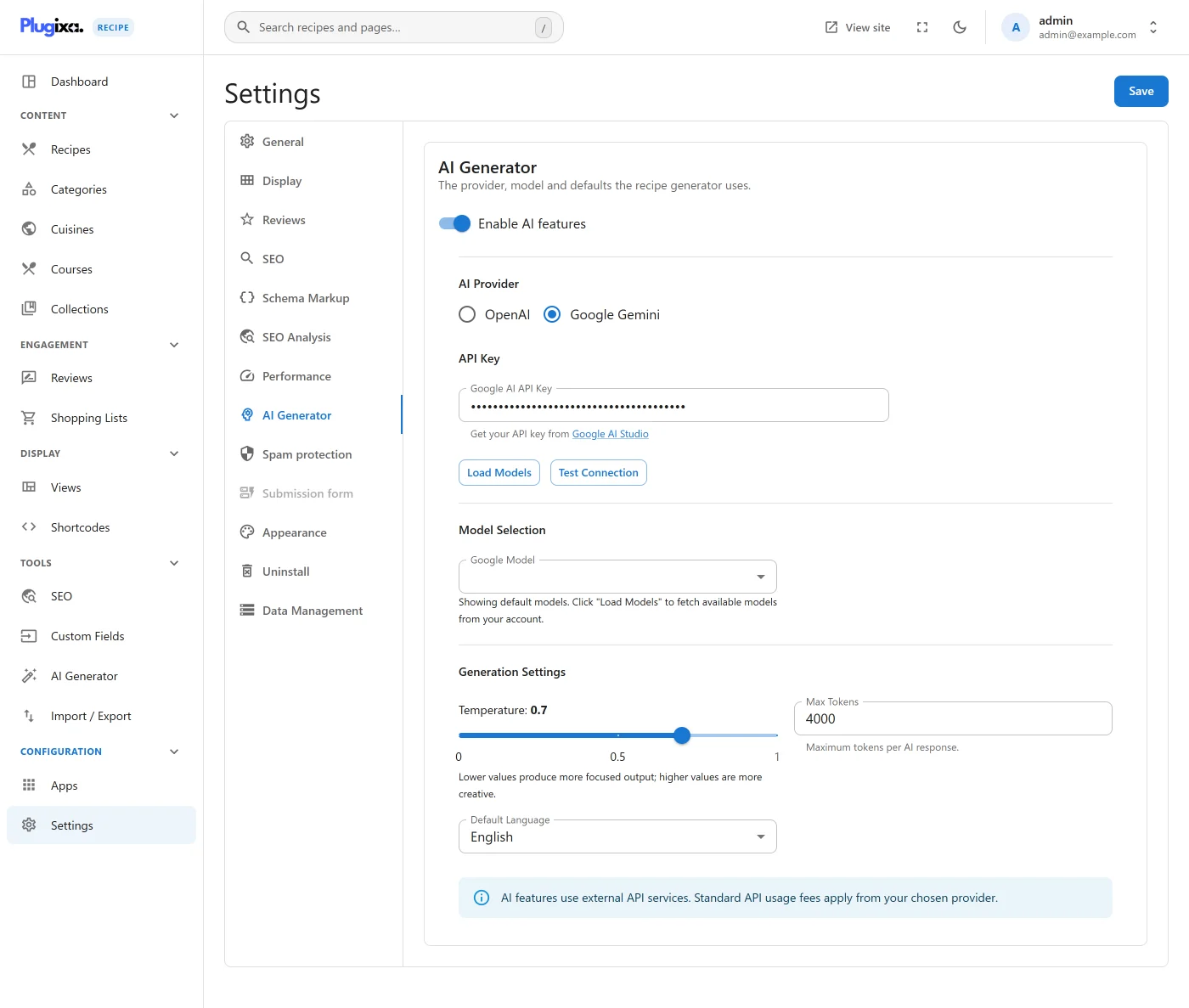
- Provider:
openaiorgemini. - API key: your secret key (stored encrypted in the
plugixa_recipe_settingsoption). - Model: e.g.,
gpt-4o-mini,gpt-4o,gemini-1.5-flash,gemini-1.5-pro. - Max tokens: upper limit on the response (the plugin auto-scales this for “expanded” prompts).
- Temperature: creativity level (0–1).
Save. You can now use the generator.
Generating from a topic
Navigate to Recipes → AI Generator.
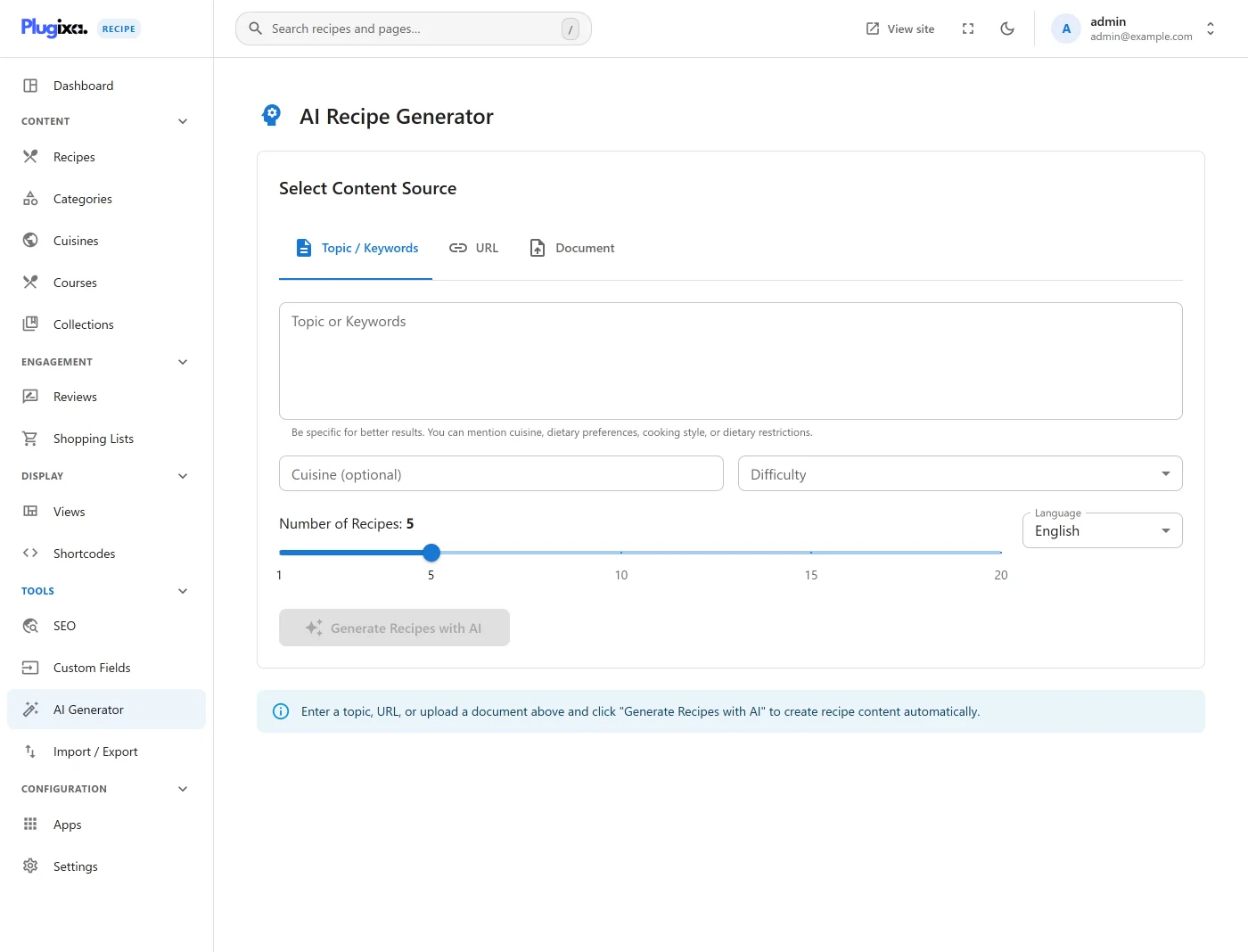
Pick the Topic tab, type a prompt, choose how many recipes you want (1–10), and click Generate.
The LLM is instructed to return a structured JSON payload. The plugin:
- Validates the JSON shape.
- Auto-repairs common truncation issues (missing closing brackets).
- Maps fields into a recipe preview.
Import
Review the result. If you like it, click Import - the recipe is written to the database as draft with source = "ai" on the nutrition row.
Generating from a URL
Pick the URL tab, paste any recipe page, click Generate.
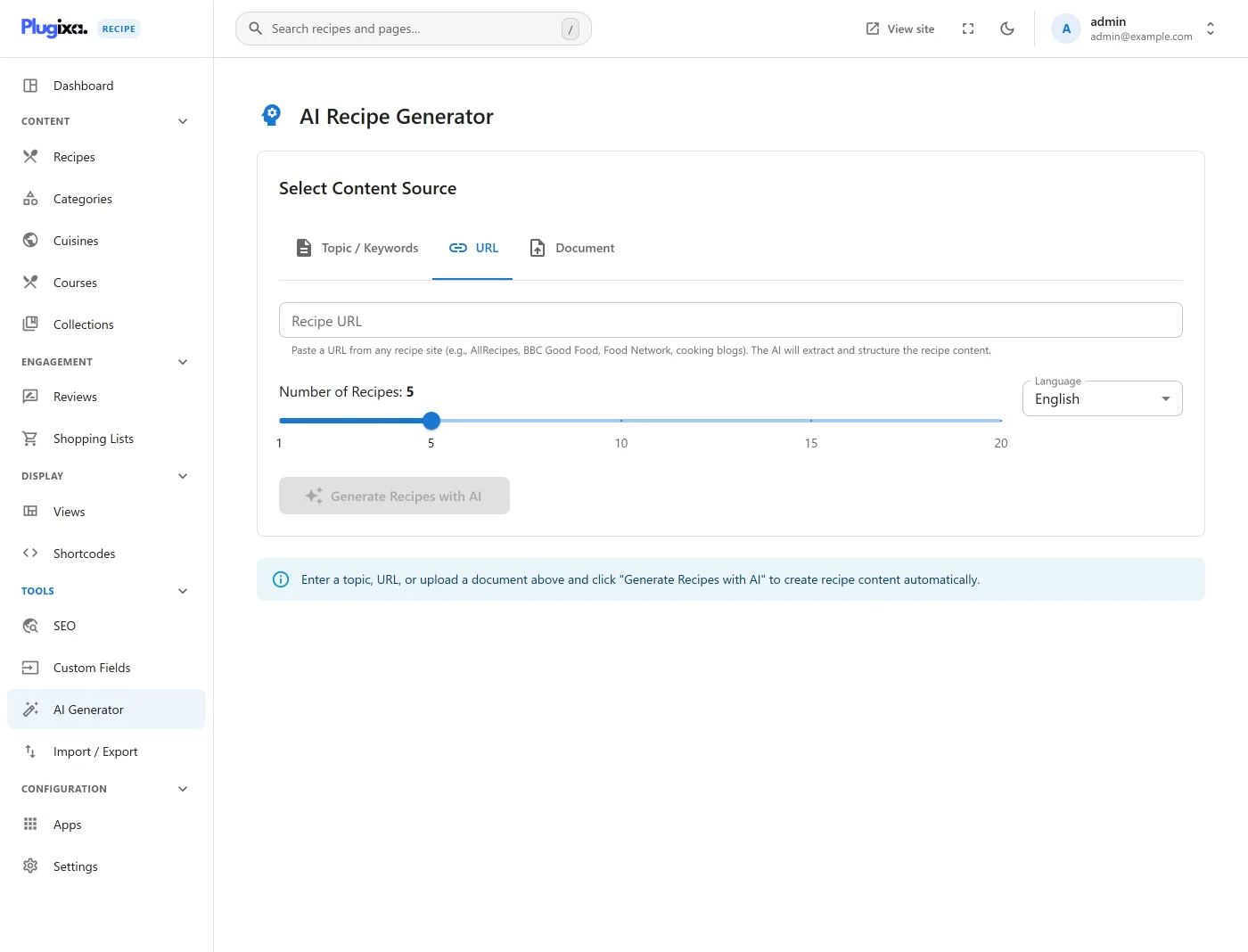
Under the hood:
URLScraperfetches the page, strips navigation / ads / headers.- The content is passed to the LLM with a “re-express as a clean recipe” prompt.
- Images / videos from the source are proposed for import.
Respect the source’s copyright - the plugin outputs a source_url field pointing at the original so you don’t accidentally publish scraped content as your own.
Generating from a document
Pick the Document tab, upload a PDF or DOCX.
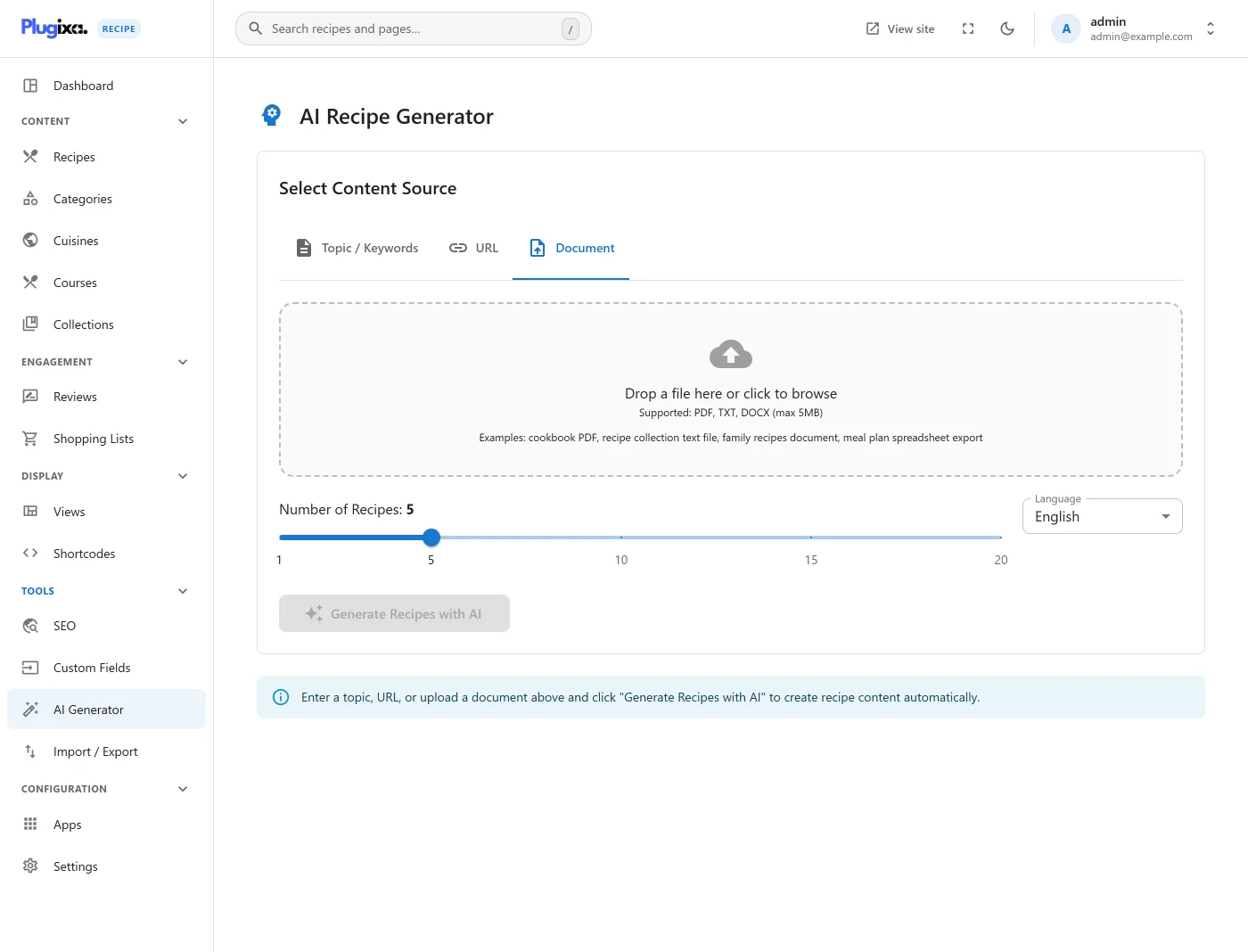
The plugin uses smalot/pdfparser (for PDF) and a DOCX unzipper to extract text, then hands the text to the LLM.
Common use case: migrating a Cookbook PDF into individual recipes.
Quota & errors
If your provider returns quota / auth errors, the plugin surfaces the exact message:
Retry after resolving the provider issue. The plugin does not charge or gate beyond the Pro license - your usage is billed directly by OpenAI / Google.
Hooks (developer)
// Mutate recipes before import (e.g., inject house style).
add_filter('plugixa_recipe_ai_generated_recipes', function ($recipes, $topic, $provider) {
    foreach ($recipes as &$r) {
        $r['author_name'] = 'Test Kitchen';
    }
    return $recipes;
}, 10, 3);

// Log every AI generation.
add_action('plugixa_recipe_after_ai_generate', function ($recipes, $topic, $provider) {
    error_log("Generated " . count($recipes) . " recipes from {$provider} for \"{$topic}\"");
}, 10, 3);

// Customize provider config (e.g., org header for OpenAI).
add_filter('plugixa_recipe_ai_provider_config', function ($config, $provider_name) {
    if ($provider_name === 'openai') {
        $config['organization'] = 'org-...';
    }
    return $config;
}, 10, 2);
See HOOKS for the full list.
Privacy
- Your content is sent to the provider you choose (OpenAI or Google). Both have data-policy options - enable “no training” in your provider dashboard if needed.
- The plugin does not transmit data to Plugixa’s servers - all AI calls are direct from your WordPress to the LLM provider.
- API keys are stored in the WordPress
optionstable. Protectwp-optionsaccess like you would any other sensitive WP data.