

Contents
Shortcodes - Plugixa Recipe
Plugixa Recipe registers two main shortcodes for recipe display/submission and eight widget shortcodes for smaller recipe-related components.
[plugixa_recipe]: the main shortcode
Renders recipes in grid / slider / masonry / list layouts.
Basic usage
[plugixa_recipe]
Uses the default view and shows the most recent 12 recipes.
With attributes
[plugixa_recipe categories="breakfast" limit="9" view="featured-grid"]
[plugixa_recipe cuisines="italian" min_rating="4" pagination="true" per_page="12"]
[plugixa_recipe featured="true" columns="4"]
[plugixa_recipe difficulty="easy" orderby="rating_average" order="DESC"]
All attributes
| Attribute | Values | Notes |
|---|---|---|
id |
shortcode ID | Loads a saved shortcode config from the DB |
view |
view ID or slug | |
categories |
comma-separated slugs or IDs | |
cuisines |
comma-separated slugs or IDs | |
courses |
comma-separated slugs or IDs | |
limit |
integer | Max recipes to fetch (default 12) |
orderby |
created_at, title, rating_average, view_count, display_order, rand |
|
order |
ASC / DESC |
|
featured |
true |
Only featured recipes |
min_rating |
1–5 | Cached rating_average ≥ |
difficulty |
easy / medium / hard / expert | |
columns |
integer | Override desktop columns |
dark_mode |
true / false |
Apply the view’s dark-mode palette |
pagination |
true / false |
Enable pagination |
pagination_style |
numbers, loadmore, infinite |
|
per_page |
integer | Items per page |
The visual builder (saved shortcodes)
Rather than memorising attributes, use the Shortcodes menu to build reusable configurations.
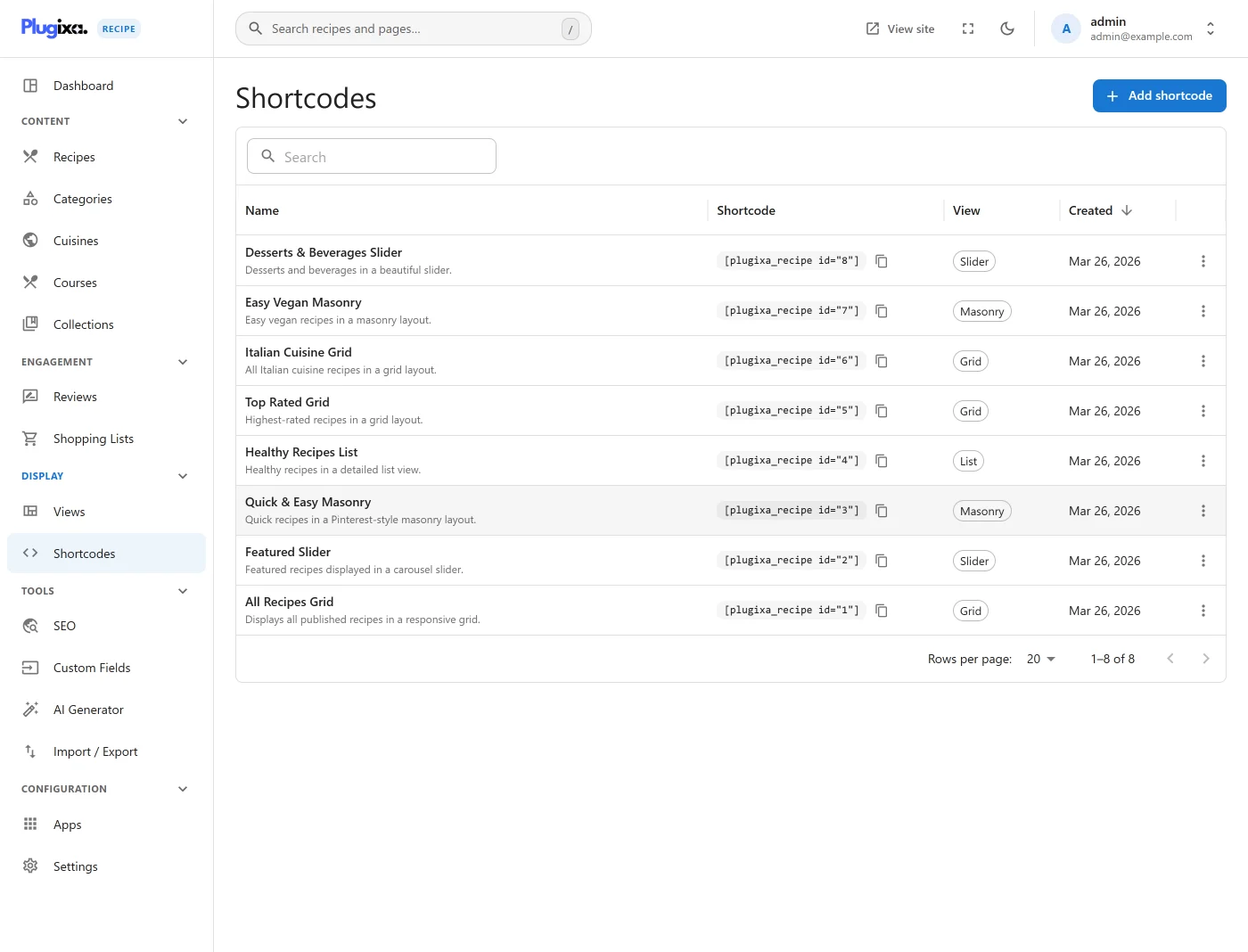
Click Add New to open the builder.
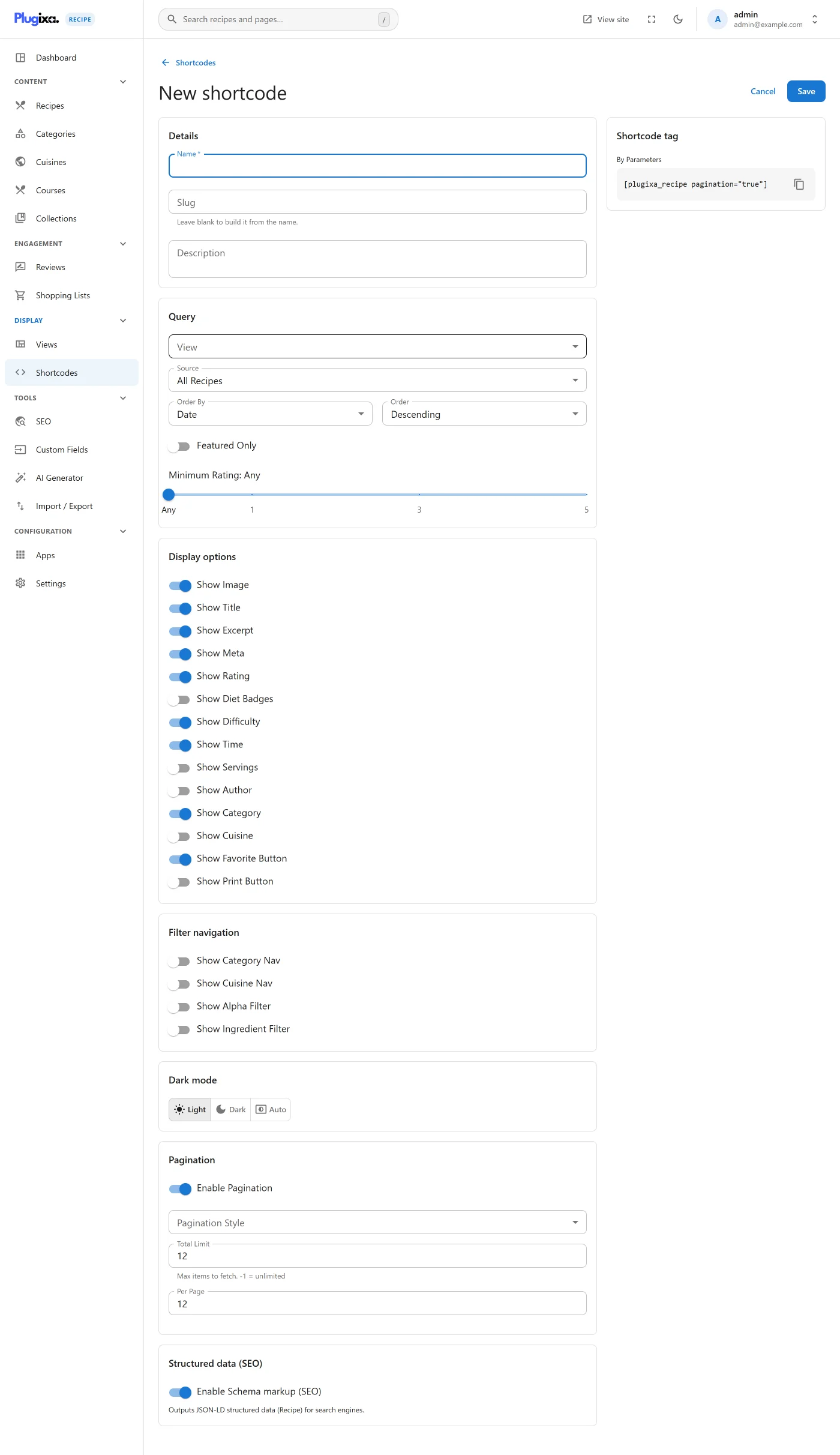
The builder has sections for:
- Content source - categories, cuisines, courses, difficulty, diet flags, featured flag, search text.
- Display - view selection, columns override, dark-mode toggle.
- Behavior - orderby / order, pagination (on/off, style, per-page), limit.
- Filters - which filter controls (category bar, search box, sort dropdown) to show on the frontend.
Save. The builder gives you a shortcode like:
[plugixa_recipe id="7"]
Paste that into any page - the saved config drives everything.
The [plugixa_recipe_form] shortcode
Renders a frontend submission form so visitors can suggest recipes.
[plugixa_recipe_form]
[plugixa_recipe_form status="pending" require_login="true"]
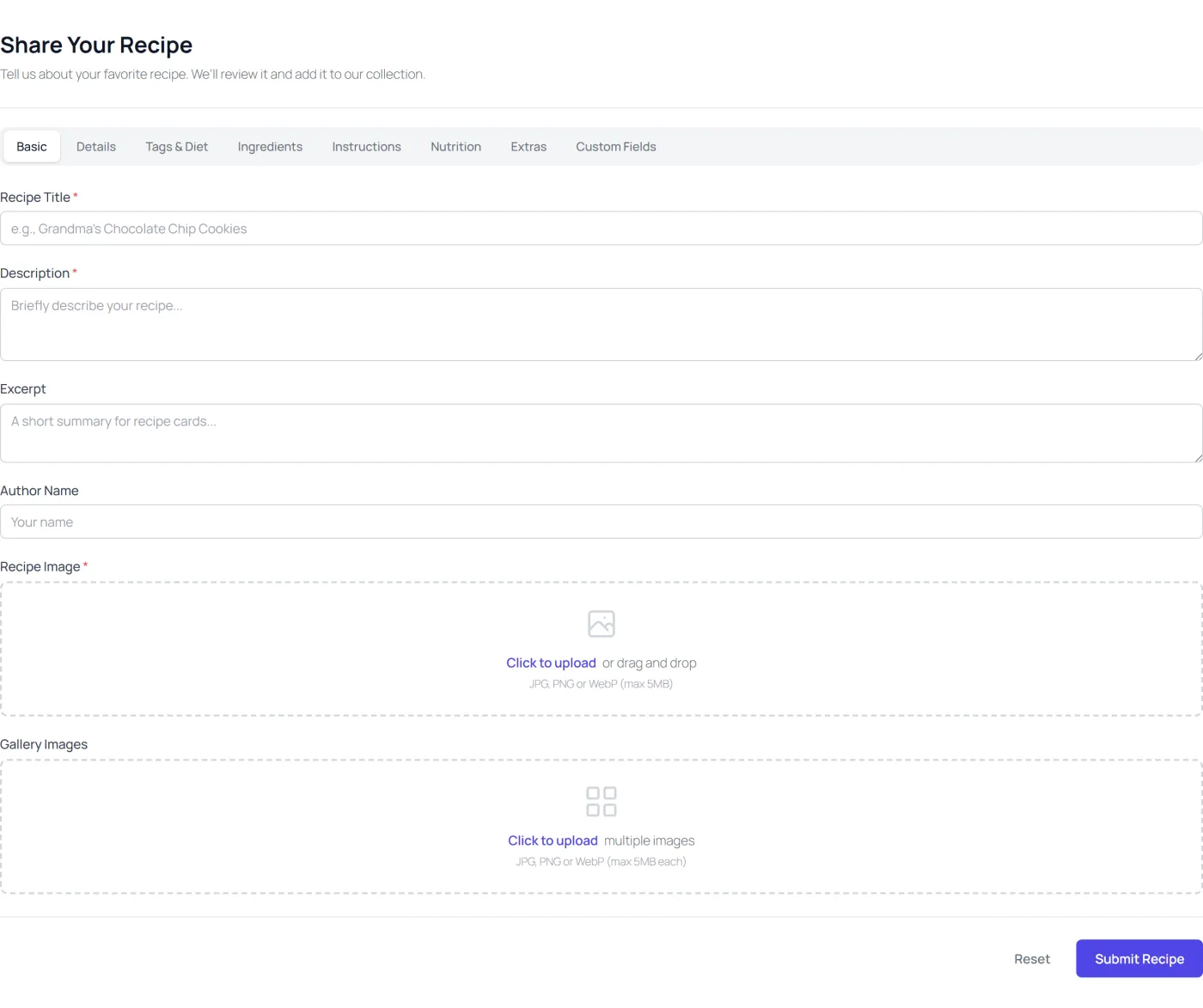
Submitted recipes land in the recipe list with status="pending" (configurable) and submission_ip stored for moderation. See Frontend Submission.
Widget shortcodes
The free plugin bundles seven widget shortcodes for lightweight embeds - perfect for sidebars, footers, and landing pages.
| Shortcode | Template | Purpose |
|---|---|---|
[plugixa_categories] |
widgets/categories.php |
Gallery of category cards |
[plugixa_cuisines] |
widgets/categories.php |
Gallery of cuisine cards (reuses the categories template with type switch) |
[plugixa_latest_recipes] |
widgets/latest-recipes.php |
Most-recent recipes |
[plugixa_popular_recipes] |
widgets/popular-recipes.php |
By view_count or rating_average |
[plugixa_related_recipes] |
widgets/related-recipes.php |
Related to the current recipe |
[plugixa_recipe_search] |
widgets/recipe-search.php |
Standalone search box |
[plugixa_recipe_of_day] |
widgets/recipe-of-day.php |
Daily rotating recipe |
[plugixa_recipe_count] |
widgets/recipe-count.php |
Integer count |
See Widget Shortcodes for the full attribute reference for each.
AJAX & pagination
When pagination="true" and pagination_style="loadmore" or infinite, the “Load more” button / scroll trigger hits the AJAX handler:
POST /wp-admin/admin-ajax.php?action=pxr_load_recipes
The handler (Shortcodes::ajax_load_recipes()) renders the next page server-side and returns HTML - keeping behavior identical between initial render and subsequent pages.
Performance notes
- The plugin enqueues the frontend CSS / JS only when
[plugixa_recipe](or a widget) is rendered. No bloat on pages that don’t use it. - Google Fonts picked in a view are enqueued only on pages where that view is used.
- Schema JSON-LD (Pro) is printed in the footer, after recipe data is known.