

Contents
Custom Fields - Plugixa Recipe
Custom Fields PRO let you attach additional structured data to every recipe - author bio URL, affiliate disclosure, preparation tips, YouTube playlist, “best paired with”, or anything else your publication needs.
Values are stored in wp_plugixa_recipe_meta (key → value pairs keyed by recipe_id). Field definitions are stored in wp_plugixa_recipe_custom_fields.
Defining a custom field
Navigate to Recipes → Custom Fields.
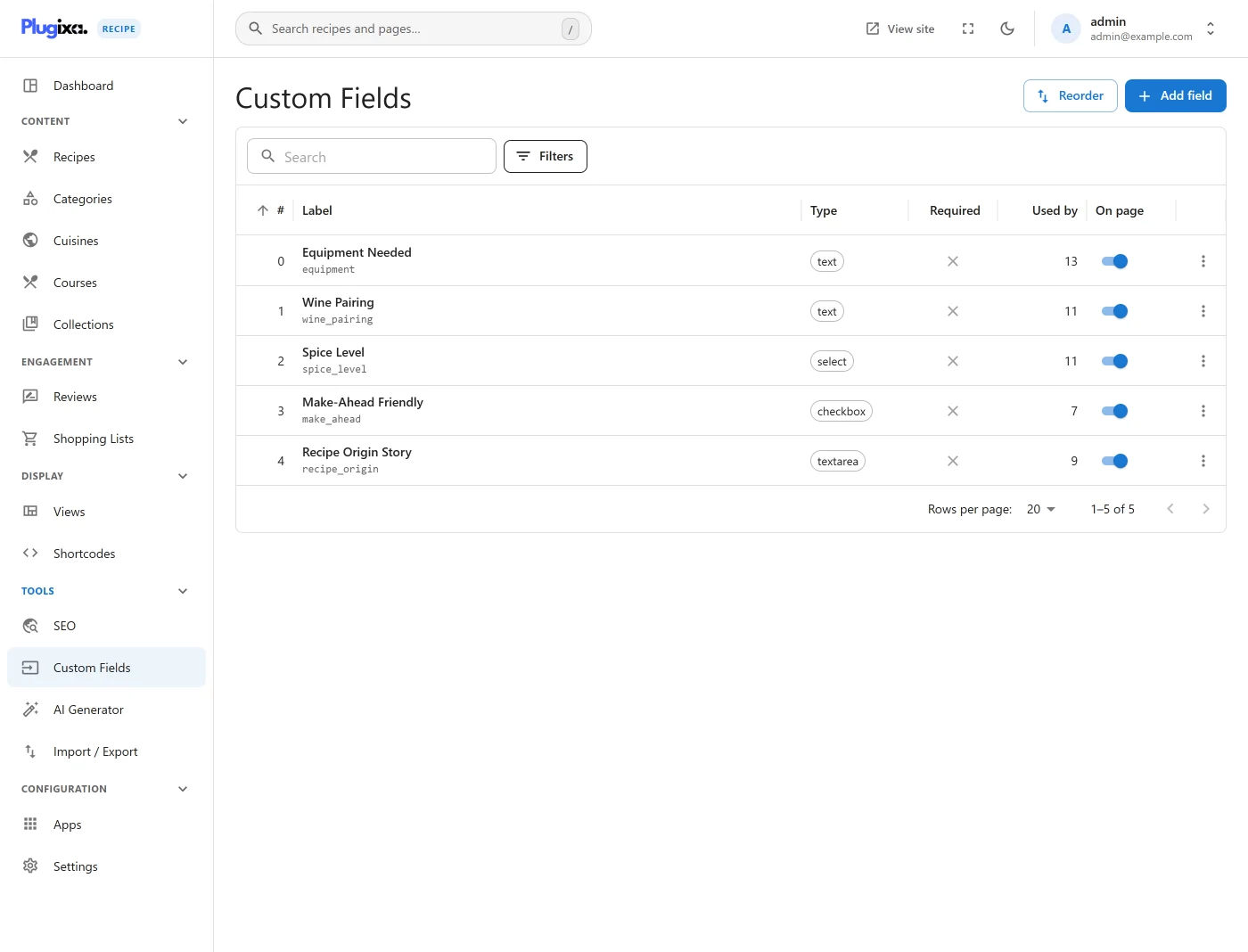
Click Add New.
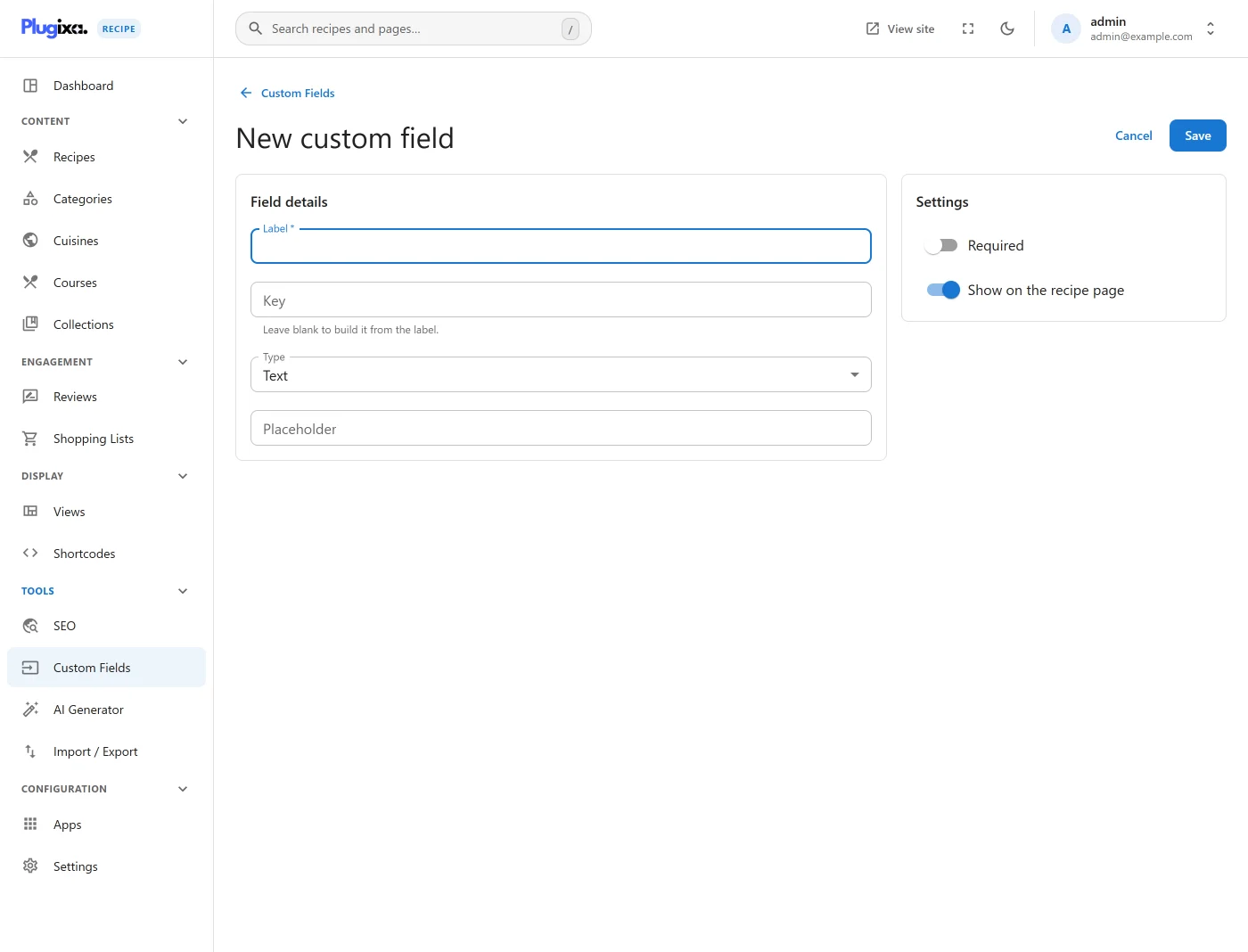
| Field | Description |
|---|---|
Field Key * |
Machine-readable key (e.g., author_bio_url); unique |
Field Label * |
Display label shown in the recipe editor and the frontend |
Field Type * |
text, textarea, number, select, checkbox, radio, date, url |
| Field Options | JSON / comma list - for select, checkbox, radio |
| Placeholder | Input placeholder |
| Required | Must be filled on save |
| Show on frontend | Render on the single recipe page |
| Menu order | Sort position in the editor / frontend |
| Language | Locale when WPML/Polylang is active |
Save. The field now appears on every recipe’s Custom Fields tab.
Filling values on a recipe
Open a recipe, switch to the Custom Fields tab.
Each field renders using its declared type:
text/url/number/date- single input.textarea- multi-line.select- dropdown built fromfield_options.radio- inline option buttons.checkbox- multiple selection, stored as JSON array.
Rendering on the frontend
If Show on frontend is enabled for a field, it appears on the single recipe page in a Custom Fields section below the description:

The template is templates/single-recipe.php; you can override it by copying to wp-content/themes/{your-theme}/plugixa-recipe/single-recipe.php.
Reordering custom fields
From Recipes → Custom Fields → Ordering, drag fields into the desired order. This controls:
- Editor tab order.
- Frontend display order.
Multilingual custom fields
Custom fields follow the same translation-group pattern as categories and cuisines. You can define an author_bio_url field in English and a translated enlace_biografia_autor field in Spanish, share a translation_group between them, and the editor will surface the right label per language.
Programmatic access
Read a custom field value on the frontend:
$value = PlugixaRecipe\CustomFields::get( $recipe_id, 'author_bio_url' );
All custom field values are also emitted in the REST response under custom_fields:
GET /wp-json/plugixa-recipe/v1/recipes/{id}

{
  "id": 42,
  "title": "…",
  "custom_fields": {
    "author_bio_url": "https://example.com/bio",
    "paired_with": ["Merlot", "Chianti"]
  }
}
Why not use WordPress post_meta?
Plugixa Recipe stores recipes in custom tables, not wp_posts. A dedicated wp_plugixa_recipe_meta table gives:
- Faster queries (single table scan with direct index).
- Clean removal on
uninstall.php. - No collision with other plugins’ post meta.
Upgrading from a different FAQ / recipe plugin
Use the Import / Export tool - custom fields can be mapped from incoming CSV / JSON columns into your defined fields during import.