

Contents
Ingredients - Plugixa Recipe
Ingredients are the building blocks of every recipe. Plugixa Recipe supports grouped ingredients (a sub-heading like “For the sauce”), fraction-safe quantities, custom units, and optional affiliate links per ingredient.
Model
Each ingredient row in wp_plugixa_recipe_ingredients has:
| Field | Type | Description |
|---|---|---|
| group_name | VARCHAR(255) | Optional heading - e.g., “For the dough” |
| group_order | INT | Sort position of the group |
| sort_order | INT | Item position within the group |
| quantity | VARCHAR(50) | Accepts fractions: 1/2, 1 ½, 1.5 |
| unit | VARCHAR(50) | g, kg, cup, tbsp, … or free text |
name * |
VARCHAR(255) | Ingredient name |
| notes | VARCHAR(255) | “finely chopped”, “room temperature”, … |
| link_url | VARCHAR(500) | Affiliate / product link |
The quantity is stored as string, not numeric, so recipes can read naturally (“½ cup butter” rather than “0.5 cup butter”).
The ingredients tab
Open a recipe and switch to the Ingredients tab.
Adding items
- Click + Add Ingredient inside a group to add one item.
- Click + Add Group to start a new sub-heading (e.g., “For the topping”).
Reordering
- Drag the handle on the left of each row to reorder within a group.
- Drag an item across groups to move it.
- Drag the group header to reorder whole groups.
Fractions
The form accepts any of these inputs and preserves the original display:
| You type | Displays as |
|---|---|
1/2 |
1/2 |
1 1/2 |
1 1/2 |
1.5 |
1.5 |
0.5 |
0.5 |
When a visitor adjusts servings on the frontend, quantities scale by a float factor - fractions are converted to decimals temporarily for the calculation and rendered back if representable, otherwise shown as decimals.
Affiliate / product links
The link_url is rendered as an outbound link on the ingredient in the frontend template. Use this for Amazon, grocery brand pages, or your own shop products.
2 tbsp · olive oil · → https://amazon.com/your-aff-link
Units
Units are free text by default, so you can type anything into the unit box on an ingredient row.
The plugin also keeps a units table, seeded on activation with 16 units across three types - volume (ml, L, tsp, tbsp, fl oz, cup, pt, qt, gal), weight (g, kg, oz, lb) and count (pc, pinch, clove). Each row carries a system (metric or imperial) and a conversion factor against the base unit for its type.
| Endpoint | Method | Purpose |
|---|---|---|
plugixa-recipe/v1/units |
GET | List units, optionally filtered by system or type |
plugixa-recipe/v1/units/convert |
POST | Convert quantity from from_unit to to_unit |
Both are in the free build. convert requires edit permission, so it is an authoring tool rather than something a visitor can call, and it refuses to convert between different types: grams to cups returns an error, because weight and volume are not interchangeable without a density.
There is no visitor-facing metric/imperial switch. Nothing converts an ingredient on the page. The unit you choose when writing the recipe is the unit a reader sees. The site-wide
measurement_systemsetting picks which system new recipes default to, and the conversion endpoint is available to your own code.
Servings adjuster (frontend)
When config.showServings = true in the view / shortcode config, the single recipe page displays a servings adjuster:
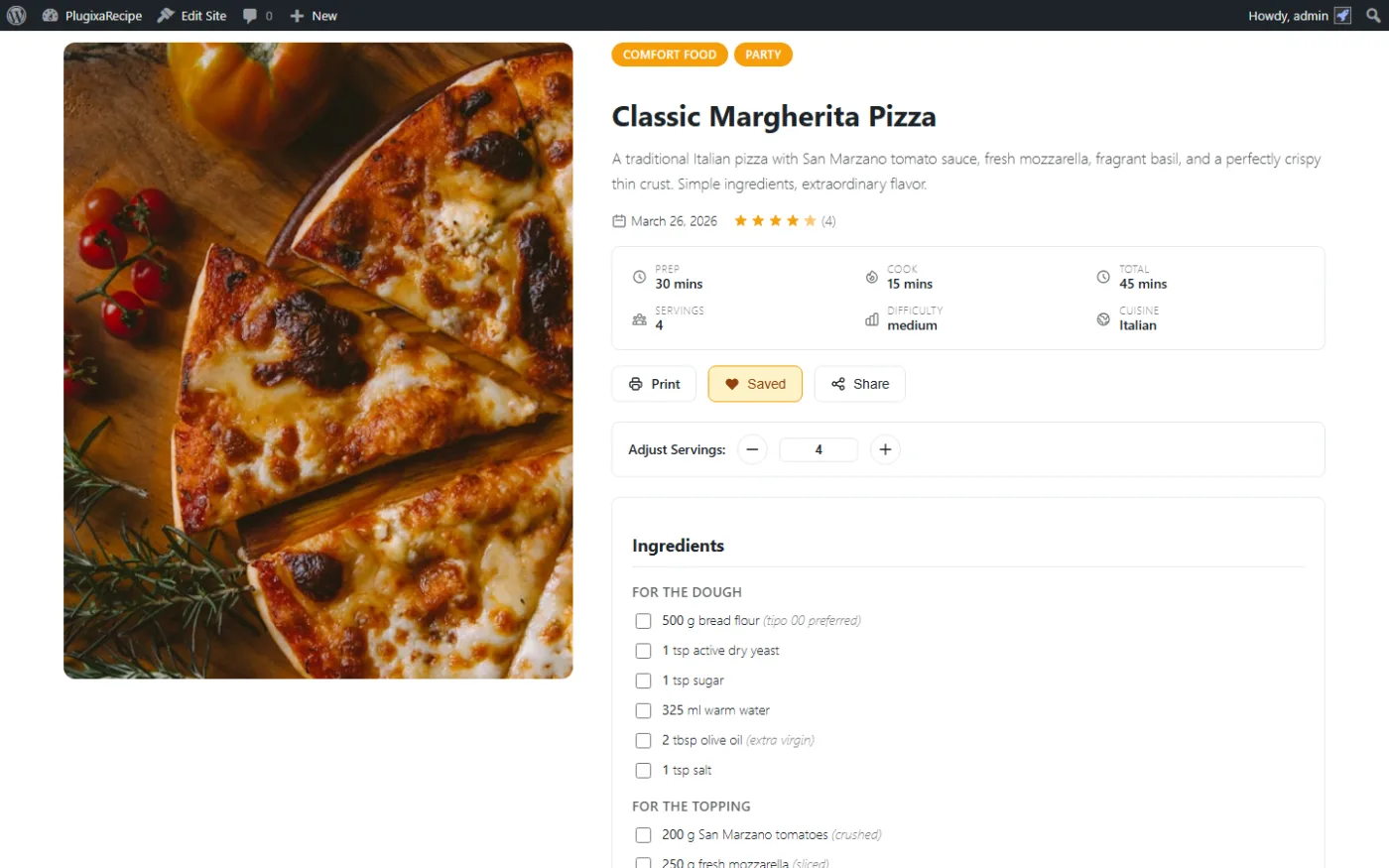
Adjusting the number of servings re-renders ingredient quantities in real time (pure JavaScript - no page reload, no API call). See assets/frontend/js/recipes.js.
Ingredients → shopping list
Logged-in visitors can add any recipe’s ingredients to a shopping list with one click. See Shopping Lists.
Ingredients in schema
Ingredients are emitted into the recipeIngredient property of the JSON-LD structured data (Pro). Each ingredient is output as a single string formatted as {quantity} {unit} {name}{, notes}, following Google’s Recipe guidelines.