

Contents
Collections & Cookbooks - Plugixa Recipe
Collections group recipes into curated sets - cookbooks, themed menus, seasonal picks, or personal favorites. A collection can be public or private, owned by one user, and can serve as a data source for shortcodes.
Collection types
The type column on wp_plugixa_recipe_collections supports four values:
| Type | Purpose |
|---|---|
collection |
General curated list |
cookbook |
A collection intended for long-form publishing |
meal_plan |
Recipes organized by day + meal slot (breakfast/lunch/dinner/snack) - see Meal Planning |
favorites |
Per-user favorites list, auto-created on first favorite |
Managing collections
Navigate to Recipes → Collections.
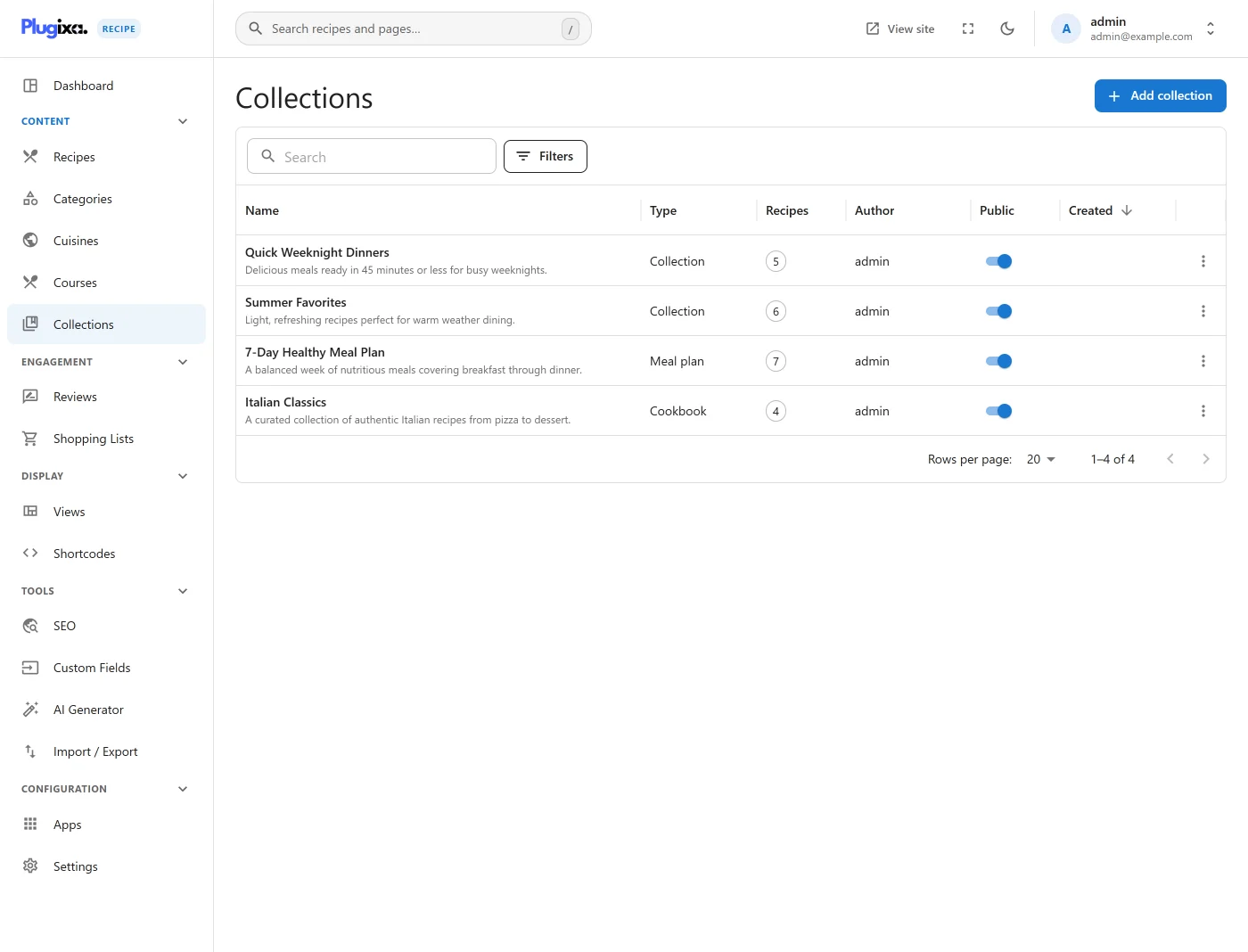
The list shows name, type, owner, recipe count, and visibility. Filters let you narrow by type, visibility, or owner.
Create a collection
Click Add New.
| Field | Description |
|---|---|
Name * |
Display title |
Slug * |
URL-safe identifier |
| Description | Rich text - shown on the collection page |
| Image | Cover image |
| Type | collection / cookbook / meal_plan / favorites |
| Visibility | public / private |
| Status | draft / published |
| Featured | Flag for surfacing on home pages |
| Owner | WP user who owns the collection |
Save. You’re taken to the collection’s recipe picker.
Adding recipes to a collection
The recipe picker is a drag-and-drop canvas.
- Drag recipes from the right-hand panel into the collection area.
- Reorder recipes by dragging inside the collection.
- Remove a recipe by dragging it out (or clicking the trash icon).
Rows in wp_plugixa_recipe_collection_recipes link recipes to collections with a display_order per collection, plus day_number and meal_type fields for meal plans.
Displaying a collection
Use the main shortcode with the collection parameter (see Content Sources):
[plugixa_recipe collection="summer-2026"]
Or show a catalog of collections as cards via a dedicated widget (future release - watch the roadmap).
Favorites collection
Every logged-in user automatically gets a favorites collection the first time they click the ❤️ button on a recipe. It’s not deletable (the heart button would break) but it can be renamed.
Private collections
Set visibility to private to hide the collection from public API endpoints. Only the owner (and admins) see it. Useful for personal cookbooks or internal meal plans.
Sharing a collection
A published collection has a public URL (added to the rewrite rules):
/recipe-collection/{slug}/
The page uses the archive template and renders all recipes in the collection’s order, optionally grouped by day/meal type if it’s a meal plan.