

Contents
AI settings - Plugixa Recipe
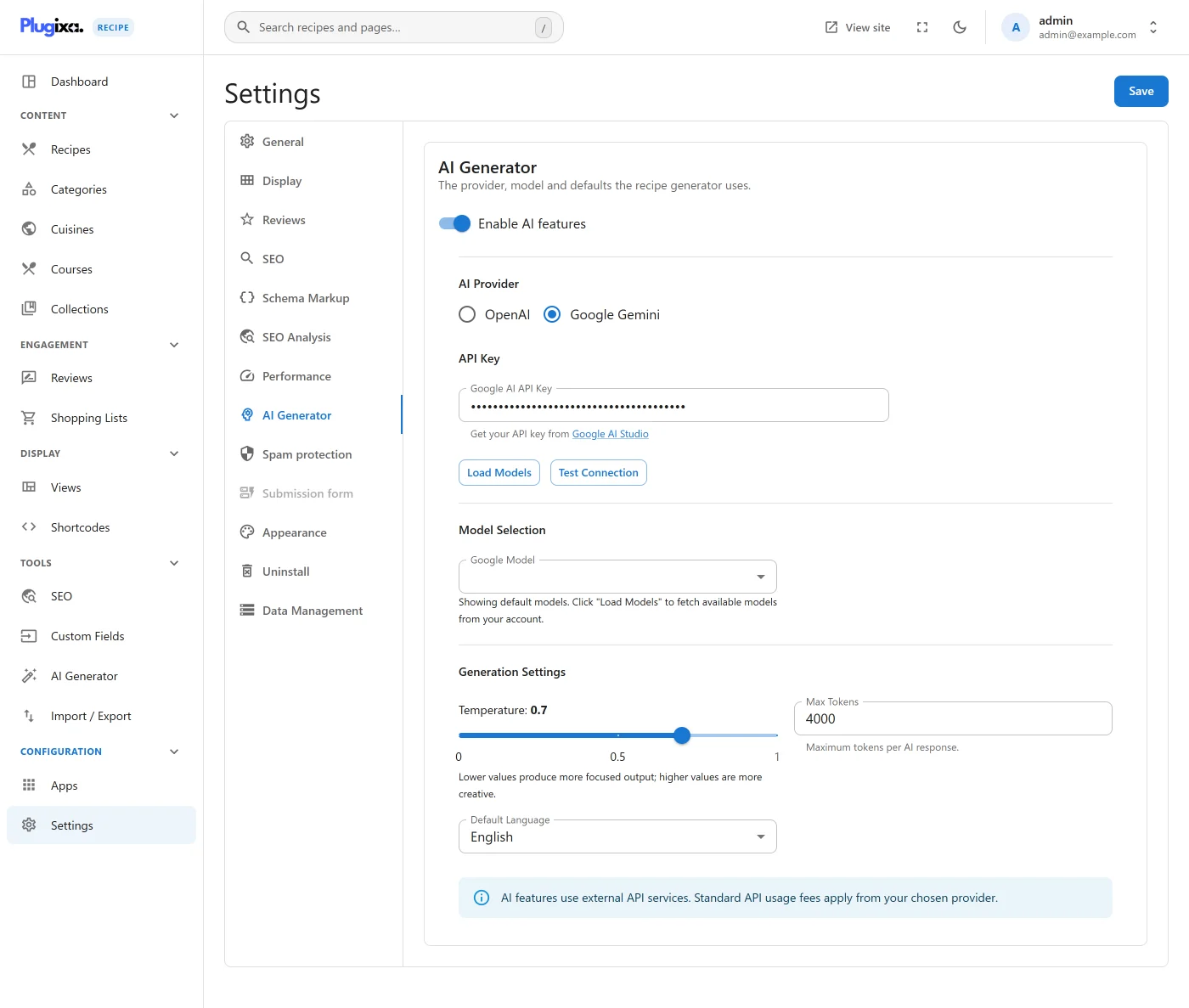
The AI tab configures the LLM provider used by the AI Generator - API key, model, and generation tuning.
Go to Recipes → Settings → AI.
Nutrition is not estimated automatically. There is no setting that fills a nutrition label on its own. The AI Generator has a separate Estimate nutrition action that reads the ingredients and the servings count and returns a per-serving label for you to review before saving.
Options
| Key | Default | Notes |
|---|---|---|
ai_enabled |
false |
Master switch. When off, the AI Generator menu item is hidden. |
ai_provider |
openai |
openai or gemini (Google AI Studio). |
ai_openai_api_key |
(empty) | OpenAI key. Stored in plugixa_recipe_settings and masked in the UI once saved. |
ai_google_api_key |
(empty) | Google AI Studio key, used when ai_provider is gemini. |
ai_model_openai |
gpt-4o-mini |
OpenAI model, e.g. gpt-4o or gpt-4o-mini. |
ai_model_google |
gemini-1.5-flash |
Gemini model, e.g. gemini-1.5-flash or gemini-1.5-pro. |
ai_max_tokens |
4000 |
Output cap. The generator auto-scales this for “expanded” prompts; values below 1500 may truncate nutrition and instruction JSON. |
ai_temperature |
0.7 |
0.0–1.0. Lower is more factual, higher is more creative. |
ai_default_language |
en |
Language code for LLM output. Overridden per-generation in the AI Generator UI. |
Getting an API key
- OpenAI - sign up at platform.openai.com, create a secret key, and paste it. The
gpt-4o-minimodel costs roughly $0.15/1M input tokens - a typical recipe generation is ~$0.002. - Google Gemini - get a free key at aistudio.google.com.
gemini-1.5-flashis free for generous daily quotas.
Click Test Connection to verify the key without burning a full generation. Load Models queries the provider for the list of models your key can access.
Usage & quota
Each generation returns a completion cost in the response. Track total usage in your provider’s billing dashboard - Plugixa does not meter or cap spend itself.
Related
- AI Generator - creating recipes from topics, URLs, or documents
- Custom fields - extend the AI prompt with your own fields PRO
- Settings overview