

Contents
API settings - Plugixa Recipe
The API tab configures the plugin’s REST API. Go to Recipes → Settings → API.
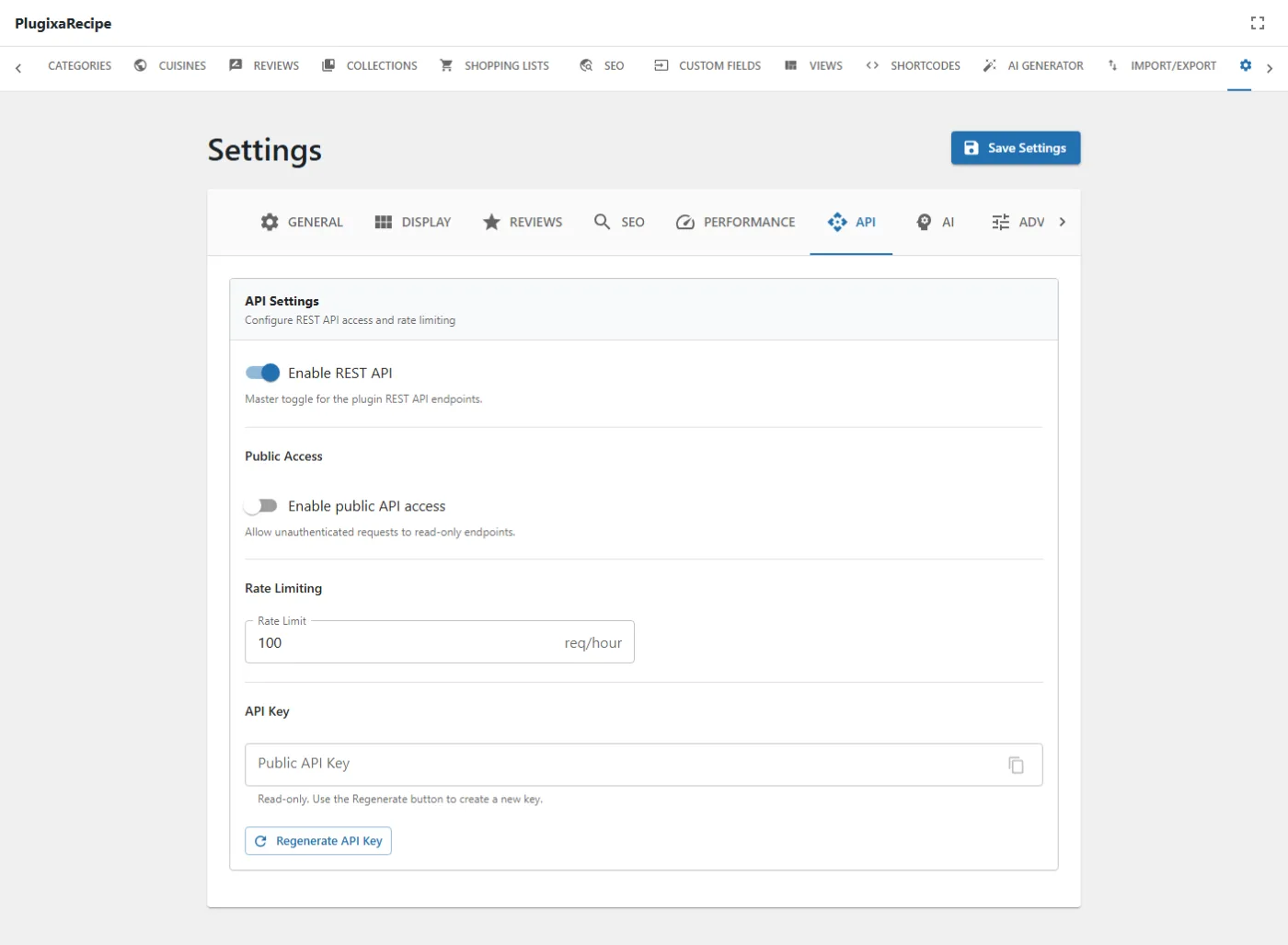
Three of these four controls do nothing yet
enable_rest_api,enable_public_apiandpublic_api_keyare stored, validated and displayed, but no PHP in the plugin reads any of them back. They appear only in the React tab, the TypeScript types, the sanitize switch and the defaults list.In practice that means:
- Turning Enable REST API off does not disable any endpoint.
- Turning Enable public API access off does not close anything, and turning it on does not open anything.
- The Public API Key is generated in your browser with
crypto.randomUUID()and never checked by the server, so it authenticates nothing.Access is decided per route by each controller’s
permission_callback, not by these switches. Do not rely on them to secure an endpoint.api_rate_limit, below, is the one setting on this tab that has an effect.
Options
| Key | Default | Notes |
|---|---|---|
enable_rest_api |
true |
Presented as a master toggle for the plugin’s endpoints. Currently inert: nothing reads it. |
enable_public_api |
false |
Presented as allowing unauthenticated reads. Currently inert: nothing reads it. |
api_rate_limit |
100 |
Requests per IP per hour. This one is real, and is read on the public submission, review and helpful-vote endpoints. |
public_api_key |
(empty) | Generated client-side and stored. Currently inert: no request is ever checked against it. |
How rate limiting actually works
api_rate_limit is a ceiling, not the limit itself. Each public endpoint takes
the lower of your setting and its own hard cap, counted per IP per hour in a
transient:
| Endpoint | Effective cap |
|---|---|
| Recipe submission | min(api_rate_limit, 10) per hour |
| Review submission | min(api_rate_limit, 10) per hour |
| Helpful vote | min(api_rate_limit, 60) per hour |
So raising the setting above 10 does not raise the submission limit, and lowering it below 10 does.
How access is really controlled
Every controller extends RestController and registers its routes with a
permission_callback. Administrative routes check a capability; the public
submission and review routes are deliberately open, because an anonymous
visitor is allowed to perform them, and are defended by Cloudflare Turnstile, a
honeypot field and the hourly rate limits above rather than by a nonce.
If you need the endpoints genuinely closed, remove the capability or block the route at the server; the toggles on this tab will not do it.
Namespace
Every route lives under:
plugixa-recipe/v1
See the REST API reference for the endpoint list.