

Contents
SEO settings - Plugixa Recipe
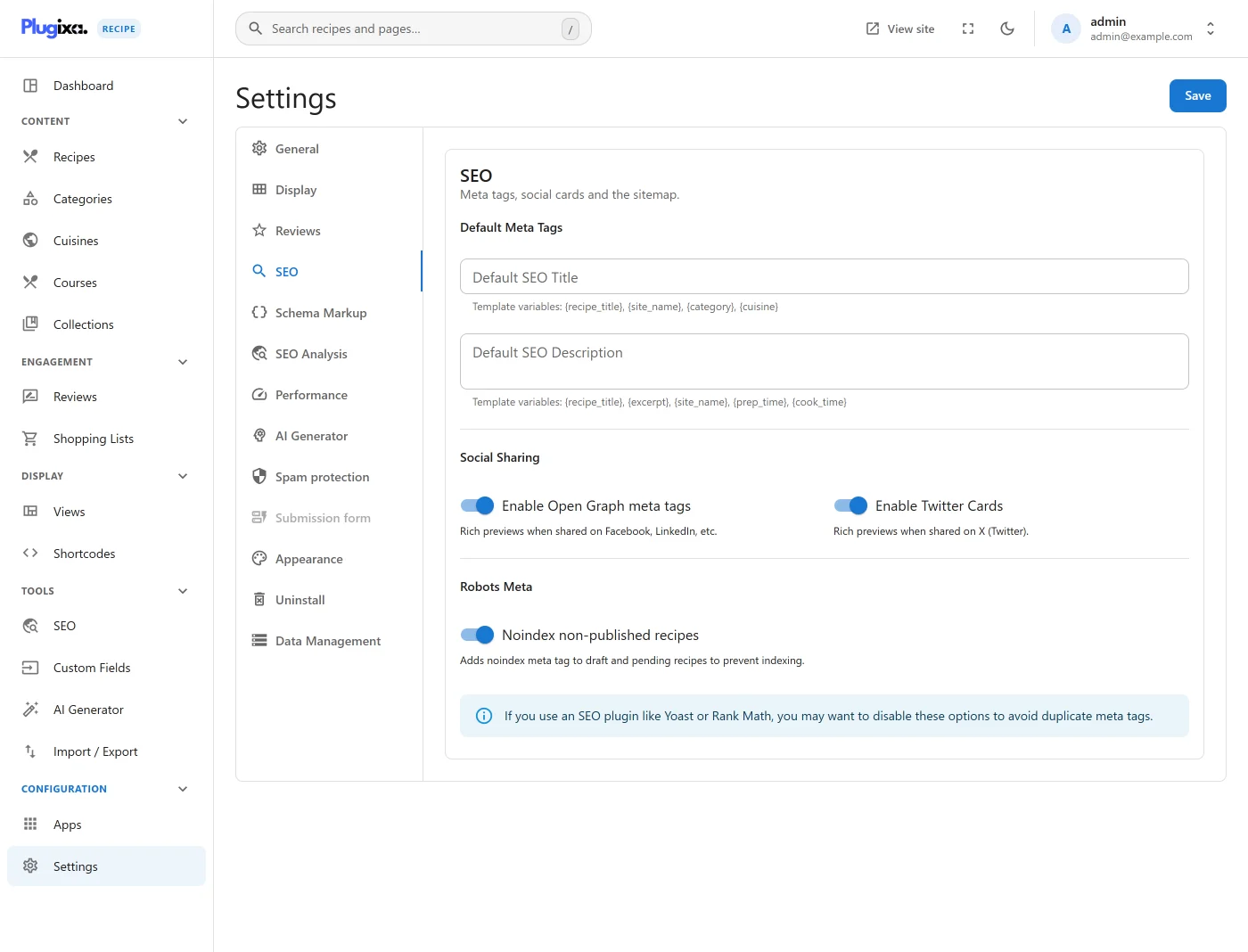
The SEO tab covers structured data, default meta tags, social cards and the robots meta.
Go to Recipes → Settings → SEO.
Options
| Key | Default | Notes |
|---|---|---|
enable_sitemap |
true |
Presented as including recipes in the XML sitemap. Currently inert: no PHP reads it, and the plugin adds nothing to any sitemap. |
default_seo_title |
(empty) | Template. Variables: {recipe_title}, {site_name}, {category}, {cuisine}. |
default_seo_description |
(empty) | Template. Variables: {recipe_title}, {excerpt}, {site_name}, {prep_time}, {cook_time}. |
enable_open_graph |
true |
Emit Open Graph meta tags. |
enable_twitter_cards |
true |
Emit Twitter Card meta tags. |
noindex_draft_recipes |
true |
Add noindex to draft and pending recipes. |
The Schema Markup and SEO Analysis sections in the screenshot are added
by Pro. The free build emits Recipe microdata from the templates, which
needs no setting; Pro adds the JSON-LD block and the analyzer. See
Schema and
SEO Analyzer.
If you also run Yoast, Rank Math or All in One SEO, consider turning the social tags off here to avoid emitting two sets.