

Contents
Categories - Plugixa Recipe
Categories group recipes into user-friendly sections (e.g., Breakfast, Dessert, Soups). Each recipe can belong to multiple categories.
Categories power:
- Filters in the
[plugixa_recipe]shortcode (categories="breakfast,dessert"). - Category tabs / pills / dropdown on the frontend (when enabled in the view).
- The
[plugixa_categories]widget shortcode. - The
/recipe-category/{slug}/archive page.
The categories list
Navigate to Recipes → Categories.
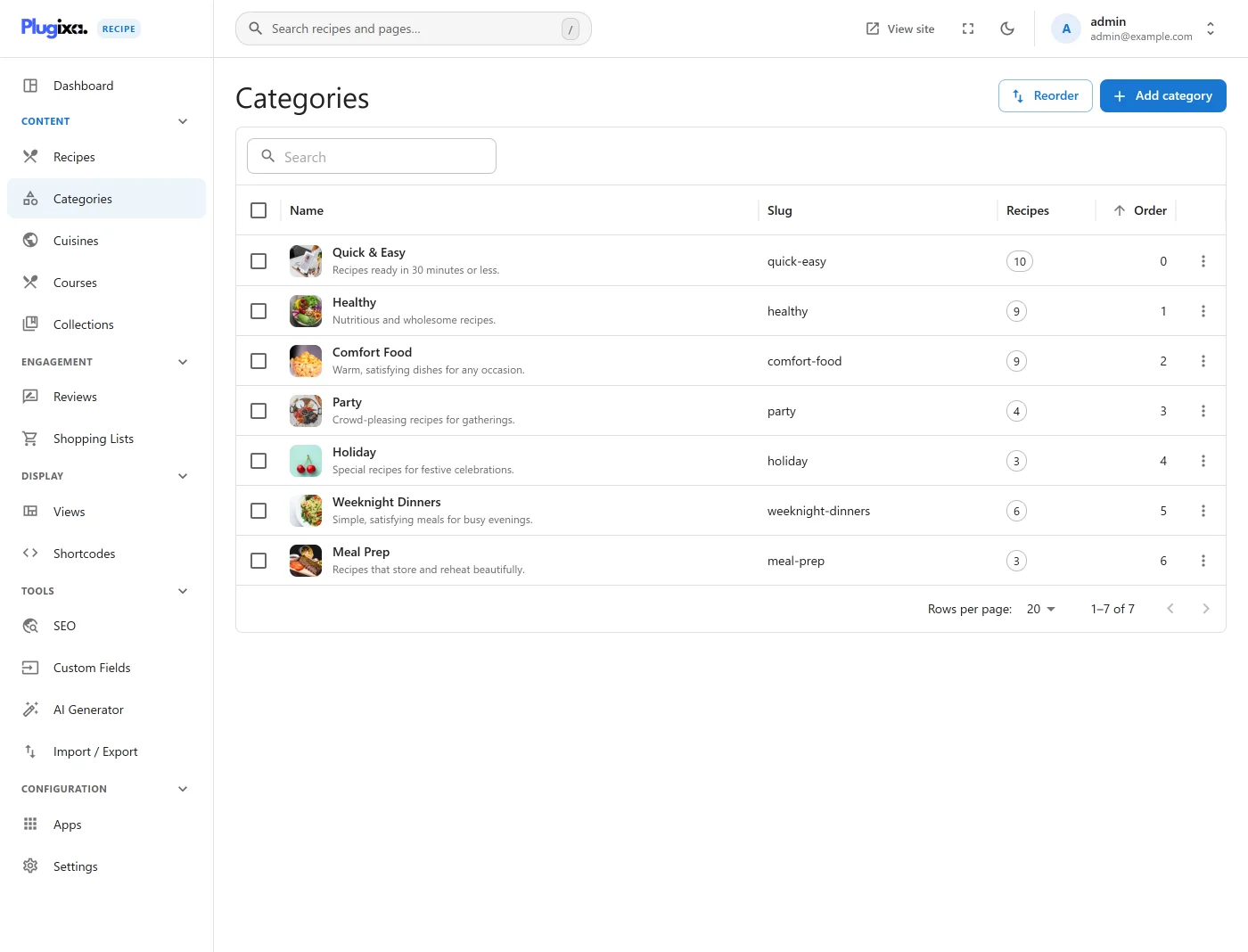
The table shows name, slug, description, image, recipe count, and display order.
Create a category
Click Add New.
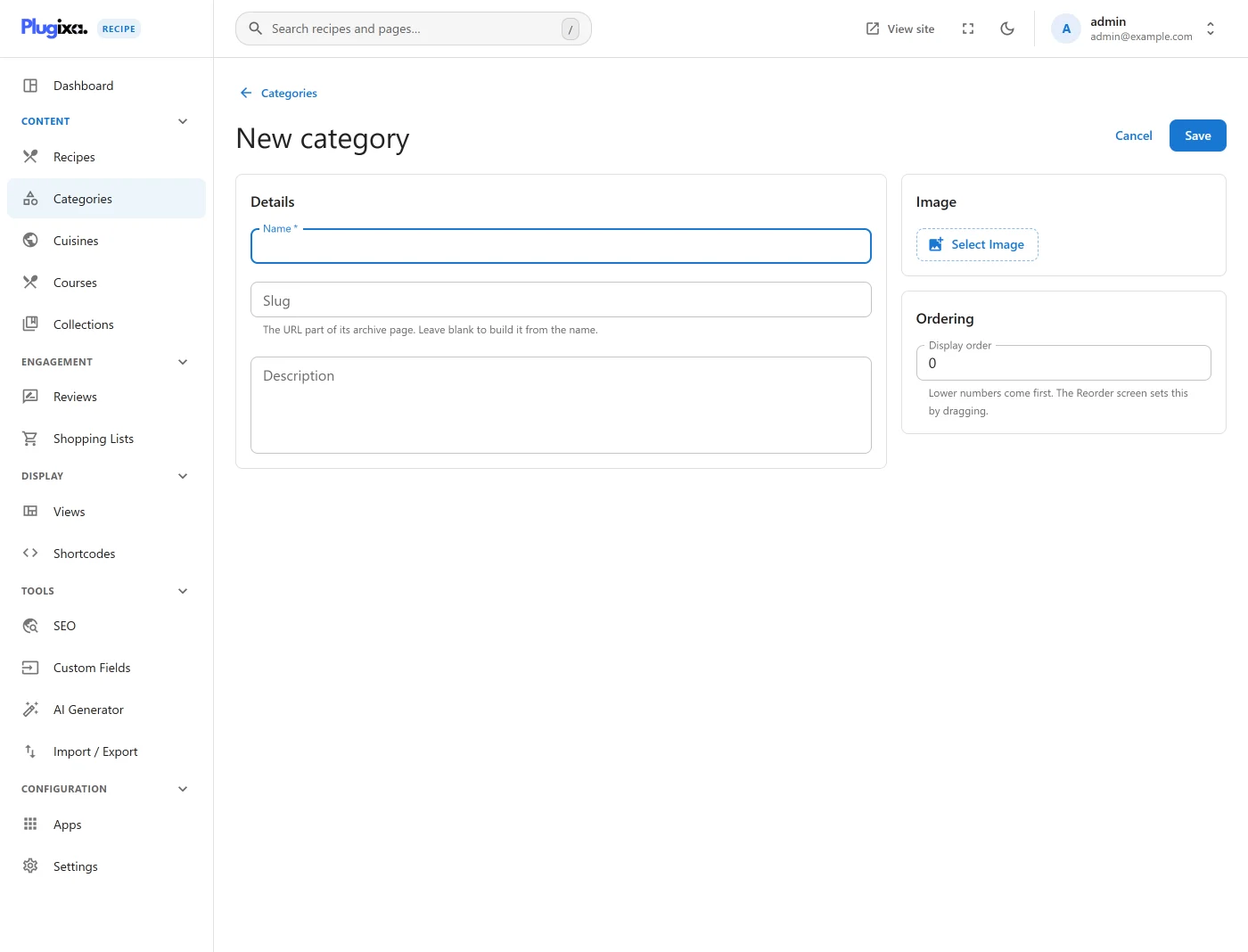
| Field | Description |
|---|---|
Name * |
Display label (e.g., “Breakfast”) |
Slug * |
URL-safe identifier; auto-generated from name |
| Description | Shown on the archive page |
| Image | Category cover image (optional) |
| Language | Locale code when WPML/Polylang is active |
Click Save. The category is written to wp_plugixa_recipe_categories.
Reorder categories
Drag-and-drop from Recipes → Categories → Ordering.
The order is written to display_order and drives the default display of categories in filter bars and the [plugixa_categories] widget.
Assign recipes
From the recipe editor (Tags & Diet tab), pick one or more categories.
The many-to-many link is stored in the wp_plugixa_recipe_recipe_categories table.
Use categories in shortcodes
Limit a grid to one or more categories:
[plugixa_recipe categories="breakfast"]
[plugixa_recipe categories="breakfast,desserts"]
Enable the Category filter bar in the view editor to let visitors filter without reloading. Three display styles are available: tabs, pills, and dropdown (configured in the view editor). Colors, typography, and spacing of the category bar are fully themable - including dark-mode overrides.
Category archive page
Each category is also a standalone archive page at:
/recipe-category/{slug}/
The archive uses the archive.php template (inside a theme wrapper via archive-wrapper.php) and respects the default view’s layout and colors.
Delete a category
Deleting a category removes the category record and its many-to-many links - recipes themselves are preserved.
Multilingual categories
Categories follow the plugin’s translation-group pattern (see Multilingual): translations share a translation_group UUID, each with its own language_code. The REST API automatically filters categories to the active language.