

Contents
Schema / JSON-LD - Plugixa Recipe
When schema output is enabled, Plugixa Recipe emits Recipe JSON-LD structured data in the head of every single recipe page. This is the structured data Google uses for the recipe rich result (card with title, image, rating, cook time, ingredients preview, video carousel).
Enabling schema output
Navigate to Settings → SEO and turn on Enable JSON-LD schema (Pro).
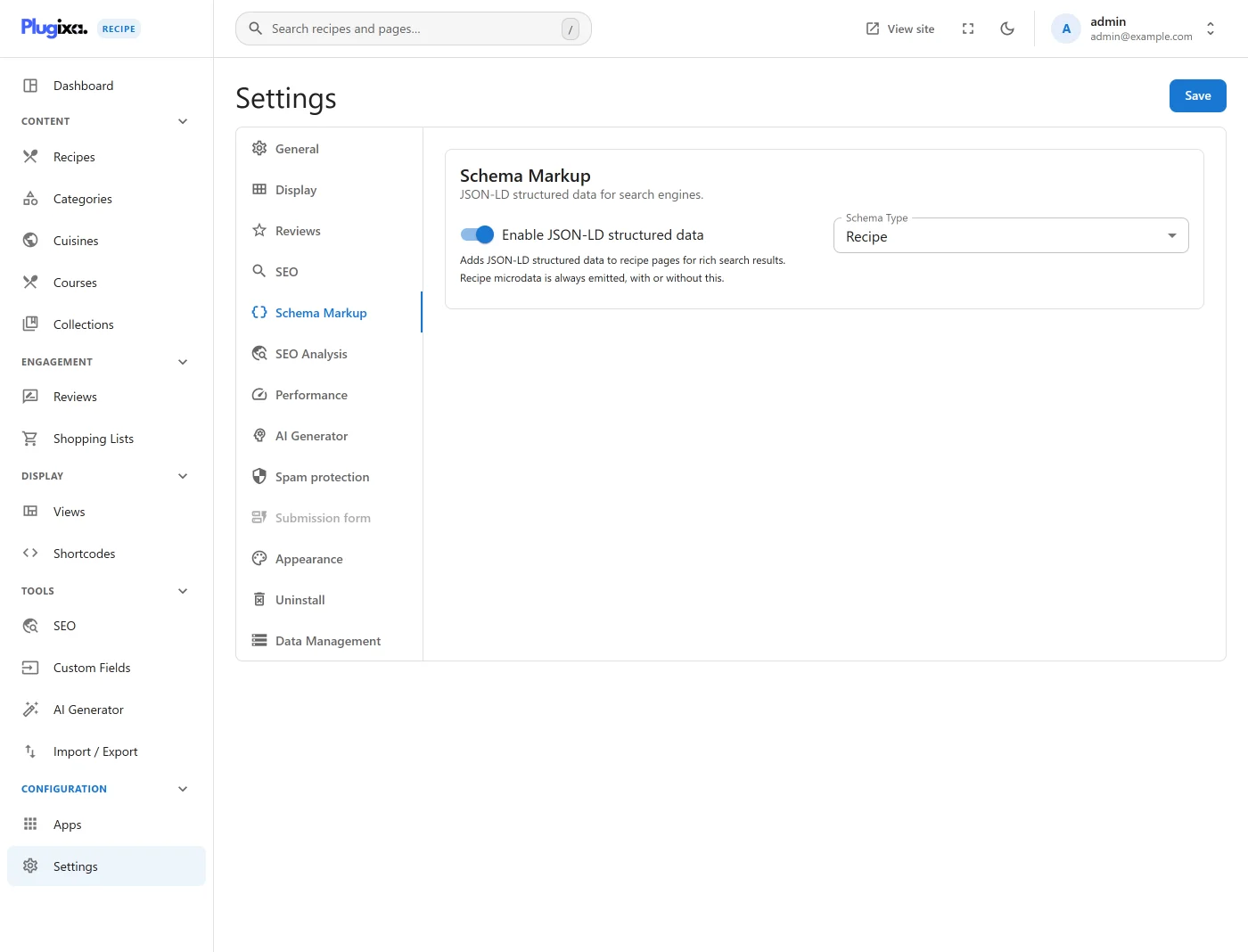
- Schema type:
Recipe(default) orHowTofallback (for recipes that are better described as a set of steps without explicit ingredients). - Aggregate rating: include or hide cached rating data.
- Author override: use recipe
author_nameor the WordPress post author. - Publisher: site name (falls back to WordPress
blogname).
What’s emitted
For a typical published recipe, the plugin emits:
{
  "@context": "https://schema.org",
  "@type": "Recipe",
  "name": "…",
  "image": ["https://example.com/image-1x1.jpg", "https://example.com/image-4x3.jpg", "https://example.com/image-16x9.jpg"],
  "author": { "@type": "Person", "name": "…" },
  "datePublished": "2026-03-15",
  "description": "…",
  "prepTime": "PT15M",
  "cookTime": "PT30M",
  "totalTime": "PT45M",
  "recipeYield": "4 servings",
  "recipeCategory": "Main Course",
  "recipeCuisine": "Italian",
  "keywords": "…",
  "nutrition": { … },
  "recipeIngredient": ["…"],
  "recipeInstructions": [
    { "@type": "HowToStep", "name": "Make the dough", "text": "…", "image": "…", "totalTime": "PT10M" },
    …
  ],
  "aggregateRating": { "@type": "AggregateRating", "ratingValue": 4.7, "ratingCount": 23 },
  "review": [ … ],
  "video": {
    "@type": "VideoObject",
    "name": "…",
    "description": "…",
    "thumbnailUrl": "…",
    "contentUrl": "…"
  }
}
The plugin automatically:
- Provides three image sizes (1:1, 4:3, 16:9) if the underlying attachment can produce them.
- Converts minutes to ISO 8601 durations (
PT15M). - Formats
recipeYieldfromyield_amount+yield_unit, falling back toservings. - Deduplicates diet flags into
suitableForDiet(e.g.,VegetarianDiet,VeganDiet,GlutenFreeDiet).
Testing your schema
- Visit a published recipe page.
- Open Google’s Rich Results Test - see the Rich Results testing tool.
- Paste the URL.
You should see Recipe detected with zero errors.
Opting out per recipe
Uncheck Enable schema on a recipe’s Extras tab to suppress schema output for that specific recipe (for example, a back-of-house internal recipe you don’t want indexed as a rich result).
Multiple recipes per page
If your page is a roundup with multiple [plugixa_recipe] embeds, the plugin only emits schema on single recipe pages (/recipe/{id}/{slug}/), not on grids or archives. This matches Google’s recommendation - rich results should only point at pages about a single recipe.
Debugging
To see exactly what is emitted, view the page source and search for application/ld+json, or paste the URL into Google Rich Results Test. The plugin writes no log of its own.