

Contents
Visitor Account Pages: Saved Recipes, Shopping List, Submissions - Plugixa Recipe
The Visitor Account app gives your readers a corner of the site of their own: the recipes they saved, a shopping list, and the recipes they sent you. It is part of the free plugin and is on by default (Apps > Visitor Account).
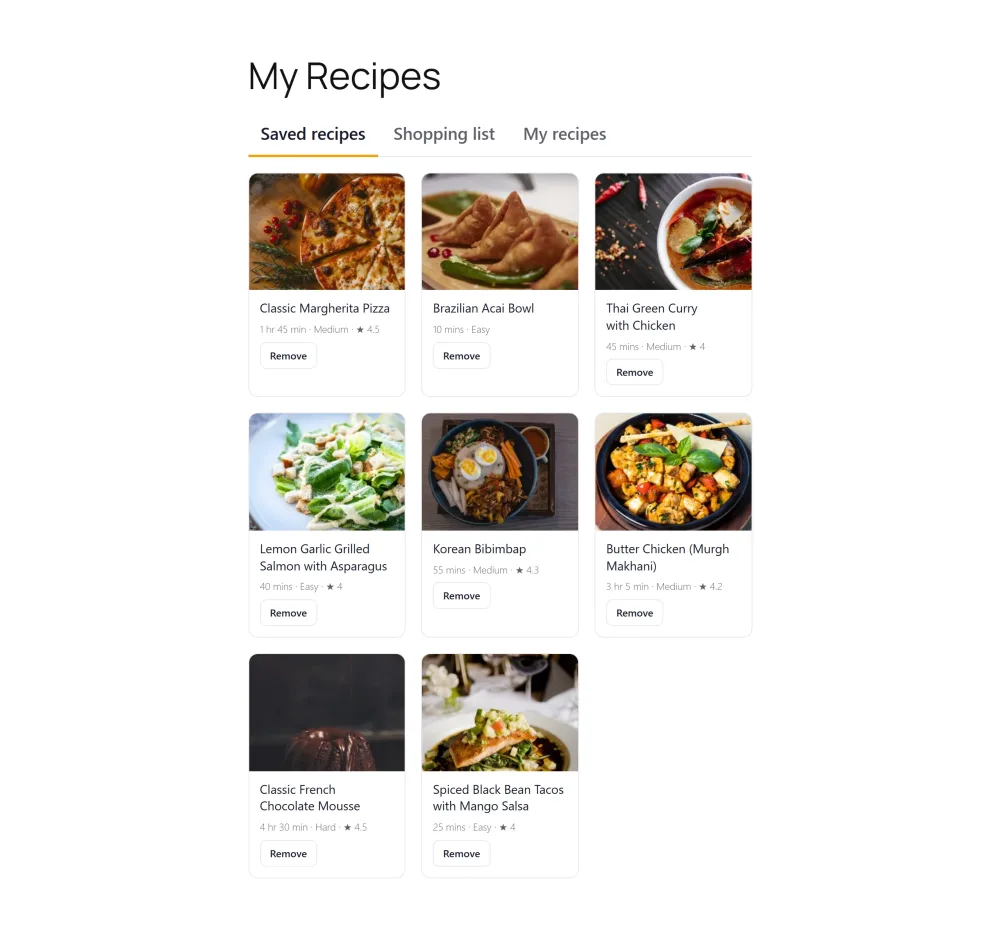
The shortcodes
Create a page, add one of these shortcodes, and link to the page from your menu:
| Shortcode | Shows |
|---|---|
[plugixa_recipe_account] |
All three pages below as tabs: Saved recipes, Shopping list and My recipes |
[plugixa_saved_recipes] |
The recipes the visitor saved with the heart button |
[plugixa_shopping_list] |
The visitor’s shopping list |
[plugixa_my_submissions] |
The recipes the visitor sent through the submission form, with their review status |
[plugixa_recipe_account] is the simplest choice: one page, one menu link. Use the single shortcodes when you want each list on its own page.
Saved recipes
The heart button on recipe cards and recipe pages saves a recipe to the visitor’s Saved recipes. Each saved recipe can be removed from the page. Saving a recipe needs a logged-in visitor and the Favorites app; see Favorites.
Shopping list
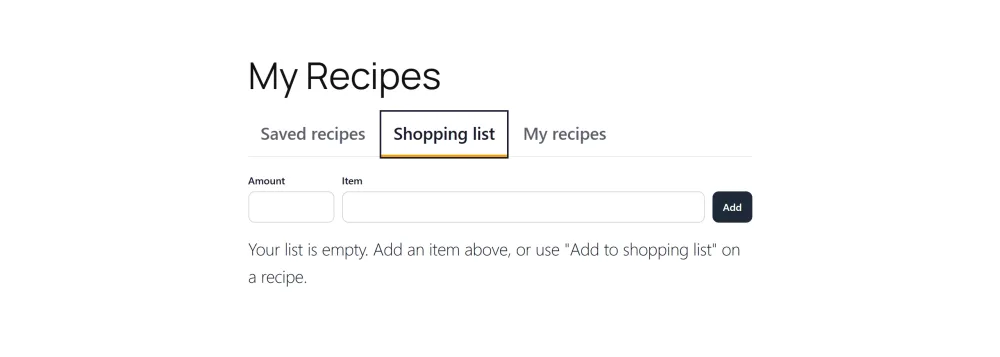
The shopping list fills from two places:
- Add to shopping list on a recipe page adds that recipe’s ingredients as shown on the page (at the reader’s scale and units), minus the ones the reader ticked. See Reader Tools.
- The Amount and Item fields add anything else (“kitchen roll”).
The shopping list works without logging in. For a guest it is kept in the browser. For a logged-in visitor it is saved to their account, so it follows them from the laptop to the phone in the shop. Admins see the saved lists under Shopping Lists in the plugin; see Shopping Lists.
My recipes
The My recipes tab lists what the visitor submitted through [plugixa_recipe_form], with each recipe’s status (waiting for review or published). It needs the Recipe Submissions app and a logged-in visitor.
Privacy and page caching
The account pages are the same for every visitor, so a page cache can keep them. Once the page loads, a script asks the site who is looking and fetches that person’s rows. Every account route answers only for the visitor who calls it: nobody can read or change another visitor’s saved recipes or shopping list.
Related pages
- Favorites: the heart button
- Shopping Lists: the admin side of shopping lists
- Frontend Submission: the recipe form
- Shortcodes: every shortcode in one place