

Contents
Add a Recipe Inside a Post or Page - Plugixa Recipe
Food bloggers usually tell the story first and give the recipe after it. Since version 1.2.0, a whole recipe can sit inside any post or page: ingredients, method, nutrition, reviews and Reader Tools. It is the same recipe and the same template as its own page, so you write it once in the recipe editor and every place it appears stays in sync.
Three ways to embed a recipe
The Recipe block
In the block editor, add the Recipe block (search for “recipe” or “recipe card”) and pick the recipe. The block shows a live preview in the editor. It is a different block from the Plugixa Recipe listing block, which shows a grid of recipes. See Gutenberg Block.
The shortcode
[plugixa_single_recipe id="12"]
| Attribute | Default | Description |
|---|---|---|
id |
required | The recipe ID, shown in the recipe list and in the editor’s address bar |
reviews |
the site setting | yes or no: show or hide the reviews under this embed |
[plugixa_recipe id="..."] is a different shortcode: its id is a saved listing’s ID, not a recipe’s. See Shortcodes.
The Elementor widget
With Elementor active, drag the single-recipe widget from the Plugixa Recipe group onto the page and choose the recipe. See Elementor Integration.
Jump to recipe and Print recipe buttons
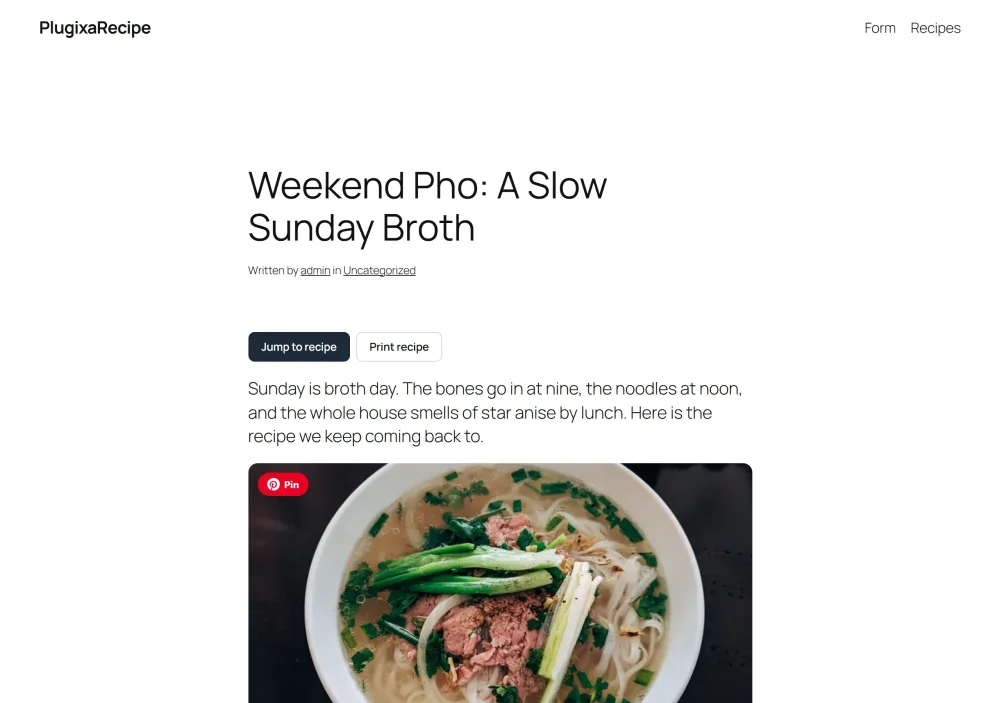
When a post embeds a recipe, Jump to recipe and Print recipe buttons are added above the post content. A reader who came for the recipe skips the story in one click, and the print button prints the recipe alone.
To place the buttons yourself, put this shortcode where you want them. The automatic buttons are then left out:
[plugixa_jump_to_recipe]
[plugixa_jump_to_recipe id="12"]
Without id, the buttons point to the first recipe the post embeds.
To switch the automatic buttons off on some or all posts, use the plugixa_recipe_show_jump_buttons filter:
add_filter( 'plugixa_recipe_show_jump_buttons', function ( $show, $post_id ) {
    return $post_id !== 42; // no buttons on post 42
}, 10, 2 );
SEO: one recipe, one canonical page
Once a recipe is embedded in a post, the post is the page you want Google to rank. Plugixa Recipe handles both sides:
- The post gets the full Recipe structured data (JSON-LD), so it is eligible for recipe rich results. See Schema / JSON-LD.
- The recipe’s own address (
/recipe/{id}/{slug}/) names the post as its canonical, so search engines do not see two competing copies of the same recipe.
Embed each recipe in one post. If the same recipe is embedded in several posts, the first post that embedded it keeps the canonical, so a later post never moves a canonical search engines already know. Developers can change the address with the plugixa_recipe_canonical_url filter.
A numbered round-up of recipes
For “best of” and collection posts, list several recipes as a numbered round-up. Each entry links to the recipe’s page:
[plugixa_recipe_roundup ids="14,16,7"]
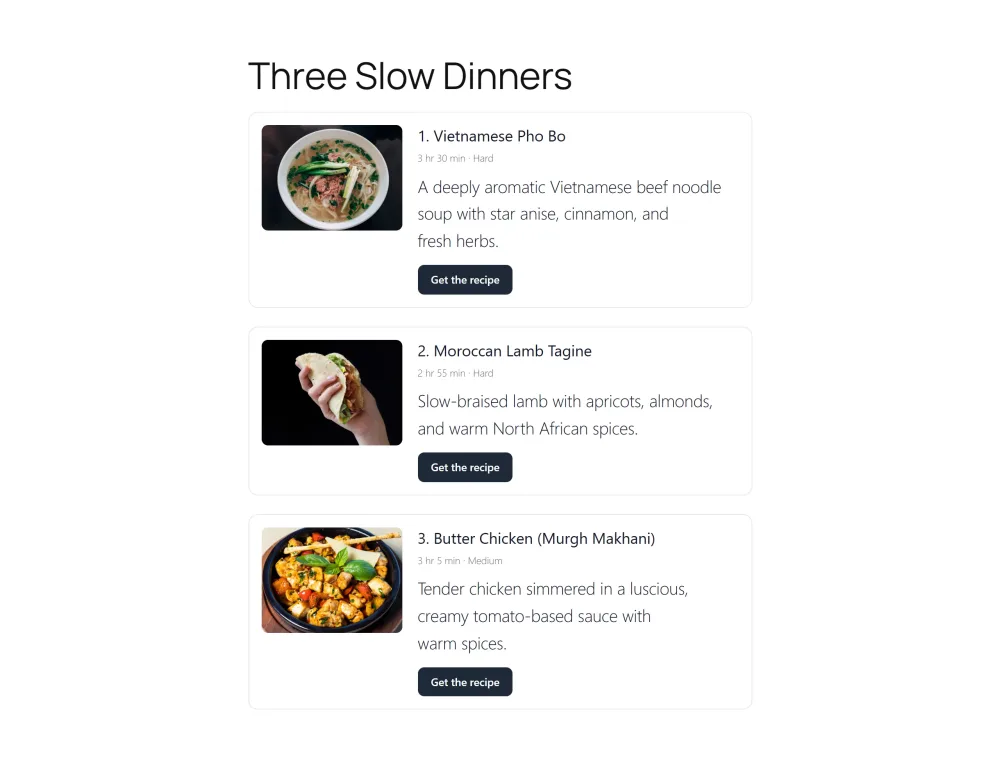
The recipes appear in the order of ids, each with its photo, total time, difficulty, summary and a Get the recipe button. The page’s structured data describes the round-up as a list (ItemList) of those recipes.
A “Surprise me” link
[plugixa_surprise_recipe label="Surprise me"]
This shortcode prints a link that opens a recipe picked at random among your published recipes. The link is the same for every visitor, so the page that carries it can be cached; the recipe is picked when the link is followed.
Related pages
- Shortcodes: every shortcode and its attributes
- Reader Tools: scaling, units, timers and cook mode, also on embedded recipes
- Permalinks & URLs: recipe and print page addresses