

Plugixa Recipe 1.4.0: Recipe Layouts, Roles and Permissions, and a New Free and Pro Split
Plugixa Recipe 1.4.0 is out. It brings Recipe Layouts, five ways to lay out a whole recipe page and your category pages, and roles and permissions for sites where more than one person writes. It also redraws the line between Free and Pro: five apps that were free move to Pro, and the free plugin stays a complete recipe plugin. This post says exactly what moved, what stays free, and what happens to your data.
Recipe Layouts: five ways to present a recipe
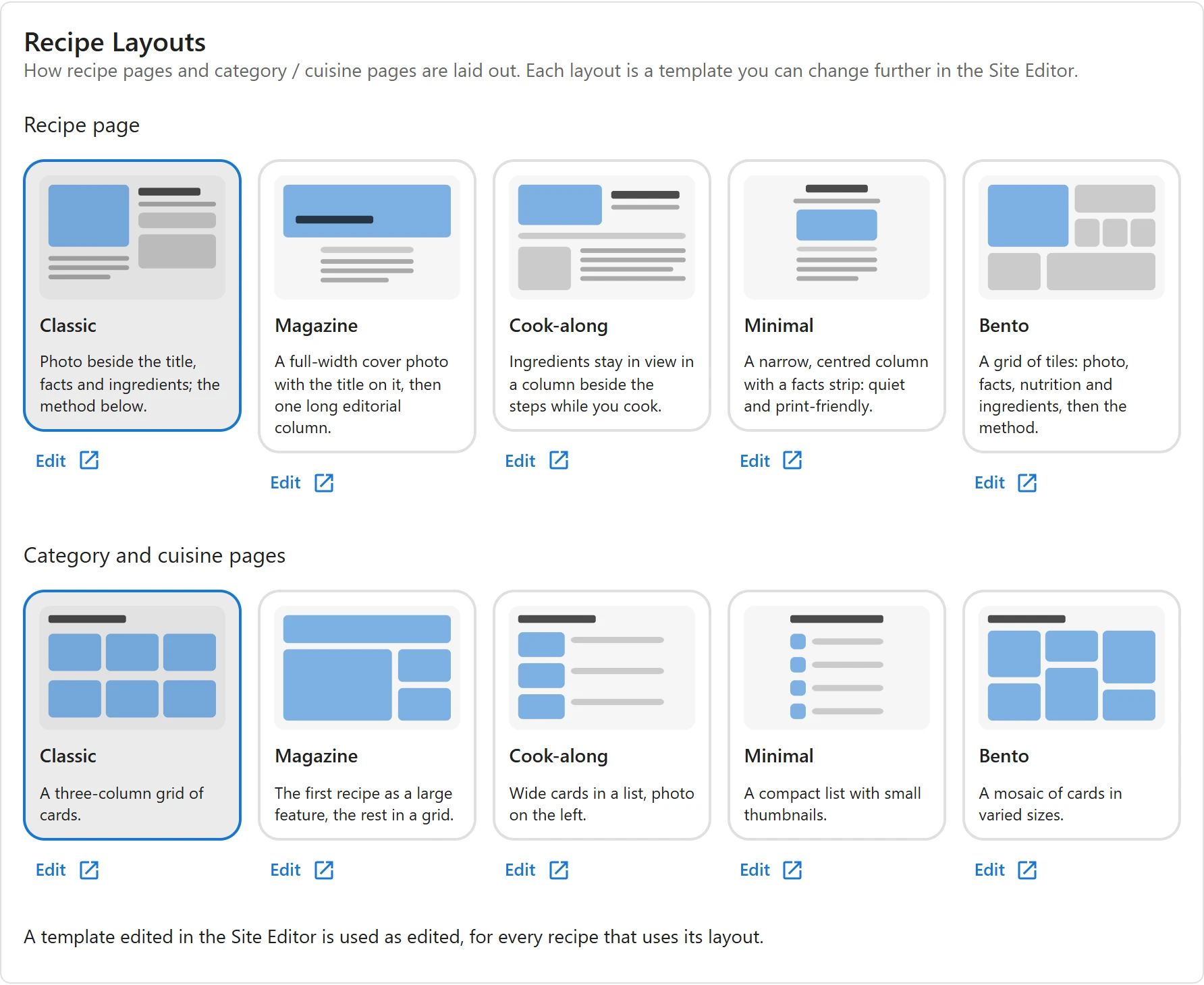
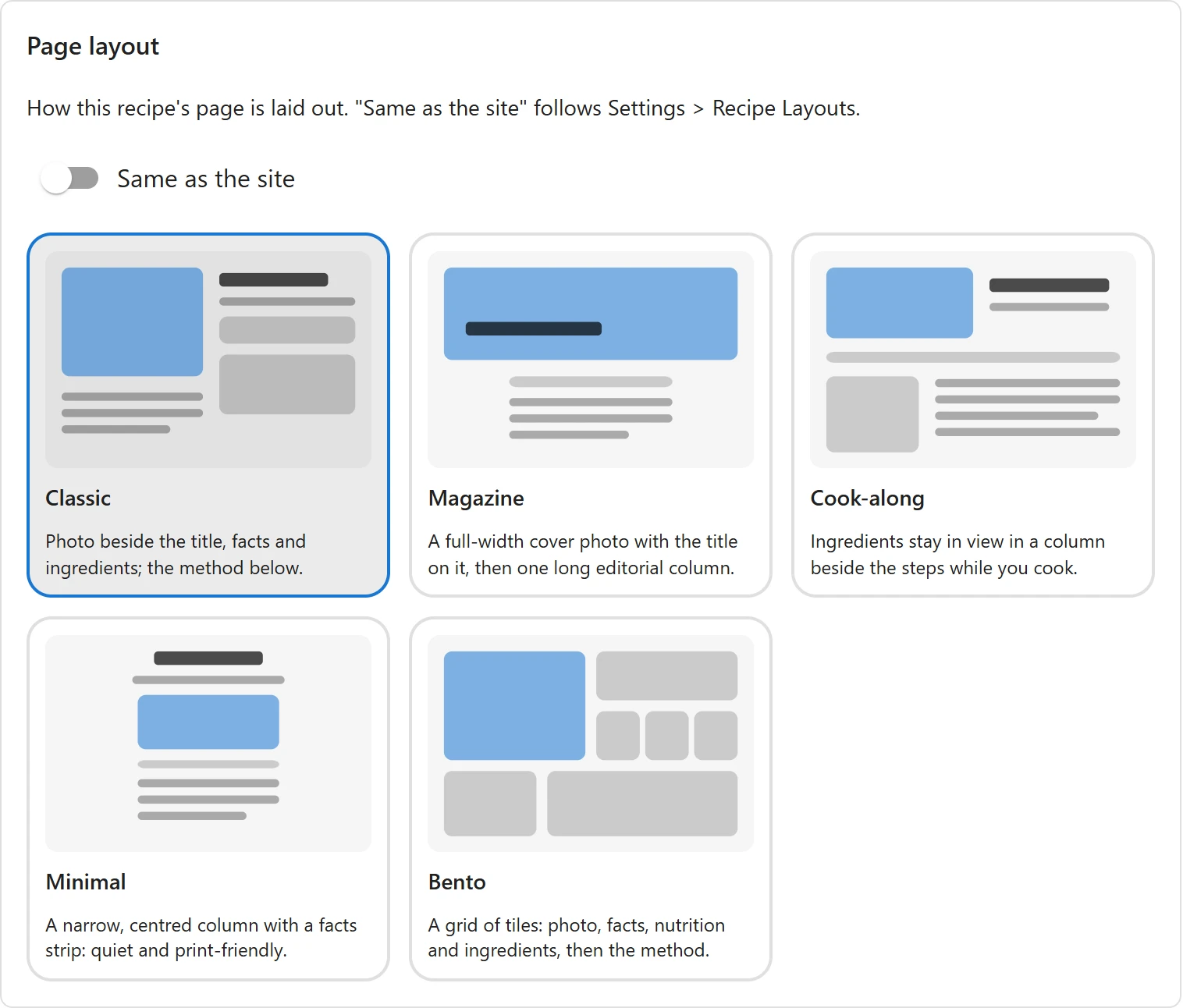
Until now every recipe page had one look. Pro now ships five layouts, for the recipe page and for category and cuisine pages:
- Classic: the photo beside the title, facts and ingredients, the method below. This is the look recipe pages have always had.
- Magazine: a full-width cover photo with the title on it, then one long editorial column.
- Cook-along: the ingredients stay in view in a column beside the steps, so nobody scrolls back up with floury hands.
- Minimal: a narrow, centred column with the facts in one strip. Quiet, and it prints well.
- Bento: a grid of tiles for the photo, the facts, nutrition and ingredients, then the method.
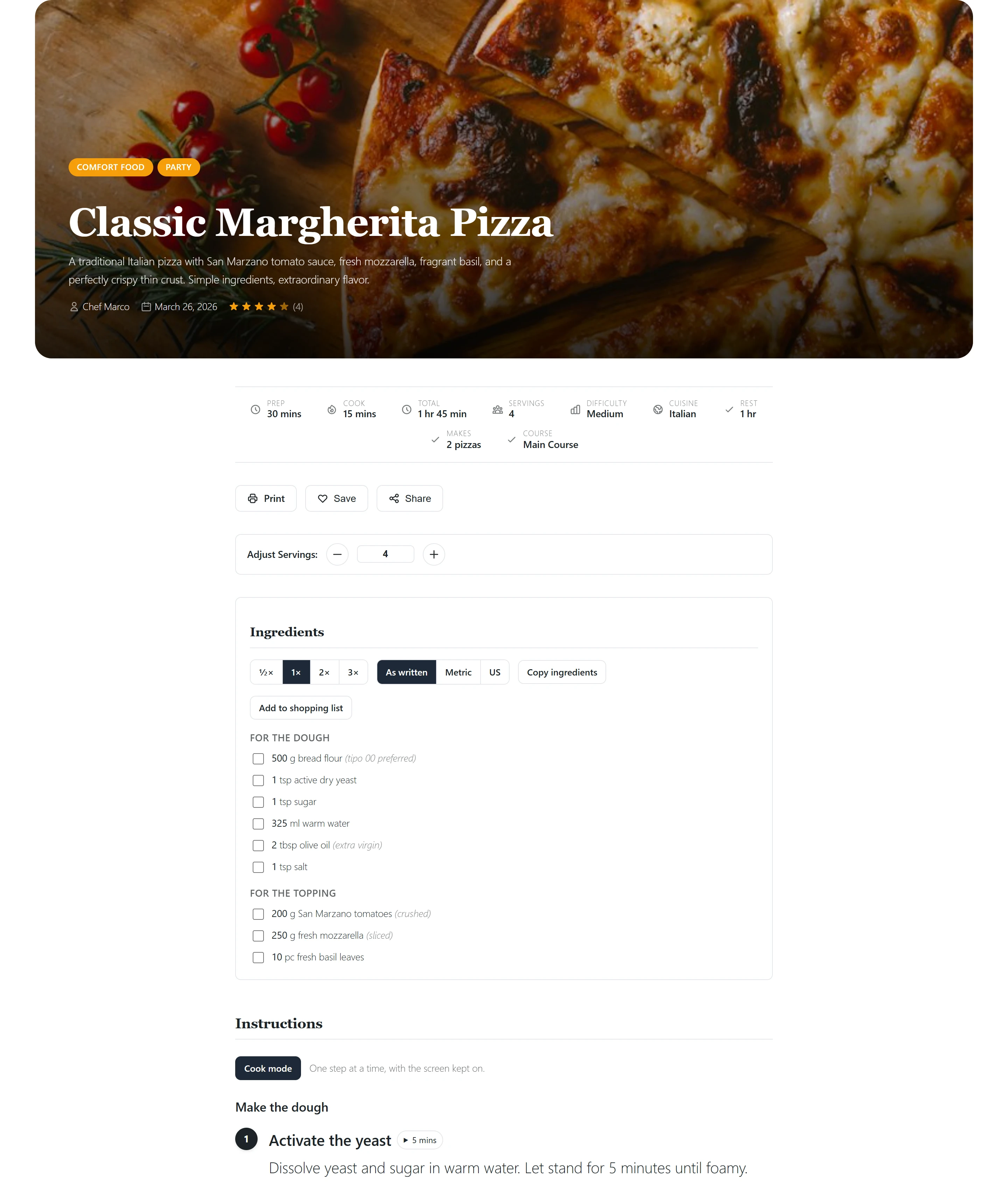
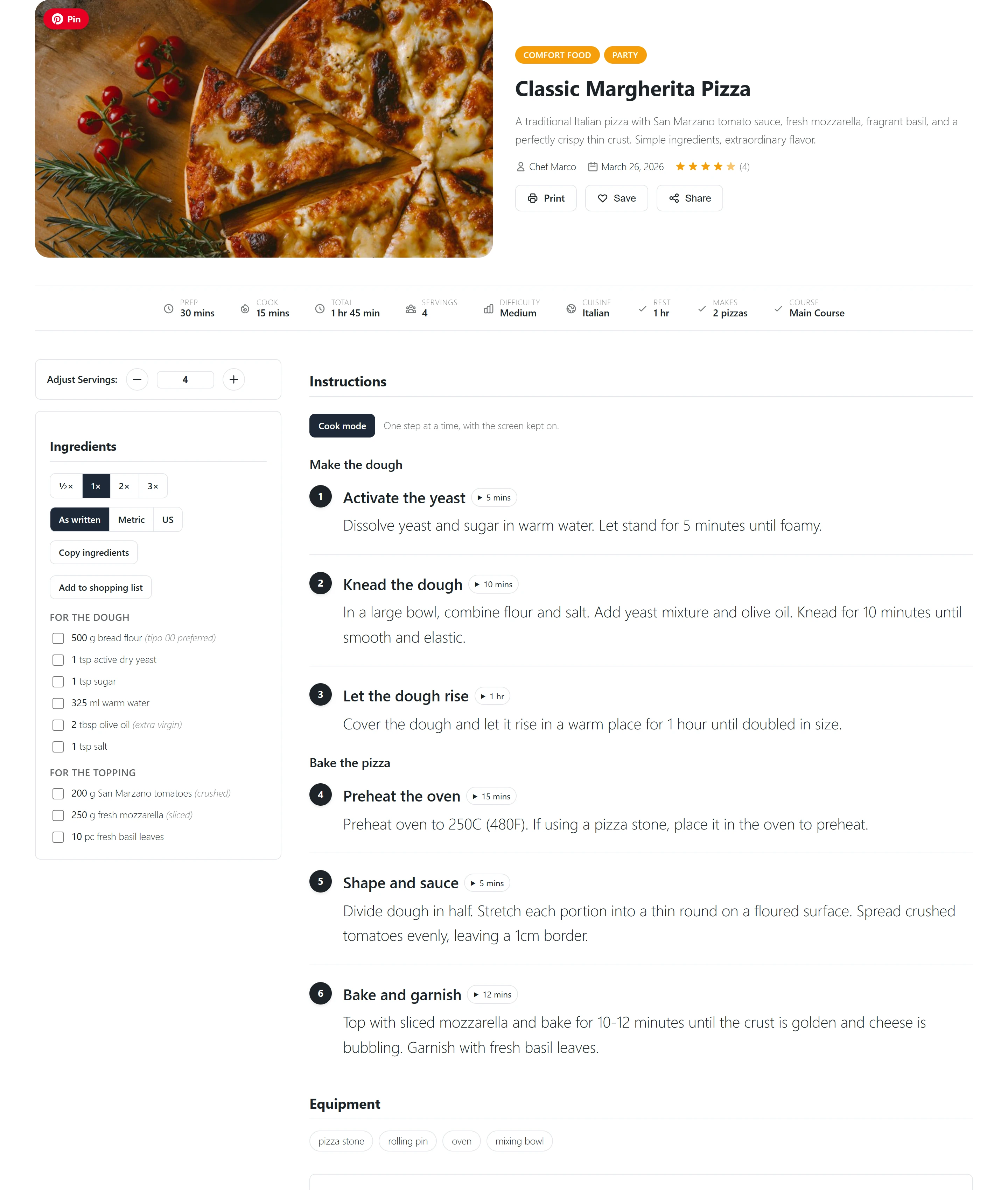
Pick the layouts for the whole site under Settings > Recipe Layouts, one for recipe pages and one for category and cuisine pages:
A single recipe can break from the site’s choice. In the recipe editor, the new Page layout section has a Same as the site switch; turn it off and pick a layout for that recipe alone. A showpiece recipe can use Magazine while the rest of the site stays on Classic.
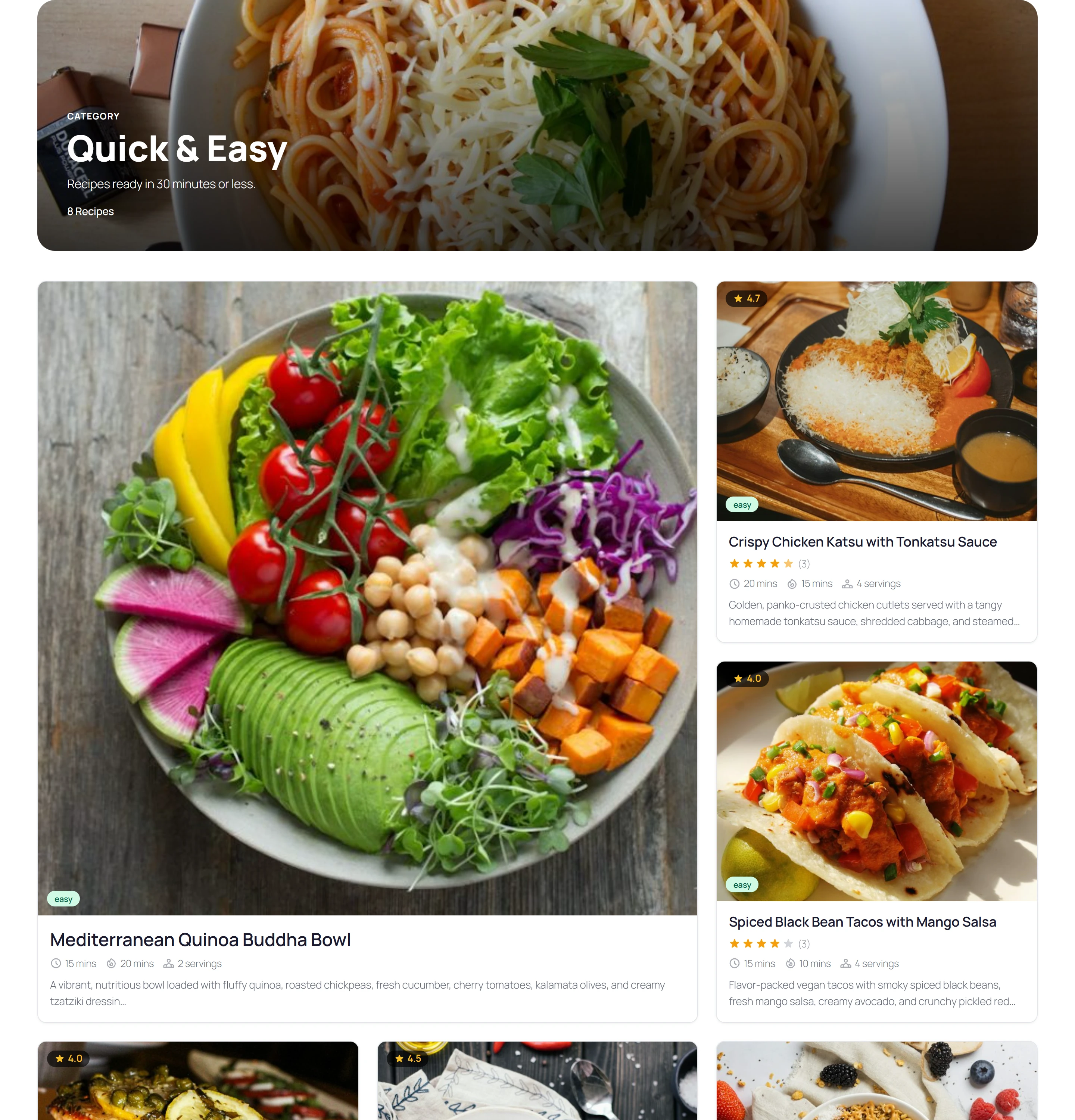
The archive layouts change how a category lists its recipes, from a three-column grid to a magazine feature, wide cards, a compact list or a mosaic:
Each layout is a block template. On a block theme such as Twenty Twenty-Five, the Edit link opens it in the Site Editor, where the recipe’s image, title, ingredients, method and reviews are blocks you can move, remove or surround with your own. Your edited copy is used for every recipe on that layout, and Reset takes it back to the shipped design. On a classic theme the layouts are drawn between your theme’s own header and footer. Whatever the layout, the recipe’s structured data, title and address stay the same, so search results are not affected.
The Recipe Layouts guide shows all ten designs.
Roles and permissions for your team
A food site with several writers often needs a contributor who writes recipes but never publishes them, or a helper who moderates reviews and nothing else. Two new Pro apps handle that.
User roles lists your WordPress roles and lets you tick what each may do in the recipe app. A ready-made Recipe Contributor role is included.
Permissions goes further. A permission role says, for recipes, reviews, collections, categories, cuisines, courses, units, views and shortcodes, whether its people may view, create, edit and delete all records, only their own, or none, with extra abilities such as publishing, approving reviews, importing or using the AI tools.
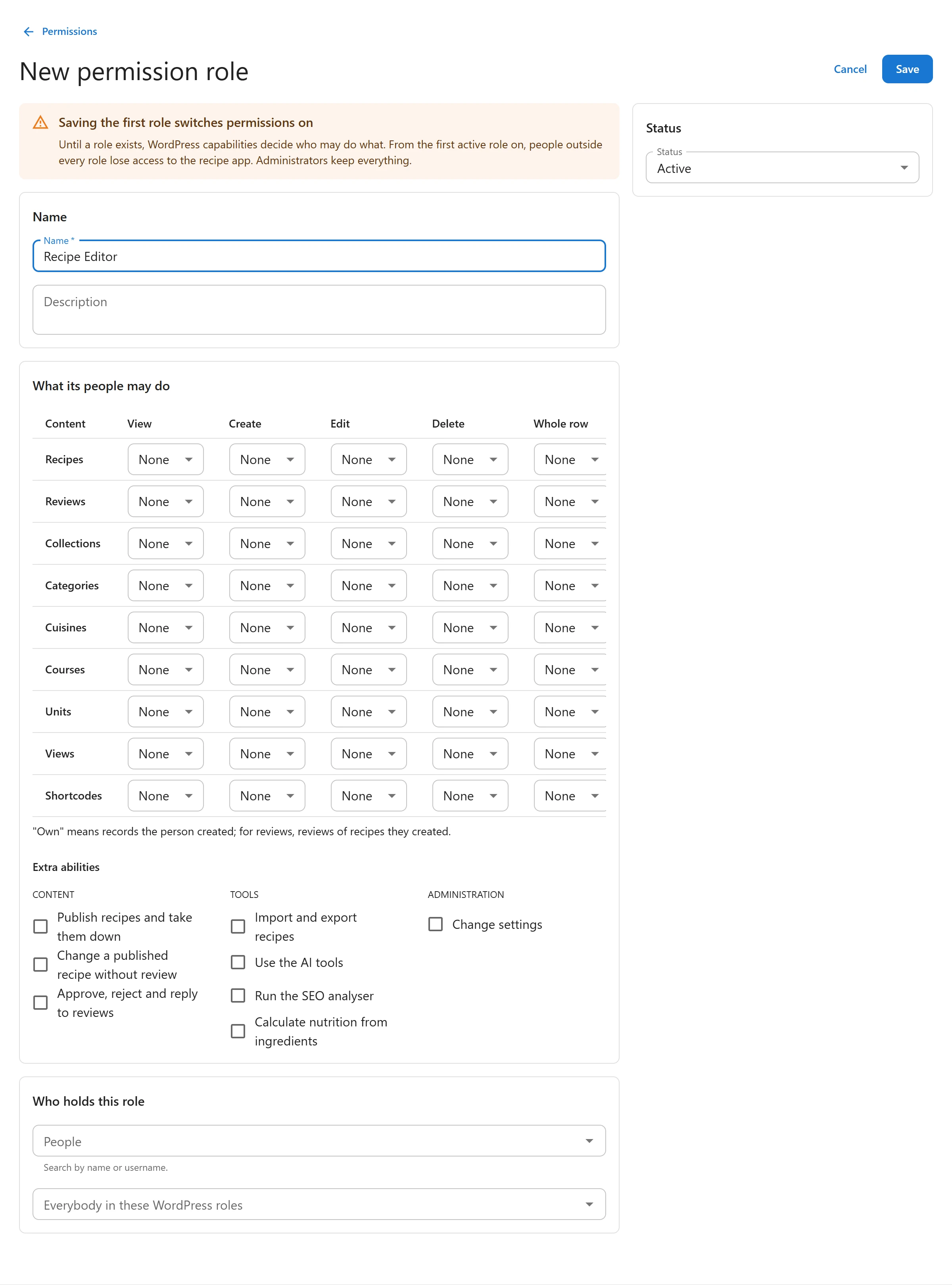
Nothing changes until you save the first role, and administrators always keep full access. The screen warns before that first save and lists who reaches the app today, so nobody is locked out by surprise. See Roles & Permissions.
Members who send recipes through the submission form can now also edit their own submissions from their My recipes page. An edited published recipe goes back to review.
What moved from Free to Pro
Five apps that were part of the free plugin are now part of Pro:
| App | What it covers |
|---|---|
| Collections | Collections, cookbooks and meal plans |
| Shopping Lists | Lists in the admin, the visitor’s own list and Add to shopping list |
| Recipe Submissions | The [plugixa_recipe_form] form, the My recipes page and member edits |
| Nutrition Calculator | Nutrition worked out from the ingredients with USDA FoodData Central |
| Reader Tools | ½× to 3× scale buttons, metric and US units, copy ingredients, step timers, cook mode, step progress and private notes |
Each one keeps its app name, its database tables and its settings, so moving to Pro changes where the code ships, not how the feature works.
What stays free
The free plugin on WordPress.org is still a full recipe plugin, not a demo: the one-page recipe editor, grouped ingredients and instructions, the four listing layouts with saved Views and shortcodes, the Gutenberg blocks and Elementor widgets, a recipe inside any post, the servings adjuster on every recipe page, reviews with photos and admin replies, favorites and the saved recipes page, the nutrition label, the print page, the Pin button, Recipe JSON-LD for Google’s rich results, WPML and Polylang, and the REST API.
What happens to your data
Nothing is deleted, on any site.
- On the free plugin, your collections, meal plans, shopping lists, submitted recipes and their settings stay in your database, untouched. Visitors see nothing where a moved shortcode sits; whoever may switch apps on sees a short note in its place, with a link to Apps.
- With Pro, they come back exactly as they were, with the same app switches and settings. Pro also tidies up after a recipe that was deleted while the site ran free, so a meal plan never points at a recipe that is gone.
The moderation email and the largest photo a visitor may upload now live in Settings > Notifications & uploads, which stays free because reviews use them too.
Also in 1.4.0
- A category or cuisine page number past the last page answers “not found” instead of an empty page that search engines could index.
- The rating summary sits beside its bars on wide screens, recipe cards lift on hover, and review photos respond to the pointer. These styles were written but never compiled.
- The servings adjuster no longer writes metric amounts as fractions (“233 1/3 g”).
- Demo data gives every recipe, category and cuisine its own matching photo.
- For developers, the recipe page template is built from parts in
views/single/and the archive fromviews/archive/, so a child theme can override one part instead of the whole page.
See the Free vs Pro comparison for the full matrix, and every change in the 1.4.0 changelog.