

Contents
On this page
Recipe Layouts - Plugixa Recipe
Recipe Layouts PRO change how a whole recipe page is laid out, and how category and cuisine pages list their recipes. There are five layouts: Classic, Magazine, Cook-along, Minimal and Bento. You pick one for the whole site, and a recipe can use a different one. Each layout is a block template, so on a block theme you can change it further in the Site Editor.
Recipe Layouts are part of Plugixa Recipe Pro since version 1.4.0. The free plugin draws every recipe page with the Classic layout.
Choose the site’s layouts
Go to Plugixa Recipe > Settings > Recipe Layouts. The section has two rows of five:
- Recipe page: the layout of every recipe’s own page.
- Category and cuisine pages: the layout of
/recipe-category/{slug}/and/recipe-cuisine/{slug}/.
Click a layout, then Save.
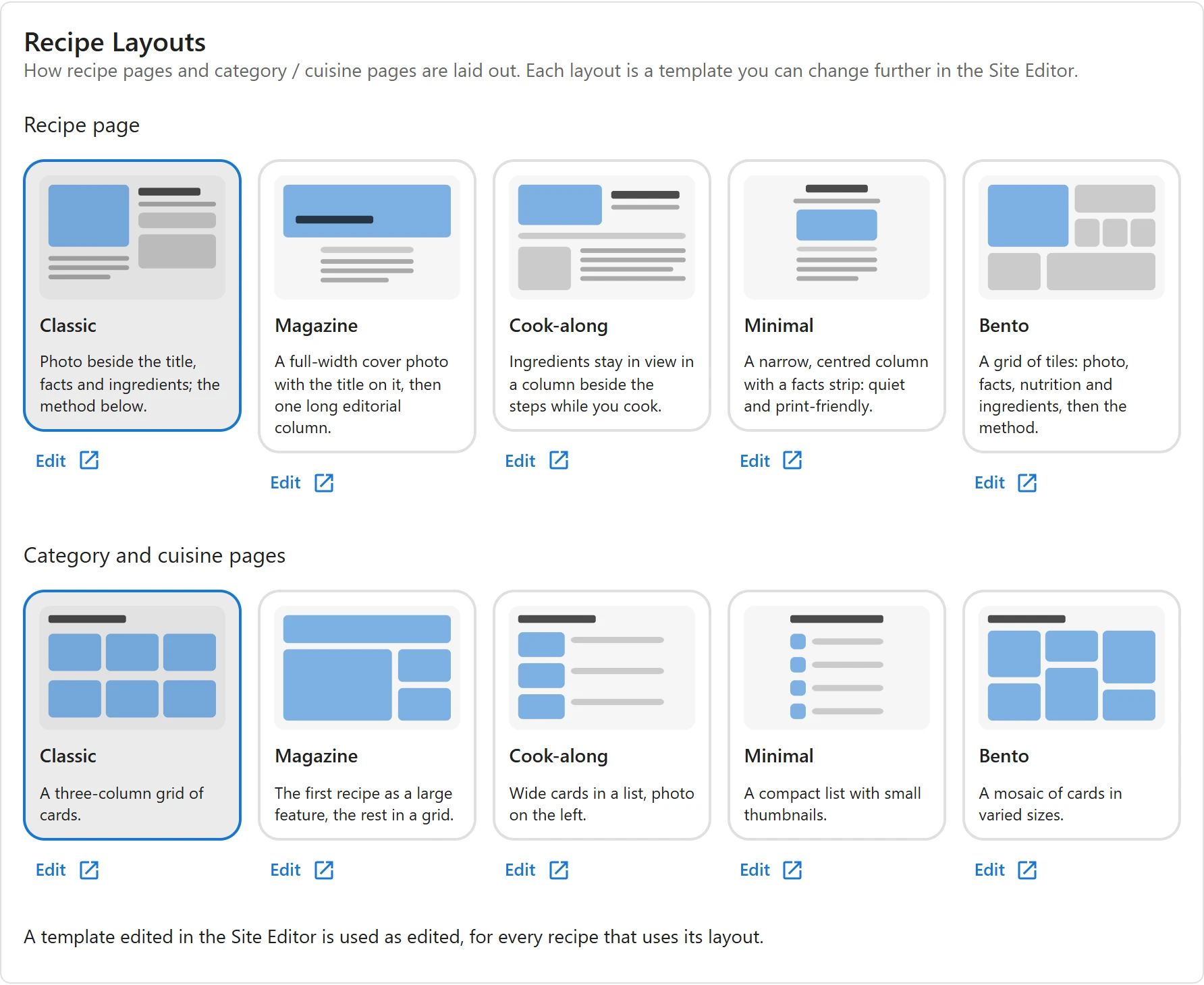
The section needs the Recipe Layouts app, which is on by default in Pro (Plugixa Recipe > Apps).
The five layouts
| Layout | Recipe page | Category and cuisine pages |
|---|---|---|
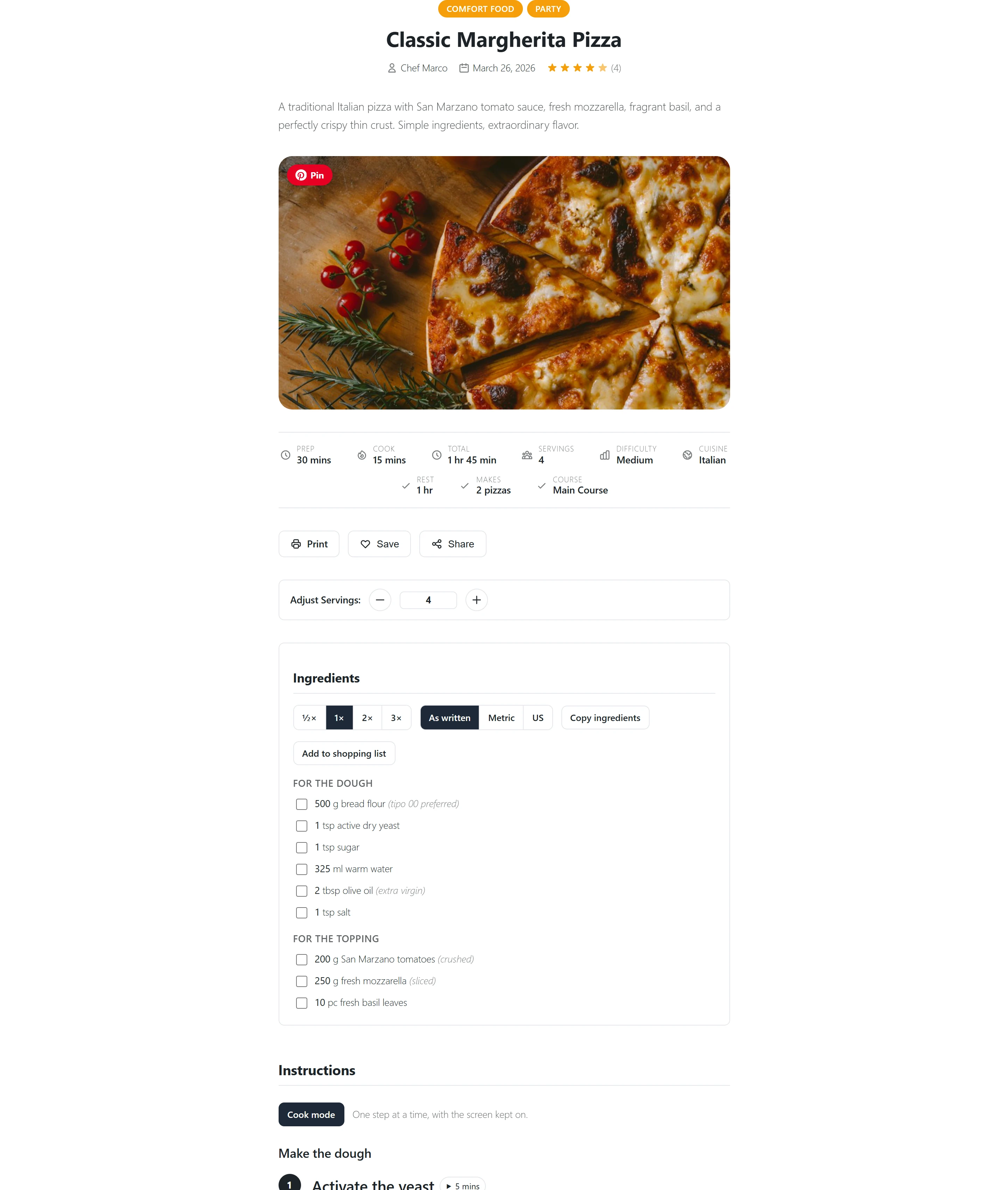
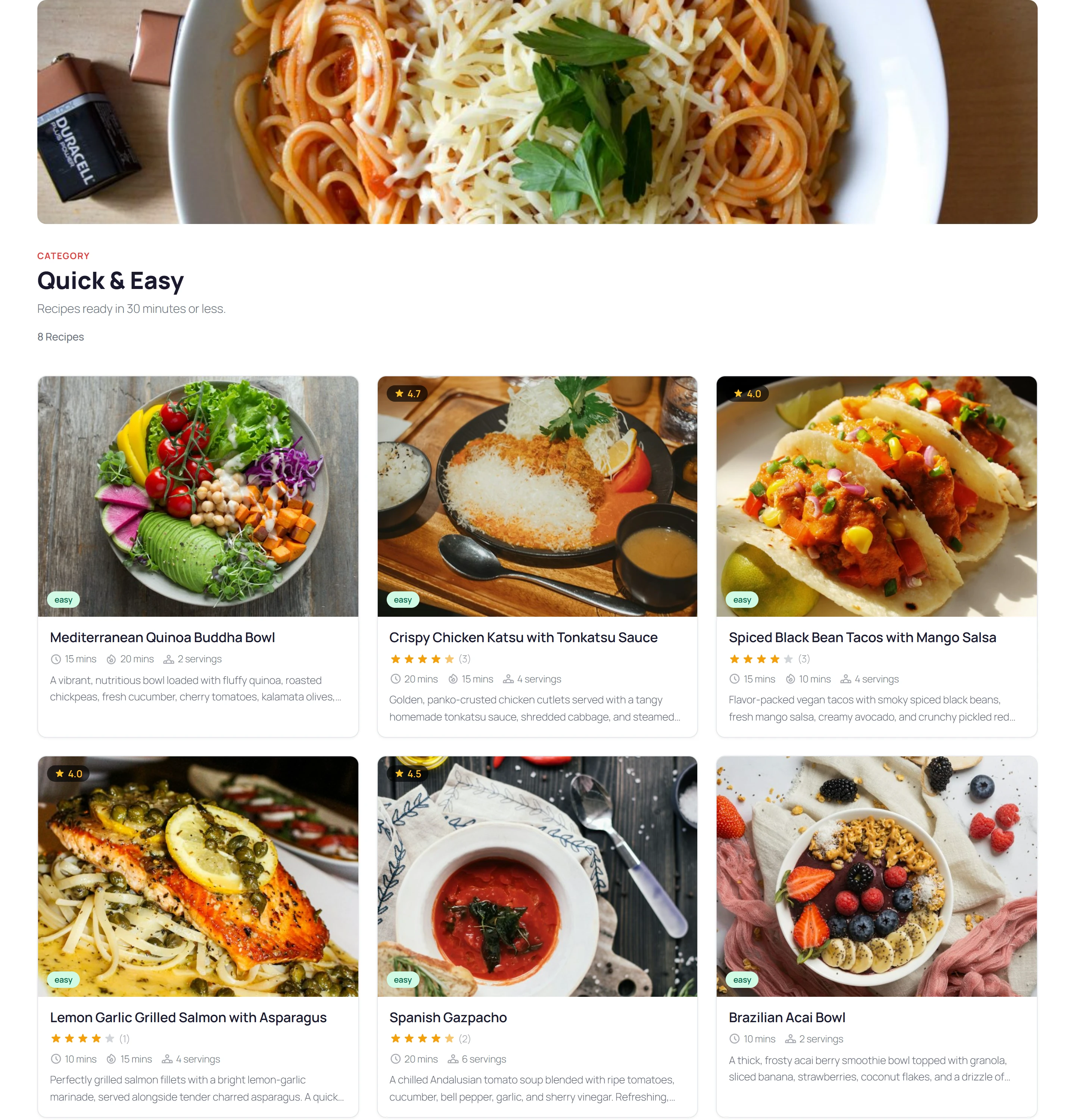
| Classic | Photo beside the title, facts and ingredients; the method below. | A three-column grid of cards. |
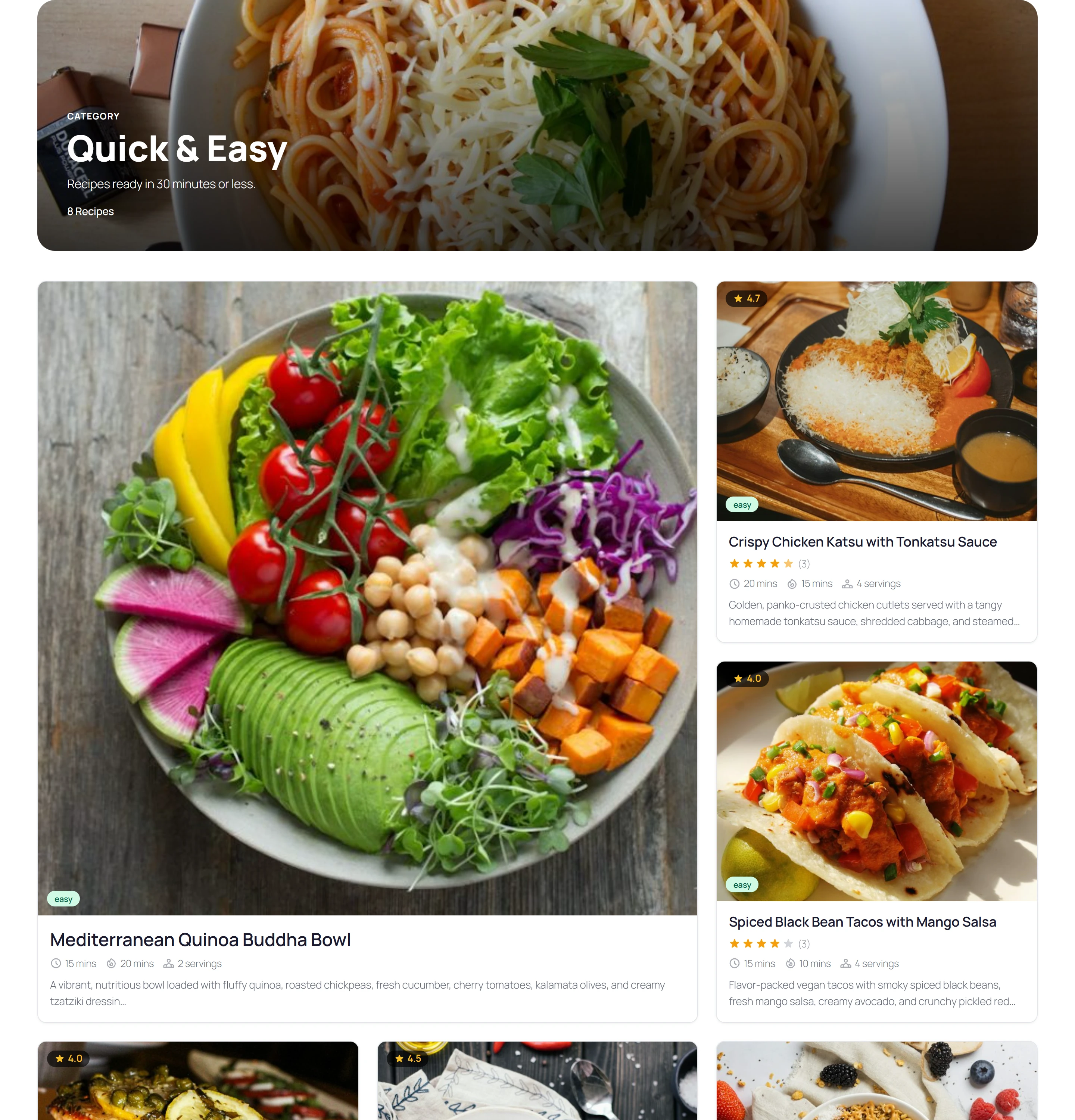
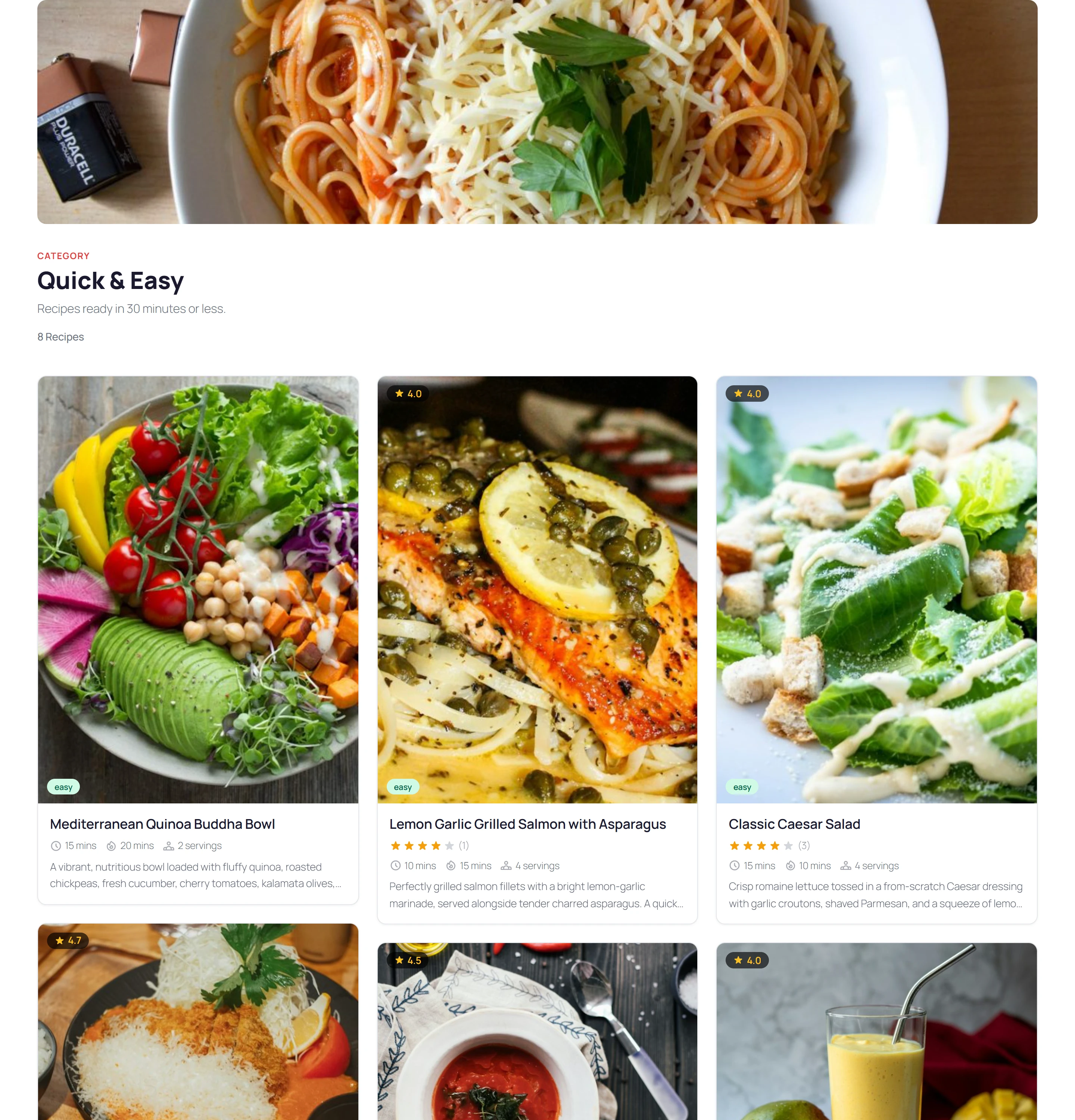
| Magazine | A full-width cover photo with the title on it, then one long editorial column. | The first recipe as a large feature, the rest in a grid. |
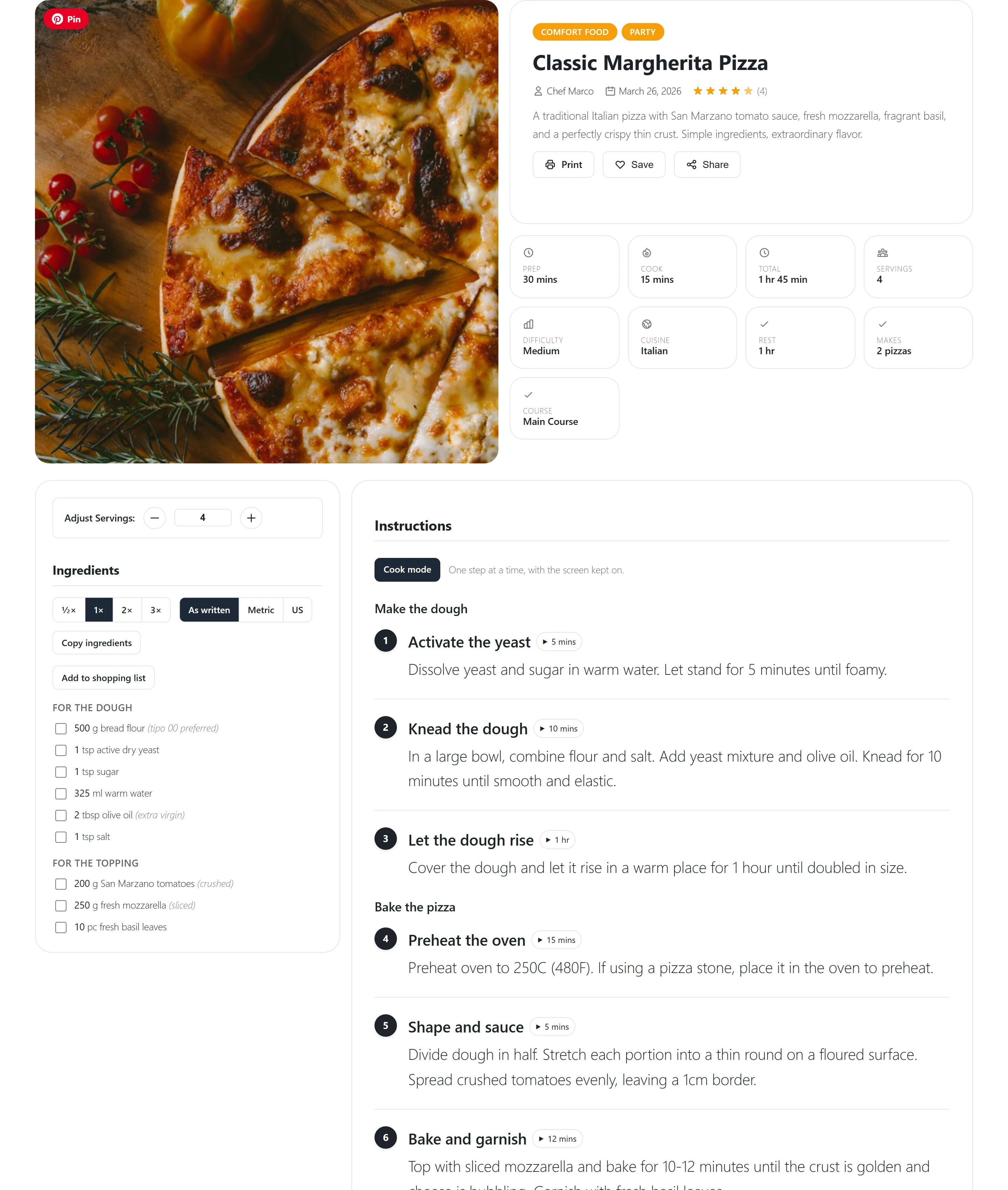
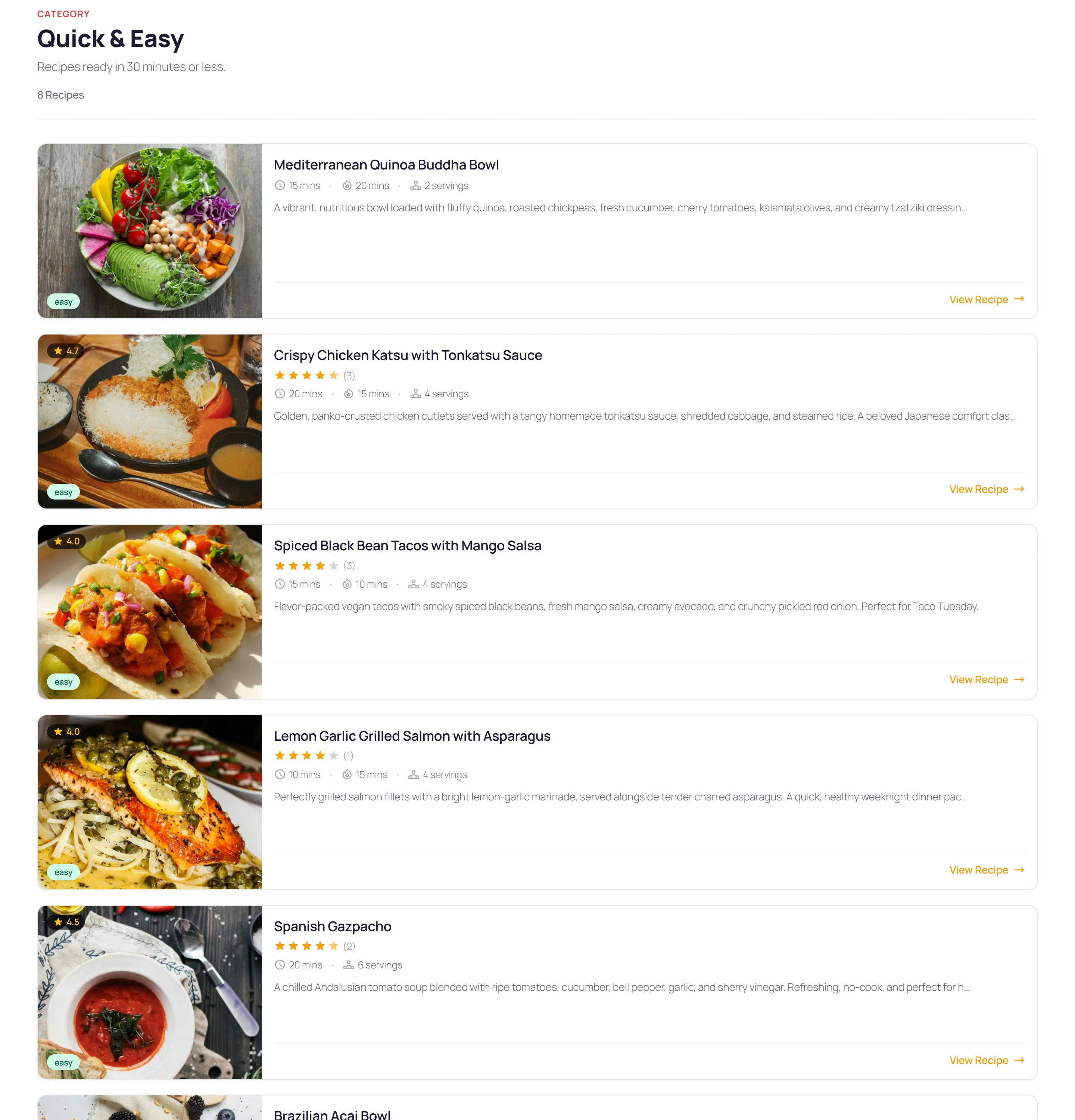
| Cook-along | Ingredients stay in view in a column beside the steps while you cook. | Wide cards in a list, photo on the left. |
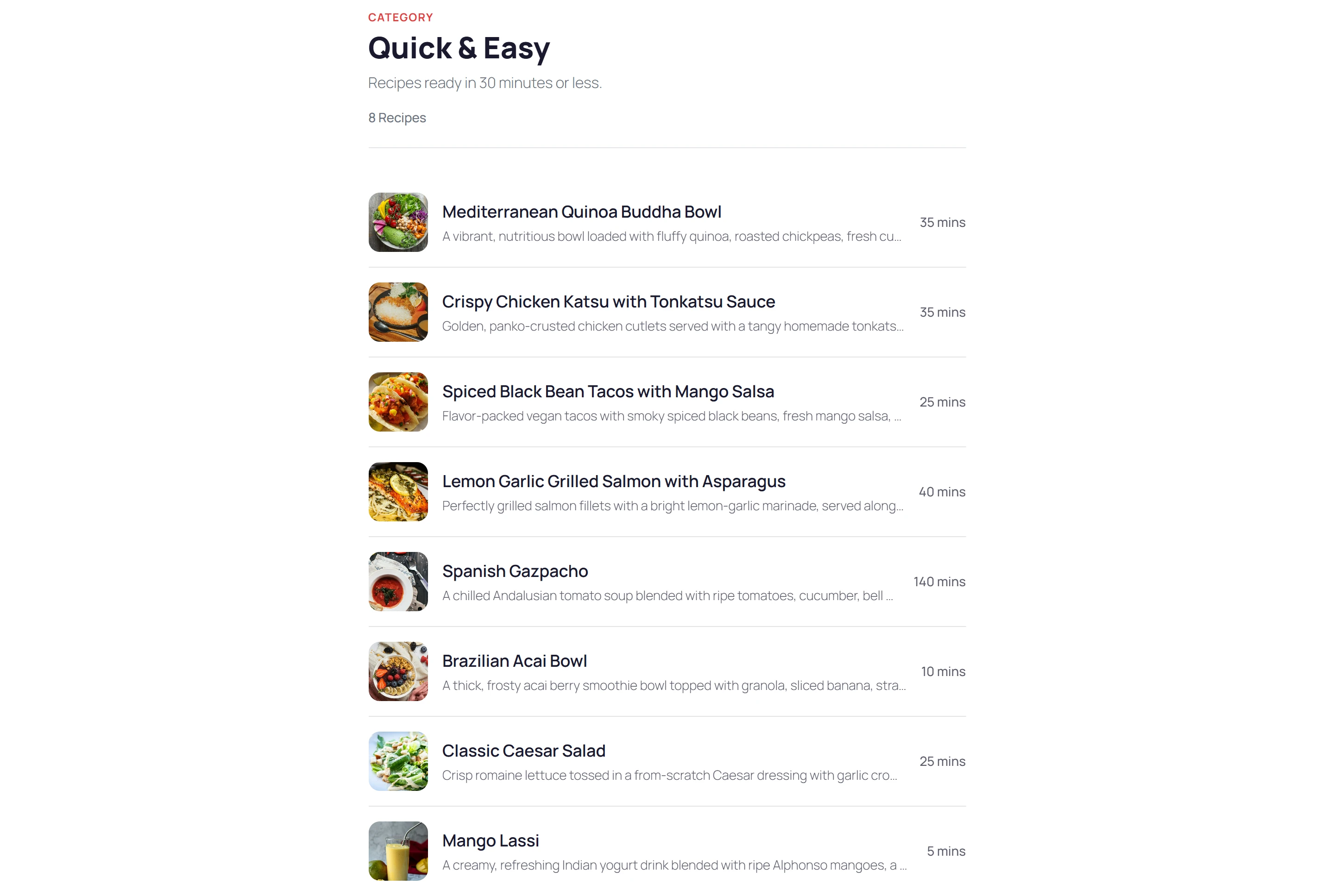
| Minimal | A narrow, centred column with a facts strip: quiet and print-friendly. | A compact list with small thumbnails. |
| Bento | A grid of tiles: photo, facts, nutrition and ingredients, then the method. | A mosaic of cards in varied sizes. |
Every layout draws the same parts of the recipe: the photo and gallery, the facts, ingredients, the method, nutrition, reviews and the rest. Only their arrangement changes. The recipe’s structured data, its title and its address are the same whichever layout you choose.
Recipe page
Classic puts the photo beside the title and the facts, with the ingredients and the method below.
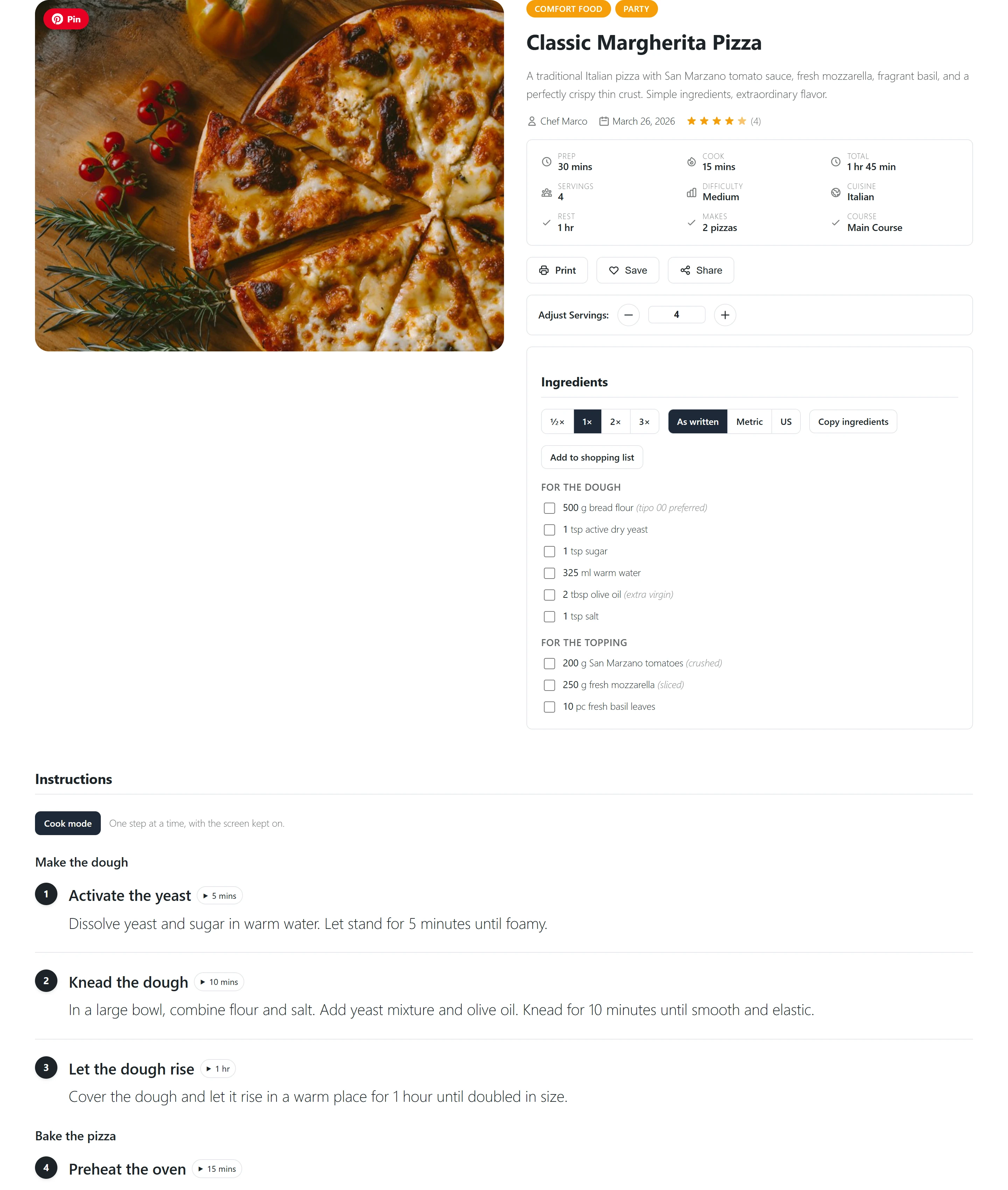
Magazine opens with a full-width cover photo with the title on it, then reads as one long column.
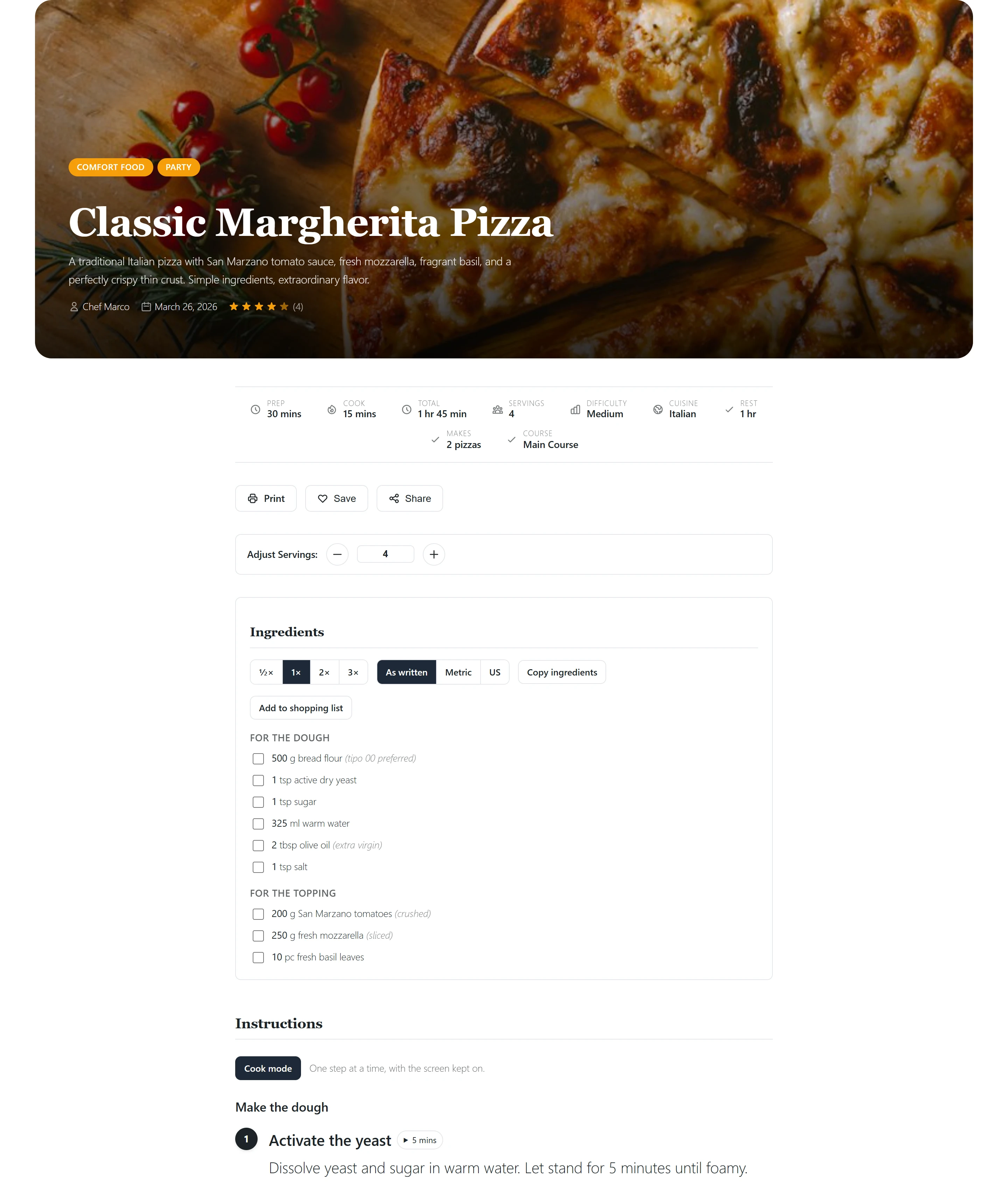
Cook-along keeps the ingredients in a column beside the steps, so they stay in view while the reader cooks.
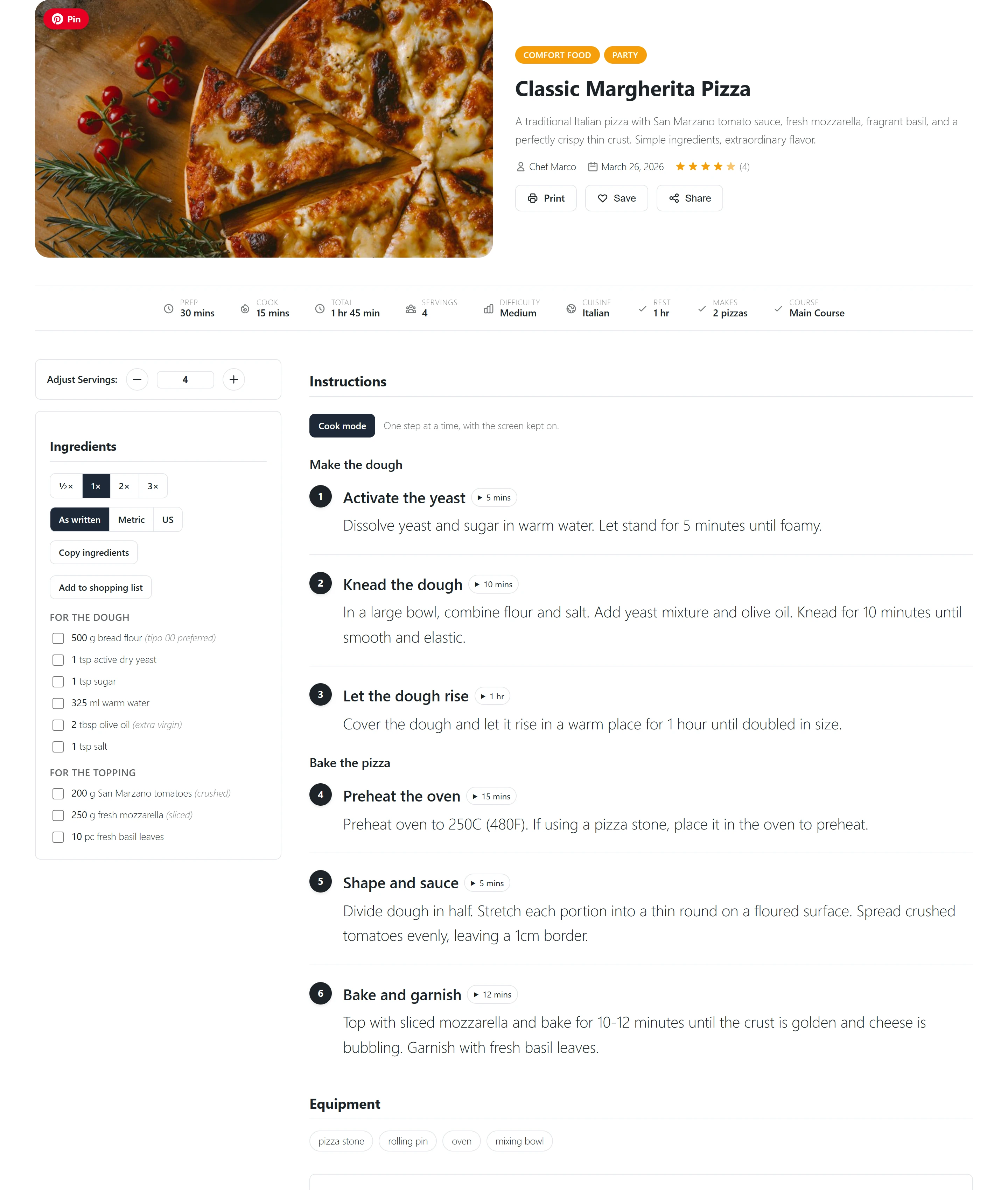
Minimal is a narrow, centred column with the facts in one strip. It prints well.
Bento arranges the photo, the facts, nutrition and ingredients as tiles, with the method after them.
Category and cuisine pages
Classic lists the recipes as a three-column grid of cards under the category’s photo and title.
Magazine writes the title on the photo and shows the first recipe as a large feature beside the next ones.
Cook-along lists wide cards, photo on the left.
Minimal is a compact list with small thumbnails and each recipe’s total time.
Bento is a mosaic of cards in varied sizes.
Give one recipe its own layout
Open the recipe in the recipe editor and go to its Page layout section. Same as the site is on by default: the recipe follows the site’s choice in Settings. Switch it off, pick a layout and save the recipe.
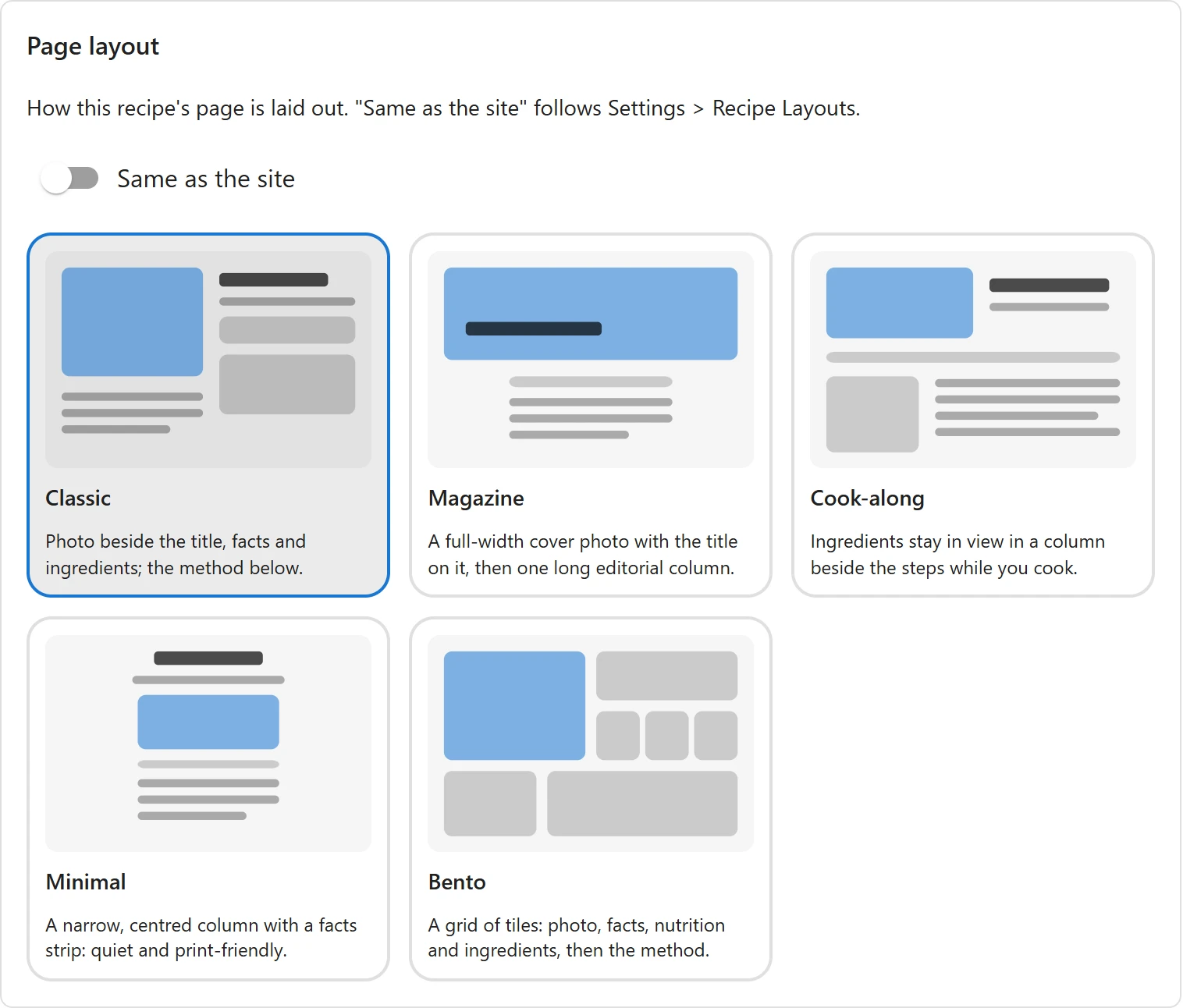
A recipe’s own layout wins over the site’s. Switch Same as the site back on to make the recipe follow the site again.
Change a layout in the Site Editor
On a block theme (Twenty Twenty-Five, for example), each layout is a template in Appearance > Editor > Templates, one for the recipe page and one for category and cuisine pages. The Edit link under a layout card in Settings opens its template in the Site Editor.
The template is made of Plugixa Recipe blocks: the recipe image, title, meta, ingredients, instructions, nutrition, reviews and so on. Move them, remove the ones you do not want, or add your own blocks around them. The editor shows your newest published recipe as the preview.
- A template edited in the Site Editor is used as edited, for every recipe that uses its layout. Its card in Settings says Edited in the Site Editor.
- Reset on the card discards your changes and brings the template back to the layout as shipped.
- A theme can ship its own version of a layout: a template file with the same slug (
recipe-single-classic,recipe-archive-bento, …). Your Site Editor copy wins over the theme’s file, and the theme’s file wins over the plugin’s. - Editing the layouts in the Site Editor needs WordPress 6.7 or later. On an older version they are drawn as shipped.
Classic themes
On a classic theme, the layouts are drawn between the theme’s own header and footer. You can still pick a layout for the site and for each recipe, but the Site Editor is not available, so a layout cannot be changed further.
Related pages
- Recipe Editor: where a recipe’s own layout is set
- Views: the look of recipe listings placed with a shortcode or block
- Permalinks & URLs: the addresses of recipe, category and cuisine pages
- Free vs Pro: everything Pro adds
Quick Links
Share