

Plugixa Exam 1.3.0: GDPR Tools and Negative Marking for WordPress
Plugixa Exam 1.3.0 is out. Its headline is privacy: WordPress’s own personal-data tools now reach every exam record, and a new Privacy section lets you decide what happens to old data on its own. The release also brings negative marking to single-answer questions, WordPress’s Add media button to every editor, and a fix for answers lost while a question was being edited. Everything here is in the free plugin.
Personal-data requests that reach everything
An exam plugin stores a lot about a person: attempts, answers, grader comments, certificates, uploaded work, notes typed beside a reading passage. In 1.3.0, Tools → Export Personal Data and Tools → Erase Personal Data reach all of it, with nothing to switch on.
An erasure is careful about what it removes:
- Attempts are anonymised, not deleted: the name, email address, answers and comments go, and the score stays with nothing that identifies who earned it. Your statistics and other candidates’ results stay correct.
- Certificates are withdrawn. The public verification page says “withdrawn” and shows no name, so whoever checks a certificate number still gets an honest answer.
- Uploaded files are deleted from disk, along with passage notes, learning-platform (LTI) logins, alerts, group memberships and leaderboard names.
An export includes the same records, plus grader comments, the integrity record and the names of files handed in. It also works for an app you have since switched off in the App Manager: the data that app left behind is still found.
The Privacy and GDPR guide lists what is stored, the two cookies, and exactly what each tool does.
Settings → Privacy
A new section holds four choices. Every one is off when you install or update, because turning one on is a decision about your site’s data.
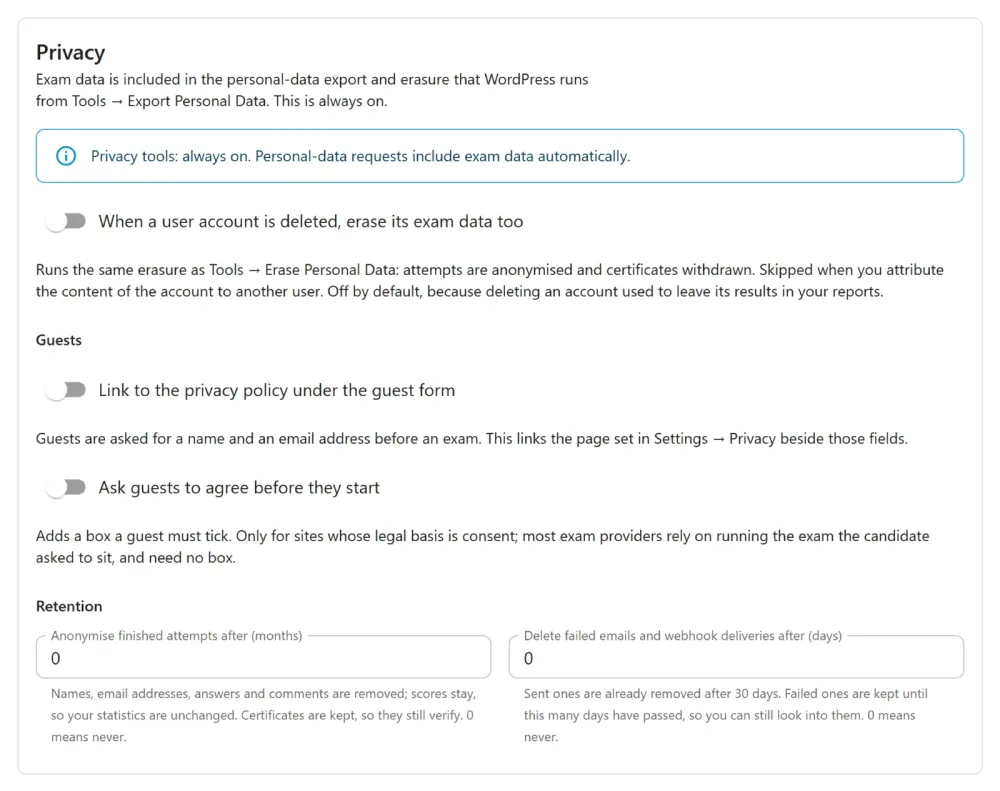
- Erase exam data when a user account is deleted, using the same erasure as the Tools screen. It is skipped when you attribute the account’s content to another user.
- A privacy-policy link under the guest form, to the page set in WordPress’s own privacy settings.
- A consent box guests must tick before they start, checked on the server as well as in the browser. You only need it if your legal basis is consent.
- Retention periods: anonymise finished attempts after a number of months, and delete failed emails and webhook deliveries after a number of days. Certificates are kept, so they still verify.
WordPress’s Settings → Privacy → Policy Guide also gains a suggested Plugixa Exam section for your privacy policy, written for your site as it is set up. The Privacy settings guide covers each option.
Negative marking on single-answer questions
Customers asked for this one. Multiple choice (single answer) questions now have the Negative marking switch. Because there is only one pick to get wrong, the minimum score is the penalty.
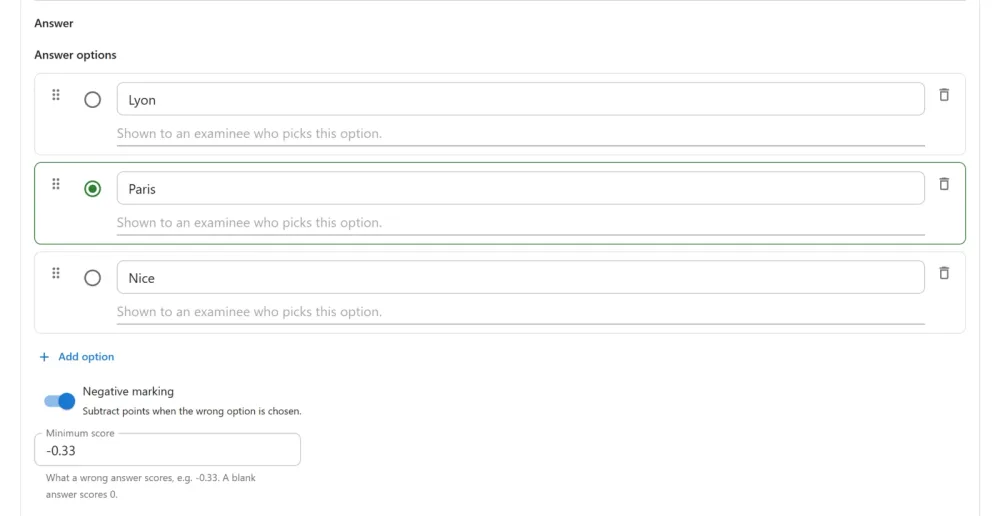
With Points 2 and Minimum score -0.33, a question scores +2 for the right answer, -0.33 for a wrong one and 0 for a blank. A wrong answer never costs more than the question is worth. The Grading guide has the full rules.
The same release closes a gap: a minimum score above zero could award points for a wrong answer. It now counts as 0.
Add media in every editor
Every text editor in the plugin now has WordPress’s own Add media button: question text and explanations, passages and transcripts, exam descriptions and instructions, messages and notifications. Upload a picture or pick one from the Media Library, and it goes in where the cursor is.
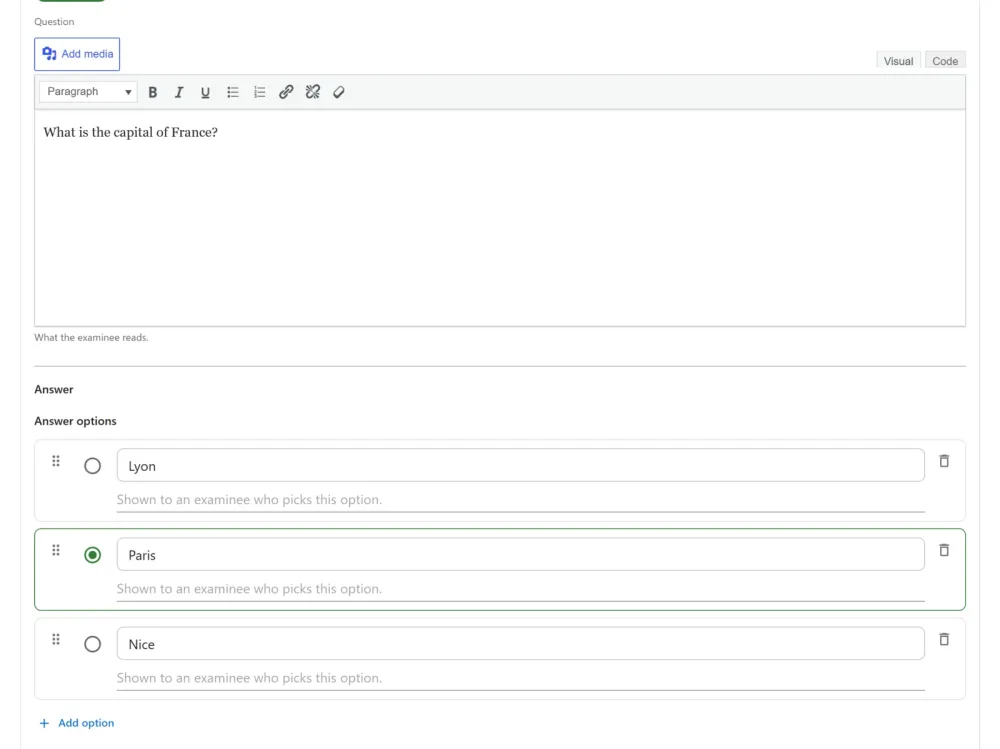
Captions show under the picture on the exam page, and left, right and centre alignment are kept, mirrored on a right-to-left paper. The plugin’s own Insert image link is gone, and pictures already in your questions are unchanged. See Images in questions.
Fixes
- Editing a question while a candidate was sitting it lost their answer to that question, which then showed as unanswered and was marked wrong. Saving a question now keeps its answer options’ identity.
- Switching an app off in the App Manager also switched off the export and erasure of the data it had stored.
- A certificate withdrawn because its purchase was refunded came back the next time the attempt was re-marked.
- Uninstalling left candidates’ uploaded files on disk.
Before you update
Nothing changes on its own: the privacy options stay off until you turn them on. One thing does behave differently: erasing a person now also withdraws their certificates and deletes their uploads, which earlier versions left in place.
Every change is in the 1.3.0 changelog.